Best QR code generator? Six checks, then decide
We make one, so a ranking from us would be an advert. What we can offer instead is the list of checks that separate a QR code generator you can print against from one you cannot — the questions worth answering before anything goes to a printer, with every claim about another company dated and linked to its own page.
- No ranking, no scores
- Every claim dated and linked
- Sources re-read 17 September 2026
- Static codes free here
The six checks
In the order that matters. The first two decide whether a printed run survives; the rest decide what it costs.
- 01Is the code static or dynamic, and do you know which you are downloading?
- A static code carries the destination inside the pattern. Nothing is stored anywhere and no server is involved, so it cannot be switched off by anybody, including the company that drew it. A dynamic code points at a short link the vendor operates, which is what lets you change the destination after printing - and what makes the code depend on that company continuing to exist and to serve it. Bitly’s own explainer puts the distinction the same way. Both kinds are legitimate; printing one while believing it is the other is the mistake.
- 02What does the vendor publish about the day you stop paying?
- Not what a review says - what the company itself has written down, with a date on it. This is the check most worth doing and the hardest to complete. Hovercode’s cancellation article states plainly that you drop to the free plan, that the first three dynamic codes stay active, and that anything on a custom domain stops working; it was last updated 22 October 2025. Bitly’s free-plan page says free codes “remain active as long as the associated account stays active” and that existing codes carry over when you upgrade, but addresses no other direction; its three support articles about downgrading returned 403 to us on 17 September 2026. Our own answer is further down, and it is the one thing on this page we can change rather than merely report.
- 03Is the allowance a monthly quota or a standing total?
- This inverts which tool is cheaper and it is invisible on a pricing grid. A monthly quota counts what you create: Bitly’s plans list links and QR codes per month, and Hovercode’s upper tiers say 600 and 2,000 dynamic codes “per month”. A standing total counts what is live. A campaign team minting hundreds of fresh links a month wants the quota; a business with fifty printed things that must keep working wants the total, and will overpay badly on a quota plan. Work out which of the two you are before comparing prices.
- 04Whose domain is in the printed link?
- Every dynamic code shows a domain before it redirects, and on a free or cheap tier it is the vendor’s. That is a permanent dependency printed onto physical objects: if you later move, every printed code has to be reprinted, because the domain in the pattern is not yours. Check at which price a custom domain appears, and check what happens to it when you stop paying - Bitly documents that a complimentary domain stops working once its registration lapses, which is a different answer from the links themselves continuing.
- 05What does the free tier cost you later?
- Free tiers differ in kind, not degree. Some cap scans or deactivate codes after weeks - Bitly’s own article on the subject says many free tools impose “scan caps of 50 to 100 scans or deactivate codes after just a few weeks”, while noting that its own free plan does neither. Others watermark the image, or withhold the vector file you need for print. Ask three things: does a downloaded code carry the vendor’s mark, can you get an SVG, and is there a scan ceiling. A code you cannot print at size, or that stops counting, is not free.
- 06Can you get your data and your codes out?
- Scan history is the part you cannot recreate. Ask how far back the plan lets you look, and whether you can export it as a file rather than reading it on a chart. Ask the same about the codes: a list of slugs and destinations you can hold is what makes moving possible at all. This is the check nobody runs until they need it, and by then the answer is fixed.
Where we would fail your checklist
A comparison that only flatters its author is worth nothing, so here is the honest side of ours.
We are smaller and newer. Bitly is a name your colleagues have heard of, and that matters when somebody else has to approve the tool. If the decision needs to survive a procurement conversation rather than a technical one, that is a real difference and not one we can argue away.
A quota suits some work better than a total. If you genuinely mint hundreds of fresh links a month and few of them need to outlive the campaign, a monthly allowance is the cheaper shape and we do not sell it.
Some tools have features we do not. The two we name are compared in detail, gaps included, on their own pages here: Bitly and Hovercode. Both list what they do better, with their prices read on the same day as this page.
Our answers to our own checklist
Stated here so the page can be held to them, and read from the code that enforces them.
Static codes are unlimited, free for ever, and need no account — they are drawn in your browser, so nothing of ours is involved after the download. Nothing can switch them off, including us.
When a paid plan ends, the 90-day window runs per code from whenever it was last scanned, and each fresh scan extends it, so anything genuinely in circulation carries on working. A custom domain arrives at Starter, $12 a month, rather than at a top tier, and what the scan figures mean is written down rather than implied.
Downloads carry no watermark at any tier, SVG included. Our plan limits are standing totals, not monthly quotas, which is the shape that suits printed work and the wrong shape for high-volume minting — check 03 is there precisely so you can tell which you are.
Choosing a generator, answered
- Which QR code generator is best?
- There is no single answer, and anybody publishing a ranking is usually in it. The question that does have an answer is narrower: whether you need a code that can change after printing, and what happens to it if you stop paying. A static code from any competent tool is permanent and free everywhere, including here. A dynamic code ties a printed object to a company, so the checks on this page are about that dependency rather than about features.
- Is a free QR code generator safe to use for printed material?
- For a static code, yes - the destination is inside the pattern and nothing can be switched off later. For a dynamic code it depends entirely on the free tier’s terms: some cap scans, some deactivate codes after a few weeks, and some keep working indefinitely. The distinction is worth more than any feature list, because it decides whether a printed run survives.
- What is the difference between a monthly allowance and a live total?
- A monthly allowance counts the codes you create each month and resets; a live total counts the codes currently working and does not. Creating a hundred codes a month for a campaign is cheap on an allowance and expensive on a total. Keeping fifty printed codes alive for three years is the opposite. Neither is wrong, but comparing a plan of one kind against a plan of the other by price alone gives the wrong answer.
- What happens to your codes if I stop paying?
- The clock belongs to each code rather than to the account. One that nobody scans for 90 days pauses on a page explaining it is inactive, and an email reaches you first; any scan before then resets it to a full period again, which in practice means a poster still in use is never switched off. Nothing is deleted, and resubscribing restores editing with the same links and no reprinting. Static codes are untouched for ever, since none of our machinery takes part in them.
- Do I need an account to make a QR code here?
- No. Static codes are drawn in your browser and download as PNG or SVG with no account, no email address and no card. Free adds 3 editable items that never expire, with 90 days of scan history; the first paid step puts a domain of your own in front of every link.
- Why does this page not rank the tools?
- Because we make one of them. A ranking published by a competing product is an advert whatever its contents, and a reader is right to discount it. Naming a handful of tools would also mean re-reading each one’s pricing page on a schedule for ever, and a comparison that quietly goes stale is worse than none: it states last year’s prices about a named company with this year’s confidence.
Where the claims came from
- Bitly pricingPlan prices, monthly link and QR allowances, and analytics retention
- Bitly: the free planThat free links and codes do not expire, and that existing codes carry over on upgrade
- Bitly: the hidden cost of free QR codesTheir description of scan caps and deactivation across free tools, and of static versus dynamic
- Hovercode pricingPlan prices, dynamic code counts and custom domain counts
- Hovercode: cancel your subscriptionWhat stays active and what stops when a plan ends, last updated 22 October 2025
Every figure above was read from those pages on 17 September 2026. Prices change; if you are reading this much later, check them yourself before deciding anything — the links are right there, which is the point of listing them.
Last reviewed , against the product as it works today.
The rest of the toolbox
Open a row to see the screen and which plan has it.
Custom domains
Short links on your own domain, chosen code by code.Starter and up
Codes open go.yourbrand.com/menu rather than a link with our name in it, so the address under the code is yours. You add two DNS records and we check them. Then pick the domain for each code as you make it, or move a whole list of codes onto it at once.
Starter and up
QR codes on your own domain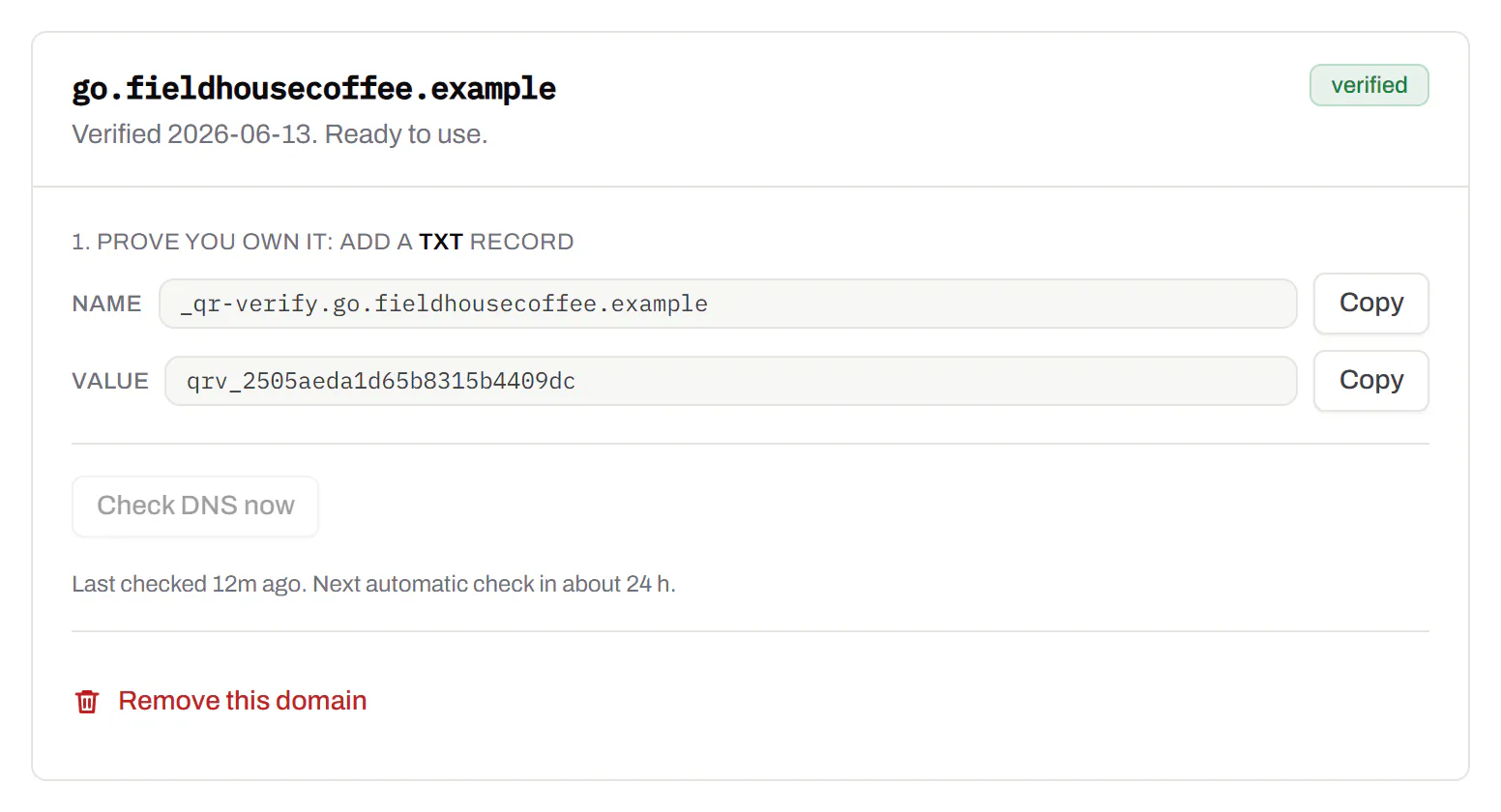
Bulk QR code generator
A spreadsheet in, one dynamic code per row out.Starter and up
Paste or upload a list of names and links, match the columns, and get a dynamic code for every row - one per table, stall, badge or product - each with its own scans and destination.
Starter and up
The bulk generator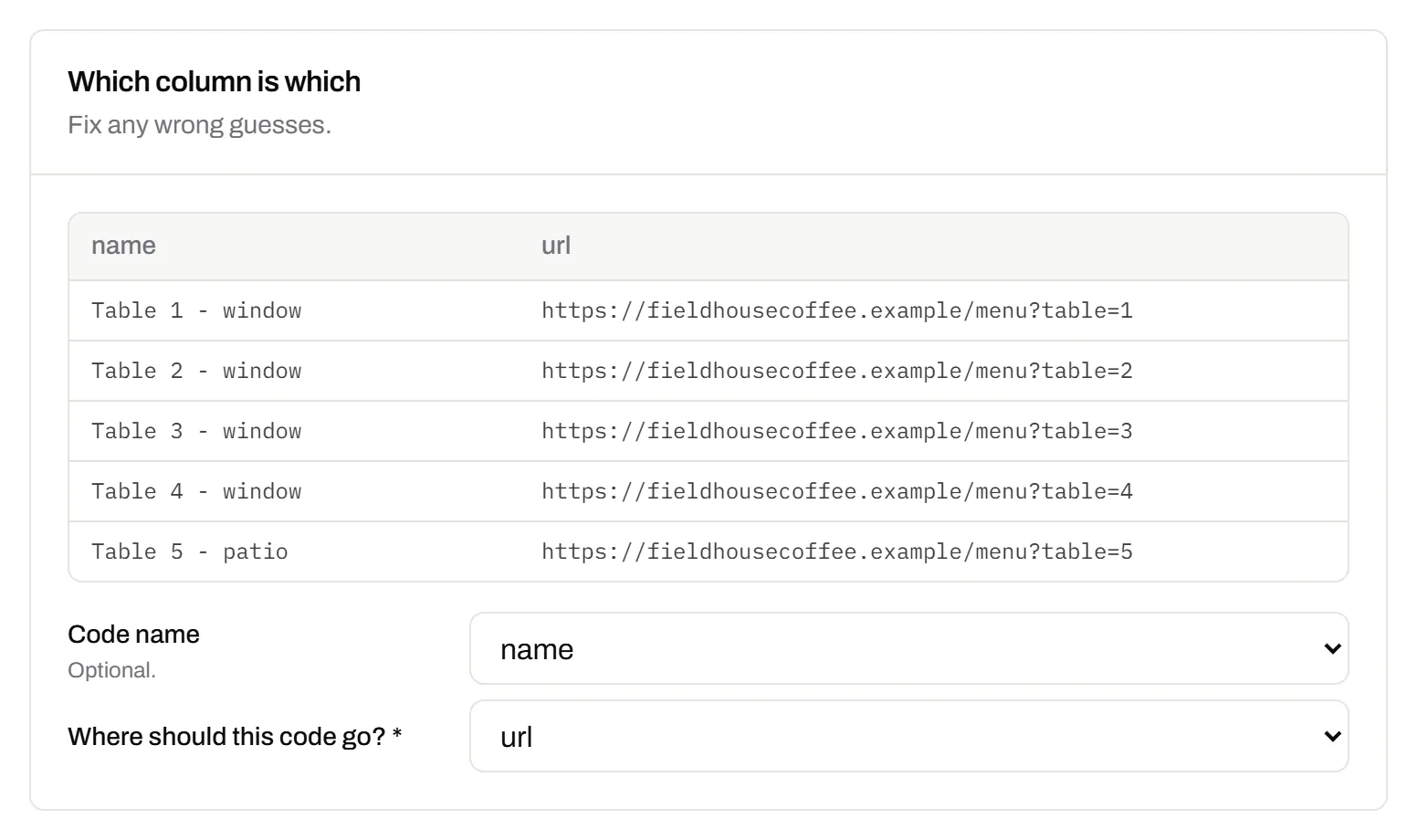
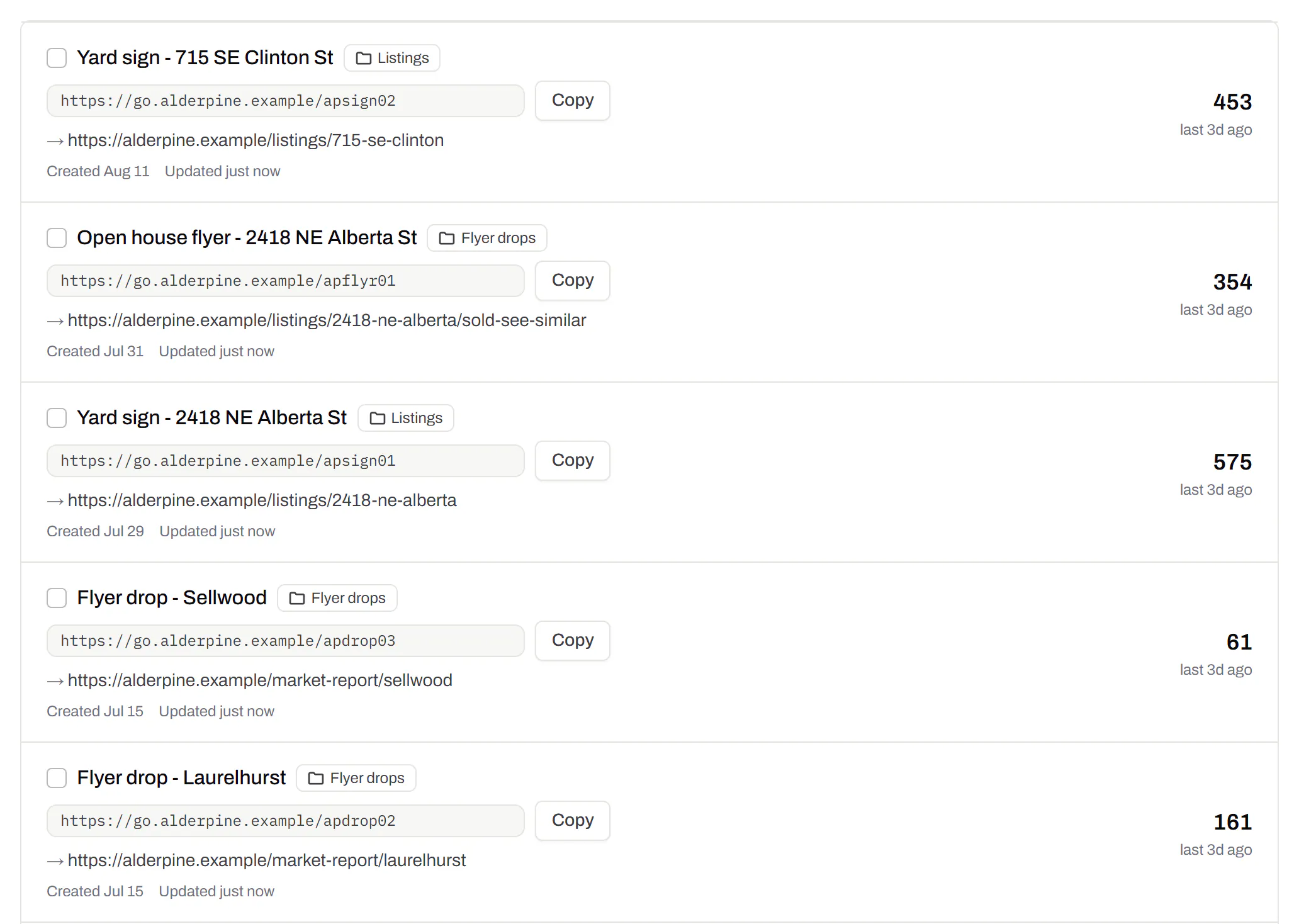
Change many codes at once
Tick the codes, then pause, tag, file or move them together.Pause and resume on every plan · folders and tags on Starter and up
Tick codes in the list, or pick every code with a tag, and pause or resume them, add or remove tags, move them to a folder or onto your own domain, or add campaign tags, in one go. The API does the same in one request.
Pause and resume on every plan · folders and tags on Starter and up
Short links, with your own ending
The link on its own, for a bio, an email or an ad.Every plan · custom endings on Business
Paste a link and get a short one you can change, route and count, with no QR code unless you want one. Every dynamic code already has its short link beside it, and a short link gets its QR code in one click - the same link, so clicks and scans count together. On Business you choose how the link ends, like /spring-menu, instead of random letters.
Every plan · custom endings on Business
The URL shortener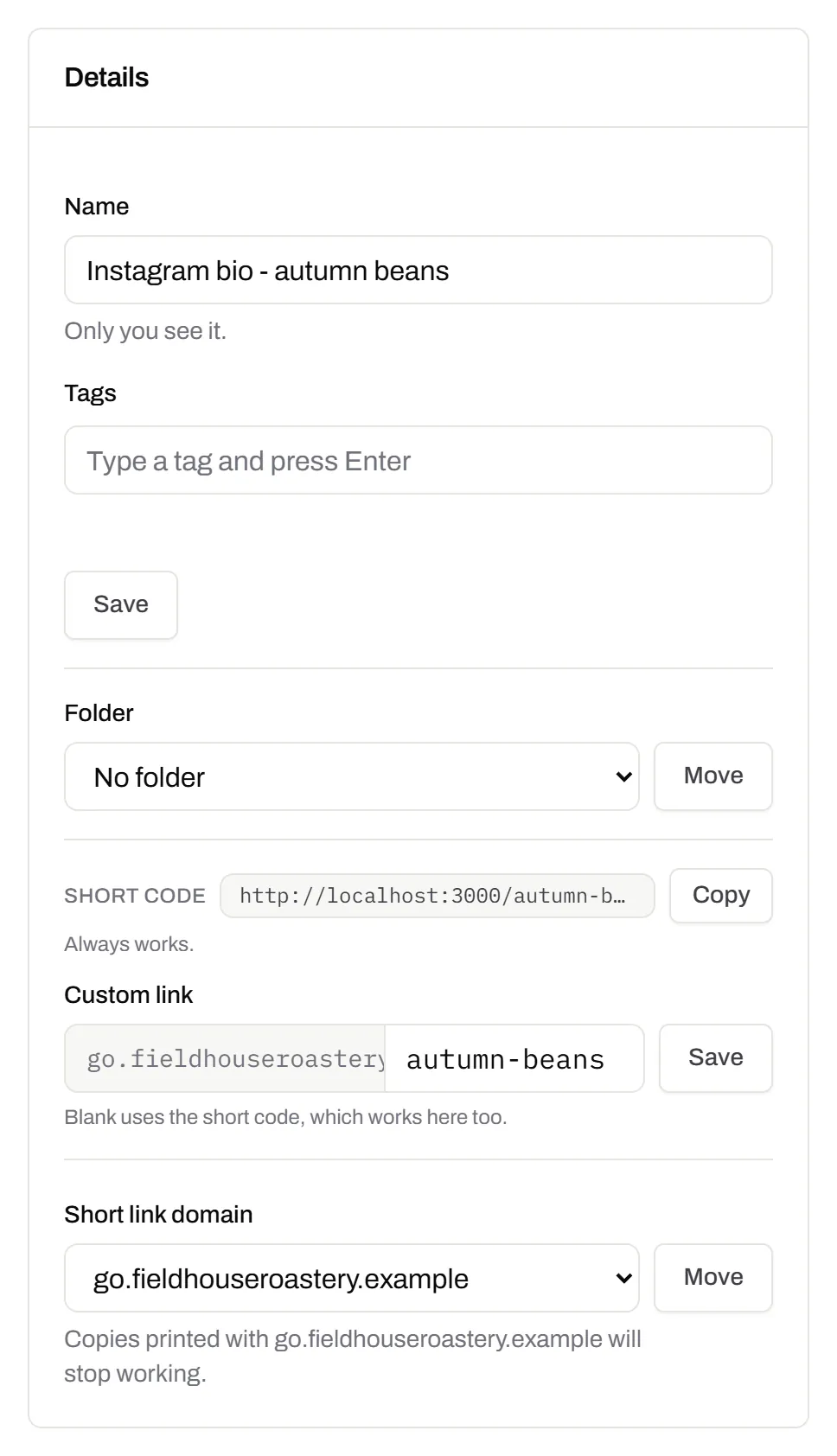
GS1 Digital Link for products
The retail code that carries your GTIN and still opens a web page.Every plan, Free included
Your domain and the GTIN from under the barcode, with batch, serial and dates if you want them, in the link format GS1 set for retail. A phone opens your page; the product data rides along in the address. The GTIN’s check digit is checked before anything is made.
Every plan, Free included
QR codes for packaging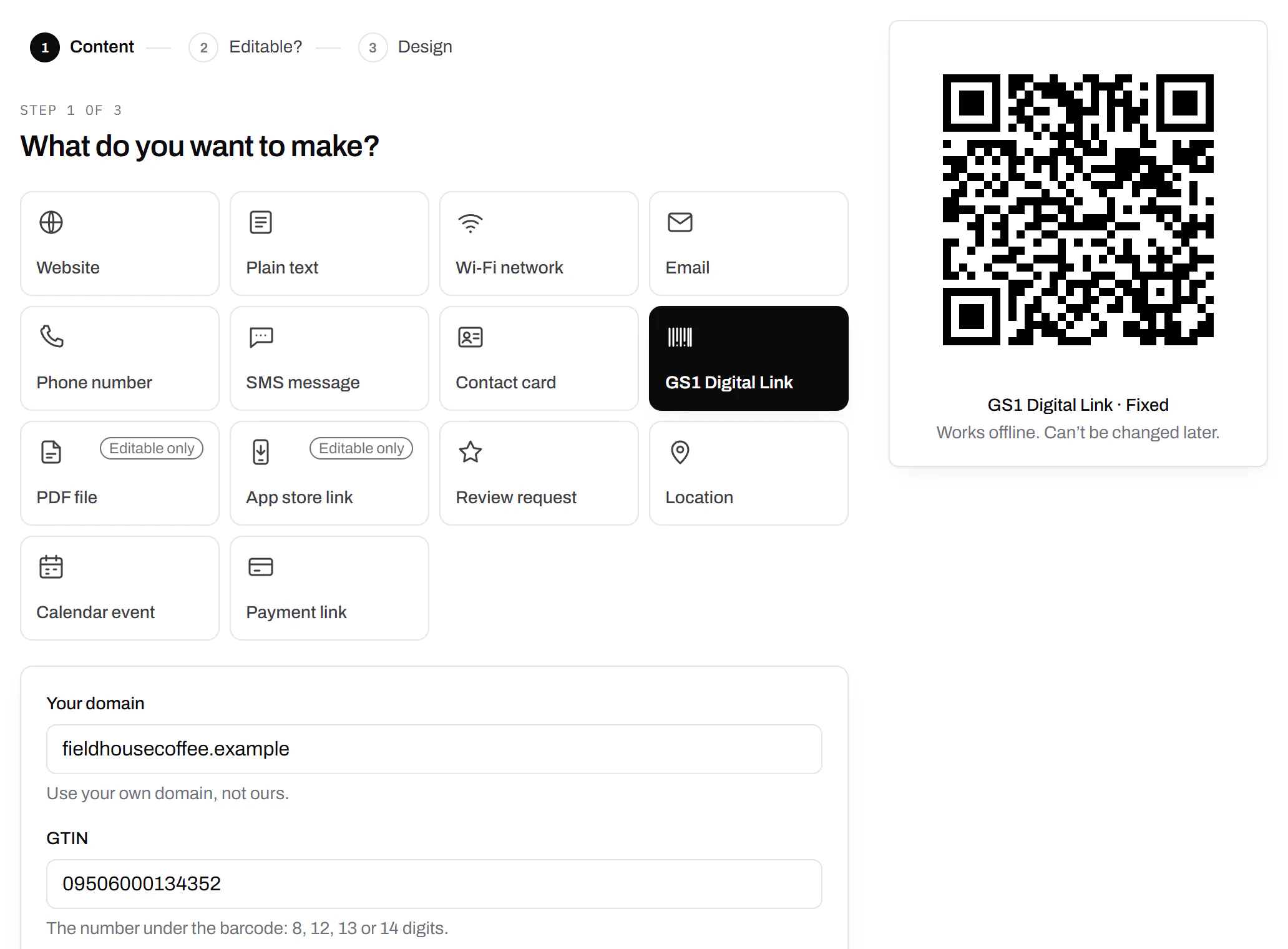
Wi-Fi, contact cards, email, phone and SMS
Networks, contacts, calendar dates and places, not only links.Every plan, Free included
A website, plain text, a Wi-Fi network, an email, a phone number, a text message, a contact card, a GS1 Digital Link, a PDF, a location, a calendar event and more. Most download free, with no account; the few marked “Editable only” need one.
Every plan, Free included
Contact card codes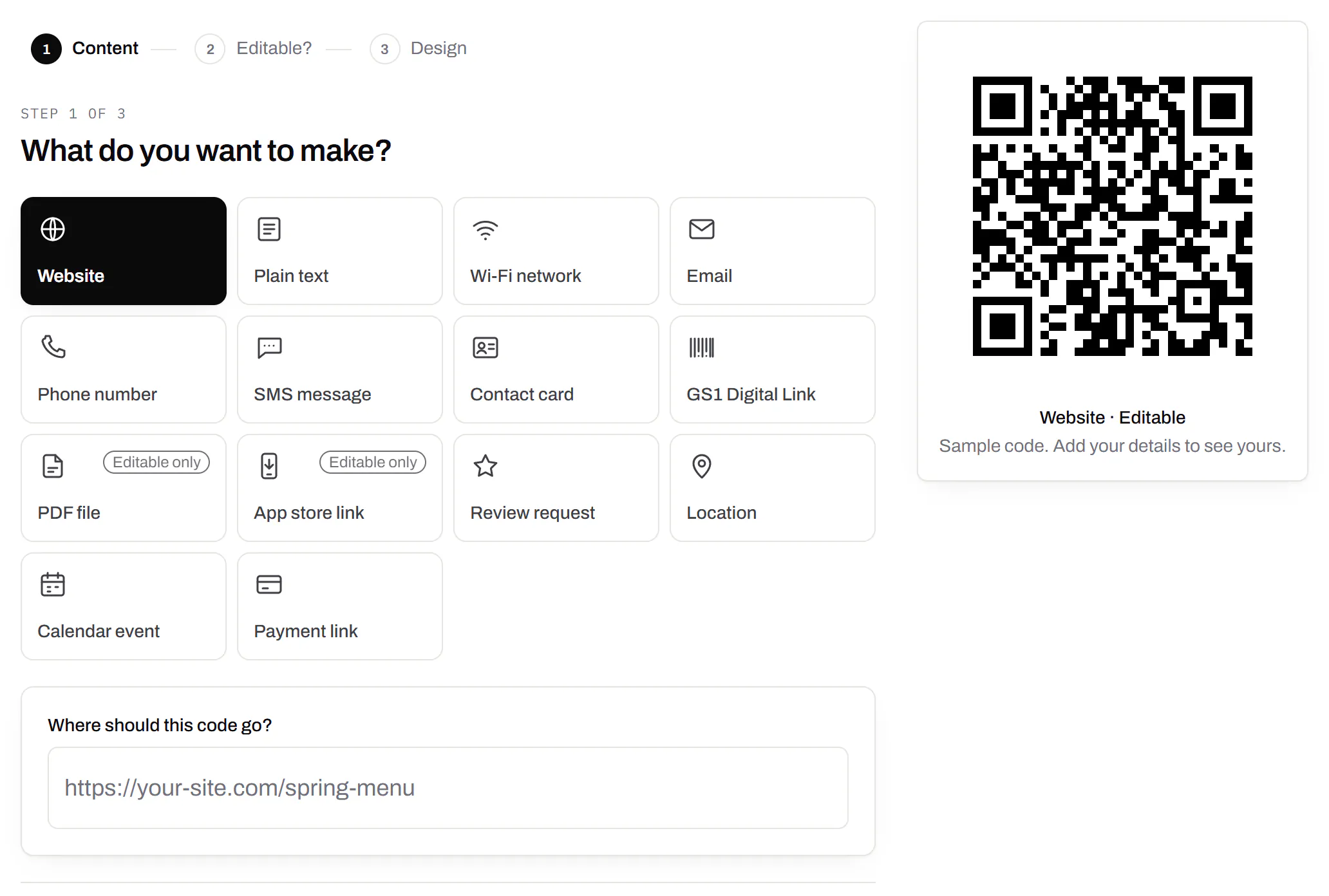
PDF codes you can update
Upload a PDF, print the code, swap the file later.Every plan, Free included
We host the file and the code opens it. Upload a new version and the same printed code opens that one, with the old file kept in its history in case you need it back.
Every plan, Free included
PDF to QR code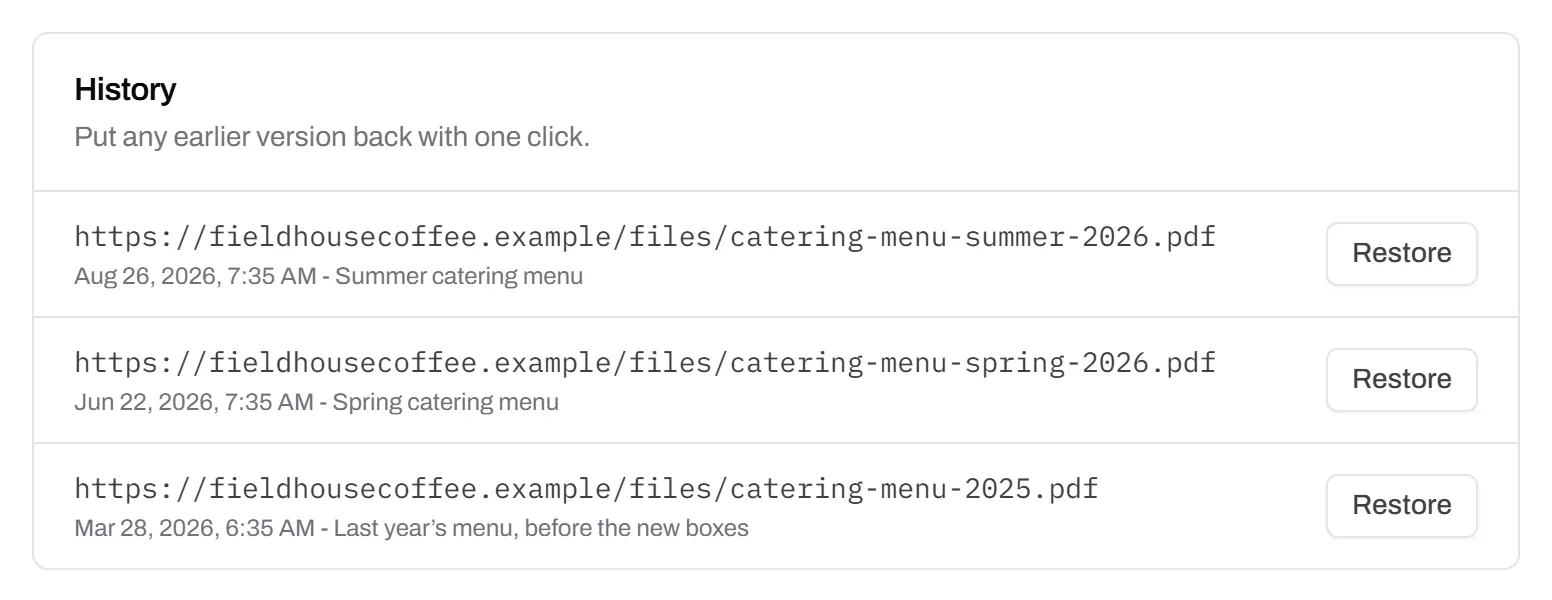
Your logo in the middle
Upload any image; we size it so the code still scans.Every plan, Free included
PNG, JPEG, WebP or GIF, up to 15 MB - we shrink it ourselves, so nobody has to compress a file first. Error correction goes up to make room, and the logo is never allowed to cover more of the pattern than the code can lose.
Every plan, Free included

Print-ready downloads
PNG and SVG on every plan, and a PDF for the printer.PNG and SVG on every plan · PDF on Starter and up
PNG for screens and quick jobs, SVG for anything that gets scaled, and a print-ready PDF on Starter and up.
PNG and SVG on every plan · PDF on Starter and up

Folders and tags
Keep one location’s or one campaign’s codes together.Starter and up
Put codes in a folder per shop, listing or campaign and filter the list by it. Deleting a folder never deletes a code - they move to No folder, and you can undo it.
Starter and up
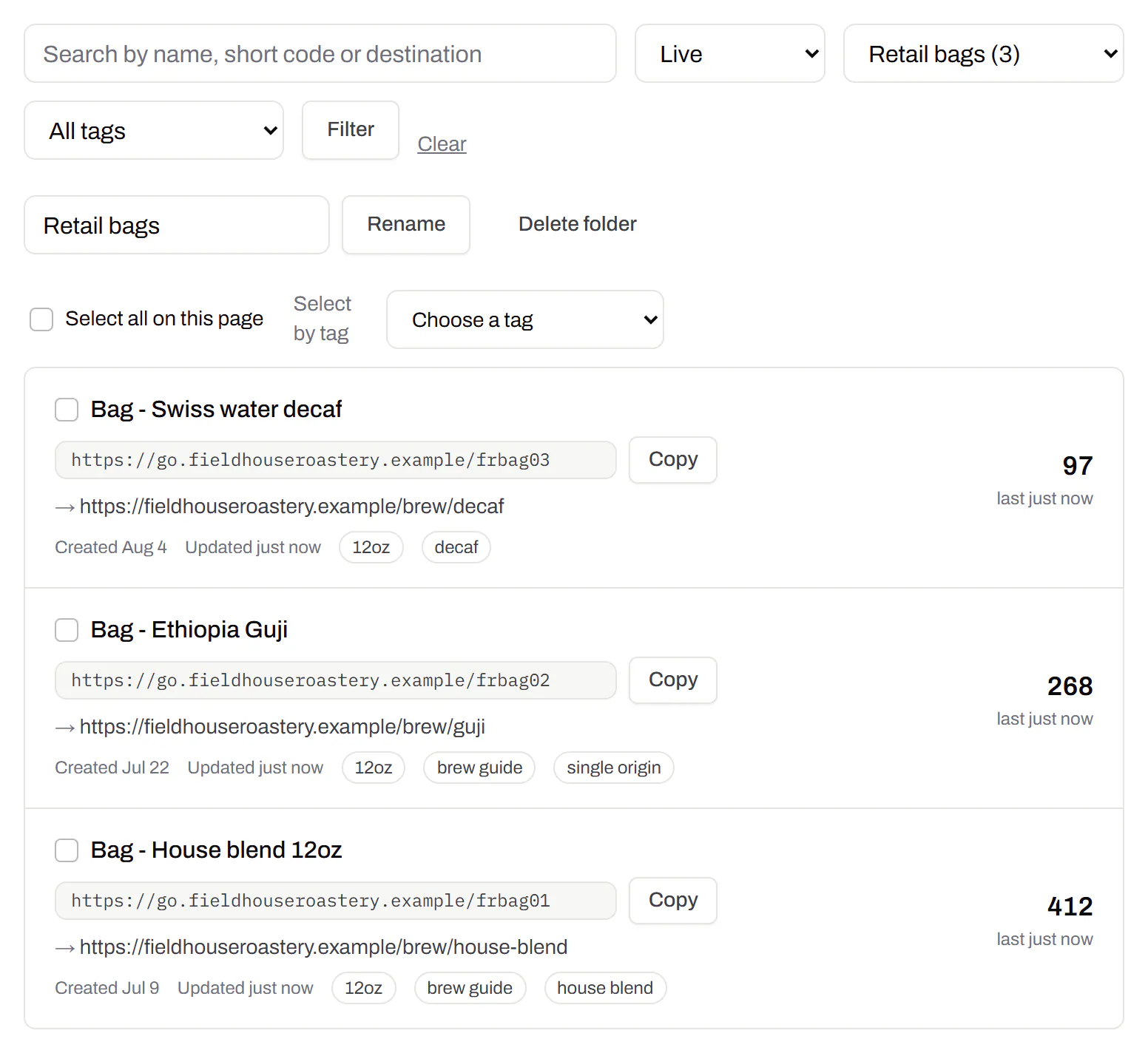
Campaign presets
Saved UTM parameters, so printed scans are not “direct”.Starter and up
A printed code arrives in your web analytics as direct traffic. A preset fills in source, medium and campaign in one click, so the flyer and the table tent show up as themselves.
Starter and up
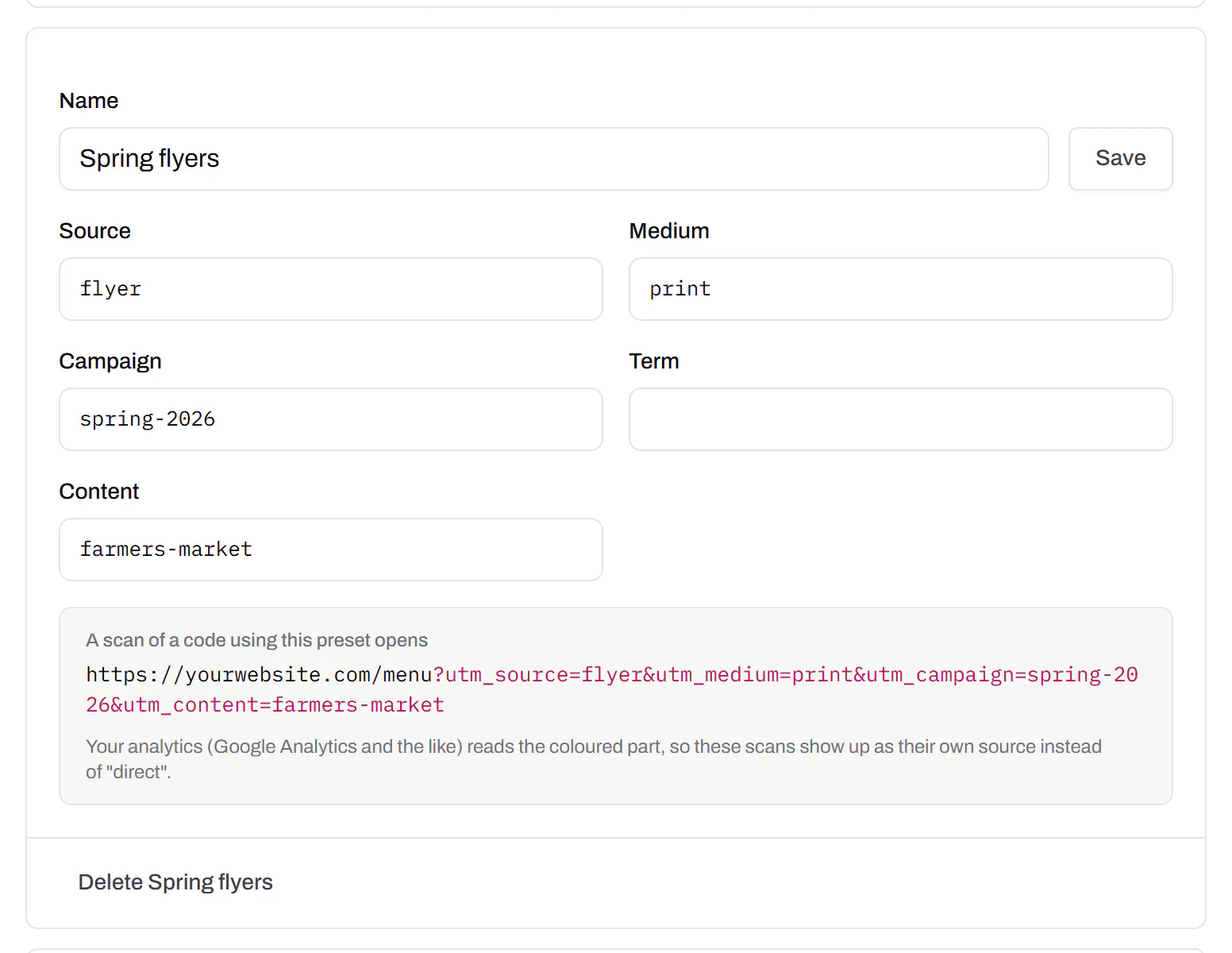
City-level scan locations
Which towns the scans came from, not only which countries.Pro and Business
Scans by city and region for each code, and towns on the live map. Coarse on purpose: the place the phone’s network reports, never a street or a precise position.
Pro and Business
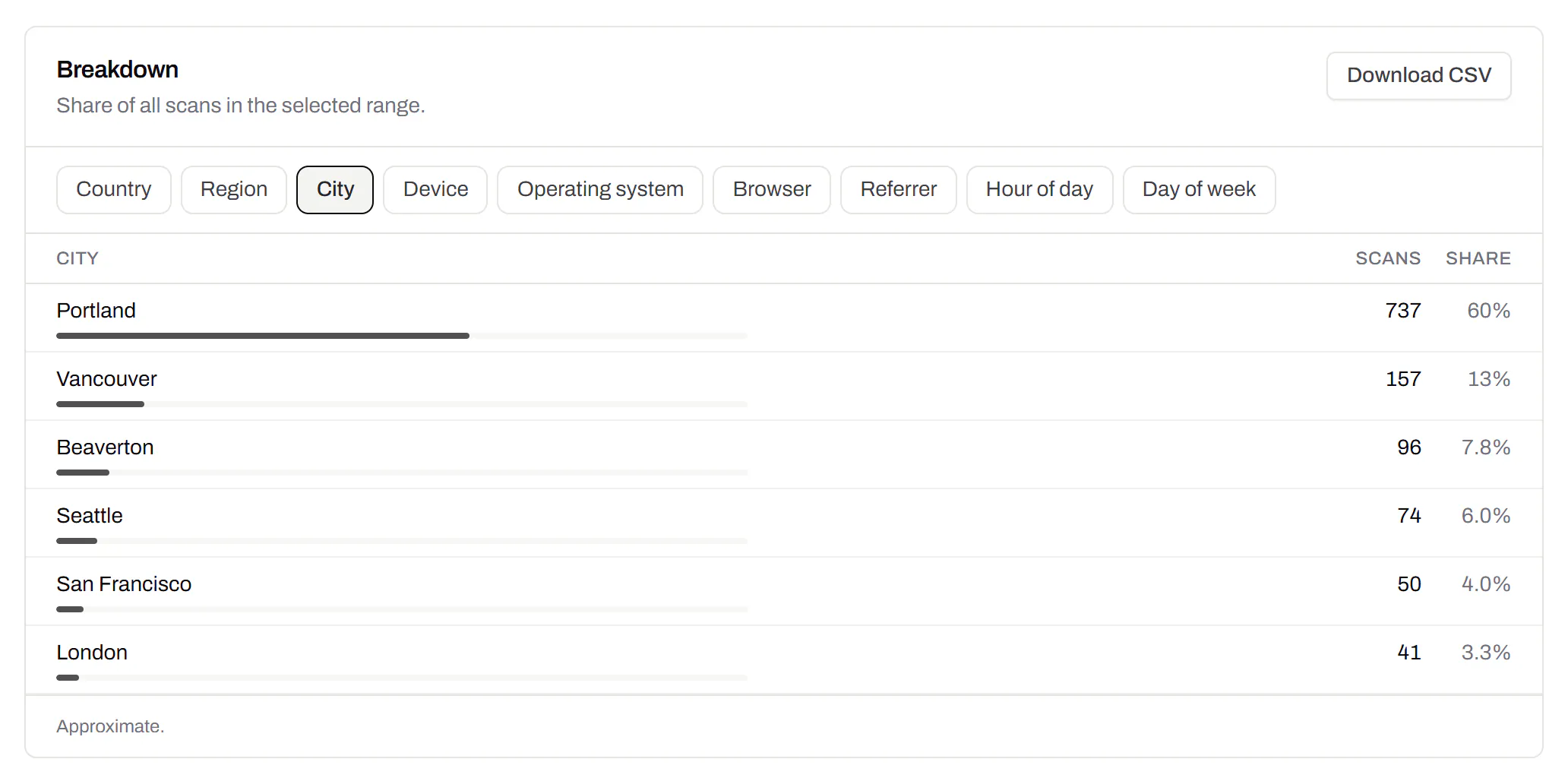
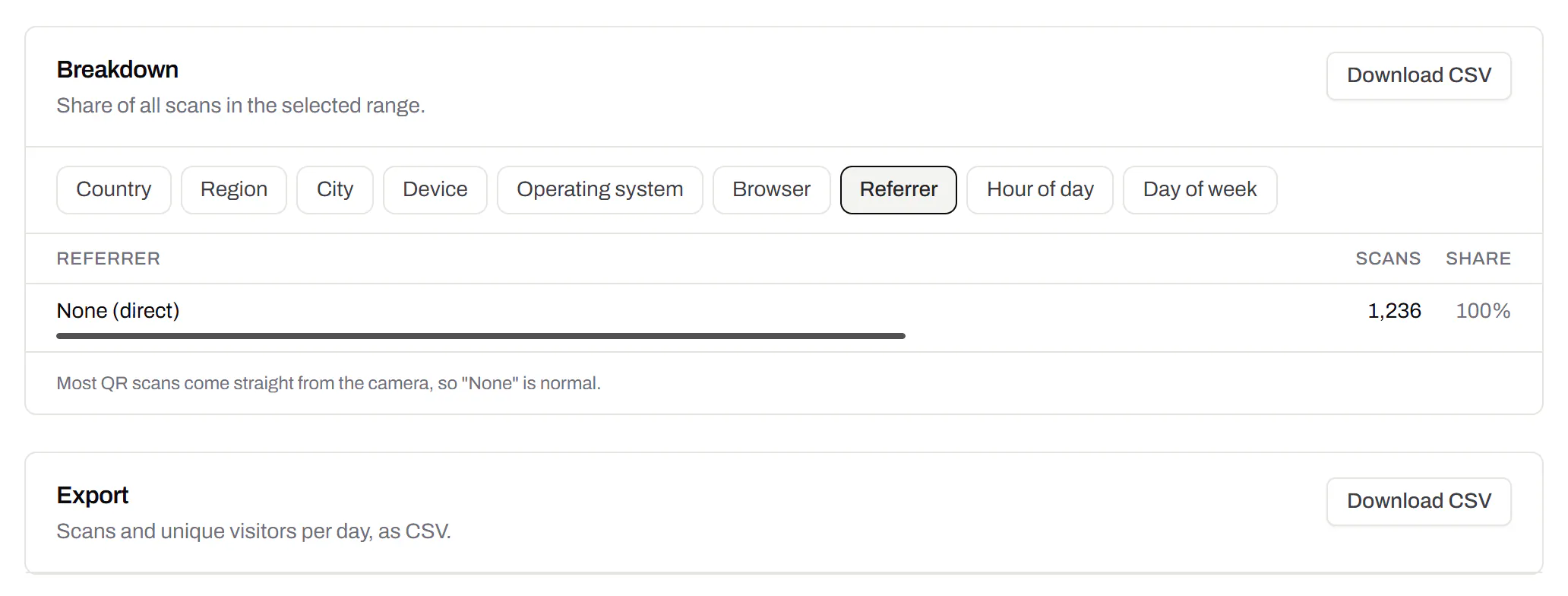
CSV export
Daily scans per code, in a spreadsheet.Pro and Business
Download scans and unique visitors by day for one code or all of them - with each code’s name and short link - as CSV for your own reports, or for whoever asked how the campaign did.
Pro and Business
Webhooks
Your server hears about every scan and every change.Business
Pick the events - a scan, a code made or changed, a form answered, a QR Menu edited - and give us an address. Each one arrives as a signed POST, retried if your server is down, and every delivery is listed with the response it got.
Business
The API and webhooks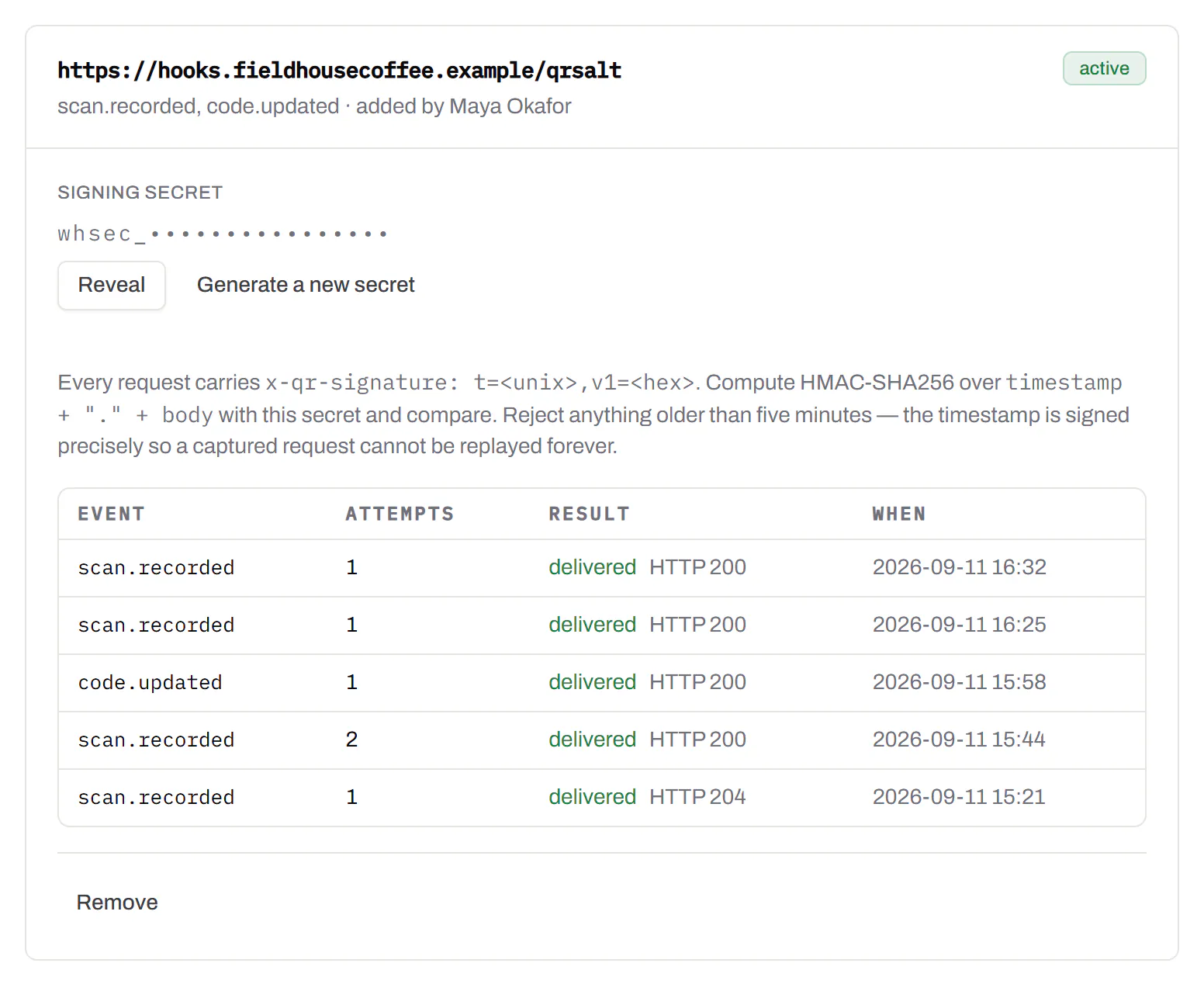
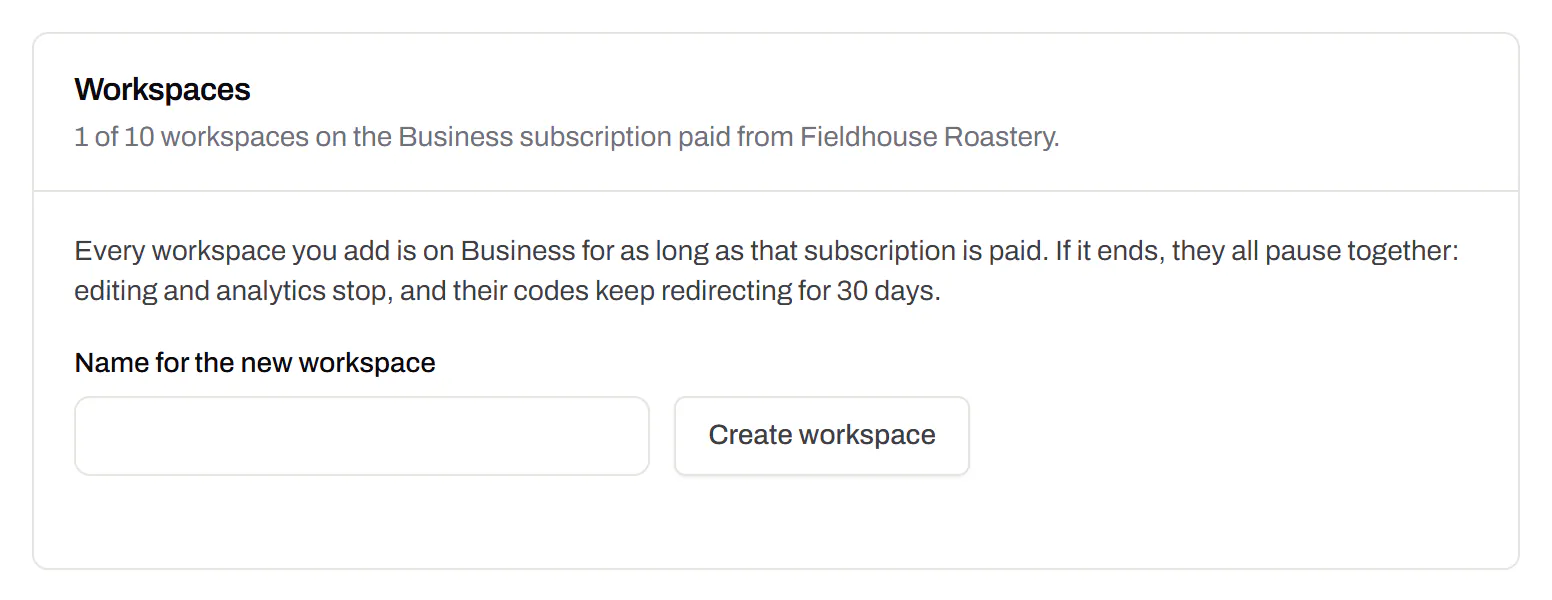
Separate workspaces
One subscription, a workspace per brand or client.Business
Each workspace has its own codes, team and analytics, so a client never sees another client’s. Up to 10 under one subscription.
Business
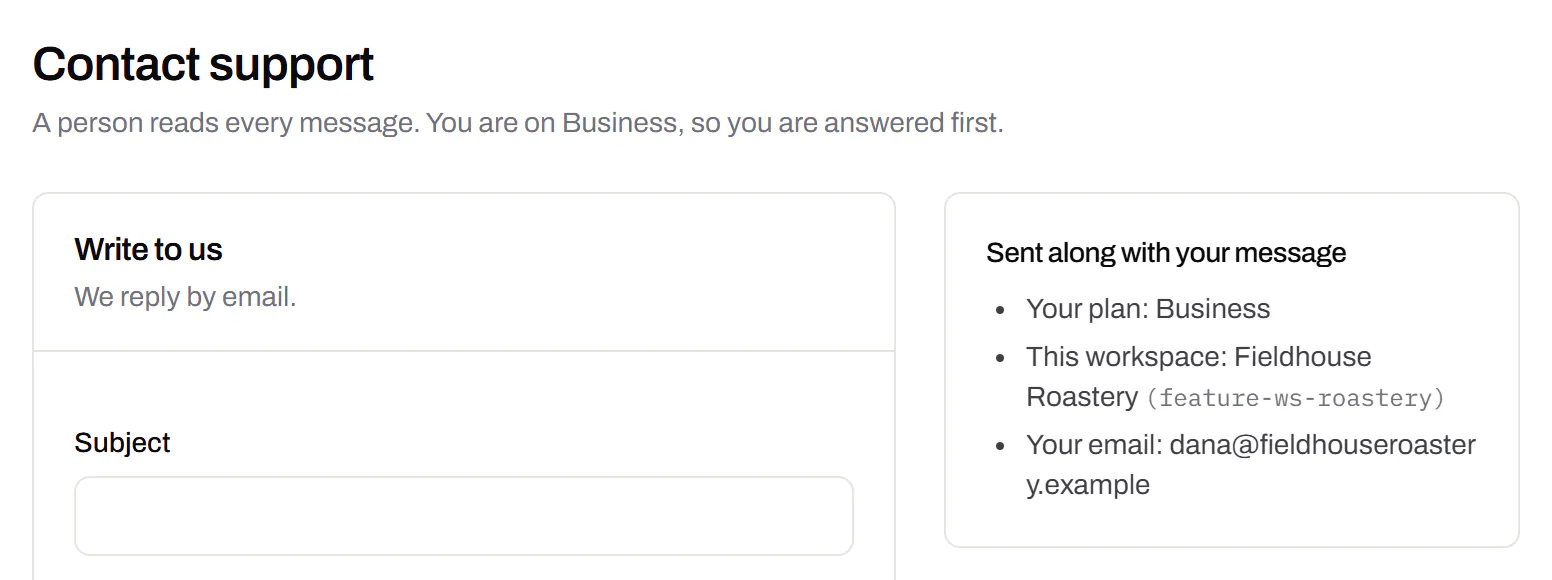
Priority email support
Paid plans’ emails are answered first.Starter and up
A person reads every message. On a paid plan yours is answered before free accounts’ - an order we keep, not a promised hour. Your plan and workspace go along with it, so nobody has to ask which account is yours.
Starter and up
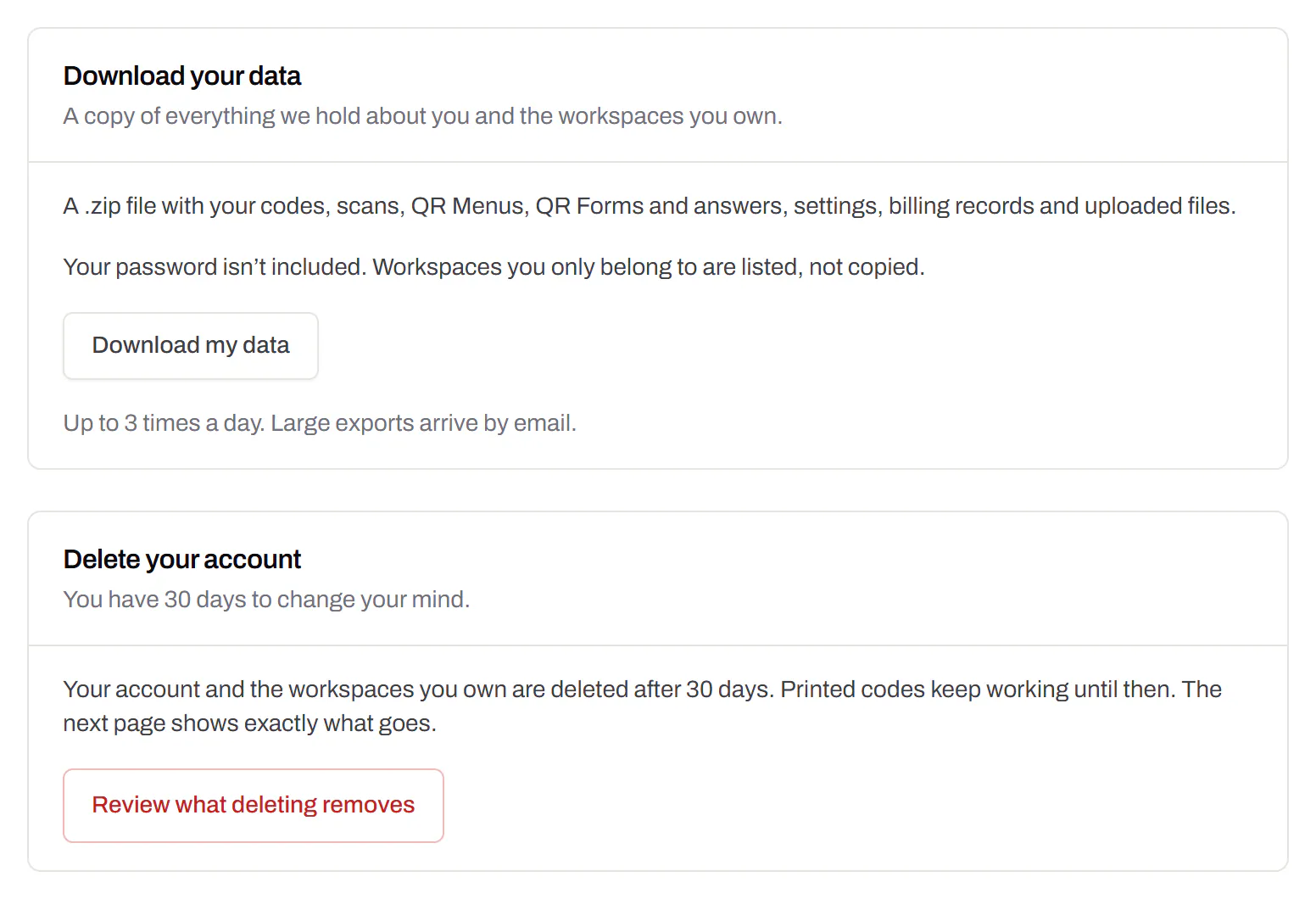
Your data, to take or delete
A full export any time, and deletion you can take back.Every plan, Free included
Download everything - codes, history, scans, form answers and the files you uploaded - as one .zip with spreadsheets inside. Deleting the account gives you 30 days to change your mind, and your printed codes keep working until then.
Every plan, Free included
An API for the codes you print
A REST API for your own code: make dynamic codes and short links, change where they go, render SVG, PNG or PDF, add your domains and change hundreds of codes in one request. No-code tools like Zapier, Make and n8n can call it too, with a plain HTTP step. The API comes with Pro and up, and every request carries your key.
Render a code · Pro and up
curl -o code.svg \
  -H "Authorization: Bearer $QRSALT_KEY" \
  "https://app.qrsalt.com/api/qr?data=https://example.com"
An SVG back, ready for a label, a template or an image tag.
Re-point a printed code · Pro and up
curl -X PATCH https://app.qrsalt.com/api/v1/codes/{id} \
  -H "Authorization: Bearer $QRSALT_KEY" \
  -H "content-type: application/json" \
  -d '{"destination":"https://example.com/winter"}'
The printed code opens the new page, and the old one is kept in its history. Keys can only ever touch their own workspace.
Change many codes at once · JavaScript
// Move a campaign's codes onto your own domain
await fetch('https://app.qrsalt.com/api/v1/codes/bulk', {
  method: 'POST',
  headers: {
    authorization: `Bearer ${process.env.QRSALT_KEY}`,
    'content-type': 'application/json',
  },
  body: JSON.stringify({ ids, action: 'domain', domain: 'go.example.com' }),
})
Pause, tag, file or move codes in one call. The answer lists what changed and what was skipped.