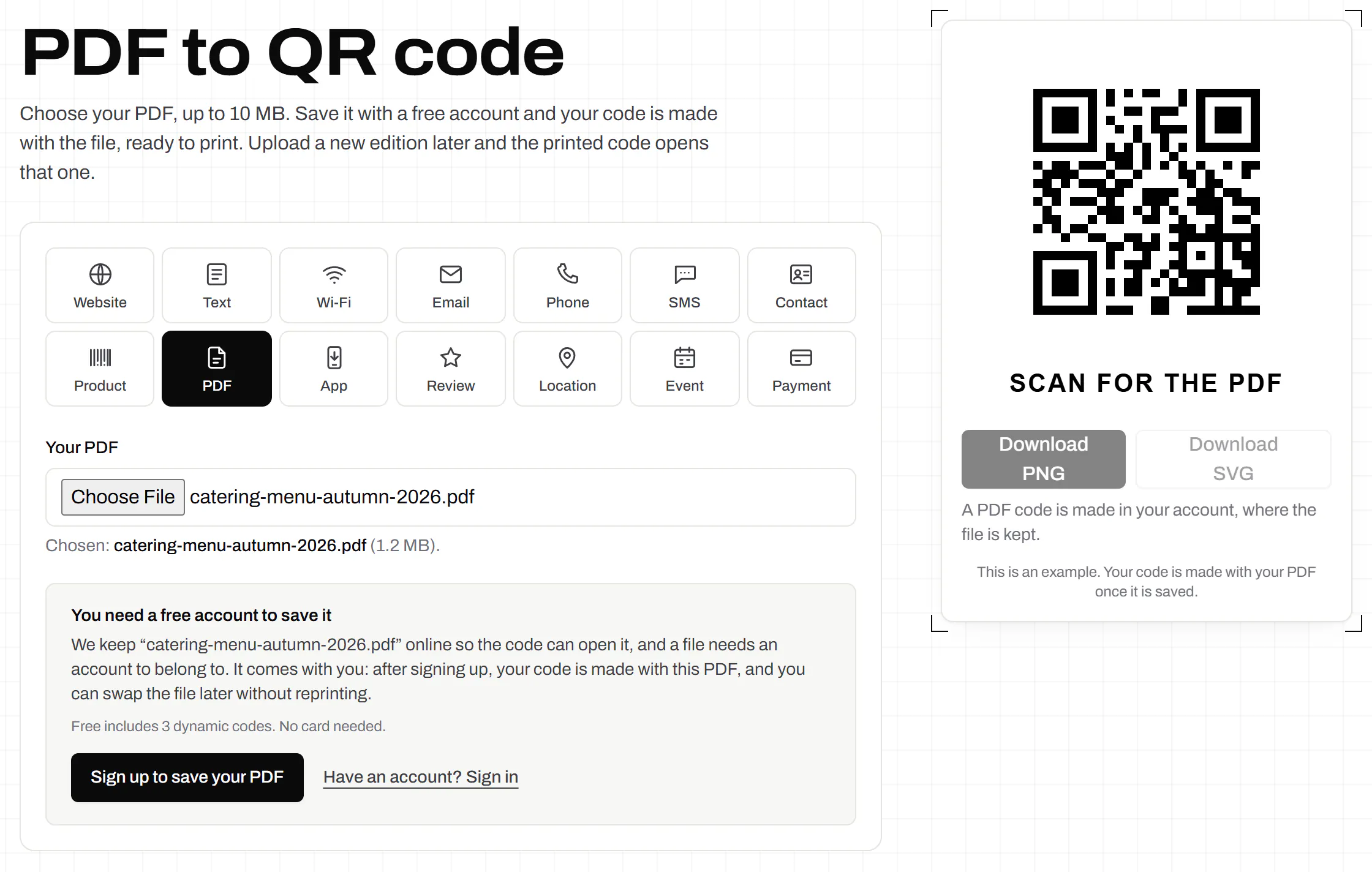
PDF to QR code
Choose a PDF up to 10 MB, save it with a free account and print the code.
Up to 10 MB. Nothing is uploaded until you save it.
Choose your PDF, then save it.
Design
Style
Colour#000000
Shapesquare
Body shape
Corner shape
Inside shape
Framelabel-below
Logonone
Print settingsECC M
On this page
Upload the new edition, keep the printed code
A printed code outlives the document behind it. We keep the file behind a short link of yours.
The next scan gets the new file
Upload the revision to the same code and every printed copy opens it. No new code, no sticker over the old one.
The file’s name doesn’t matter
The short link is built from the code, so menu-autumn.pdf can follow menu-summer.pdf.
Not on a shared drive
We host the file. It never asks a reader for access, and it doesn’t break when somebody tidies a folder.
Your document, managed like a link
Choose the file, then save it with a free account
The picker shows the file’s name and size as soon as you choose it, before anything is uploaded.
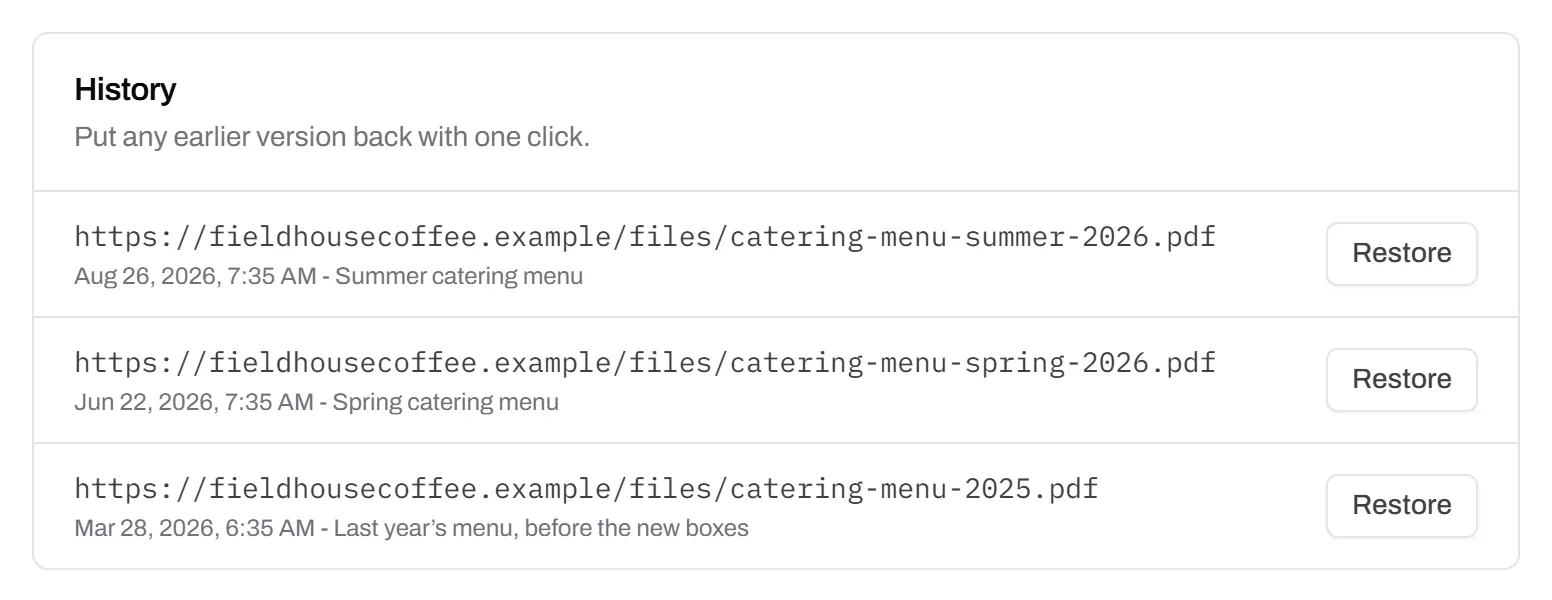
Every version, in the order it went out
Upload a new file and the previous one moves into the history with the date and a note. Put an old edition back with one click.
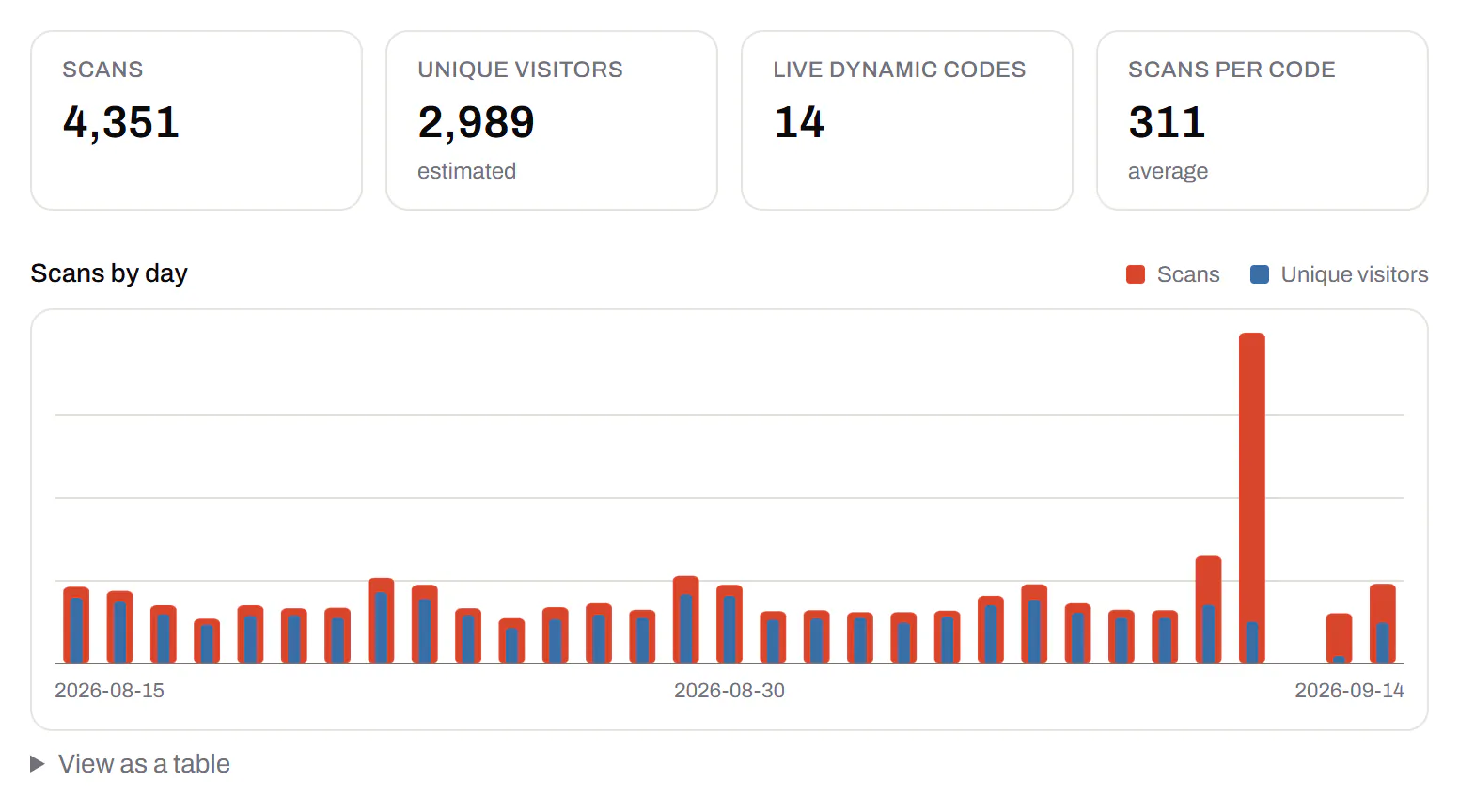
Did anybody open it?
Total scans and unique visitors by day, for one document or every file you host.
The link on your own domain
Print docs.yourbrand.com/spring-menu instead of ours. Starter and every plan above it let you add your own domain.
Custom domain QR codes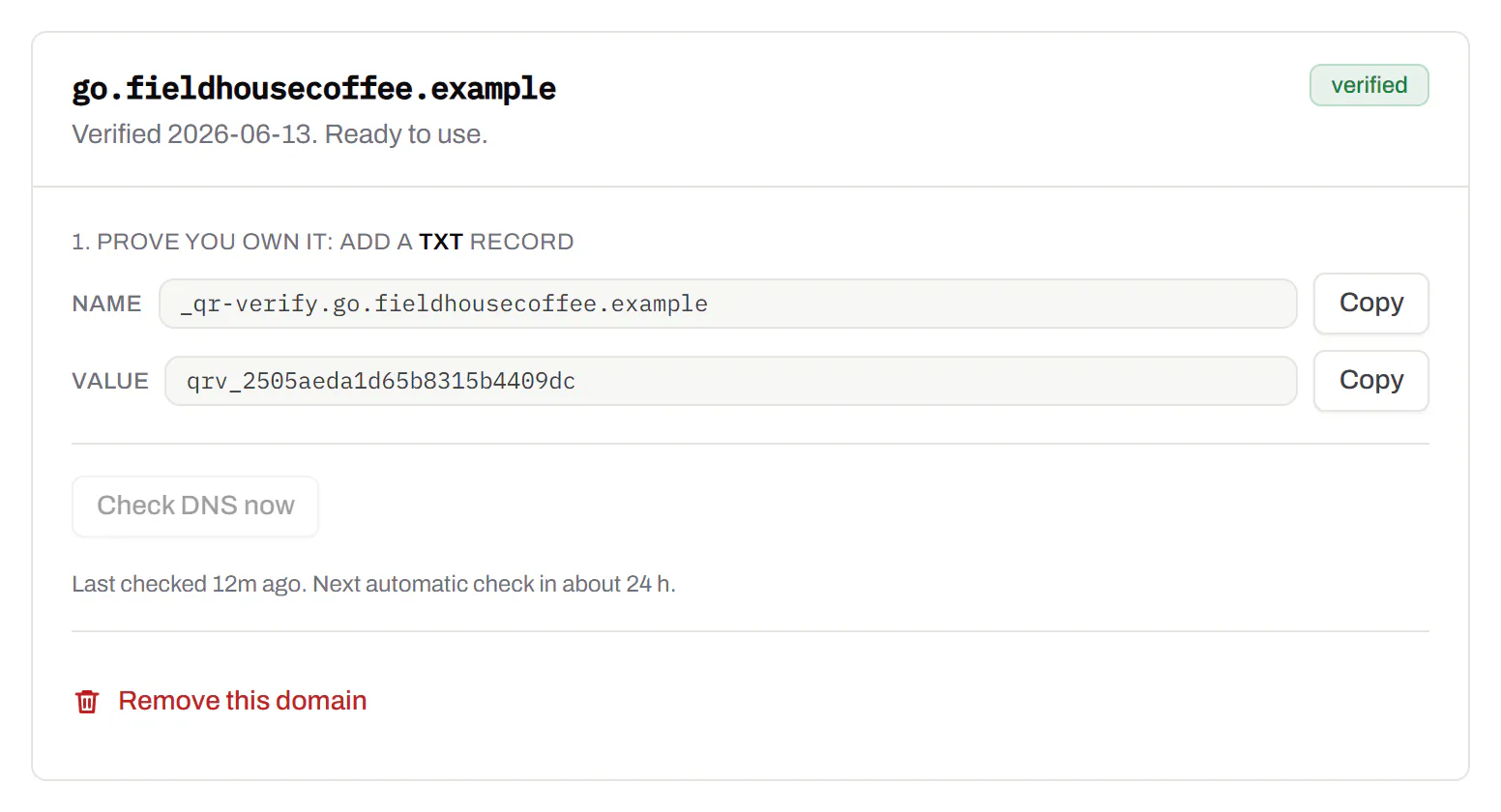
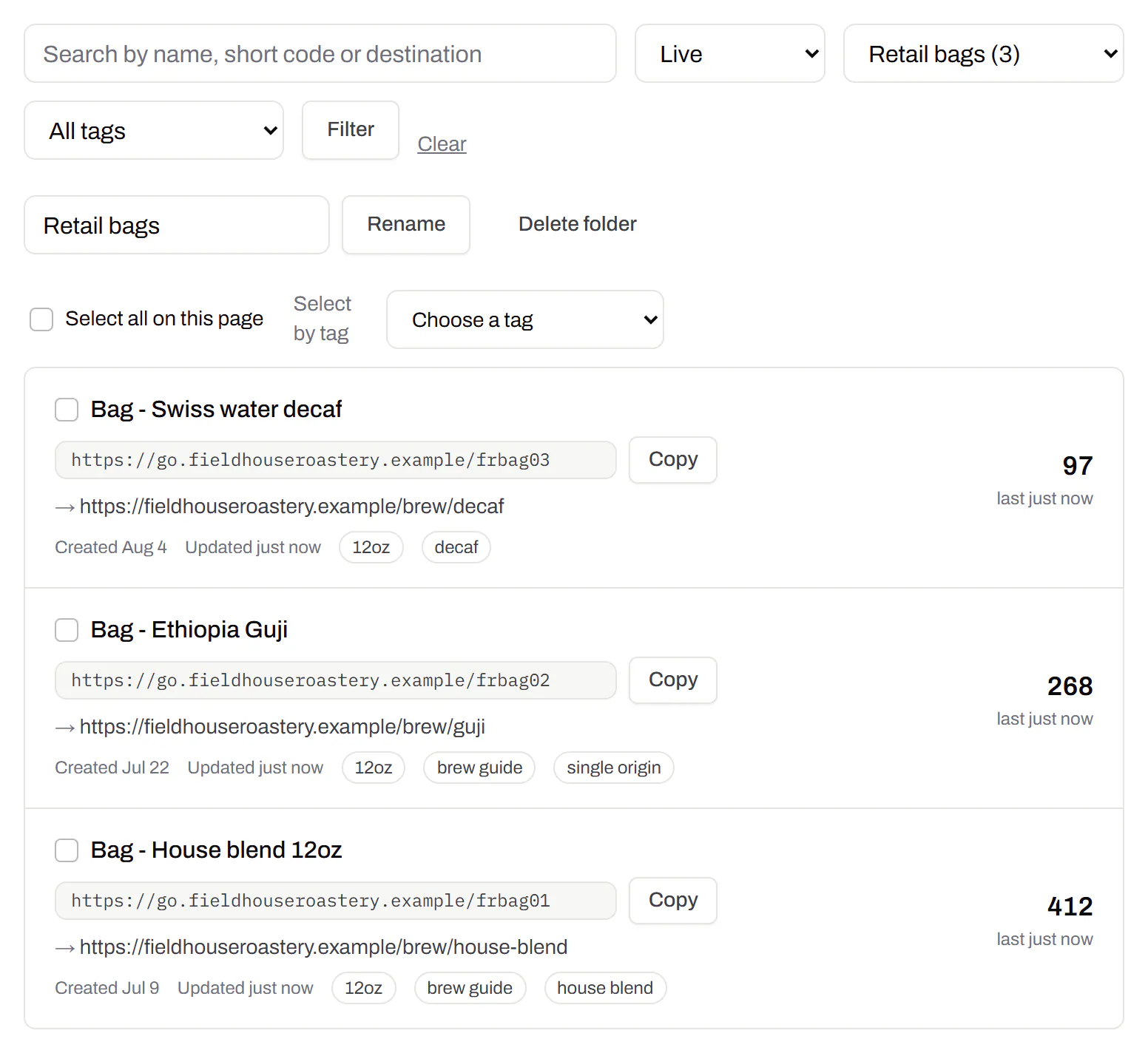
Keep the manuals apart from the menus
Sort codes into folders by product, shop or season. Folders come with Starter and up.
PDF QR code generator: from file to paper
- Choose the PDF at the top. We check it’s a real PDF by its first bytes, not its name, up to 10 MB.
- Save it with a free account. The file is held privately for a day while you sign up, then moved into your account.
- Download the code and print it. Nothing on the paper has to change again.
What happens when somebody scans it
- It opens, it doesn’t download. The file is sent to show in the browser. Readers can still save or share it.
- Only through the code. There’s no folder of files to browse and no address to guess.
- You can take it down. Pause or archive the code and the file stops opening at once, for every printed copy.
Files that are never really finished
- Menus and price lists: new dishes, new prices, an allergen fix.
- Manuals and safety sheets: revision two for every unit already sold.
- Programmes and timetables: the poster stays up while the schedule moves.
- Brochures and spec sheets: the current one, not the one printed before the price changed.
A PDF that works on a phone
- Export images at screen resolution, not print resolution, so the file stays small.
- Put the answer on page one: the price, the hours, the first step.
- Use large type in one column. A page that reads well on A4 is tiny on a phone.
- One document per code, so each gets its own scan count.
PDF to QR code, answered
Why do I need an account to upload a PDF?
Because we host the file, and it has to belong to someone who can replace it or take it down. The file you chose here comes with you through sign-up.
Can a stranger find my PDF on Google?
No. Search engines are asked not to index it. Anyone with the code or its link can open it, though, so keep private details out of a document you print.
Can I use a Google Drive link instead?
Yes. Set the file to Anyone with the link and paste that link into a website code, with no account. If the file is deleted or unshared, the printed code stops opening it.
Printing a restaurant menu? See the QR code for restaurant menus. Several documents behind one scan? Use a QR code with multiple links. Which file to send a printer is on the SVG QR code generator.
Check it at the source
- Google Search Central on noindex. How a file is asked to stay out of search results
- MDN on Content-Disposition. Why a file opens in the browser instead of downloading
Last reviewed , against the product as it works today.
Host a PDF on the Free plan
Free includes 3 editable codes, PDFs among them, with no card. Paid plans start at $5 a month.
Free
$0/mo
Unlimited static codes. Three editable ones that never expire.
- Short links on their own, no QR code needed
- Up to 1 of the 3 can be a QR Menu
- Add your logo to QR codes
- Every shape, corner and frame
3dynamic codes
Starter
Recommended$5/mo
For one business with codes out in the world.
- 5 QR Menus
- QR Forms
- GS1 Digital Links we host, so a printed pack can be re-pointed
- Advanced tracking and analytics
100dynamic codes
Pro
$15/mo
For agencies and teams running codes at scale.
- 50 QR Menus
- Unlimited analytics history
- 10 custom domains
- 5,000 API requests a month
600dynamic codes
Business
$39/mo
For organisations running codes across many brands.
- 400 QR Menus
- 50 custom domains
- Up to 25 team members and team management
- Up to 10 workspaces
2,000dynamic codes
Unlimited scans on every plan. Cancel online in two clicks. Compare every plan and feature
The rest of the toolbox
Open a row to see the screen and which plan has it.
Your logo in the middle
Upload any image; we size it so the code still scans.Every plan, Free included
PNG, JPEG, WebP or GIF, up to 15 MB. We raise the error correction for it and never let it cover more than the code can lose.
Every plan, Free included

Print-ready downloads
Files for the screen, and one for the printer.PNG and SVG on every plan · PDF on Starter and up
PNG and SVG on every plan, and a print-ready PDF on Starter and up.
PNG and SVG on every plan · PDF on Starter and up

Folders and tags
Keep one location’s or one campaign’s codes together.Starter and up
A folder per shop, listing or campaign, and the list filtered by it. Deleting a folder moves its codes to No folder, with undo.
Starter and up
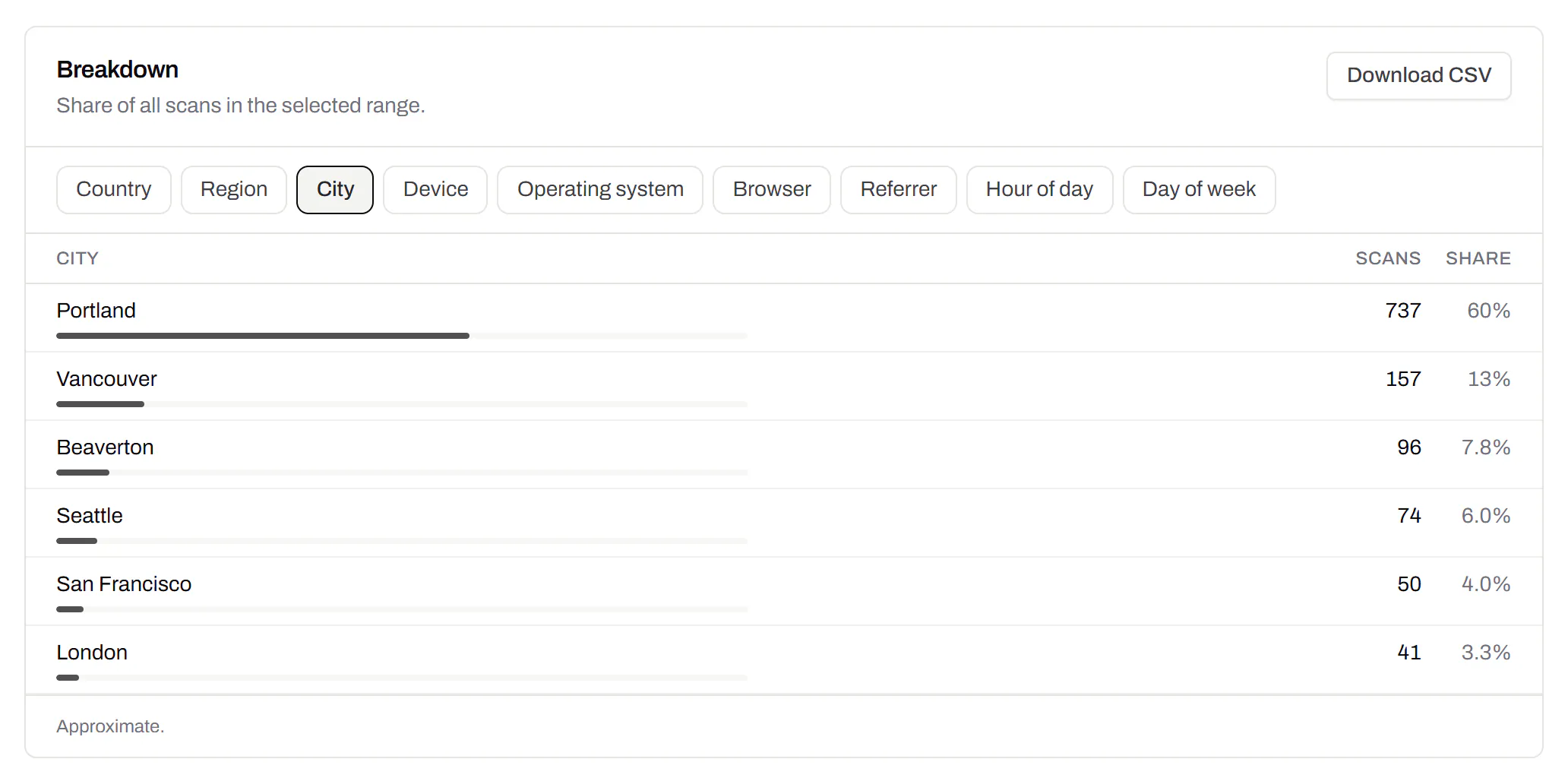
City-level scan locations
Which towns the scans came from, not only which countries.Pro and Business
Scans by city and region for each code, and towns on the Live Map. It’s the place the phone’s network reports, never a street.
Pro and Business