QR code menu for restaurants, cafés and bars
Paste your menu’s link and download its QR code, or a numbered one for each table.
Your menu page, a PDF, or your ordering system.
How many codes
Printed in the frame, in capitals.
3 free here. For more, use the free bulk generator, or a plan for dynamic codes.
Table, Booth, Room or Pitch: whatever the tent says.
Each code opens the menu with ?table=4 on the end, so you can tell tables apart in your own analytics. Clear the field to turn this off.
Nothing you type here leaves your browser; the codes are drawn on your own machine.
This is an example. Type your menu’s link to download yours.
On this page
Change the menu, keep the tents
The code above holds your menu link itself. Make it editable and the printed tent stays put while the menu behind it changes.
- New season: point every table at the spring menu. The winter tents stay on the tables.
- Prices go up: swap the link or the PDF, so nobody orders from last month’s prices.
- A dish runs out: take it off the page during service and put it back tomorrow.
- New ordering system: change the address behind the codes. Guests see the same tents.
New menu, same tent
Open the code for table 7, paste the new menu’s address and save. The next guest who scans it sees the new menu.

A row per table
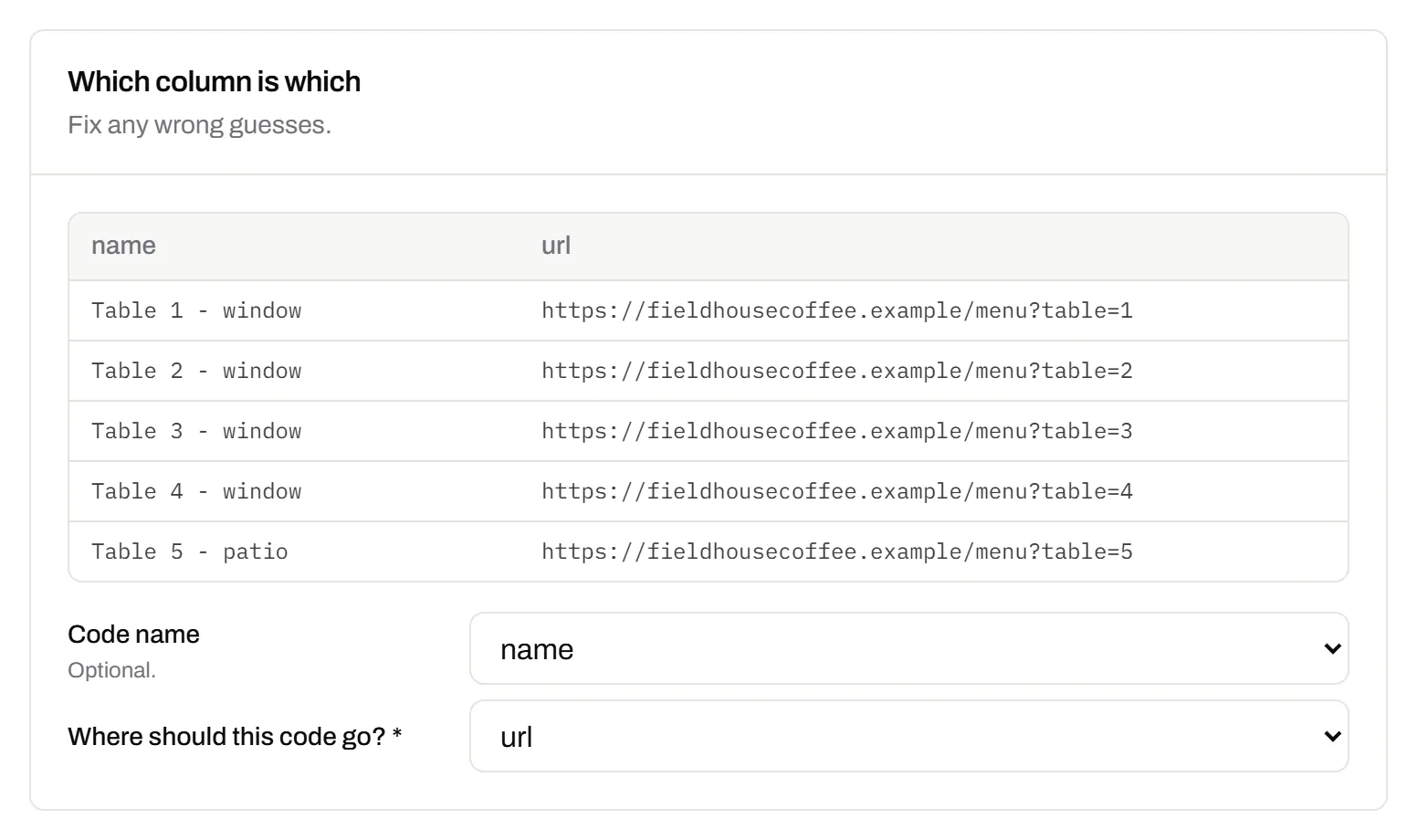
Paste table names and menu links, and each row comes back as a named code with its own scan count. Bulk import comes with Starter and up.
Breakfast before eleven, lunch after
A schedule rule picks the menu by the time of day (Starter and up). A language rule sends a phone set to French to the French menu, on every plan.
How smart QR codes work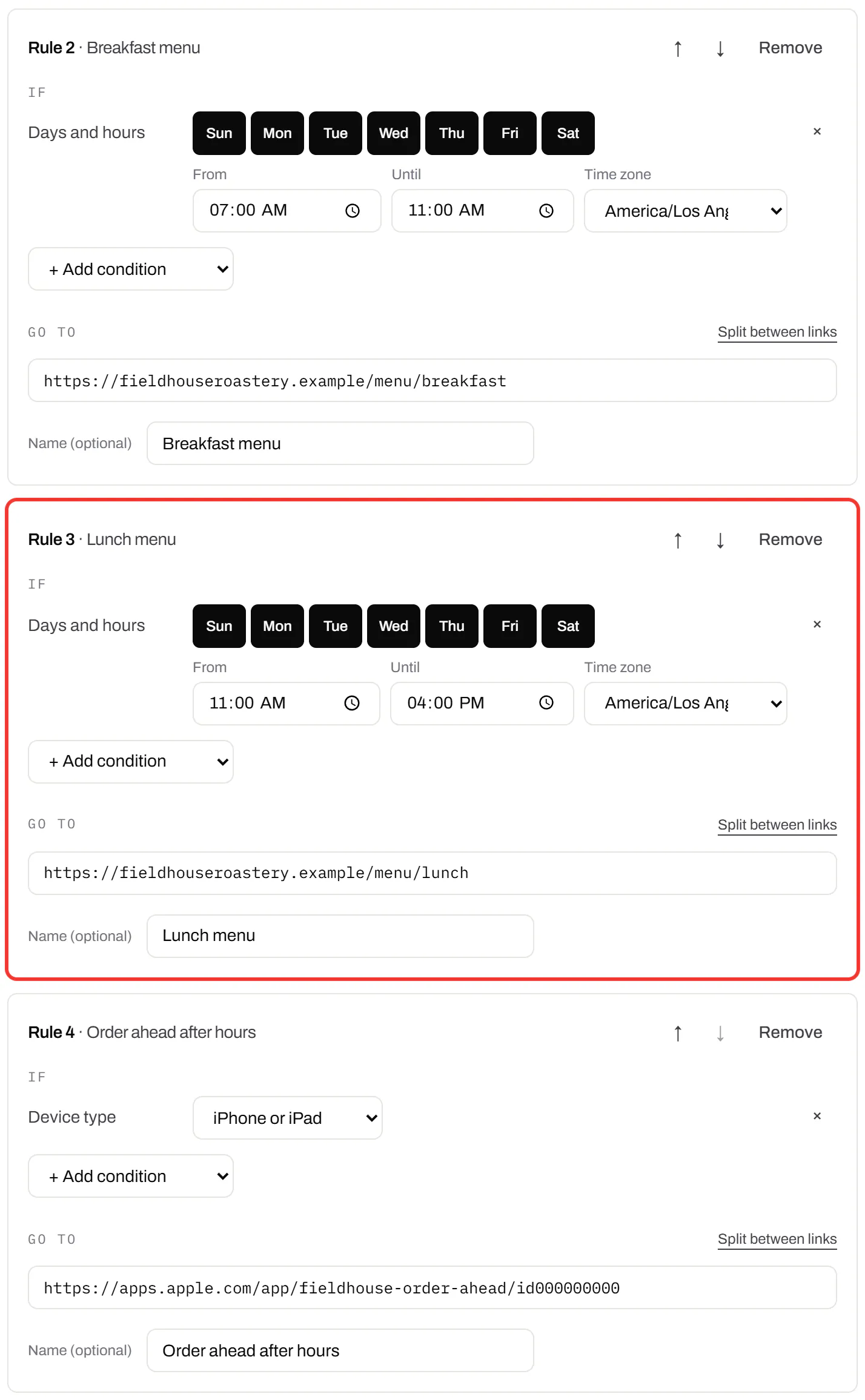
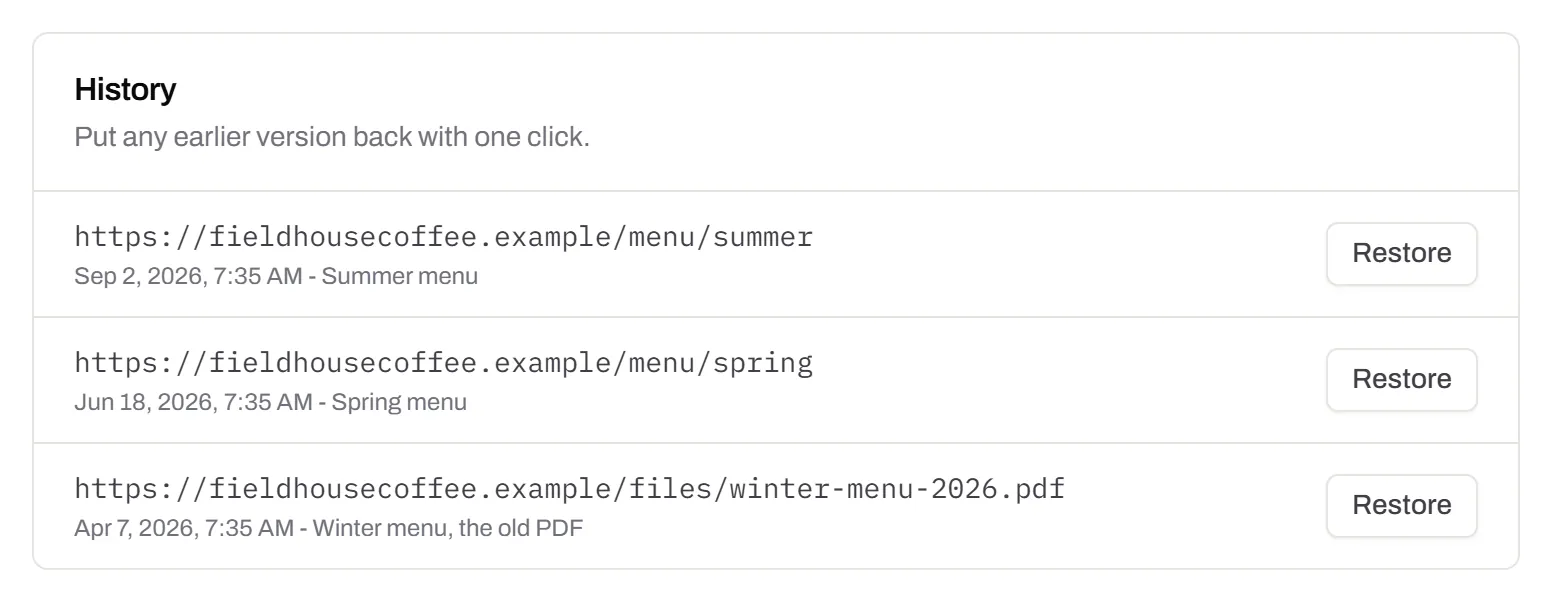
Last season’s menu, one press away
The History tab keeps every address the code has opened, with its date. If the new link breaks mid-service, press Restore.
Print it for a dining room
Put one in the window
People walk past and scan the menu, even after you close. Print it bigger than a table tent.
Splashes and scuffs
These codes use level Q error correction: it restores about 25% of a damaged code’s data.
Laminate what gets wet
Or print on board. Pick matte: gloss throws spotlight glare into the camera.
Say what it is
Print “Scan for today’s menu” and the table number next to the code.
Allergens stay on the menu
Ask your food authority how allergen details have to be offered.
Keep a few paper menus
For guests with no phone, or who’d rather not use it.
See which tables scan
- Free table tags. Each numbered code adds ?table=4 to your menu link, so your own website analytics can tell tables apart.
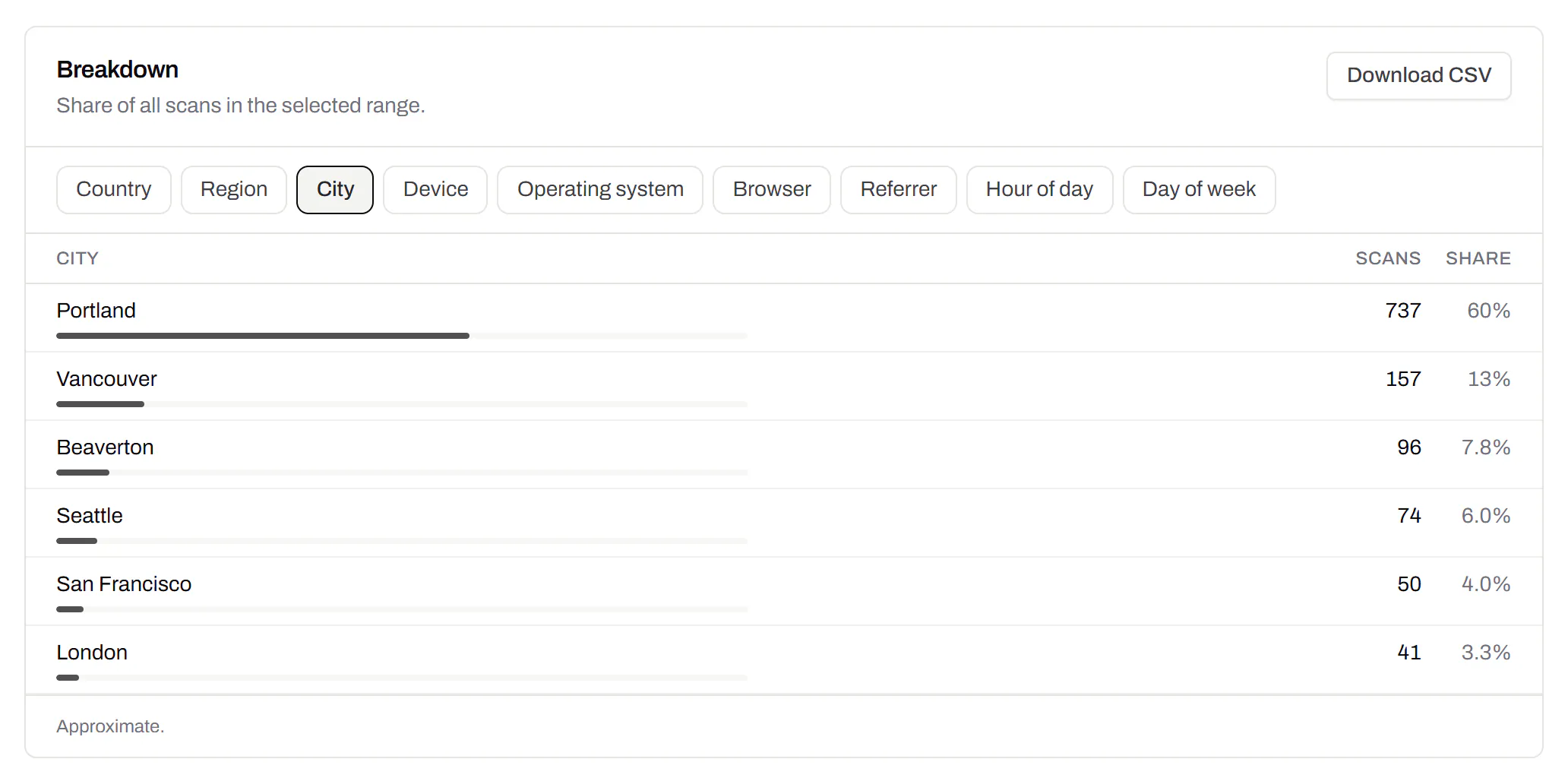
- Scans per table, by day. Every editable table code has its own count, on Free too. Starter and up add the hour, weekday and phone.
- Your name under the code. Print a short link like go.yourcafe.com/menu under the code for anyone who’d rather type it (Starter and up).
- Two cafés, two sets of tents. A folder each keeps them apart, and each manager gets a login (Pro and Business).
Menu QR codes, answered
How do I make a QR code for my restaurant menu?
Paste your menu’s link into the tool at the top of this page and download the PNG or SVG. Choose “One per table” for numbered codes.
Should the code open a PDF or a web page?
A web page if you have one, because nobody has to pinch and zoom. If a PDF is all you’ve got, a PDF code hosts it and lets you upload next season’s in its place. PDF QR codes.
Can I use one code for the whole room?
Yes, and it’s cheaper to print. You won’t see which table scanned, though, and you can’t send the terrace somewhere different from the bar later.
My menu is only on paper. What do I link to?
Build a QR Menu here: a page with your dishes and links. Then print its code. QR Menus.
Will the tents stop working if I cancel?
Not while guests keep scanning them. Each one keeps working for at least 90 days after your plan ends. What happens when a plan ends.
Want diners to leave a review? Use a Google review QR code. Sharing the Wi-Fi at the table? Use a Wi-Fi QR code.
Check it at the source
- Food Standards Agency: allergen guidance for food businesses. How allergen information has to be offered in the UK
- DENSO WAVE: QR code error correction. The four levels, and how much each restores
Last reviewed , against the product as it works today.
Priced by the codes you keep, never by the scans
Free holds 3 editable items, enough to try a code on a couple of tables. Starter holds 100 dynamic codes for $5 a month.
Free
$0/mo
Unlimited static codes. Three editable ones that never expire.
- Short links on their own, no QR code needed
- Up to 1 of the 3 can be a QR Menu
- Add your logo to QR codes
- Every shape, corner and frame
3dynamic codes
Starter
Recommended$5/mo
For one business with codes out in the world.
- 5 QR Menus
- QR Forms
- GS1 Digital Links we host, so a printed pack can be re-pointed
- Advanced tracking and analytics
100dynamic codes
Pro
$15/mo
For agencies and teams running codes at scale.
- 50 QR Menus
- Unlimited analytics history
- 10 custom domains
- 5,000 API requests a month
600dynamic codes
Business
$39/mo
For organisations running codes across many brands.
- 400 QR Menus
- 50 custom domains
- Up to 25 team members and team management
- Up to 10 workspaces
2,000dynamic codes
Unlimited scans on every plan. Cancel online in two clicks. Compare every plan and feature
The rest of the toolbox
Open a row to see the screen and which plan has it.
PDF codes you can update
Upload a PDF, print the code, swap the file later.Every plan, Free included
We host the file and the code opens it. Upload a new version and the same print opens it, with the old file kept in the history.
Every plan, Free included
PDF to QR code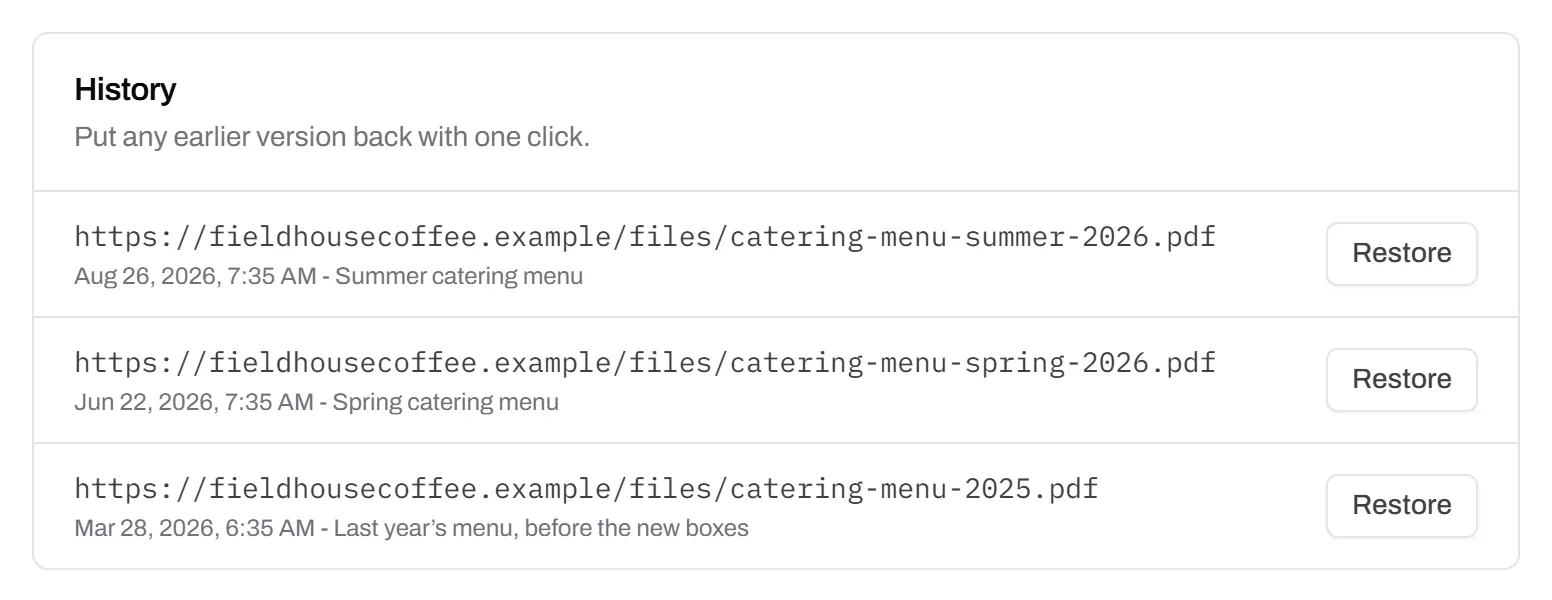
Your logo in the middle
Upload any image; we size it so the code still scans.Every plan, Free included
PNG, JPEG, WebP or GIF, up to 15 MB. We raise the error correction for it and never let it cover more than the code can lose.
Every plan, Free included

Print-ready downloads
Files for the screen, and one for the printer.PNG and SVG on every plan · PDF on Starter and up
PNG and SVG on every plan, and a print-ready PDF on Starter and up.
PNG and SVG on every plan · PDF on Starter and up
City-level scan locations
Which towns the scans came from, not only which countries.Pro and Business
Scans by city and region for each code, and towns on the Live Map. It’s the place the phone’s network reports, never a street.
Pro and Business