Smart QR codes: one code, the right page for each scan
Press play to watch one code send each country to its own menu. Device, country, language and date rules are free.
- Franceyourcafe.com/fr/menu
- United Kingdomyourcafe.com/en/menu
- Anyone elseyourcafe.com/menu
3 dynamic codes free, no card.
On this page
How one code picks the page
- Top to bottom. The first rule that fits wins; the rest aren’t checked.
- All conditions in a rule must hold.
- Unknown never matches. A scan we can’t place skips every country, region and city rule.
- Otherwise catches the rest: the code’s own link.
- Up to 20 rules a code. Edits reach new scans within a minute.
Make a smart QR code in three steps
- Make a dynamic code with a free account.
- Open its Routing tab and add your rules.
- Test a scan there, then print.
Redirect a QR code by device, country, language or time
| Route by | For example | Plan |
|---|---|---|
| Device | Computers to the full website | Every plan |
| Device type | iPhones to the App Store, Android to Google Play | Every plan |
| Country | Canada to the Canadian shop | Every plan |
| Device language | Phones set to Spanish to the Spanish menu | Every plan |
| Dates | The spring offer from 1 March to 1 April | Every plan |
| Days and hours | Breakfast 7–11, lunch after | Starter and up |
| Region or state, city | Austin scans to the Austin store | Pro and Business |
| Scan count | The first 100 scans to a prize page | Pro and Business |
| A/B split | Scans shared between up to 5 pages | Pro and Business |
- Device and language: what the phone’s browser sends, the language through the Accept-Language header.
- Country, region, city: from the network, never GPS. No permission prompt.
- Days and hours: in the time zone you set on the rule.
What people route
Menu for the hour
Breakfast until 11, lunch after, on your own clock.
Guests in their language
German phones get the German page. Nobody hunts for a flag.
One code, both app stores
Each phone opens its own store; a computer opens your site.
Each country’s shop
One box printed for five countries, each scan to its own store.
The first 100 win
A prize page, then a thank-you. The count runs a few minutes behind.
Two landing pages
Split one flyer’s scans and compare them in analytics.
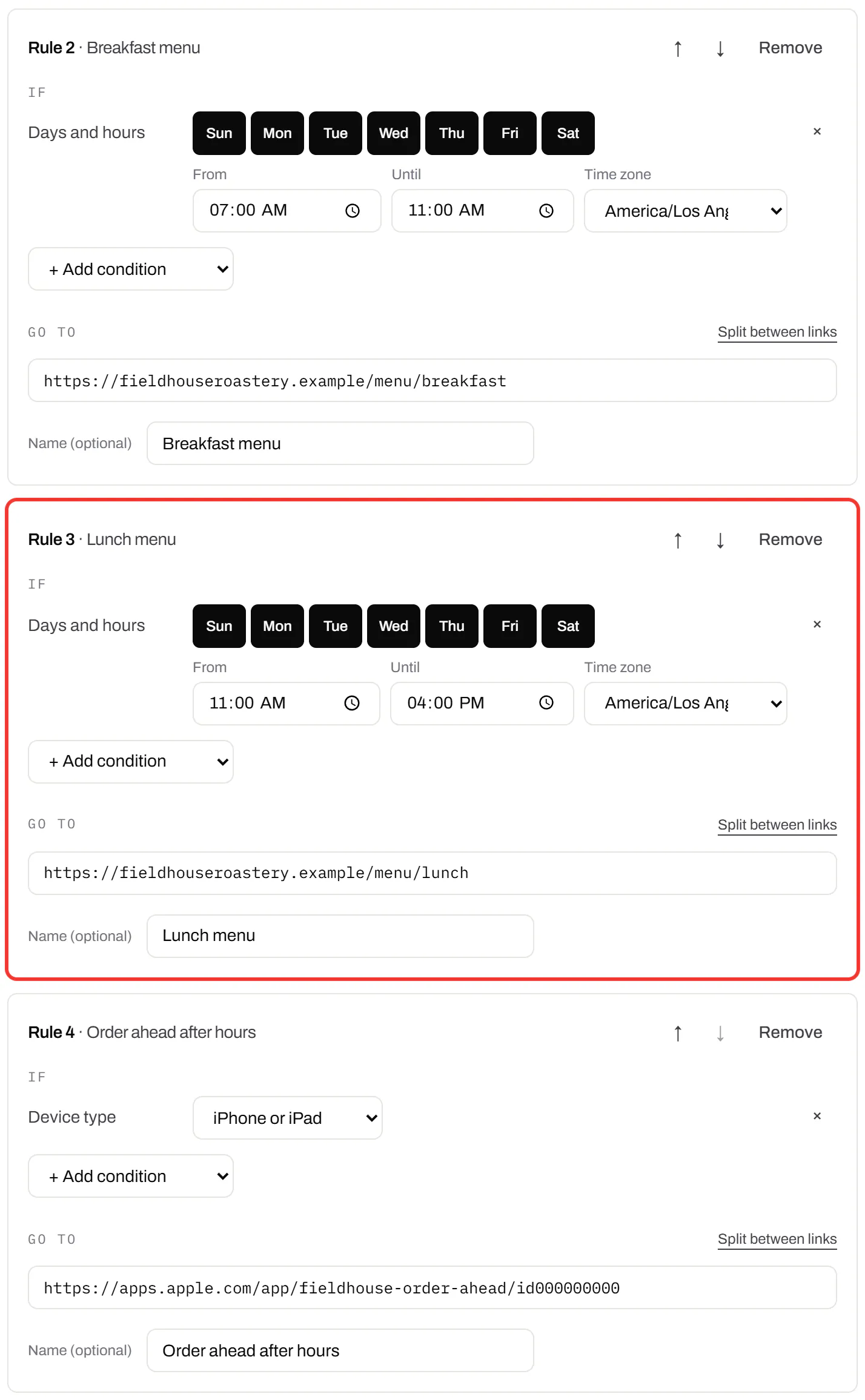
The rules editor
Conditions, a link, and the order
Pick the conditions, paste the link, and move each rule up or down. The order on screen is the order scans are checked.
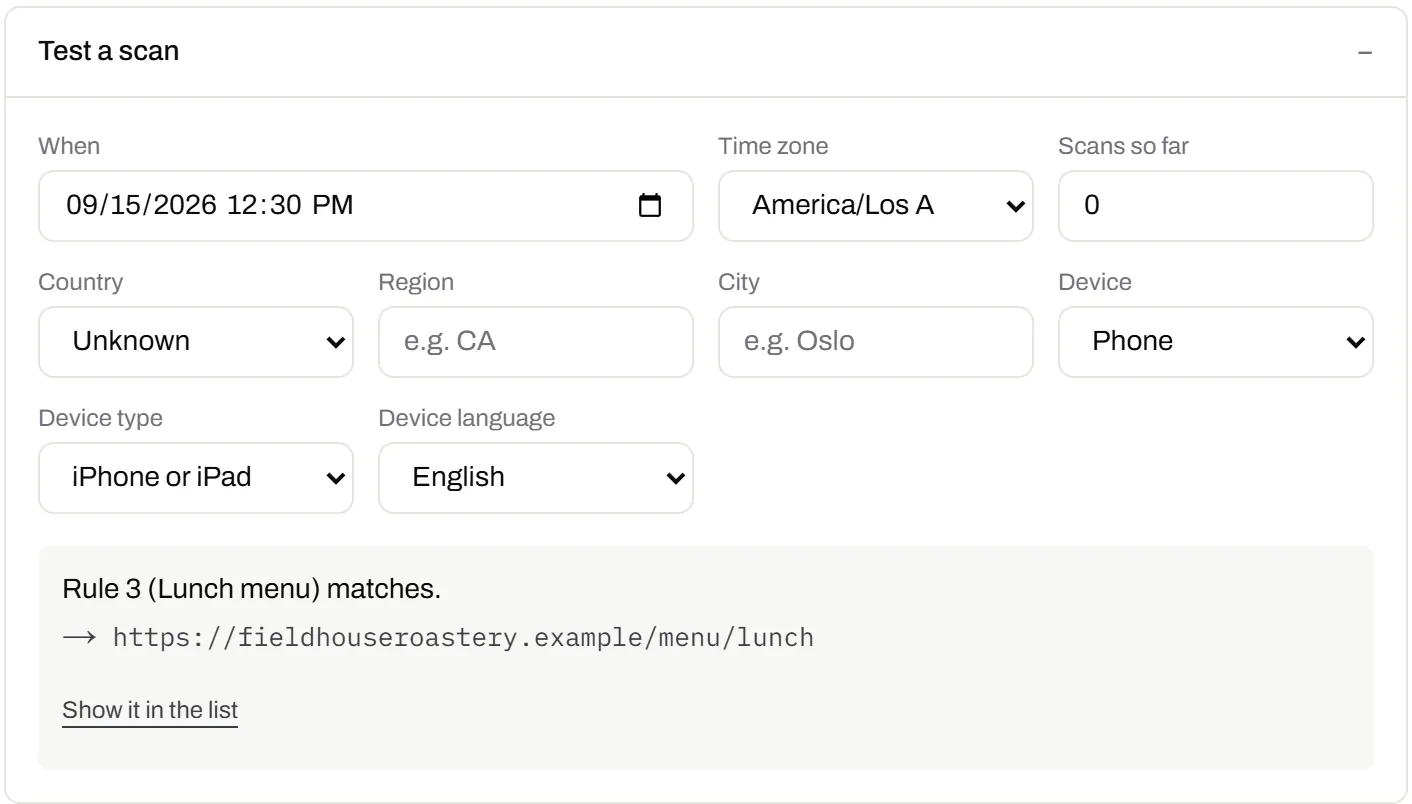
Test a scan before you print
Choose a country, device, language and time, and the editor names the rule that catches it. It runs the same check as a real scan.
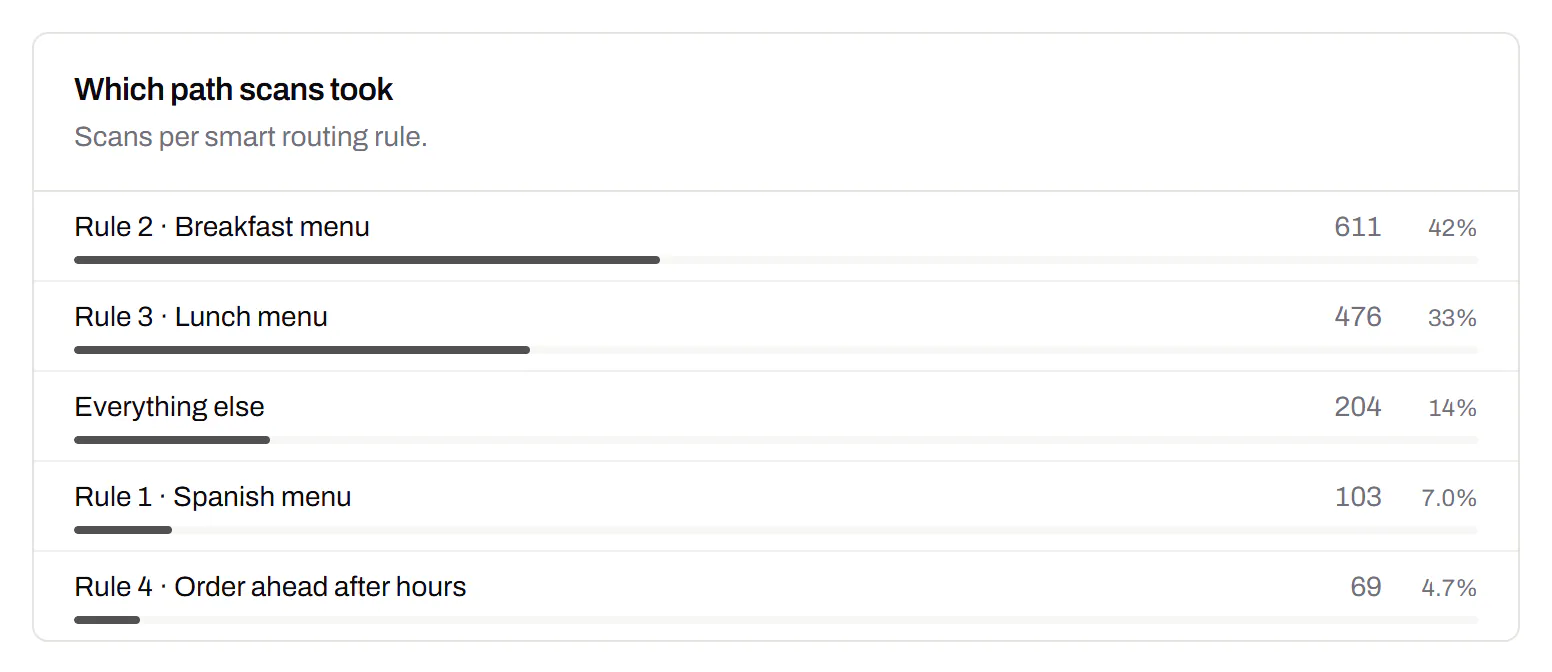
See which rule each scan took
Analytics count the scans down each path, so a rule that never fires stands out.
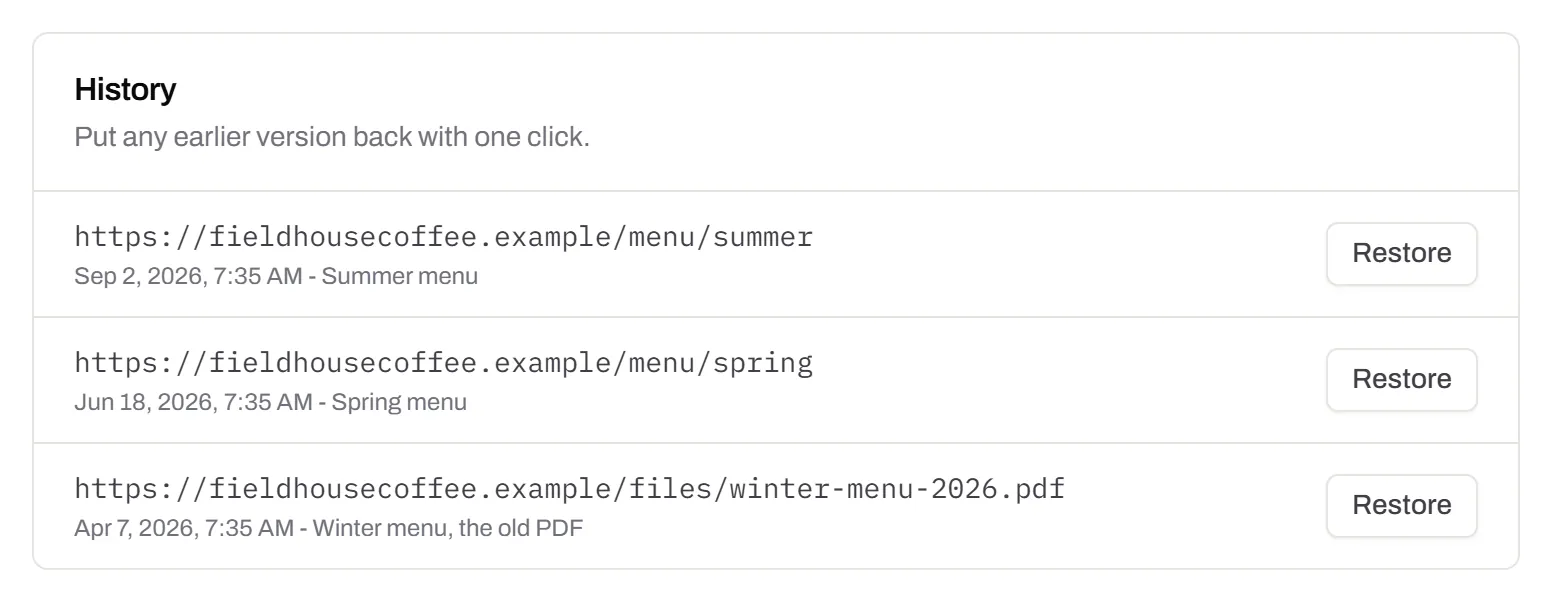
Undo a wrong edit
Every earlier “Otherwise” link is kept with its date and a Restore button.
Smart QR codes, answered
What is a smart QR code?
A dynamic QR code that opens a different page depending on who scans it and when. The print never changes; the rules sit behind its short link.
Can I add rules to a code that’s already printed?
Yes, if it’s a dynamic code. New scans follow the rules within a minute. A static code can’t be routed, because its link is inside the pattern.
How accurate is location?
Approximate. It comes from the phone’s network, never its GPS, so region and city can be wrong or unknown. A scan we can’t place never matches a place rule.
Do short links take the same rules?
Yes. Routing belongs to the link, so a short link in a bio or an email can send each click to its own page.
Where routing helps next
- App store QR codeOne code that opens the right store for each phone.
- Restaurant menu QR codesTable codes with a menu for each hour.
- URL shortenerThe same rules on a link with no QR code.
- QR code trackingWhat the scan figures show, and on which plan.
- QR code APISet rules on codes from your own software.
Last reviewed , against the product as it works today.
Routing on every plan
Device, country, language and date rules are free. Starter, $5 a month, adds days and hours. Pro, $15, adds cities, scan counts and A/B splits.
Free
$0/mo
Unlimited static codes. Three editable ones that never expire.
- Short links on their own, no QR code needed
- Up to 1 of the 3 can be a QR Menu
- Add your logo to QR codes
- Every shape, corner and frame
3dynamic codes
Starter
Recommended$5/mo
For one business with codes out in the world.
- 5 QR Menus
- QR Forms
- GS1 Digital Links we host, so a printed pack can be re-pointed
- Advanced tracking and analytics
100dynamic codes
Pro
$15/mo
For agencies and teams running codes at scale.
- 50 QR Menus
- Unlimited analytics history
- 10 custom domains
- 5,000 API requests a month
600dynamic codes
Business
$39/mo
For organisations running codes across many brands.
- 400 QR Menus
- 50 custom domains
- Up to 25 team members and team management
- Up to 10 workspaces
2,000dynamic codes
Unlimited scans on every plan. Cancel online in two clicks. Compare every plan and feature
The rest of the toolbox
Open a row to see the screen and which plan has it.
Campaign presets
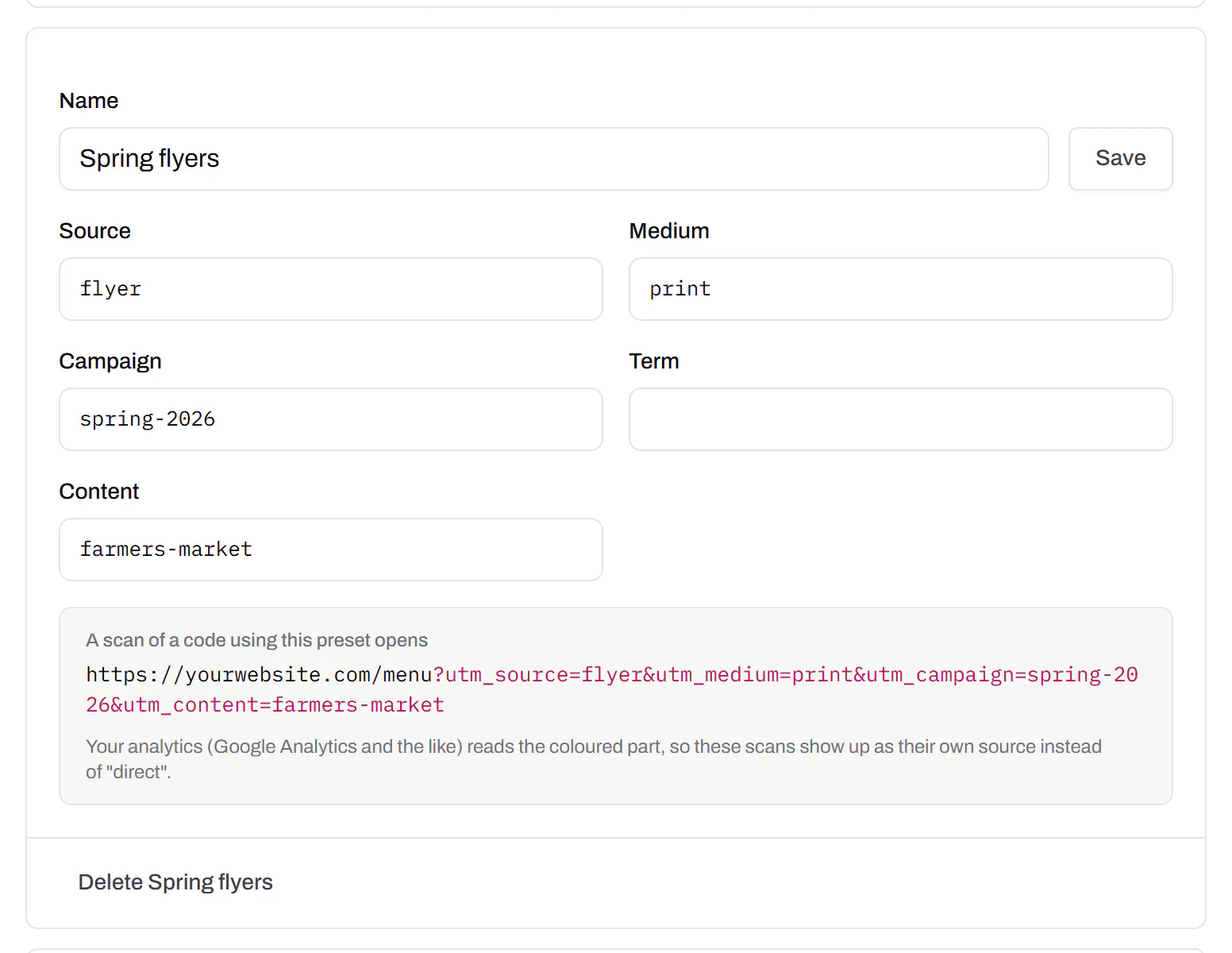
Saved UTM parameters, so printed scans are not “direct”.Starter and up
Untagged, printed scans land in your web analytics as direct traffic. A preset fills in source, medium and campaign in one click, so the flyer and the table tent show up apart.
Starter and up
City-level scan locations
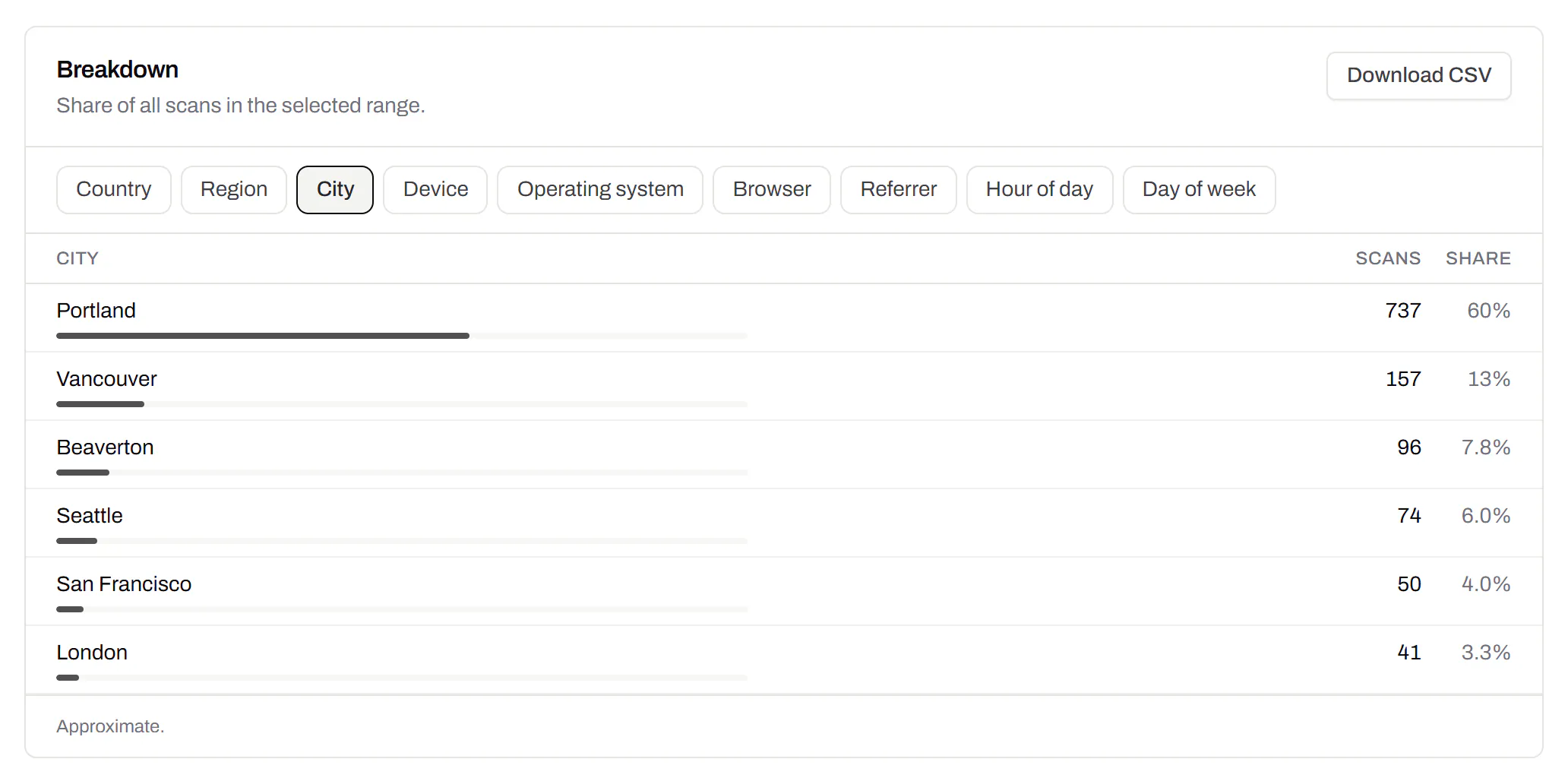
Which towns the scans came from, not only which countries.Pro and Business
Scans by city and region for each code, and towns on the Live Map. It’s the place the phone’s network reports, never a street.
Pro and Business
Custom domains
Short links on your own domain, chosen code by code.Starter and up
Codes open go.yourbrand.com/menu instead of a link with our name in it. Add two DNS records, we check them, then pick the domain per code or move a whole list onto it.
Starter and up
QR codes on your own domain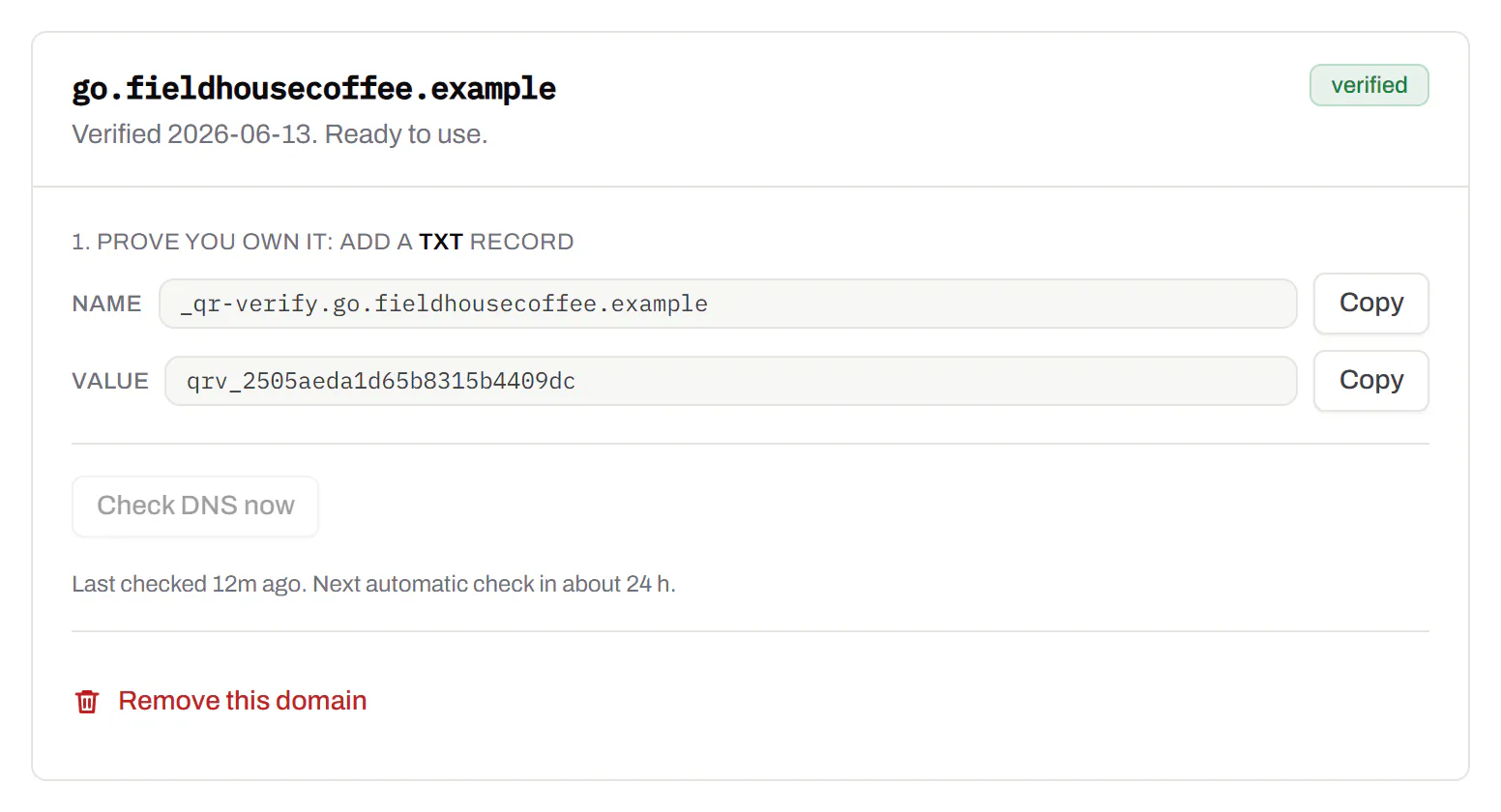
Bulk QR code generator
A spreadsheet in, one dynamic code per row out.Starter and up
Paste or upload a list, match the columns, and get one dynamic code per row: a table, a stall, a badge, a product. Each has its own destination and scan count.
Starter and up
The bulk generator