Payment QR code for tips, stalls and small sales
Pick the app, enter your handle and the name buyers should see. Free, and the money never passes through us.
Dynamic & Editable
Change where it points after printing, and see who scans it.
This is an example. Type a destination to download yours.
Design
Style
Colour#000000
Shapesquare
Body shape
Corner shape
Inside shape
Framenone
Logonone
Print settingsECC M
On this page
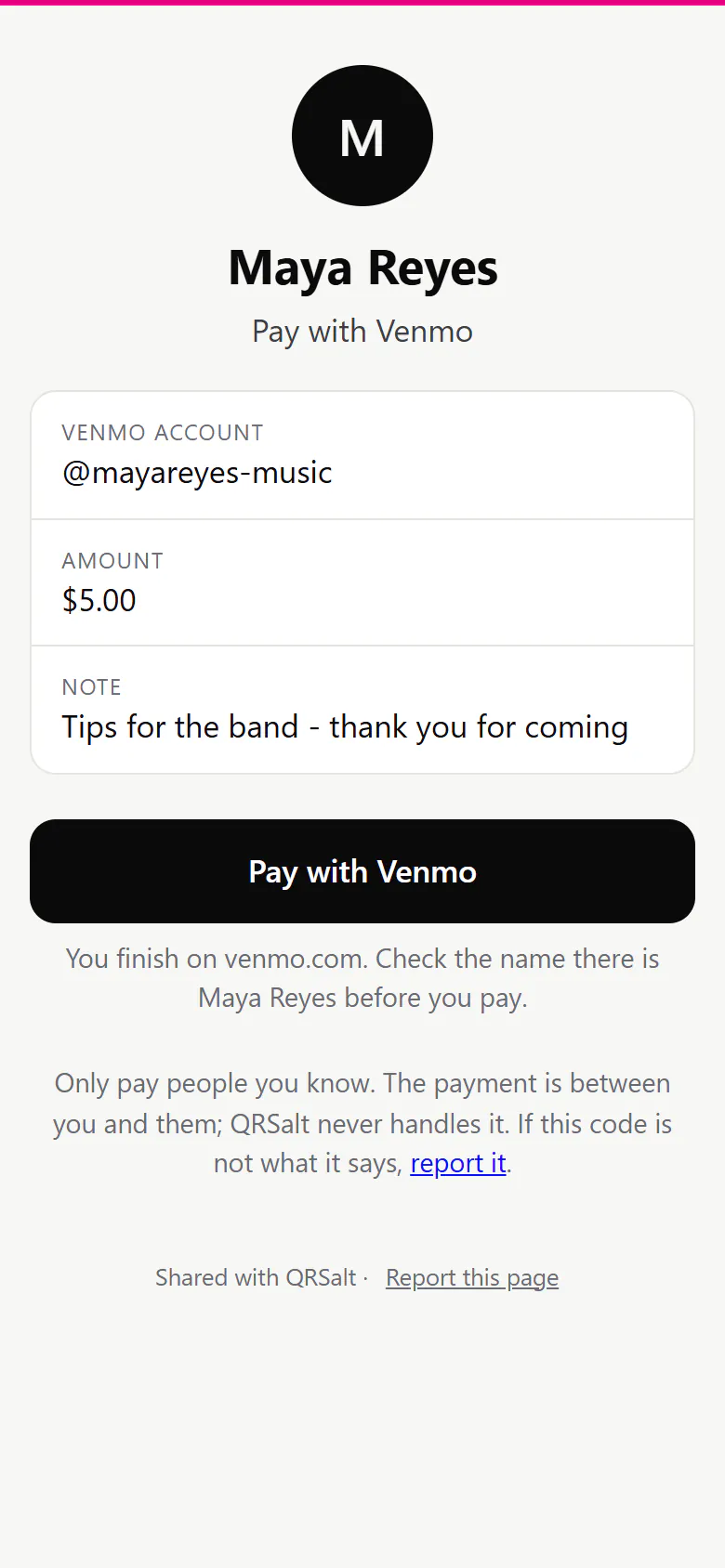
Buyers see your name before they pay
An editable payment code opens a page with your name and the account being paid, then one button to the app. A buyer who sees a stranger’s name can report the code.
Handles checked before saving
A handle that breaks the app’s own rules is refused. Choosing PayPal can only make a PayPal link; any other site must be https and is screened.
Amounts in 16 currencies
The page shows the amount and says whether it’s in the link or the buyer types it. Your name runs to 80 characters, a note to 200.
Leave the amount empty for tips
Each person picks their own. Add a note such as “Thanks for the coffee” and it shows above the button.
What the buyer sees, and what you see
Your name first, then the account, then the button
The payee over the account the money goes to, then the amount and your note, then one button to the app.
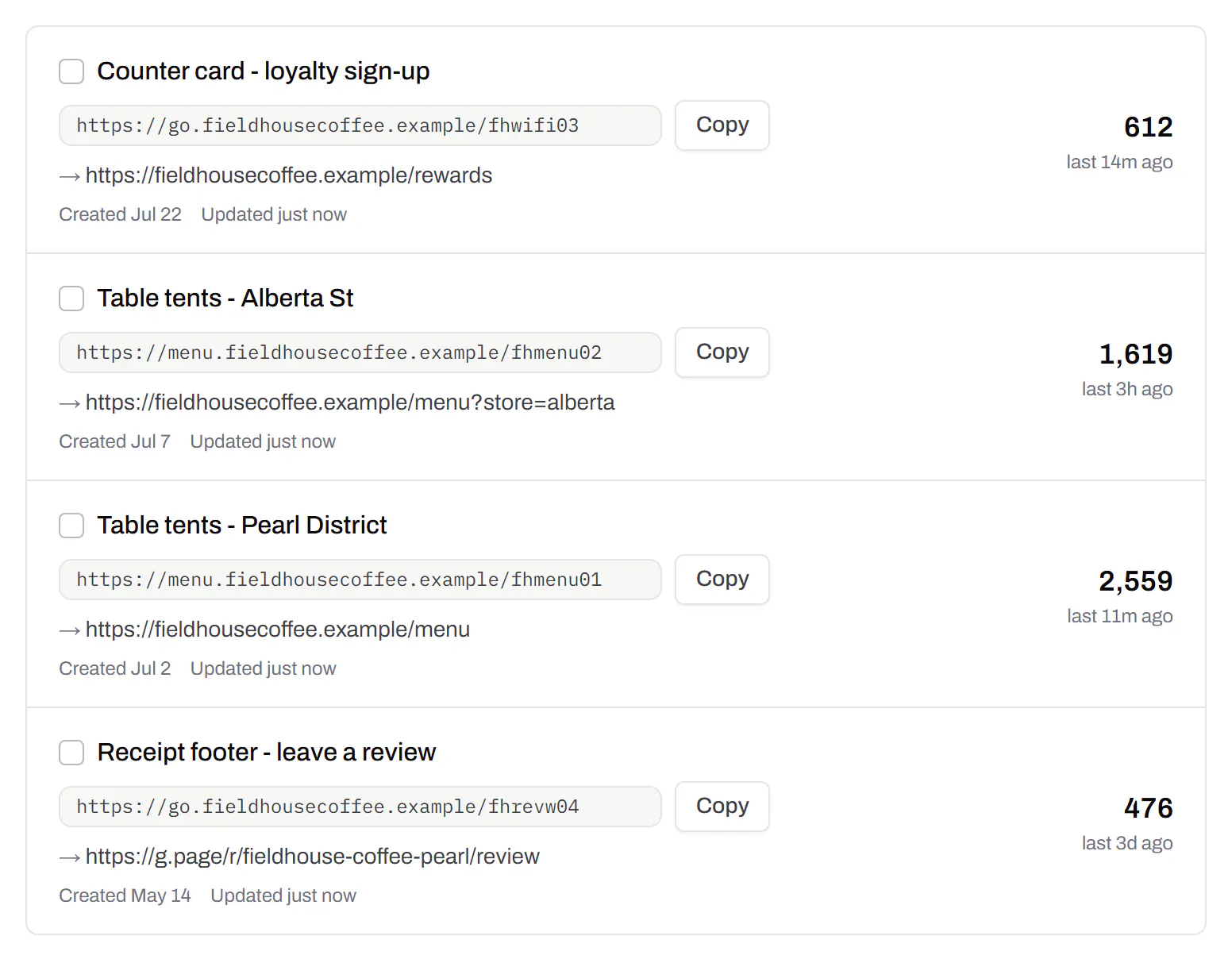
A code per stall, till and tip jar
Give each place its own code and the list shows how often each is scanned.
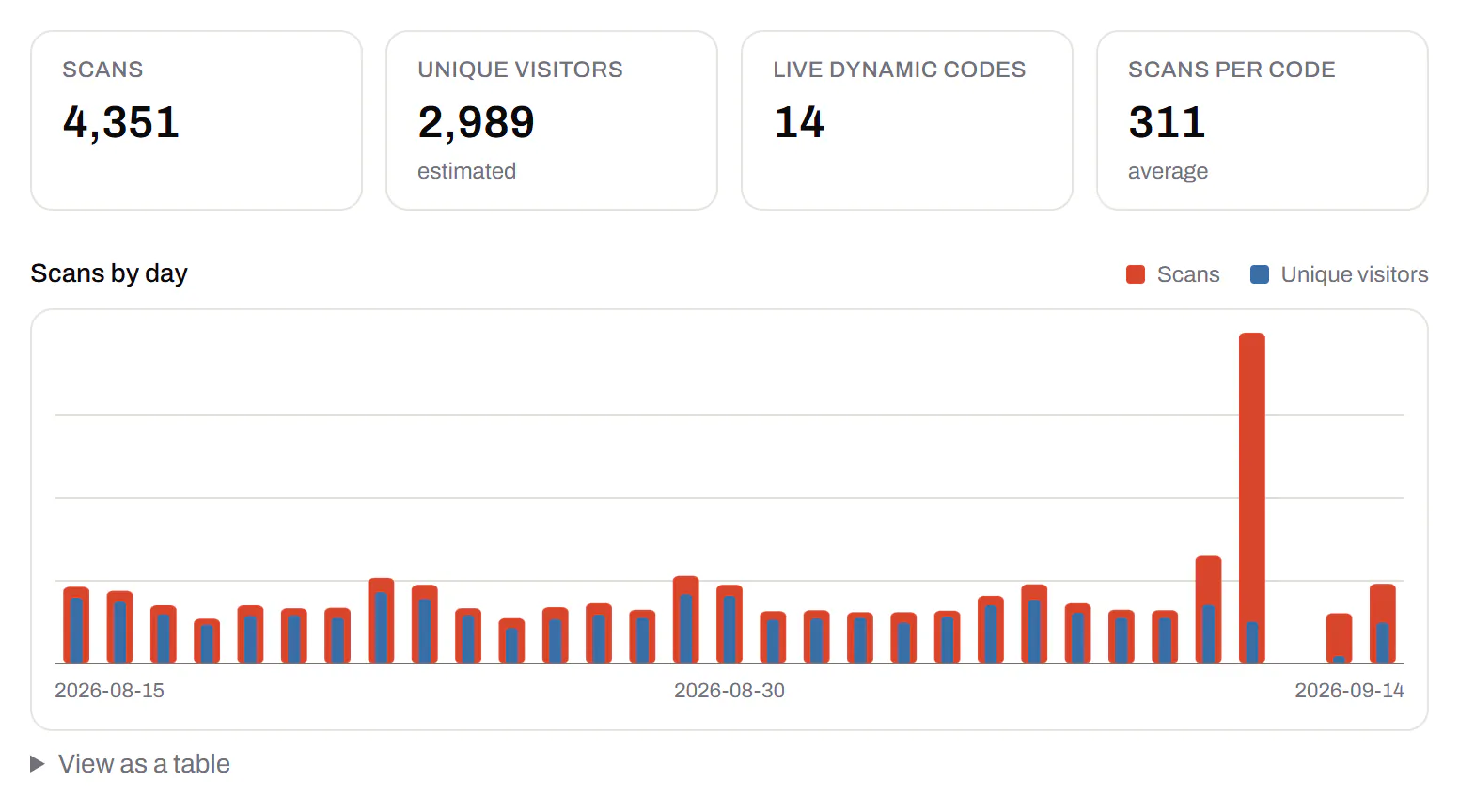
Scans by day, next to your takings
A chart of scans for one code or all of them. Line it up with the till.
The short link on your own domain
Print pay.yourstall.com under the code instead of our address. Your own domain comes with Starter and up.
Custom domain QR codes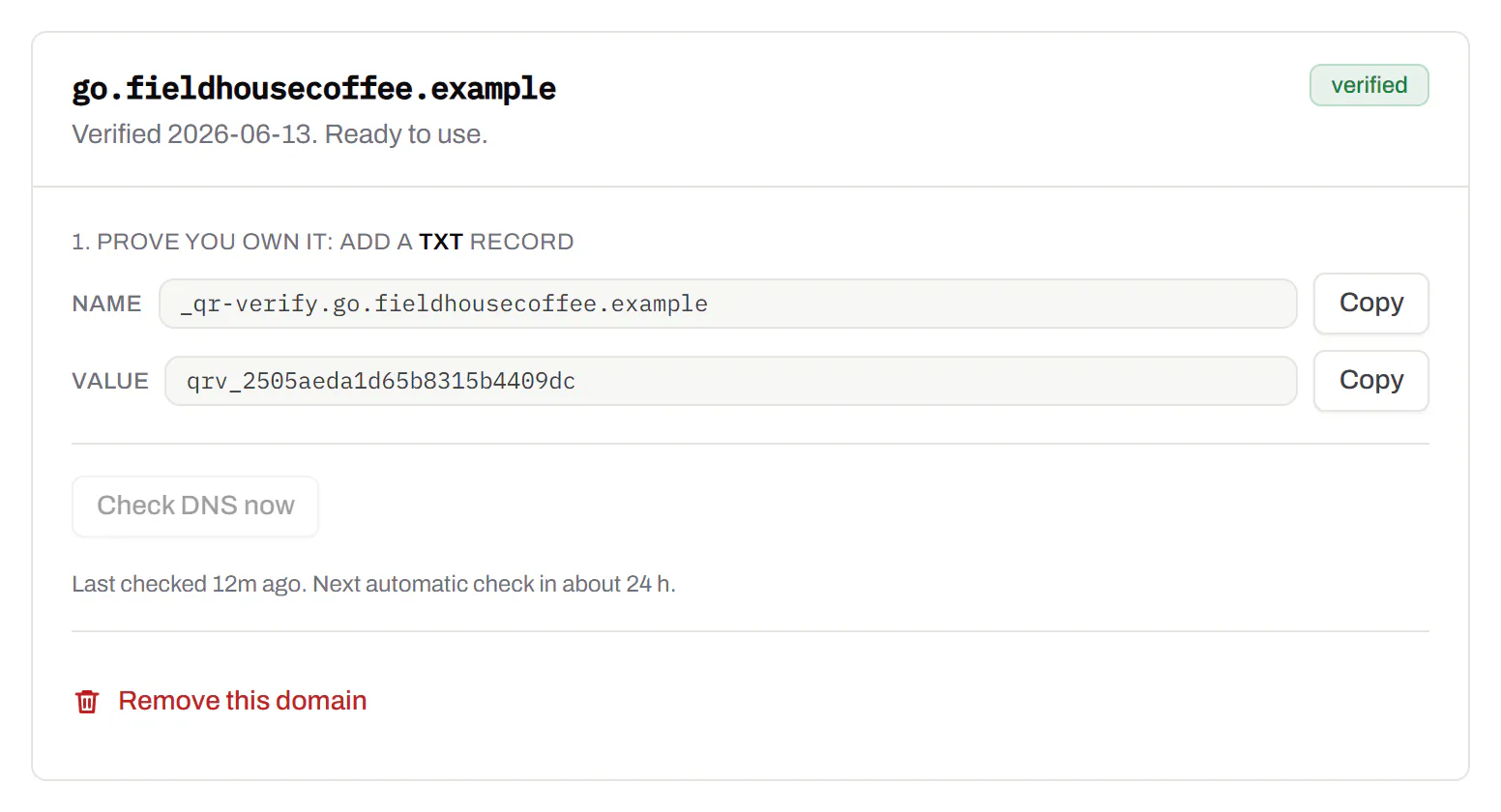
Which apps it opens, and each app’s rules
Pick by who pays: Venmo needs a US account, and Cash App works in the US and UK.
- You enter your PayPal.Me name or link: letters and numbers, up to 20, one per account.
- Changing it: you can’t do it yourself. PayPal says to contact PayPal to change or delete the link, and you can turn it off any time.
- The amount goes on the end of the link, with a currency code if you pick one. PayPal documents both.
- Business accounts take only Goods and Services payments through PayPal.Me.
- PayPal’s own code is behind the QR icon at the top right of the app, free to create and share.
- You enter your username, with or without the @: 5 to 30 letters, numbers, - or _.
- Who can pay: people with a US Venmo account. Set the amount in dollars; another currency shows as the amount to enter.
- A personal profile isn’t a till. Venmo’s agreement bars business sales on one, except through a business profile or a payment the buyer marks as goods and services.
- Venmo’s own code: Me tab, the QR button on your picture, then “Venmo me”. A business profile goes Charge, QR Code, Venmo Me, with a printable PDF.
- You enter your $Cashtag: up to 20 characters with at least one letter. Claiming one needs a linked debit card.
- Changing it: only twice. Old ones go inactive, so nobody else can claim them, and you can switch back.
- Cash App can ask you to change your $Cashtag, or reclaim it, under its terms.
- Where it works: the US and the UK. An amount in dollars or pounds goes in the link; others show as the amount to enter.
- Fees: receiving is free, Cash App says. A sender paying by credit card pays 3%.
- No generator can make one. Your code is in your bank’s app, under the My Code tab, and not every bank offers it.
- Zelle tags are only for eligible small business account holders.
- Zelle’s advice: only send money to people you know and trust. That rules out a sign for strangers.
- Unsure what a code holds? Read it with the QR code scanner, which shows the text and opens nothing.
| App | You enter |
|---|---|
| Revolut | Your Revtag or revolut.me link |
| Wise | Your Wise payment link |
| Buy Me a Coffee | Your page name |
| Stripe | A Payment Link, on buy.stripe.com or your own domain |
| Somewhere else | Any https payment page, screened when you save |
We aren’t PayPal, Venmo, Cash App or Zelle, and we’re not connected to them. Their fees, limits and terms apply as if the buyer had typed your handle in.
The code that brings money in, and the one that sends it
- Yours, for being paid: your PayPal.Me link, your Venmo profile, your $Cashtag. That’s the one to print.
- The paying side: Venmo’s “Show to pay” and Cash App Pay at a shop’s checkout. A screenshot of one will never pay you.
New handle, new app, new price: the same printed code
On an editable code each of these is an edit in your account, and the next scan follows it.
- You rename yourself on Venmo or Cash App. The signs keep working.
- You switch apps, say PayPal to Revolut, or add cards with a Stripe Payment Link.
- Prices go up. Change the amount in the morning.
- The account is locked. Point the code at a second one while it’s sorted.
Stop a stranger’s sticker taking your money
- Print it into the sign. A sticker on top of a board shows at a glance. A loose card doesn’t.
- Put your name beside it, the same name the page shows. Two different names make a buyer stop.
- Show a link you own. Your own domain printed under the code is one more thing a copy gets wrong.
Then scan the proof with a phone that isn’t signed in as you, and check the name that comes up.
Payment codes, answered
Do you take a cut of the payments?
No. The money goes from the buyer to your account with the app, and never through us. The app’s own fees still apply.
Is this a real Venmo, Cash App or PayPal code?
No. Only those apps make their own codes. Ours opens your account on the app by its link, and the payment and its rules stay theirs.
Does the buyer need the payment app installed?
For PayPal.Me, no: PayPal says payers don’t need its app. The other apps don’t say, so test with a phone that doesn’t have yours.
Can I put out a payment sign for free?
Yes. A static code that opens the app directly needs no account. The page with your name uses one of the 3 editable codes on Free, with no card.
Menu, payment and reviews on one card? A QR code with multiple links puts them behind one scan. Marketplaces can make codes for their sellers with the API docs for payment codes.
Check it at the source
- PayPal.Me FAQs. Read 20 October 2026. The name rules, the amount, changing the link, business accounts and buyers without the app
- PayPal: What’s PayPal QR code payments?. Read 21 September 2026. Free to create and share
- PayPal: how to use a PayPal QR code. Read 21 September 2026. Where the code is in the app
- Venmo: Personal QR codes FAQ. Read 22 September 2026. Venmo me and Show to pay
- Venmo: QR codes for Business Profiles. Read 22 September 2026. The business route and the printable PDF
- Venmo: Check or Edit Your Username. Read 22 September 2026. The 5 to 30 character rule
- Venmo US user agreement. Read 22 September 2026. Who may open an account, and business use
- Cash App: what is a $Cashtag?. Read 22 September 2026
- Cash App: change your $Cashtag. Read 22 September 2026. The two-change limit
- Cash App: how to claim a $Cashtag. Read 22 September 2026. One letter, 20 characters, a debit card
- Cash App: does it work internationally?. The US and the UK
- Cash App terms of service. Read 22 September 2026. Section 7 on $Cashtags, and Cash App Pay
- Cash App: how to send and receive money. Read 20 October 2026. The fees
- Zelle: how do I use a Zelle QR code?. Read 21 September 2026. My Code, and not every bank
- Zelle: I was asked to send money to a Zelle tag. Read 21 September 2026. Tags for eligible small businesses
- Zelle FAQ. Read 21 September 2026. People you know and trust
- Revolut: Revtags. The revolut.me link
- Stripe: customize Payment Links. Payment Links on your own domain
- Buy Me a Coffee: set up your page. Your page name and link
Last reviewed , against the product as it works today.
No cut of your sales, one flat plan price
We never take a share of what you’re paid. Free includes 3 editable codes with the name page, and paid plans start at $5 a month.
Free
$0/mo
Unlimited static codes. Three editable ones that never expire.
- Short links on their own, no QR code needed
- Up to 1 of the 3 can be a QR Menu
- Add your logo to QR codes
- Every shape, corner and frame
3dynamic codes
Starter
Recommended$5/mo
For one business with codes out in the world.
- 5 QR Menus
- QR Forms
- GS1 Digital Links we host, so a printed pack can be re-pointed
- Advanced tracking and analytics
100dynamic codes
Pro
$15/mo
For agencies and teams running codes at scale.
- 50 QR Menus
- Unlimited analytics history
- 10 custom domains
- 5,000 API requests a month
600dynamic codes
Business
$39/mo
For organisations running codes across many brands.
- 400 QR Menus
- 50 custom domains
- Up to 25 team members and team management
- Up to 10 workspaces
2,000dynamic codes
Unlimited scans on every plan. Cancel online in two clicks. Compare every plan and feature
The rest of the toolbox
Open a row to see the screen and which plan has it.
Print-ready downloads
Files for the screen, and one for the printer.PNG and SVG on every plan · PDF on Starter and up
PNG and SVG on every plan, and a print-ready PDF on Starter and up.
PNG and SVG on every plan · PDF on Starter and up

Your logo in the middle
Upload any image; we size it so the code still scans.Every plan, Free included
PNG, JPEG, WebP or GIF, up to 15 MB. We raise the error correction for it and never let it cover more than the code can lose.
Every plan, Free included

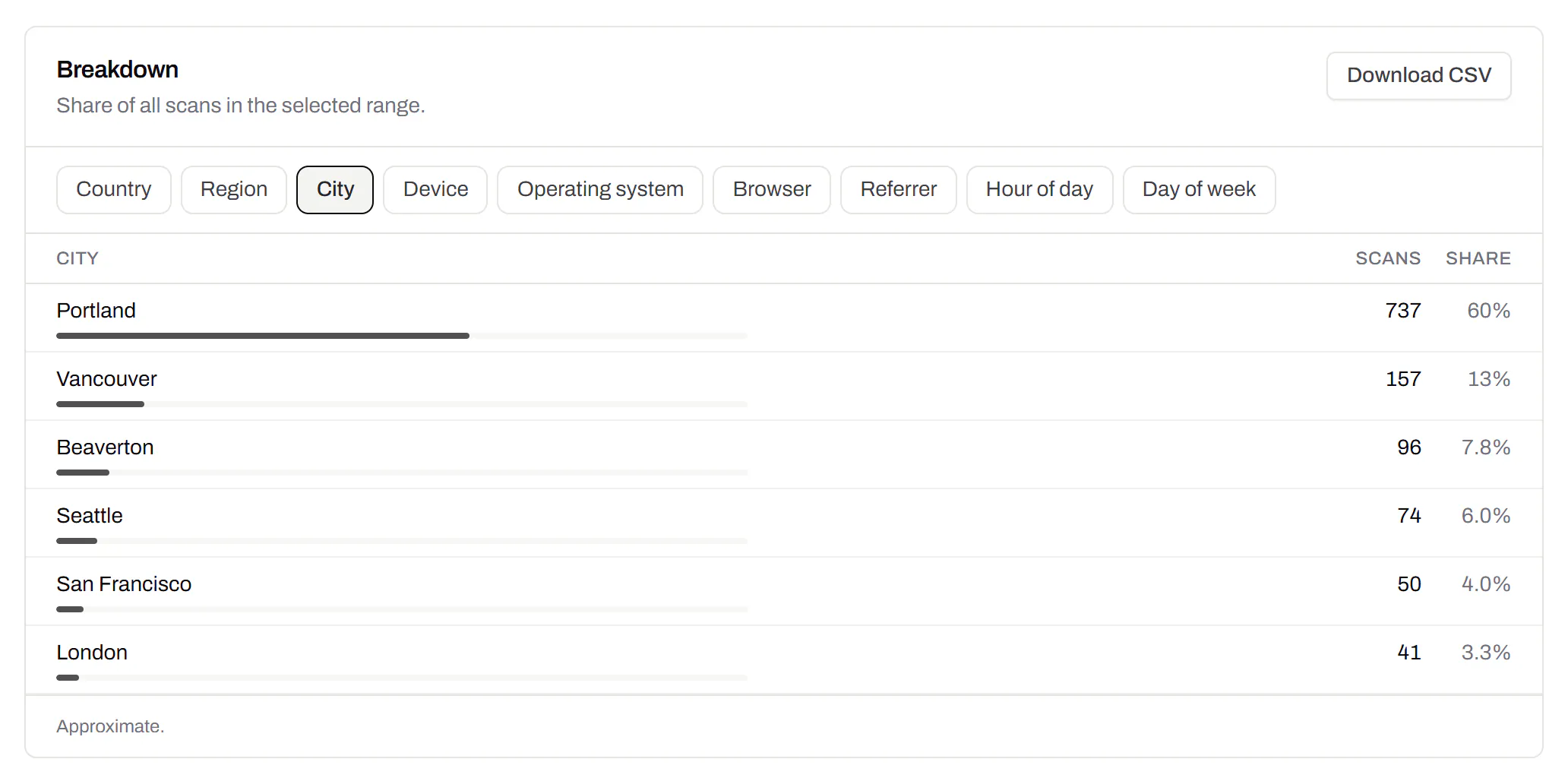
City-level scan locations
Which towns the scans came from, not only which countries.Pro and Business
Scans by city and region for each code, and towns on the Live Map. It’s the place the phone’s network reports, never a street.
Pro and Business