URL shortener with your own domain
Short links on your own domain that you can edit after sharing, route and count. Each one comes with a QR code.
3 links free. Your own domain from Starter, $5 a month.
On this page
What a custom URL shortener adds
- Your name on the link. go.yourbrand.com/spring from Starter. The setup is two DNS records.
- Edit after sharing. The sale ended or the form moved? Point the link somewhere new and every post it’s in follows.
- Custom endings like /spring-menu: on your domain from Starter, on qrsalt.com with Business.
- Many at once. With Starter, import a spreadsheet and get the new links back as a CSV.
What every short link comes with
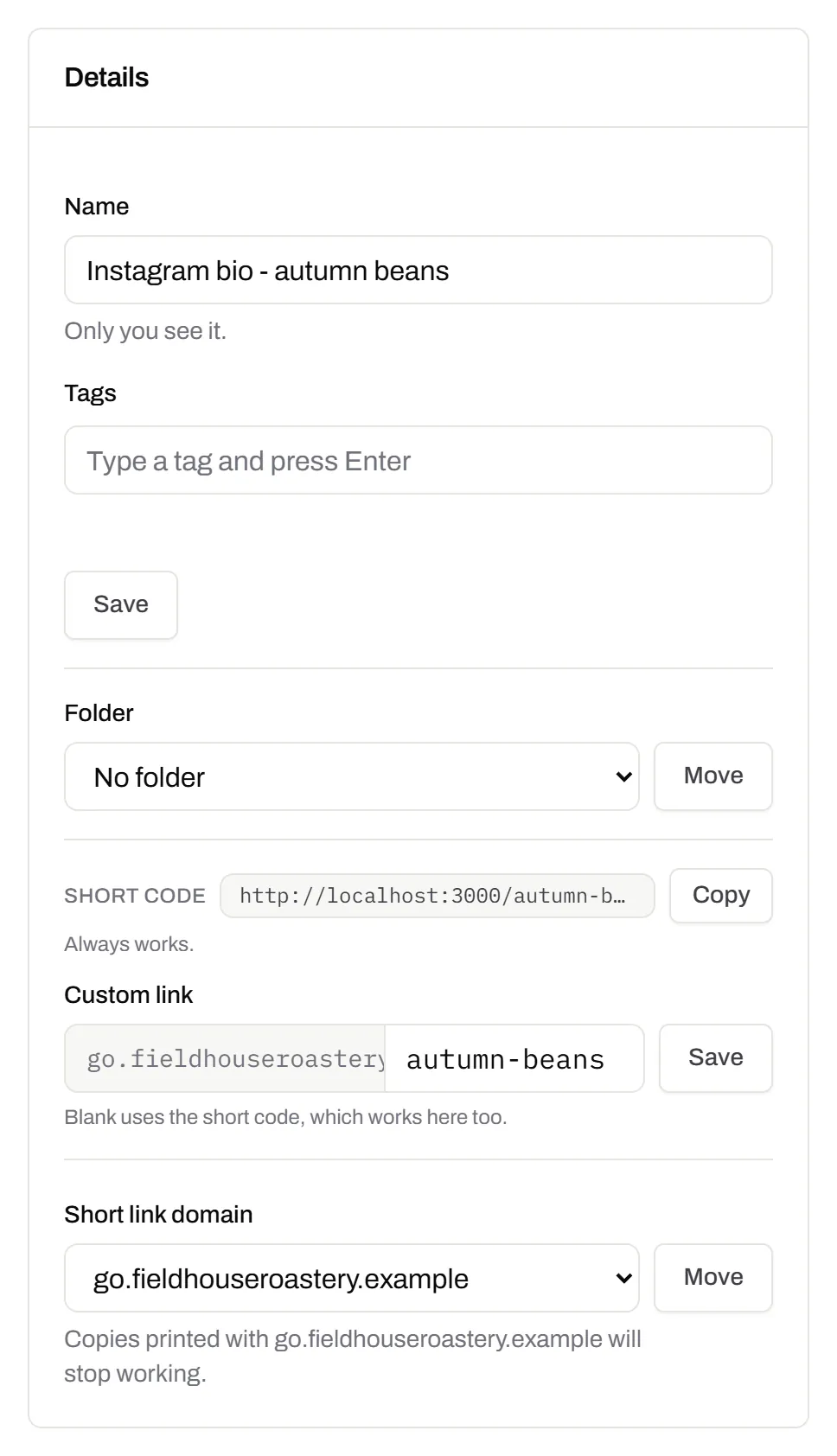
Copy it, change it, pick its domain
The link sits at the top of its page with a Copy button, next to where it points and every address it’s had, each with a Restore button.
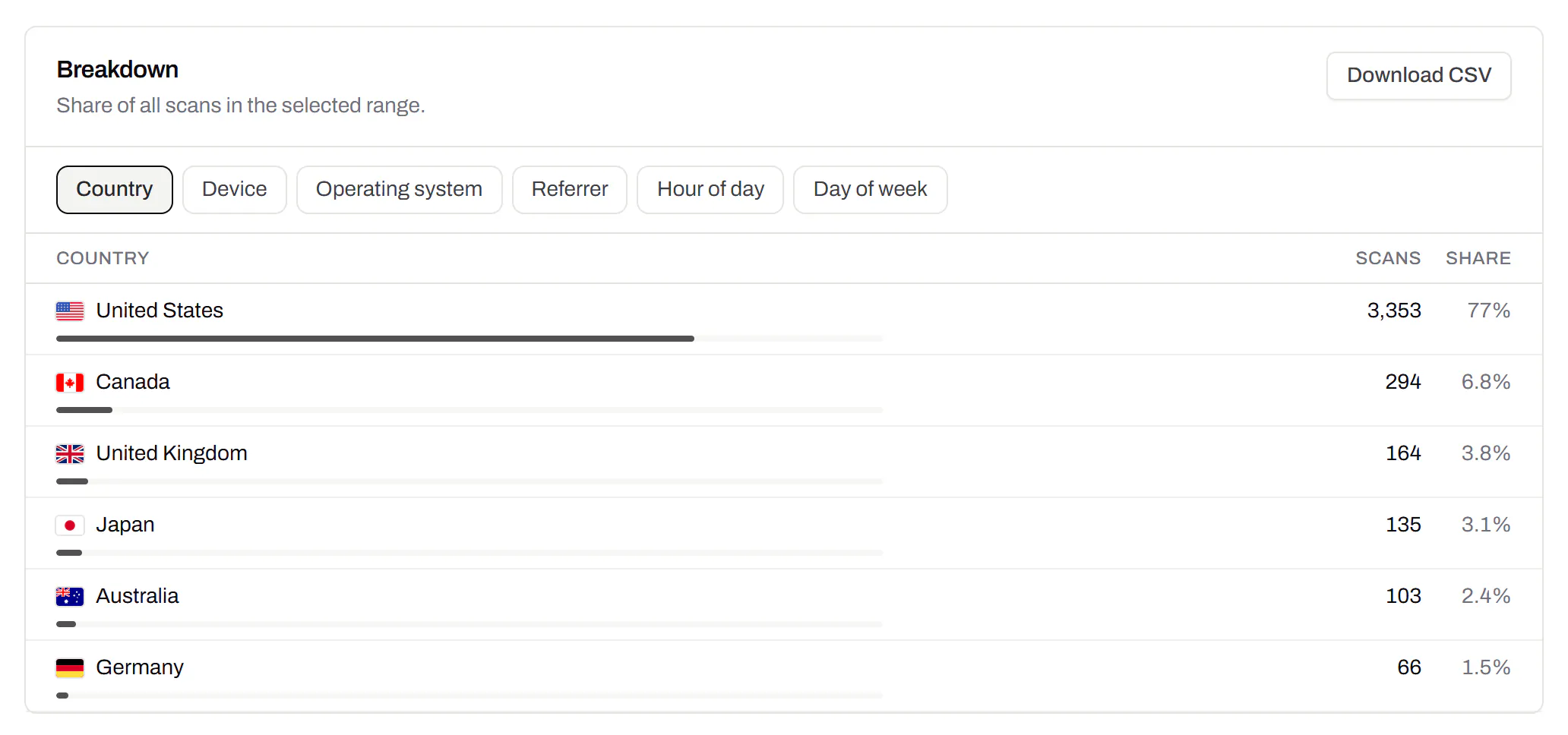
Where the clicks came from
Clicks by country on every plan. Starter adds device, browser, referrer and hour; Pro and Business add the town.
The right page for each click
Send iPhones to the App Store and Canada to the Canadian shop, from the same link.
Try the rules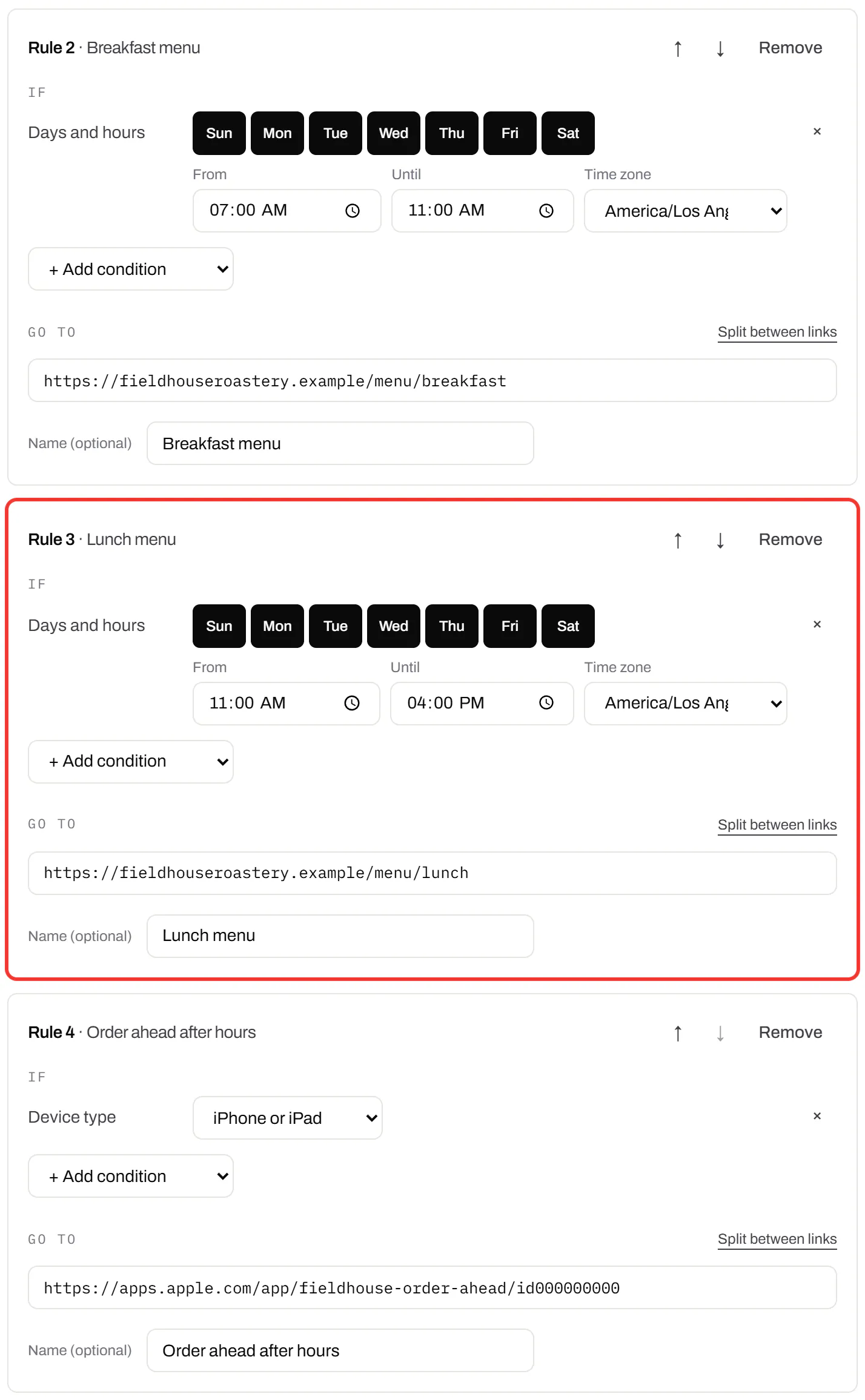
Link shortener API
One request, one short link. With Starter and up.
curl -X POST https://app.qrsalt.com/api/v1/links \
  -H "Authorization: Bearer $QRSALT_KEY" \
  -H "content-type: application/json" \
  -d '{"url":"https://example.com/newsletter/october","slug":"october-news"}'
The answer carries shortUrl. More in the docs.
Do short links expire?
- No expiry date. A link works while your account has a plan, and Free counts.
- Cancel a paid plan and links keep working for at least 90 days. After that, one stops only if nobody opened it for 90 days, and we email you first.
- A 302 with noindex. Edits reach everyone, and your page, not the short link, shows in search. Google explains redirects and noindex.
- Abuse stops a link at once, under the acceptable use policy. Seen a bad one? Report it.
Short links, answered
Can I choose how the link ends?
Yes, with lower-case letters, numbers and single hyphens, 4 to 24 characters. It’s fixed once made, because it may already be shared.
Can I get a QR code for a short link?
Yes. Every short link’s page shows its QR code with download buttons. Scans and clicks are counted together.
Why do I need an account to shorten a link?
Because every short link here belongs to someone. We check the destination before the link is made, and anyone can report one.
Where a short link goes next
Short links on every plan
A short link counts as one dynamic code, with or without its QR code, so read each plan’s count as links.
Free
$0/mo
Unlimited static codes. Three editable ones that never expire.
- Short links on their own, no QR code needed
- Up to 1 of the 3 can be a QR Menu
- Add your logo to QR codes
- Every shape, corner and frame
3dynamic codes
Starter
Recommended$5/mo
For one business with codes out in the world.
- 5 QR Menus
- QR Forms
- GS1 Digital Links we host, so a printed pack can be re-pointed
- Advanced tracking and analytics
100dynamic codes
Pro
$15/mo
For agencies and teams running codes at scale.
- 50 QR Menus
- Unlimited analytics history
- 10 custom domains
- 5,000 API requests a month
600dynamic codes
Business
$39/mo
For organisations running codes across many brands.
- 400 QR Menus
- 50 custom domains
- Up to 25 team members and team management
- Up to 10 workspaces
2,000dynamic codes
Unlimited scans on every plan. Cancel online in two clicks. Compare every plan and feature
The rest of the toolbox
Open a row to see the screen and which plan has it.
Campaign presets
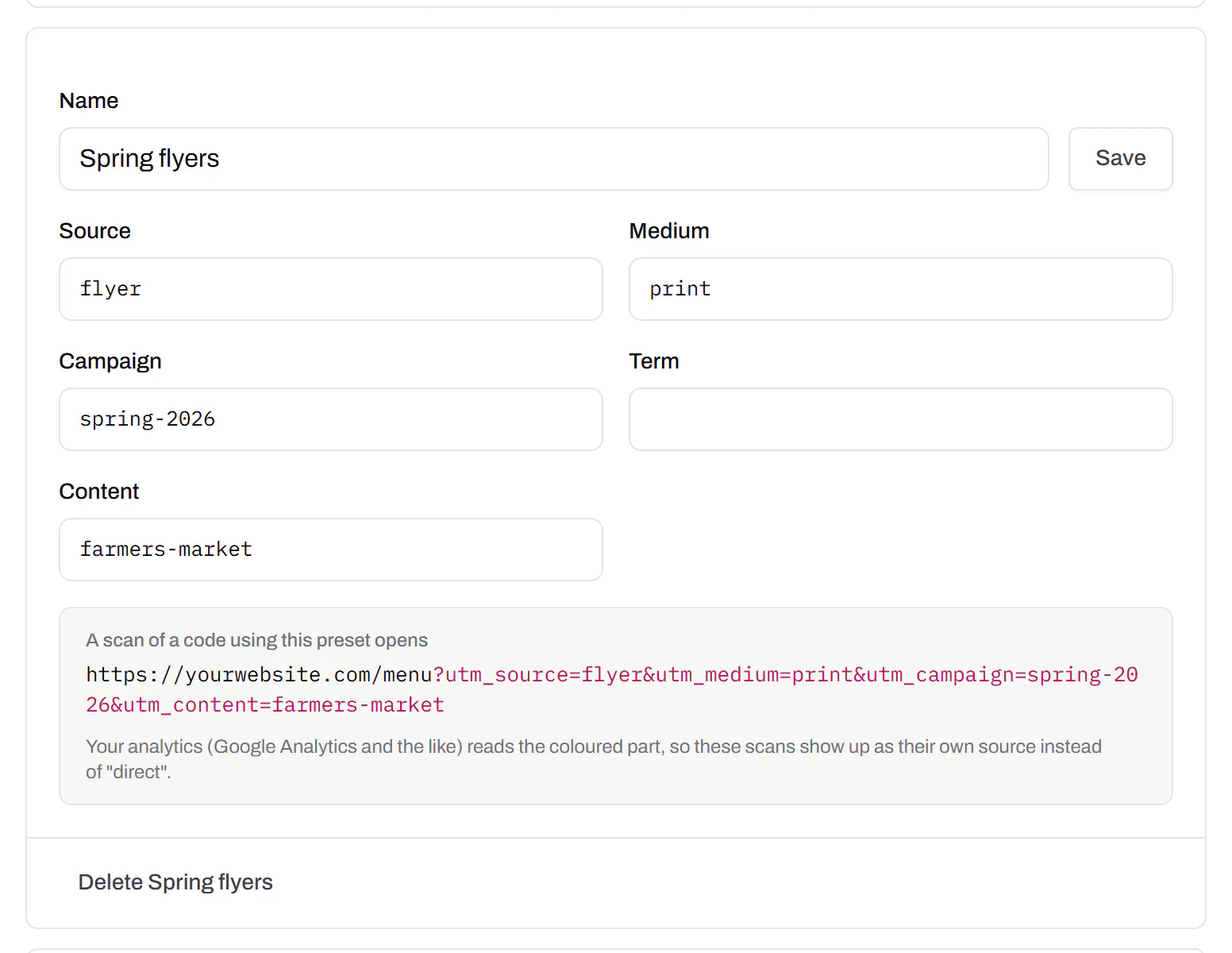
Saved UTM parameters, so printed scans are not “direct”.Starter and up
Untagged, printed scans land in your web analytics as direct traffic. A preset fills in source, medium and campaign in one click, so the flyer and the table tent show up apart.
Starter and up
Change many codes at once
Tick the codes, then pause, tag, file or move them together.Pause and resume on every plan · folders and tags on Starter and up
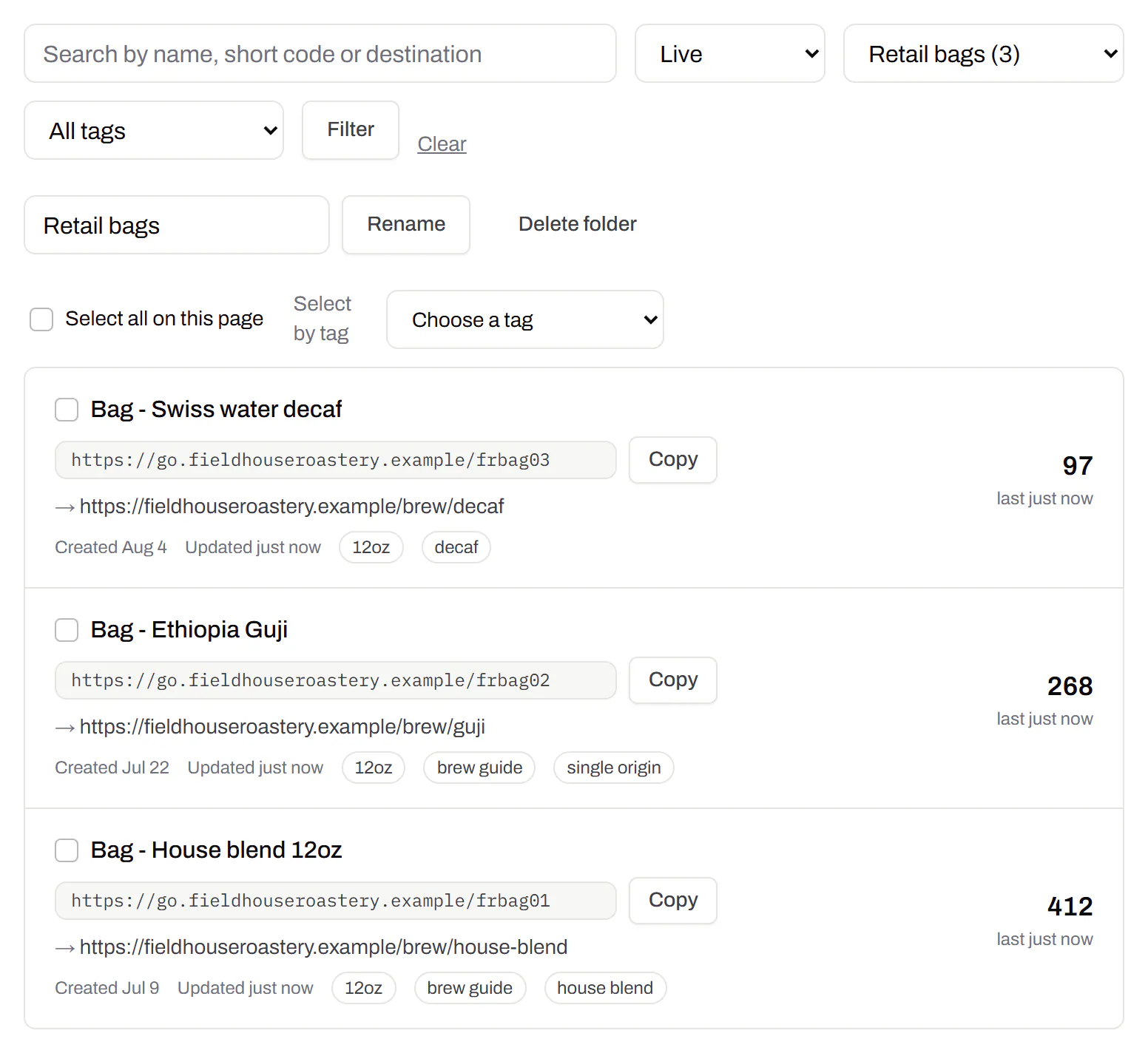
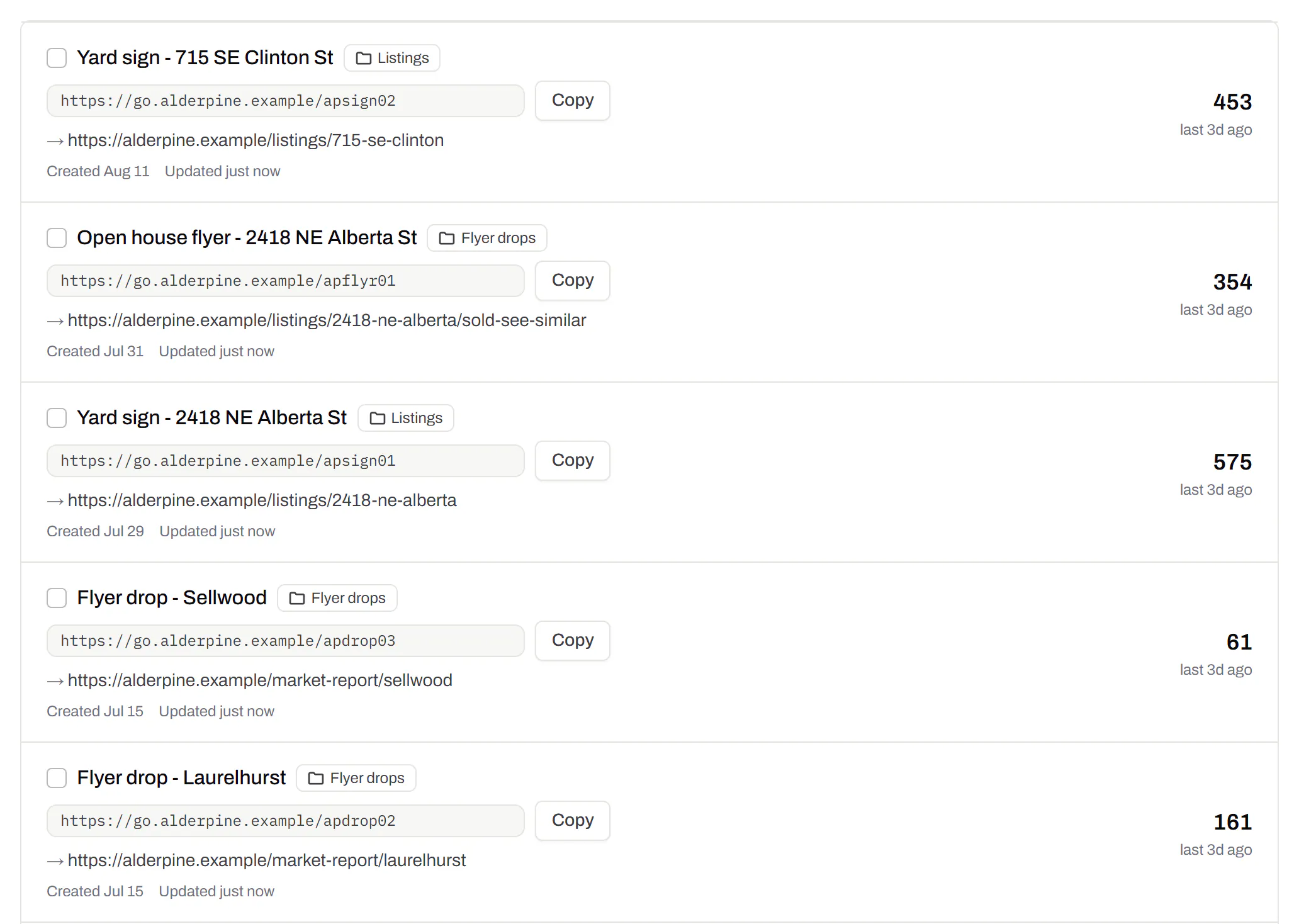
Tick codes, or pick every code with a tag, then pause, tag, file or move them onto your domain in one go. When a pop-up shop closes, pause all its codes together.
Pause and resume on every plan · folders and tags on Starter and up
Folders and tags
Keep one location’s or one campaign’s codes together.Starter and up
A folder per shop, listing or campaign, and the list filtered by it. Deleting a folder moves its codes to No folder, with undo.
Starter and up