
Business card QR code generator (vCard)
Type your details and get a code that saves them to the phone’s contacts. Free with no account.
Dynamic & Editable
Change where it points after printing, and see who scans it.

This is an example. Type a destination to download yours.
Design
Style
Colour#000000
Shaperounded
Body shape
Corner shape
Inside shape
Framenone
Logonone
Print settingsECC M
On this page
Editable card or fixed vCard
| Compared | Editable card | Fixed vCard |
|---|---|---|
| The code holds | A short link to your contact page | Your details themselves |
| Change details after printing | Yes | No, new cards |
| Scans counted | Yes, by day | No |
| Account | Free, one of 3 editable items | None needed |
A card that keeps up with you
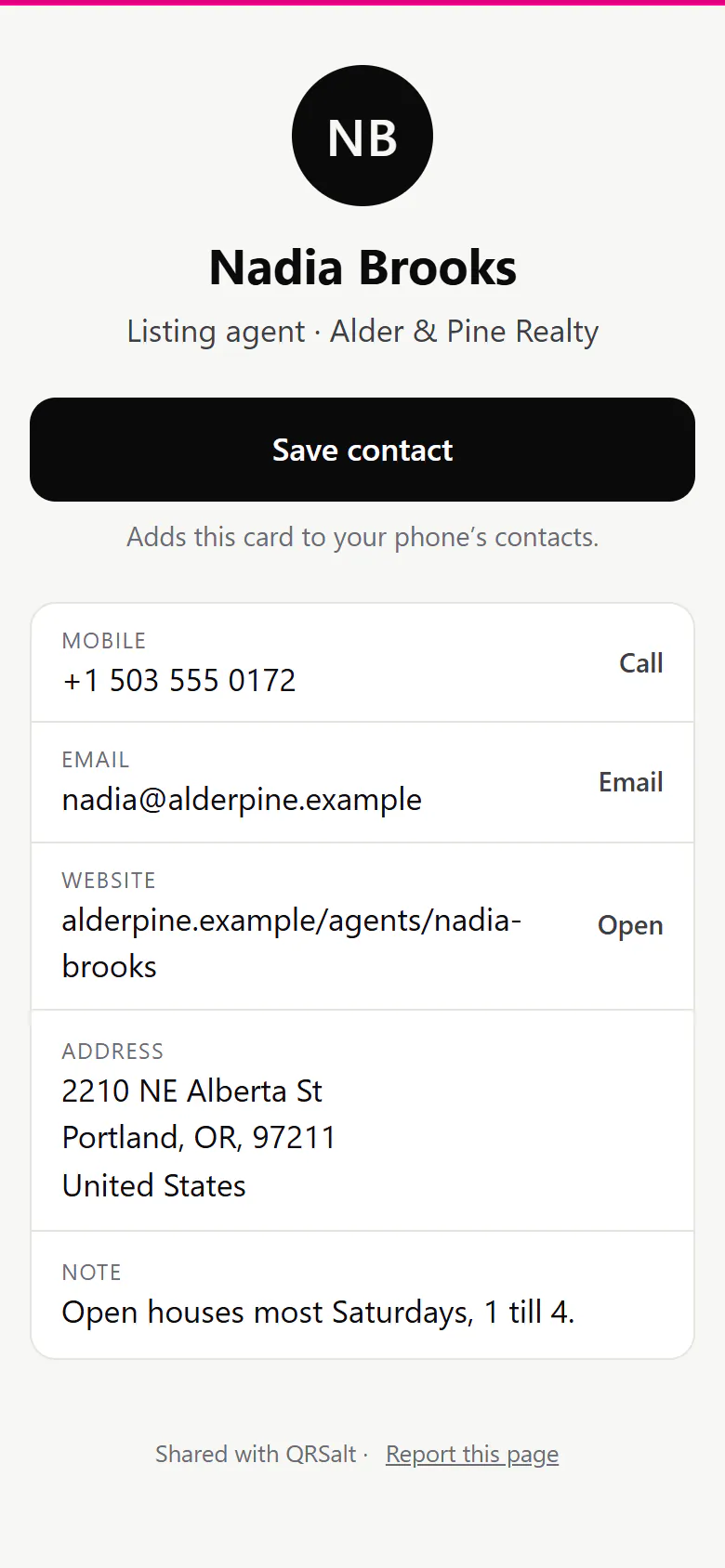
What the person you met sees
Your name, title and company, a large Save contact button, and your numbers, email, website and office address, each one tappable.
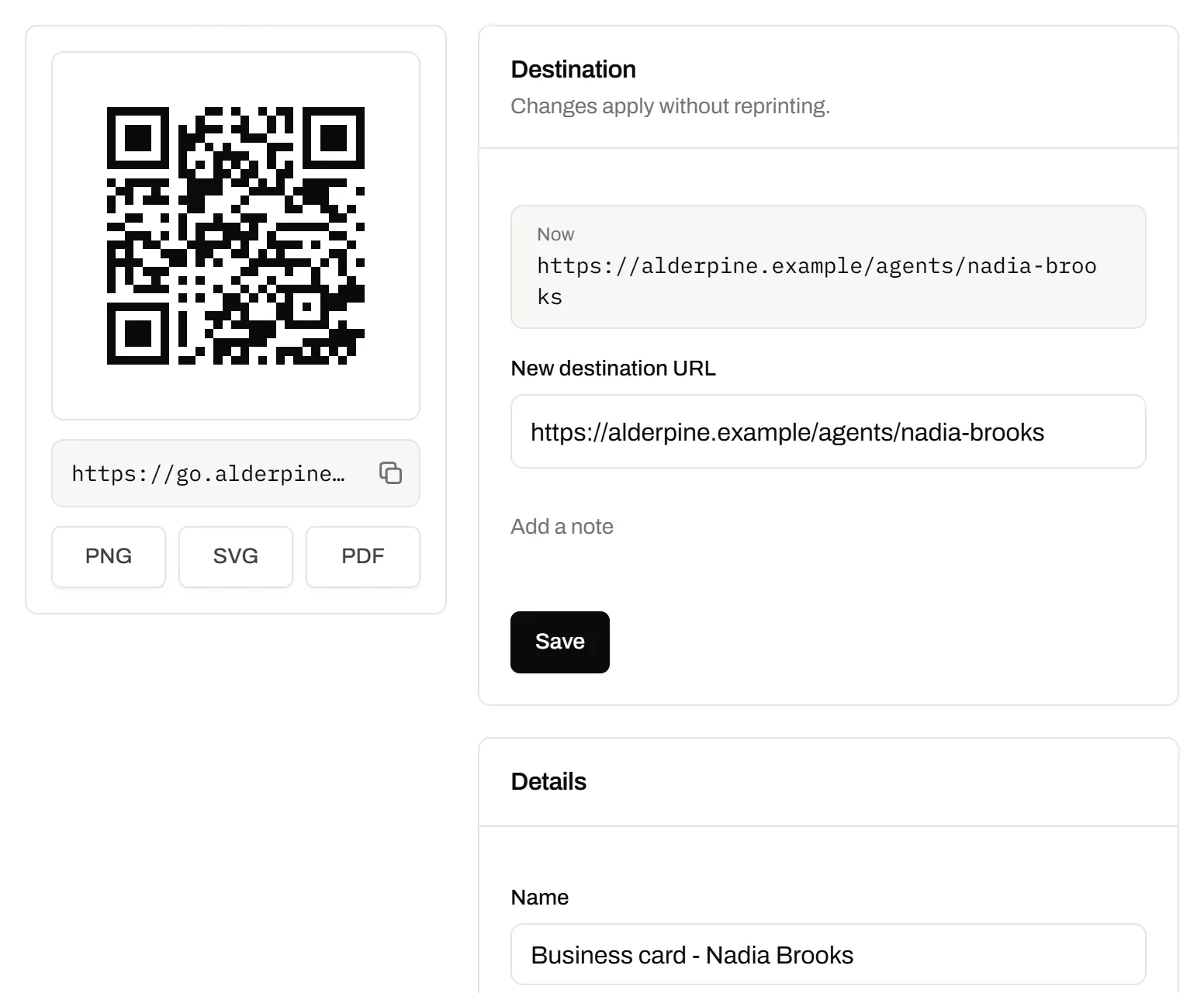
The card’s code and its details, in one place
A new job, number or title is typed in here once, and every printed card saves it.
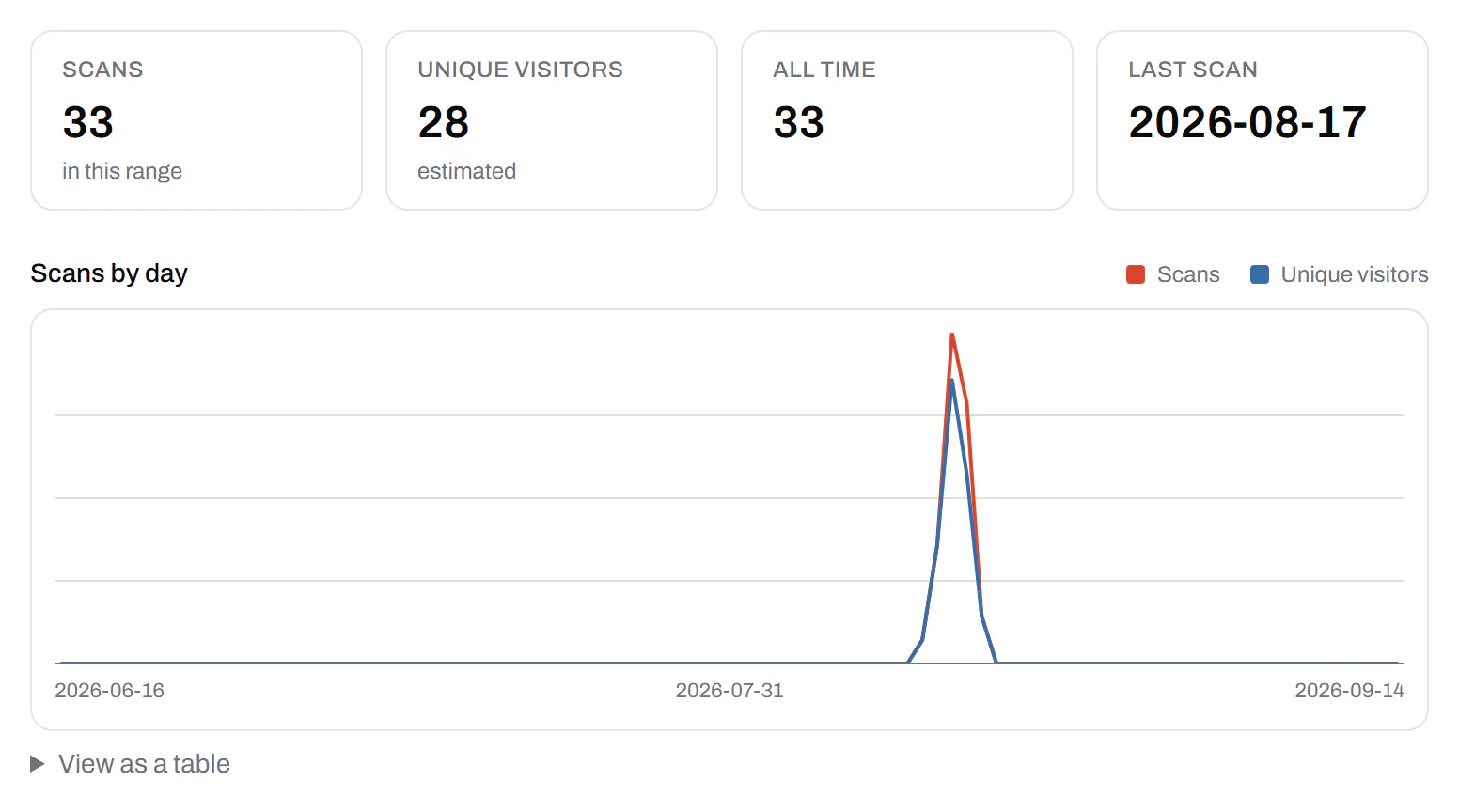
The trade show, visible in the scans
Nothing for weeks, then a peak in the days you handed cards out.
Your logo and your ink
Every design option is on Free. The preview says when error correction is raised to make room for a logo.

Where each field lands in contacts
Save contact hands the phone a vCard 3.0 file, so your number lands as a number the phone can call.
| You fill in | vCard property | On their phone |
|---|---|---|
| Name | N and FN | Split into first and last, so it sorts in contacts |
| Company and job title | ORG and TITLE | Under your name |
| Mobile and work phone | TEL | Labelled mobile or work, tappable |
| Opens in the mail app | ||
| Website | URL | Your site, portfolio or booking page |
| Work address | ADR | Opens in the maps app |
| A note | NOTE | Where you met, or your hours |
Cards outlive their details
On an editable card, each of these is one edit instead of a new box of cards.
- A promotion: the next person who scans saves your new title.
- A new number: nobody calls the old one from a card in their drawer.
- A rebrand or new email domain: one edit, not a print order for the whole team.
- An office move: the address follows, even on cards handed out years ago.
Cards for a whole team
- Room for the team. Pro holds 10 people and Business 25, each with a role.
- One design for everyone. Keep each person’s card in a folder (Starter and up), so a new starter’s card matches the rest.
- Cards that stay with the firm. When someone leaves, point their card at the colleague who took over.
- Your domain under every code. Short links like go.yourfirm.com (Starter and up).
Socials and a booking link too? Put them on a QR Menu. Cards for the whole team at once? Use the bulk QR code generator.
Business card QR codes, answered
Can I make the card code without paying or signing up?
Yes. The fixed vCard downloads as a PNG or SVG with no account and no watermark, and it never expires. The editable card needs a free account.
Should I use a vCard or a link to my website?
A vCard, if you want to be saved in one tap. The editable card does that and still carries your website.
Why does my vCard code look so dense?
Every field you add packs more squares into the same space. An editable card’s code only carries a short link, however much you put on the page.
How small can a business card QR code be?
About 20 mm across, blank margin included, for an editable card’s short link. A full vCard, a long link or a logo can need more. Work out the exact size for your card.
What happens to the cards I’ve handed out if I downgrade?
They keep working, with your last saved details, for at least 90 days, then until they go 90 days without a scan. What happens when a plan ends.
Check it at the source
- RFC 2426, vCard 3.0. The version the card is written in
- RFC 6350, vCard 4.0. The current standard for contact cards
Last reviewed , against the product as it works today.
Editable business cards on every plan
Free includes 3 editable codes with no card, enough for your own business card. Paid plans start at $5 a month and add more codes, custom domains and a team.
Free
$0/mo
Unlimited static codes. Three editable ones that never expire.
- Short links on their own, no QR code needed
- Up to 1 of the 3 can be a QR Menu
- Add your logo to QR codes
- Every shape, corner and frame
3dynamic codes
Starter
Recommended$5/mo
For one business with codes out in the world.
- 5 QR Menus
- QR Forms
- GS1 Digital Links we host, so a printed pack can be re-pointed
- Advanced tracking and analytics
100dynamic codes
Pro
$15/mo
For agencies and teams running codes at scale.
- 50 QR Menus
- Unlimited analytics history
- 10 custom domains
- 5,000 API requests a month
600dynamic codes
Business
$39/mo
For organisations running codes across many brands.
- 400 QR Menus
- 50 custom domains
- Up to 25 team members and team management
- Up to 10 workspaces
2,000dynamic codes
Unlimited scans on every plan. Cancel online in two clicks. Compare every plan and feature
The rest of the toolbox
Open a row to see the screen and which plan has it.
Wi-Fi, contact cards, email, phone and SMS
Networks, contacts, calendar dates and places, not only links.Every plan, Free included
Website, text, Wi-Fi, email, phone, SMS, contact card, GS1 Digital Link, PDF, location, calendar event and more. Most download free with no account; the ones marked “Editable only” need one.
Every plan, Free included
Contact card codes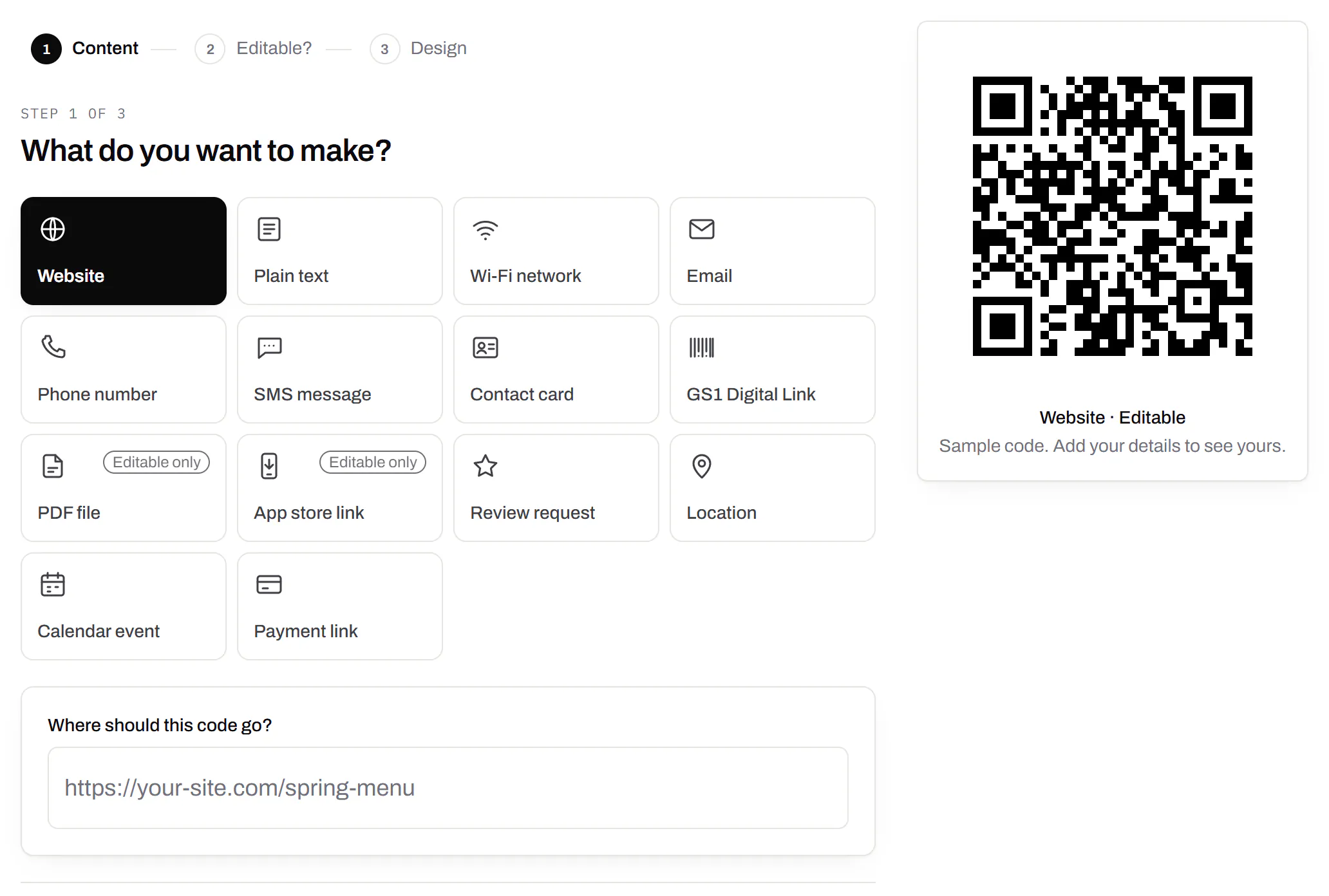
Your logo in the middle
Upload any image; we size it so the code still scans.Every plan, Free included
PNG, JPEG, WebP or GIF, up to 15 MB. We raise the error correction for it and never let it cover more than the code can lose.
Every plan, Free included
Print-ready downloads
Files for the screen, and one for the printer.PNG and SVG on every plan · PDF on Starter and up
PNG and SVG on every plan, and a print-ready PDF on Starter and up.
PNG and SVG on every plan · PDF on Starter and up
