
Skip to content

Wi-Fi QR code generator

Enter the network name and password exactly as your router has them. Guests point a phone camera at the printed code and join, with no password to read out or mistype. Free to download, with no account.

Dynamic & Editable

Change where it points after printing, and see who scans it.

Your code is drawn as you type.

Type a destination to download.

This is an example code. Style it now — yours takes its place as you type.

Design

Style

Colour#000000
Shapesquare

Body shape

Corner shape

Inside shape

Framescan-me
Logonone
Print settingsECC M
  • Free, no account
  • Drawn in your browser
  • WPA, WEP or open networks
  • Works offline

What happens when a guest scans it

The code holds the network’s name, its security type and its password, in a short line of text phones know how to read. The guest taps once and the phone remembers the network like any other.

iPhone

The Camera app reads the code and shows a banner offering to join the network. One tap and it connects, with the password filled in for the guest.

Android

The camera or Google Lens offers to connect. On many Android phones the Wi-Fi settings screen has a scan button of its own, beside the list of networks.

Laptops and older phones

A laptop has no camera scanner for this, and a few older phones show the text rather than joining. Print the network name and password in small type under the code for them.

The line of text inside a Wi-Fi code

Wi-Fi codes follow a format phone makers settled on between themselves rather than a published standard. For a network called Cafe-Guest, this generator writes:

WIFI:T:WPA;S:Cafe-Guest;P:espresso2026;;

T is the security type, S the network name and P the password. A semicolon, comma, colon, quote mark or backslash in the name or password gets a backslash in front of it, so a network called “Bar; Kitchen” is not cut short at the semicolon, which would send the phone after a network called “Bar”. An open network gets no P at all, because an empty one makes some Android phones ask for a password that does not exist. H:true is added for a hidden network and nowhere else.

Pick the security your router uses

The security type has to match the router, or the phone tries the right password the wrong way and gives up.

WPA / WPA2
Nearly every home and office router. Choose it when the router’s label or settings page says WPA2 or WPA2-Personal, or a mixed WPA2/WPA3 mode.
WEP
Very old routers only. If yours still uses it, its settings can probably be switched to WPA2, which is far harder to break into.
No password
An open network, such as a guest network with a sign-in page in the browser. The code then carries no password at all.
Hidden network
A tick box under More options, for a network set not to broadcast its name. Leave it clear on an ordinary network, or phones go looking for one they cannot see.

A router set to WPA3 alone is newer than the choices in this format. Scan the finished code with a phone of the kind your guests carry before you print a hundred of them.

Your password stays on your side of the screen

A free Wi-Fi code is worked out and drawn by this page, on your own device. The network name and password you type are not sent to us and not stored anywhere of ours.

  • No connection needed to join. The phone reads everything it needs from the pattern, which is the point: the guest is not online yet when they scan it.
  • Nothing of ours in the way. No link, no server and no account sit between the code and your router, so it goes on working as long as the network name and password do.
  • Only if you choose an account. The details leave this page only when you switch Dynamic on and continue, and then they are saved in your account so they can be changed.
  • Nothing to sign in to later. Download the PNG or SVG and you are done. There is no dashboard to keep, and no email address asked for.

When you change the Wi-Fi password

A printed Wi-Fi code carries the password in its pattern, so a new password needs a new code. How to deal with that depends on how often yours changes.

Print a new one

For a home network, or an office password that changes once a year, make a fresh code on this page and print it again. It costs nothing but the paper.

Or make the code editable

Switch Dynamic on above and save it in an account. The printed code then opens a small web page with the network name, the password and a Copy button, plus a join code a second phone can scan. Change the password in your account and every copy on the walls shows the new one.

The trade: a web page cannot join a network for anyone, so the guest needs mobile data to open it and one more tap to copy the password. It is one of the 3 editable items on Free.

What a Wi-Fi code cannot do

Four limits worth knowing before you print one, none of which is a fault in the code.

  • Sign-in pages. A hotel or airport network that opens a page asking for a room number cannot be got past by any code. The scan joins the network; the sign-in page still appears, exactly as it would otherwise.
  • Company networks with usernames. Networks where each person has their own username and certificate, the kind universities and large offices run, are not part of this format at all. There is nowhere in the string to put them.
  • Changing the password. The password is in the pattern, so the printed card is as current as the day it was made. That is the argument for the editable version, and for a guest password you do not rotate every week.
  • Telling you who joined. The phone talks to your router, never to us, so a static Wi-Fi code counts nothing. If you want to know how many people scanned, that is the router’s guest list, or an editable code, which counts the page opening rather than the joining.

Before it goes on the wall

A Wi-Fi code is scanned by somebody standing up, often holding a suitcase or a coffee, in whatever light the room has. That decides how it should be printed.

  1. Scan your own print

    Test the finished card on an iPhone and on an Android phone before you make twenty of them. A camera is the only opinion that counts.

  2. Give it room

    Keep the pale border the download comes with. Artwork or a frame edge pressed against the squares is a common reason a card in a nice holder stops working.

  3. Mind the shine

    Glossy lamination under a downlight throws a highlight across the middle of the code. Matt laminate, or a spot where the light is not directly overhead.

  4. Write it out as well

    Put the network name, and the password if it is a guest network, in small type beneath. It rescues the laptop, the old phone and the visitor whose camera app is set to something else.

Where a Wi-Fi code earns its frame

Anywhere people ask for the password more often than you would like to answer.

  • Holiday lets and guest rooms

    A framed code by the door answers the first question every guest asks, without a laminated card of letters and numbers.

  • Cafés and waiting rooms

    On the table tent or the counter, so staff are not spelling the password out loud all day.

  • Offices and meeting rooms

    A guest-network code at reception lets visitors join without somebody typing on their phone for them.

  • Events and venues

    On the badge, the programme or the stage screen, so a room of people is not queueing to ask.

Where the router allows it, give guests a network of their own, so the code does not hand out the one your computers, cameras and card reader use. Need codes for a whole building of rooms? The bulk QR code generator makes a batch from a list, and the page on file formats says which download to send a printer.

Last reviewed , against the product as it works today.

Free here, editable in an account

A Wi-Fi code from this page costs nothing and needs no account. One whose password you can change after printing is one of 3 editable items on Free, and paid plans start at $12 a month.

Free

Free

Unlimited static codes. Three editable ones that never expire.

  • Unlimited static QR codes, forever
  • 3 editable items in total — dynamic QR codes, QR Menus and QR Forms share them
  • Dynamic codes never expire, and each comes with a short link
  • Short links on their own, no QR code needed

3dynamic codes

Starter

$12/mo

For one business with codes out in the world.

  • 5 QR Menus
  • QR Forms
  • Advanced tracking and analytics
  • Live map of scans as they happen

100dynamic codes

Pro

Most chosen

$39/mo

For agencies and teams running codes at scale.

  • 50 QR Menus
  • Unlimited analytics history
  • 10 custom domains
  • API access

600dynamic codes

Business

$99/mo

For organisations running codes across many brands.

  • 400 QR Menus
  • 50 custom domains
  • Up to 25 team members and team management
  • Up to 10 workspaces

2,000dynamic codes

Unlimited scans on every plan. Cancel online in two clicks. Compare every plan and feature

The rest of the toolbox

Open a row to see the screen and which plan has it.

Custom domains

Short links on your own domain, chosen code by code.

Codes open go.yourbrand.com/menu rather than a link with our name in it, so the address under the code is yours. You add two DNS records and we check them. Then pick the domain for each code as you make it, or move a whole list of codes onto it at once.

Starter and up

QR codes on your own domain
A verified custom domain, go.fieldhousecoffee.example, with the TXT and CNAME records to copy into DNS and a button to check them again.
Custom domains · verified sample data

Bulk QR code generator

A spreadsheet in, one dynamic code per row out.

Paste or upload a list of names and links, match the columns, and get a dynamic code for every row - one per table, stall, badge or product - each with its own scans and destination.

Starter and up

The bulk generator
Bulk import after pasting a spreadsheet of twelve café tables - window, patio and bar - with the name and link columns matched to each new code’s name and destination.
Bulk import · twelve café tables sample data

Change many codes at once

Tick the codes, then pause, tag, file or move them together.

Tick codes in the list, or pick every code with a tag, and pause or resume them, add or remove tags, move them to a folder or onto your own domain, or add campaign tags, in one go. The API does the same in one request.

Pause and resume on every plan · folders and tags on Starter and up

An estate agent’s QR codes - yard signs for two listings, an open-house flyer and neighbourhood flyer drops - each with its short link on the agency’s own domain, its scan count and its folder.
Your QR codes · an estate agent’s list sample data

Short links, with your own ending

The link on its own, for a bio, an email or an ad.

Paste a link and get a short one you can change, route and count, with no QR code unless you want one. Every dynamic code already has its short link beside it, and a short link gets its QR code in one click - the same link, so clicks and scans count together. On Business you choose how the link ends, like /spring-menu, instead of random letters.

Every plan · custom endings on Business

The URL shortener
A short link’s settings: its short code with a Copy button, marked “Always works”, a custom ending on the roastery’s own domain, and the choice of which domain the link uses.
A short link · a coffee roaster’s bio link sample data

GS1 Digital Link for products

The retail code that carries your GTIN and still opens a web page.

Your domain and the GTIN from under the barcode, with batch, serial and dates if you want them, in the link format GS1 set for retail. A phone opens your page; the product data rides along in the address. The GTIN’s check digit is checked before anything is made.

Every plan, Free included

QR codes for packaging
Making a GS1 Digital Link code for a bag of coffee beans: the brand’s own domain, the GTIN from under the barcode and a batch number, beside a preview of the code the packaging will carry.
Create a code · GS1 Digital Link sample data

Wi-Fi, contact cards, email, phone and SMS

Networks, contacts, calendar dates and places, not only links.

A website, plain text, a Wi-Fi network, an email, a phone number, a text message, a contact card, a GS1 Digital Link, a PDF, a location, a calendar event and more. Most download free, with no account; the few marked “Editable only” need one.

Every plan, Free included

Contact card codes
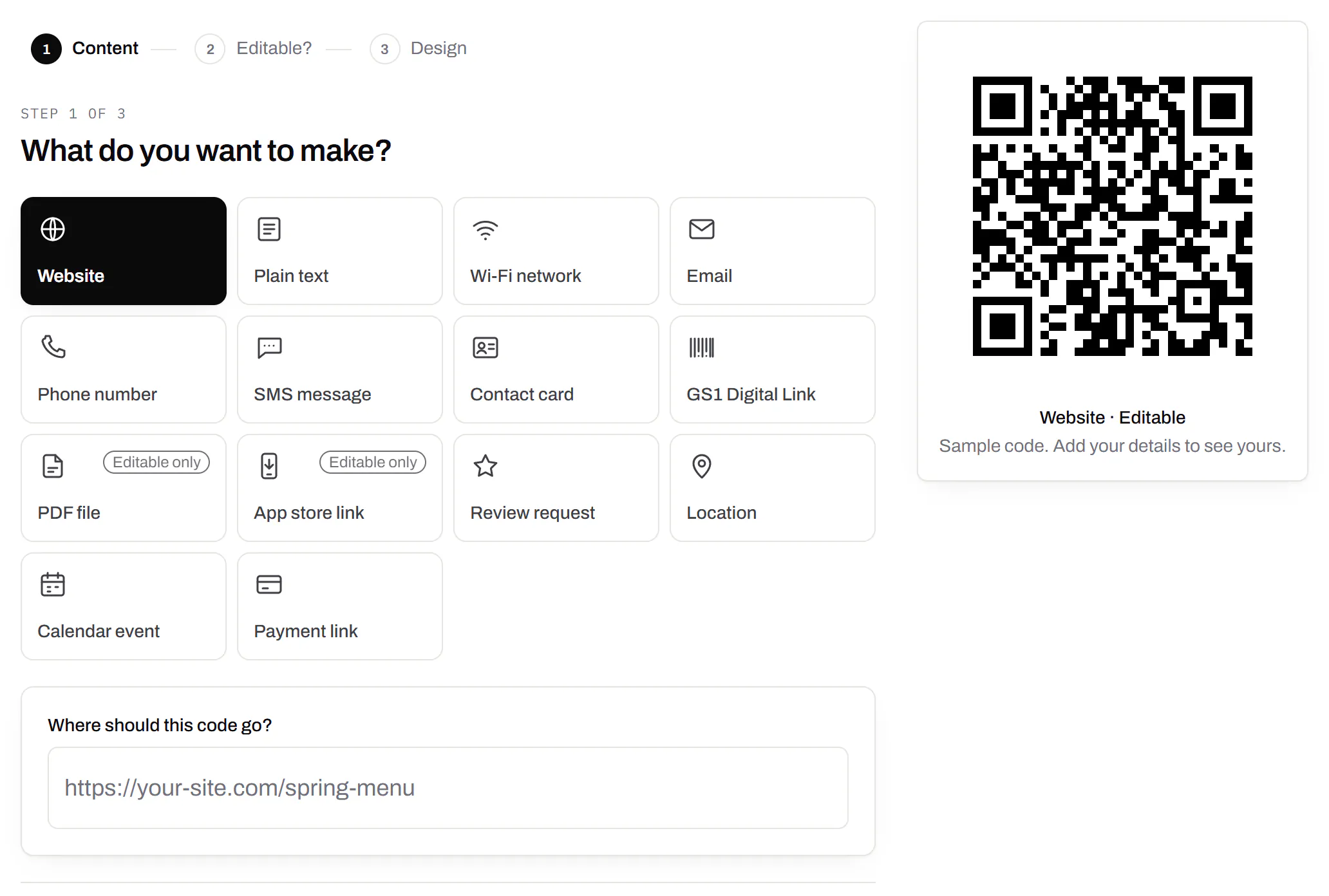
The first step of making a code: a grid of the kinds of code on offer - website, plain text, Wi-Fi network, email, phone number, SMS message, contact card, GS1 Digital Link, PDF file, app store link, review request, location, calendar event and payment link, with PDF and app store marked editable only - Website chosen, and a preview of the code beside it.
Create a code · what to make sample data

PDF codes you can update

Upload a PDF, print the code, swap the file later.

We host the file and the code opens it. Upload a new version and the same printed code opens that one, with the old file kept in its history in case you need it back.

Every plan, Free included

PDF to QR code
Destination history for a café’s catering-menu PDF code: the summer and spring menus and last year’s, each replaced on a date with a note, and each one a button away from being restored.
A PDF code · file history sample data

Your logo in the middle

Upload any image; we size it so the code still scans.

PNG, JPEG, WebP or GIF, up to 15 MB - we shrink it ourselves, so nobody has to compress a file first. Error correction goes up to make room, and the logo is never allowed to cover more of the pattern than the code can lose.

Every plan, Free included

The design panel of a coffee roaster’s bag code: espresso modules on cream with the roaster’s bean roundel in the middle, the logo field, and error correction locked to Highest because the code has a logo.
A bag code · design with a logo sample data

Print-ready downloads

PNG and SVG on every plan, and a PDF for the printer.

PNG for screens and quick jobs, SVG for anything that gets scaled, and a print-ready PDF on Starter and up.

PNG and SVG on every plan · PDF on Starter and up

A table-tent code’s own page: the printed code in espresso brown with a SCAN FOR MENU label, its short link on the café’s own domain and PNG, SVG and PDF downloads, beside the address it opens and a box for a new one, with the note that changes apply without reprinting.
A code’s page · downloads sample data

Folders and tags

Keep one location’s or one campaign’s codes together.

Put codes in a folder per shop, listing or campaign and filter the list by it. Deleting a folder never deletes a code - they move to No folder, and you can undo it.

Starter and up

A coffee roaster’s codes filtered to the Retail bags folder: the house blend, Ethiopia Guji and decaf bag codes, each with its tags - 12oz, house blend, single origin, brew guide, decaf - its short link and its scans.
Your QR codes · one folder, tagged sample data

Campaign presets

Saved UTM parameters, so printed scans are not “direct”.

A printed code arrives in your web analytics as direct traffic. A preset fills in source, medium and campaign in one click, so the flyer and the table tent show up as themselves.

Starter and up

A coffee company’s Spring flyers campaign preset: source flyer, medium print, campaign spring-2026 and content farmers-market, with a preview of the full link a scan of a code using the preset opens.
Settings · campaign presets sample data

City-level scan locations

Which towns the scans came from, not only which countries.

Scans by city and region for each code, and towns on the live map. Coarse on purpose: the place the phone’s network reports, never a street or a precise position.

Pro and Business

Scans of a café’s table-tent code by city, the top six: Portland with 60%, then Vancouver, Beaverton, Seattle, San Francisco and London, each with its count, a bar and its share.
A code’s analytics · city sample data

CSV export

Daily scans per code, in a spreadsheet.

Download scans and unique visitors by day for one code or all of them - with each code’s name and short link - as CSV for your own reports, or for whoever asked how the campaign did.

Pro and Business

The foot of a code’s analytics: the Breakdown card on referrers - every scan straight from the camera - with its own Download CSV button, and under it the Export panel, which downloads scans and visitors per day as CSV.
A code’s analytics · export sample data

Webhooks

Your server hears about every scan and every change.

Pick the events - a scan, a code made or changed, a form answered, a QR Menu edited - and give us an address. Each one arrives as a signed POST, retried if your server is down, and every delivery is listed with the response it got.

Business

The API and webhooks
A webhook endpoint that hears about every scan and code update, with who set it up, a signing secret hidden until an owner or admin reveals it, and its last deliveries, each marked delivered with the response it got.
Webhooks · recent deliveries sample data

Separate workspaces

One subscription, a workspace per brand or client.

Each workspace has its own codes, team and analytics, so a client never sees another client’s. Up to 10 under one subscription.

Business

The Workspaces panel in settings: how many of the plan’s workspaces are in use, what happens to all of them if the subscription ends, and a field to name and create another one.
Settings · workspaces sample data

Priority email support

Paid plans’ emails are answered first.

A person reads every message. On a paid plan yours is answered before free accounts’ - an order we keep, not a promised hour. Your plan and workspace go along with it, so nobody has to ask which account is yours.

Starter and up

The support page on a Business plan: a note that a person reads every message and this plan’s is answered before free accounts’, a form to write in, and the plan and workspace that are sent along with it.
Contact support · Business plan sample data

Your data, to take or delete

A full export any time, and deletion you can take back.

Download everything - codes, history, scans, form answers and the files you uploaded - as one .zip with spreadsheets inside. Deleting the account gives you 30 days to change your mind, and your printed codes keep working until then.

Every plan, Free included

Account settings: a button to download everything the account holds, and a separate panel to delete the account, which can be undone for 30 days.
Settings · your data sample data

An API for the codes you print

A REST API for your own code: make dynamic codes and short links, change where they go, render SVG, PNG or PDF, add your domains and change hundreds of codes in one request. No-code tools like Zapier, Make and n8n can call it too, with a plain HTTP step. The API comes with Pro and up, and every request carries your key.

Render a code · Pro and up

curl -o code.svg \
  -H "Authorization: Bearer $QRSALT_KEY" \
  "https://app.qrsalt.com/api/qr?data=https://example.com"

An SVG back, ready for a label, a template or an image tag.

Re-point a printed code · Pro and up

curl -X PATCH https://app.qrsalt.com/api/v1/codes/{id} \
  -H "Authorization: Bearer $QRSALT_KEY" \
  -H "content-type: application/json" \
  -d '{"destination":"https://example.com/winter"}'

The printed code opens the new page, and the old one is kept in its history. Keys can only ever touch their own workspace.

Change many codes at once · JavaScript

// Move a campaign's codes onto your own domain
await fetch('https://app.qrsalt.com/api/v1/codes/bulk', {
  method: 'POST',
  headers: {
    authorization: `Bearer ${process.env.QRSALT_KEY}`,
    'content-type': 'application/json',
  },
  body: JSON.stringify({ ids, action: 'domain', domain: 'go.example.com' }),
})

Pause, tag, file or move codes in one call. The answer lists what changed and what was skipped.

Every endpoint, with a playground
The API screen listing a coffee company’s keys - one for a menu sync, one for a label printer, one revoked - each with its prefix, who created it, when it was made and when it was last used.
API keys · one per integration sample data

Wi-Fi QR codes, answered

How do I make a QR code for my Wi-Fi?
Type the network name as your phone lists it, capitals and spaces included, add the password, choose the security type and download the PNG or SVG. Scan it with your own phone before printing to be sure it joins.
Is this Wi-Fi QR code generator free?
Yes. The download costs nothing, needs no account and carries no watermark. Only the editable kind, which opens a web page you can update, needs a free account.
Does a Wi-Fi QR code expire?
No. It holds the network details themselves, so it keeps joining until you rename the network or change its password. Nothing on our side can switch it off.
Where do I find my network name and password?
On most home routers both are on a sticker on the back or underneath, often labelled SSID and key. If they have been changed since, the router’s settings page or your internet provider’s app shows the current ones.
Can guests see the password?
Anyone who scans the code can join, and many phones can show or share the password of a network they have joined. Treat the code like the password written on a card, and give it a guest network if your router has one.
Why does my phone not offer to join?
Check what the code carries: the name must match the network exactly, the security type must match the router, and the hidden box should be ticked only for a hidden network. Some older phones need a scanner app before they will join.
Can I put my logo on a Wi-Fi QR code?
Yes, in the design panel: colours, shapes, a frame with a line such as SCAN TO JOIN WI-FI, and a logo in the middle. The code raises its error correction so the logo does not stop phones reading it.
Free Wi-Fi QR code generator - guests just scan - QRSalt