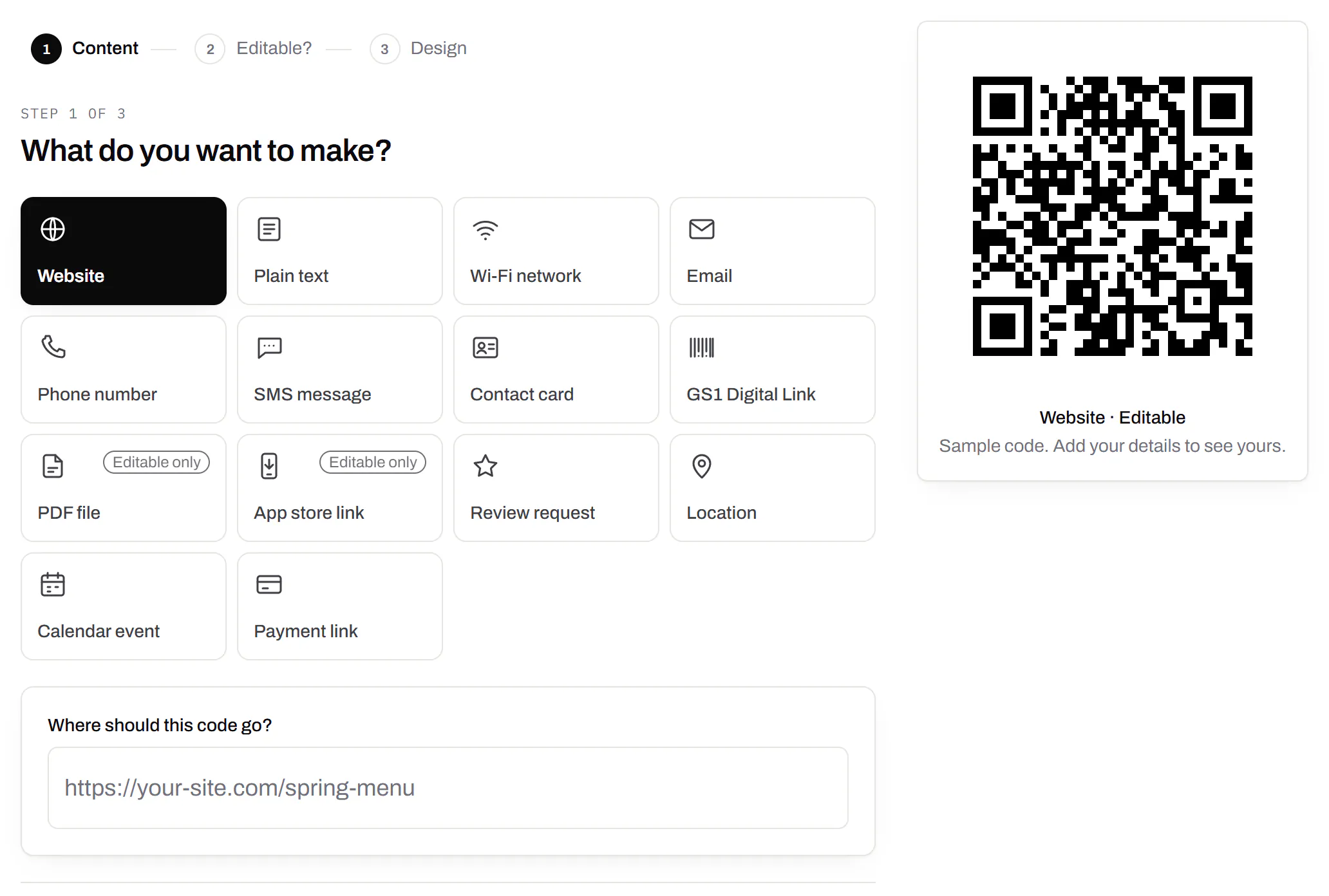
A QR code with multiple links, however many you need
One code opens a page of buttons: menu, booking, map, anything. Type your links and watch the phone.
- Button 1
- Button 2
- Button 3
Free to start, no card. The name and buttons come with you and fill in the new page after you sign up; nothing is saved until you press Create there.
On this page
One code, one page, every link on it
We call the page a QR Menu. You build it, we host it, and the code opens it. Every one is:
- Every link checked before it goes live
- No app or script to load, so it opens on a weak signal
- Its own web address, to share as a plain link too
- Kept out of search engines
- A draft until you publish; unpublish takes it down at once
Every row a profile of yours? The social template builds the addresses from your usernames.
Photos, a logo and your colours
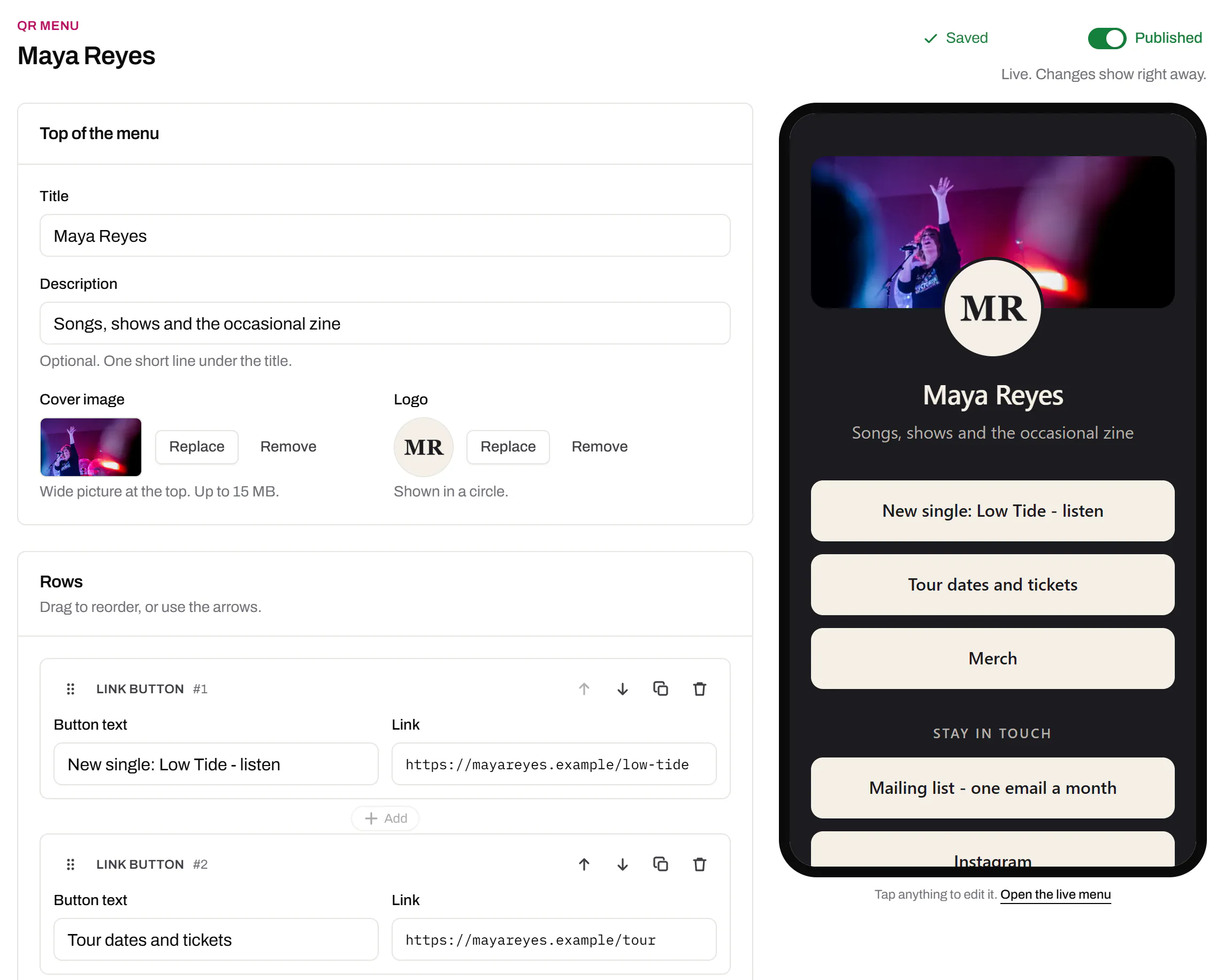
Three pages from our demo accounts, as a phone opens them.
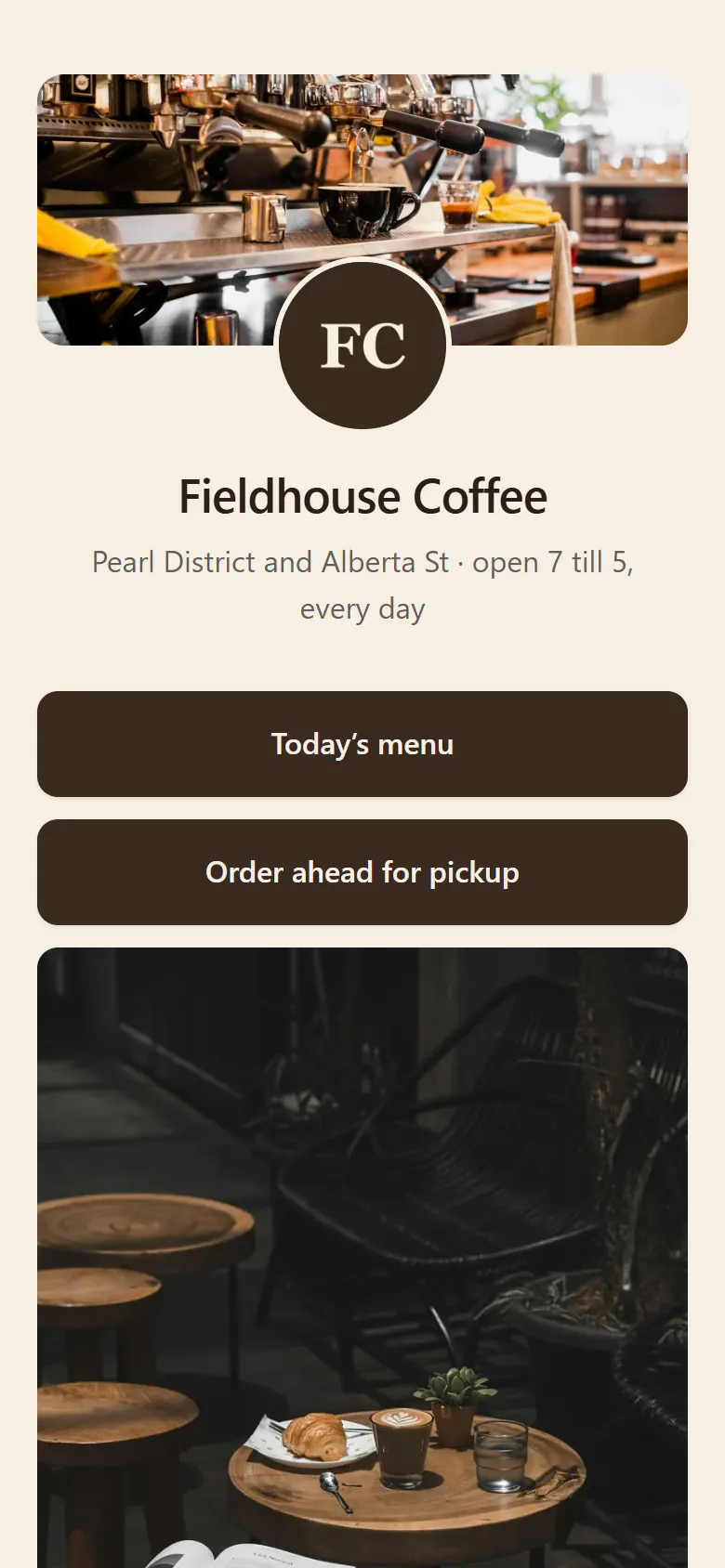
A café 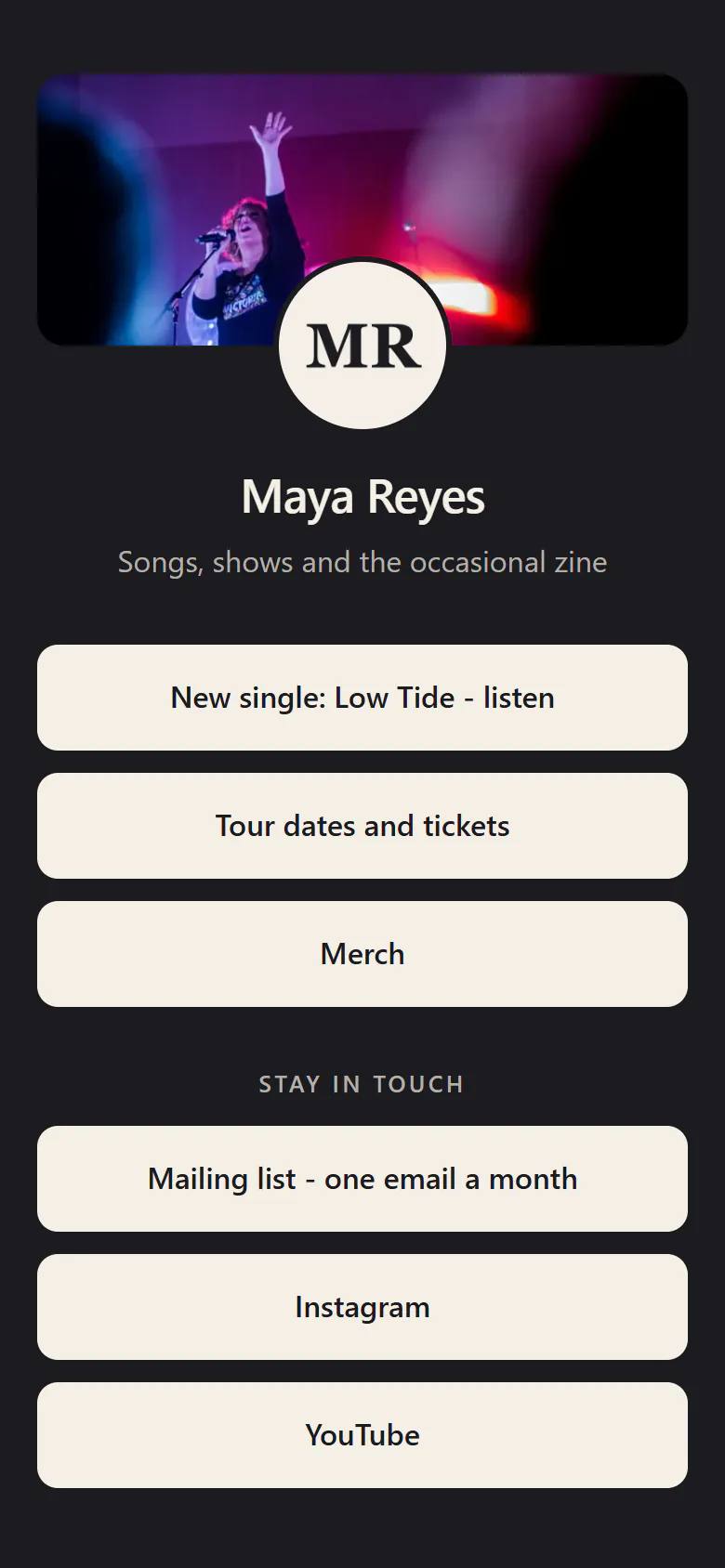
A musician 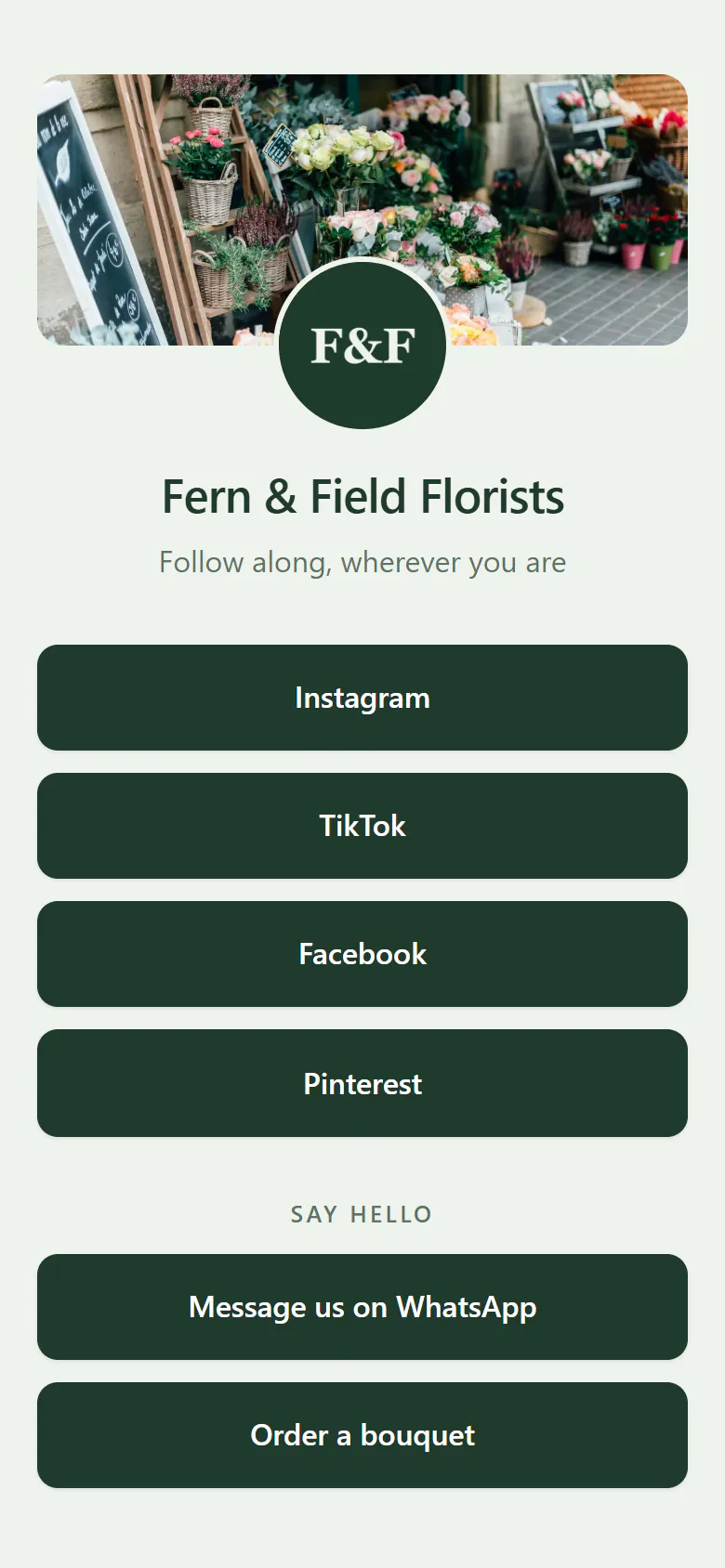
A florist
- A cover photo, dragged into place and cropped for a phone.
- Your logo, in a circle under it, so people see whose page they opened.
- Photos between buttons, each with its own description for screen readers.
- A background picture, darkened and blurred as much as you like.
- Type and buttons, 4 font styles, 3 button styles, 3 corner shapes.
- Your colours, from a ready-made set or your own; an unreadable text colour is swapped for one that reads.
Four printed things with more than one job
A café sign
Lunch menu, table booking and the way in from the side alley, behind one code on the sign.
QR codes for restaurant menusA product box
Quick-start guide, warranty form, fitting video. Boxes are printed months ahead, so add each link when its page is ready.
Barcodes and GS1 codes for cartonsAn invitation on the fridge
The RSVP before, the running order on the day, the photos two weeks later.
Event QR codesA merch table
Record, tour dates and T-shirt sizes on one card by the cash box, so the queue keeps moving.
Build it, then see what people tap
Rows are not only buttons
Add a heading to group a long list, a line of text under a button, or a photo between two. Drag them into order.
What people use the printed code for
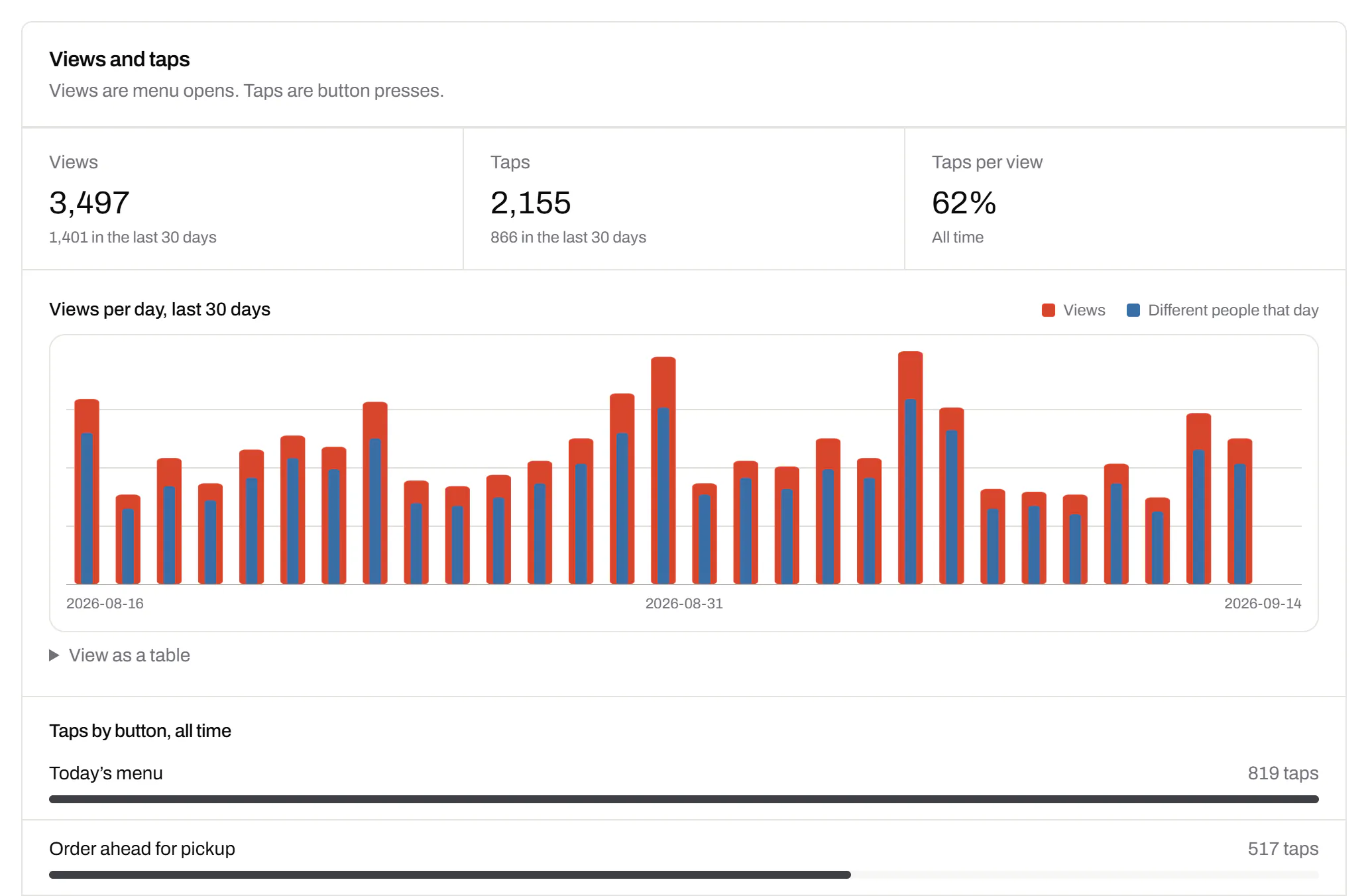
Opens of the page and taps per button. If takeaway bags get more taps on Order than on Menu, move Order to the top.
Three links, five or twenty: still one square
- Five codes don’t fitA receipt, a jar label or a card has room for one code at a size a camera reads.
- The order can changePut the Christmas order form on top in December and the summer timetable in May.
- One totalFive codes give five small counts. One page gives one total.
QR Menus per plan: your first one is free
On Free, QR Menus, dynamic codes and QR Forms share 3 items; a menu and its first code count as one. Paid plans have no shared cap.
- Free Free
- 1 QR Menu, out of 3 editable items in total
- Starter $5/mo
- 5 QR Menus
- Pro $15/mo
- 50 QR Menus
- Business $39/mo
- 400 QR Menus
Last reviewed , against the product as it works today.
Questions about QR codes with multiple links
Can a QR code hold more than one link?
No. A code holds one address, whoever makes it. A multi-link code opens a page that lists the others, and that page is what a QR Menu is.
What is a 3 in 1 or 5 in 1 QR code?
One code that leads to three or five places through a page of buttons. A page takes up to 50 rows, and you can add more after printing.
I already have a link-in-bio page. Do I need a QR Menu?
No. Point an editable code at the page you have. A QR Menu adds tap counts per button, with the page and its code in one account.
Plans for more than your first QR Menu
Paid plans also hold more dynamic codes and put short links on your own domain.
Free
$0/mo
Unlimited static codes. Three editable ones that never expire.
- Short links on their own, no QR code needed
- Up to 1 of the 3 can be a QR Menu
- Add your logo to QR codes
- Every shape, corner and frame
3dynamic codes
Starter
Recommended$5/mo
For one business with codes out in the world.
- 5 QR Menus
- QR Forms
- GS1 Digital Links we host, so a printed pack can be re-pointed
- Advanced tracking and analytics
100dynamic codes
Pro
$15/mo
For agencies and teams running codes at scale.
- 50 QR Menus
- Unlimited analytics history
- 10 custom domains
- 5,000 API requests a month
600dynamic codes
Business
$39/mo
For organisations running codes across many brands.
- 400 QR Menus
- 50 custom domains
- Up to 25 team members and team management
- Up to 10 workspaces
2,000dynamic codes
Unlimited scans on every plan. Cancel online in two clicks. Compare every plan and feature
The rest of the toolbox
Open a row to see the screen and which plan has it.
Print-ready downloads
Files for the screen, and one for the printer.PNG and SVG on every plan · PDF on Starter and up
PNG and SVG on every plan, and a print-ready PDF on Starter and up.
PNG and SVG on every plan · PDF on Starter and up

PDF codes you can update
Upload a PDF, print the code, swap the file later.Every plan, Free included
We host the file and the code opens it. Upload a new version and the same print opens it, with the old file kept in the history.
Every plan, Free included
PDF to QR code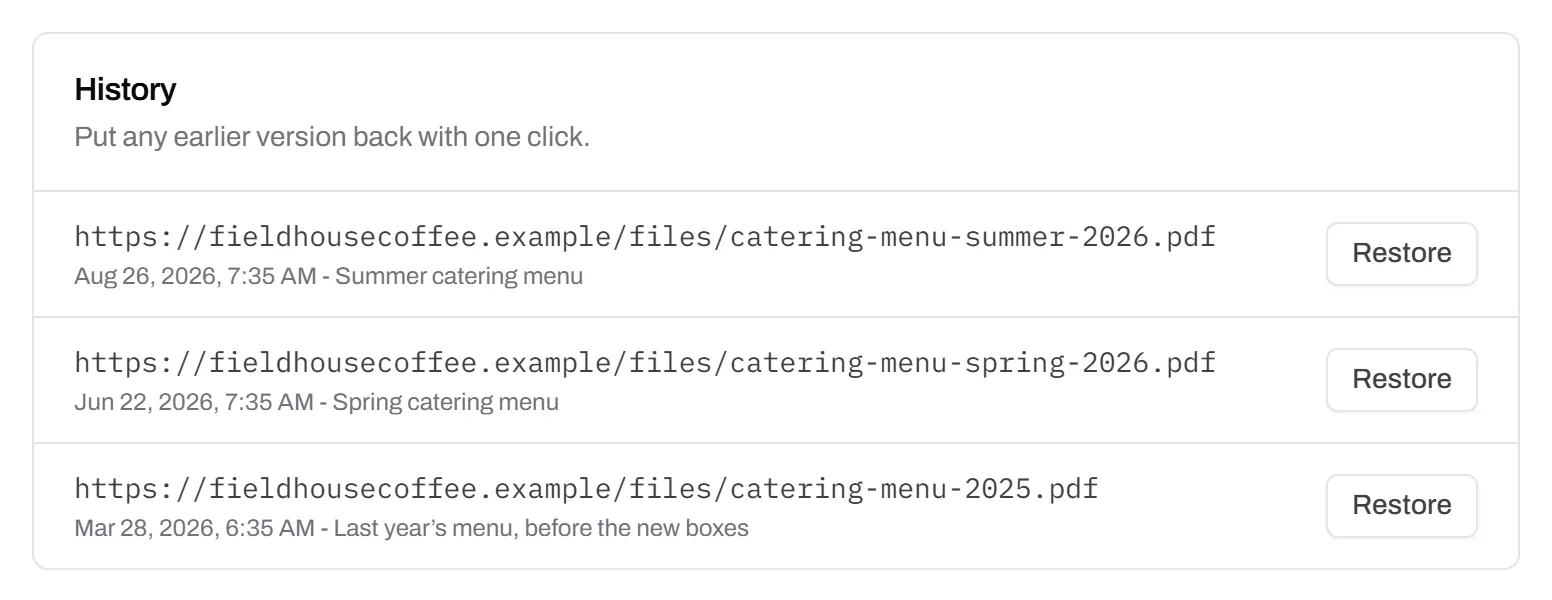
Wi-Fi, contact cards, email, phone and SMS
Networks, contacts, calendar dates and places, not only links.Every plan, Free included
Website, text, Wi-Fi, email, phone, SMS, contact card, GS1 Digital Link, PDF, location, calendar event and more. Most download free with no account; the ones marked “Editable only” need one.
Every plan, Free included
Contact card codes