A QR code MCP server for your assistant
Point Claude Code, Cursor or VS Code at this workspace and ask in a sentence: make a code for tomorrow’s event, send the café codes to the new menu, tell me how the window sticker did. Model Context Protocol revision 2026-07-28, one address, one header.
The generator below is the same renderer the assistant’s render_qr_code tool calls — try the tool by hand before you connect anything.
Dynamic & Editable
Change where it points after printing, and see who scans it.
Type a destination to download.
This is an example code. Style it now — yours takes its place as you type.
Design
Style
Colour#000000
Shapesquare
Body shape
Corner shape
Inside shape
Framenone
Logonone
Print settingsECC M
- Revision 2026-07-28
- One bearer header
- 11 tools
- Free to try
On this page
What you can ask it for
Six sentences people actually type, and what happens behind each one.
“Make a QR code for tomorrow’s event page and show me the picture so I can drop it in the poster.”
It creates a dynamic code pointing at the page and hands back the PNG in the reply, ready to paste into whatever you are designing in.
“The caterer sent a new menu PDF. Point the café table codes at it.”
It finds the codes by name, changes where each one sends people, and leaves a note in the code’s history saying an assistant did it. The printed squares are untouched.
“How did the window sticker do last month? Split it by country.”
It reads the daily scan figures for that one code over the dates you named and answers with the totals and the split, or tells you your plan keeps a shorter history than you asked for.
“Which of my codes still point at the old domain?”
It lists the workspace and matches on the destination, so the answer is a list of names you recognise rather than a spreadsheet you have to read.
“Shorten this and call it Spring flyer.”
It makes a short link with that name. The link counts its clicks and can be re-pointed later, because it is a dynamic code with the picture left off.
“Somebody sent me this QR. What is in it?”
Drop the image into the chat and it reads the text back out. You send the file itself; there is no way to hand this tool a web address and ask it to go and look.
None of that is a new product. It is the account you already have, reached from the window you were already typing in — which matters most for the small jobs that are not worth opening a dashboard for, and for the ones you would rather describe than click through.
Connecting it, client by client
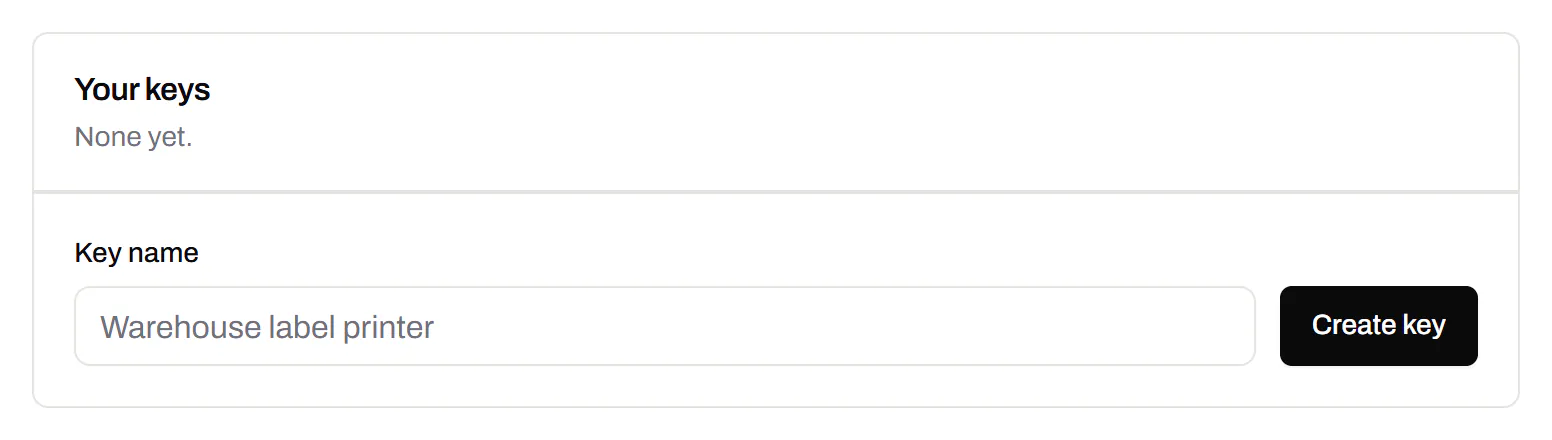
One address and one header, wherever you are putting them. Make the key first, in Dashboard → API, and give the assistant a key of its own rather than one an integration is already using.
https://app.qrsalt.com/api/mcpAuthorization: Bearer qr_live_YOUR_KEYThere is no sign-in screen and no OAuth here: the key is the whole credential. That is what makes the setup four lines, and it is also why the key deserves the same care as a password — revoking it is how you cut an assistant off.
Claude Code
One command in the terminal, in whichever project you want it available in.
- Open a terminal in the folder you work in.
- Run the command below, with your own key in place of the placeholder.
- Start Claude Code and ask it to list your QR codes. If the key is good, it answers with them.
claude mcp add --transport http qrsalt https://app.qrsalt.com/api/mcp \
--header "Authorization: Bearer qr_live_YOUR_KEY"Checked against the Claude Code docs on MCP, read 18 September 2026.
Cursor
A JSON file: .cursor/mcp.json beside one project, or ~/.cursor/mcp.json for all of them. Keep the key out of anything you commit.
- Open Settings, then MCP, and press the button that adds a new server — it opens the JSON file.
- Paste the block below inside it, keeping any servers already listed.
- Save, and check the server shows a green dot in the MCP pane.
{
"mcpServers": {
"qrsalt": {
"url": "https://app.qrsalt.com/api/mcp",
"headers": {
"Authorization": "Bearer qr_live_YOUR_KEY"
}
}
}
}Checked against the Cursor docs on MCP, read 18 September 2026.
VS Code
A JSON file: .vscode/mcp.json in the project, which the chat pane reads in agent mode. This one never holds the key — VS Code asks you for it and keeps it, so the file is safe to commit.
- Run “MCP: Add Server” from the command palette, choose an HTTP server, and let it make the file.
- Replace what it wrote with the block below.
- Press Start above the server’s entry. VS Code asks for the key once and remembers it.
- Choose Agent mode in the chat pane, and ask it for a QR code.
{
"inputs": [
{
"type": "promptString",
"id": "qrsalt-key",
"description": "QRSalt API key",
"password": true
}
],
"servers": {
"qrsalt": {
"type": "http",
"url": "https://app.qrsalt.com/api/mcp",
"headers": {
"Authorization": "Bearer ${input:qrsalt-key}"
}
}
}
}Checked against the VS Code docs on MCP servers, read 18 September 2026.
Swap the placeholder. Where a block says qr_live_YOUR_KEY, your own key goes. Make one in Dashboard → API and copy it the once it is shown. The VS Code block is the exception: it asks the editor to prompt you for the key and hold it, so the file you commit never contains one. Where a client offers that, take it.
Not in the Claude app’s connector dialog, yet. Adding a custom connector on the web or in the desktop app asks for the server address and, under Advanced settings, an OAuth client ID and secret. There is no field for a header, so a key cannot be handed over there — the Claude Code line above is the way in for now. We would rather write that down than let you find it out in the dialog. Checked against the Claude help centre on custom connectors, read 18 September 2026.
The tools, and what each one needs
The whole catalogue, in the order the server publishes it. Each one names the part of an API key it needs, and a key that does not carry that part is refused before the tool runs.
Pictures — needs Render images
On every plan, including the free one. Nothing is stored and nothing about the account is read.
render_qr_code
Turn text or a link into a QR image. Nothing is saved and nothing is read: this is the renderer, not the account. The code cannot be edited or tracked afterwards — create_code makes one that can.
read_qr_image
Read the text out of a QR image. Send the PNG, JPEG or WebP file itself, Base64-encoded, in "image". There is no way to give this tool a URL to fetch. Nothing is stored.
Reading the account — needs Read
Your codes and their scans. Pro and above.
list_codes
List the QR codes and short links in this workspace, newest first. Returns each code’s id, name, destination, short link and scan count. Use the id with the other tools.
get_code
Everything this workspace records about one QR code or short link.
list_folders
The folders in this workspace, with how many live codes are in each. The id is what create_code takes as its folderId.
get_scan_analytics
Scan totals and a daily series, for one code or for the whole workspace. Reads the rolled-up daily figures, which are what this account keeps; individual scan events are not retained. The range is shortened to what the plan retains, and the answer says when that happened.
get_code_image
The picture of a saved code, with the colours, shapes and logo it was saved with. PNG comes back as an image, SVG as markup. Other formats and larger exports are on the REST API.
Changing things — needs Create and change
Ticked when you make a key, and the box to untick if you want an assistant that can only look. Pro and above.
create_code
Make a new QR code pointing at a link. A dynamic code (the default) can be repointed afterwards and counts its scans; a static one carries the link inside the pattern and can never be changed. The destination is screened and the code counts against the plan’s allowance.
update_code
Change the link a dynamic code opens, or rename it. The printed code and its short link stay exactly as they are; only the destination behind them moves. The previous destination is kept in the code’s history and can be restored from the dashboard. A static code cannot be repointed.
create_short_link
Shorten a link. The result is a dynamic code, so it can be repointed later and counts its clicks; it has a QR image too, which get_code_image will return.
Deleting — needs Delete
Not ticked when a key is made, and the one box worth leaving alone. A deleted code stops redirecting and its short-link ending is held out of the pool for good.
delete_code
Delete one saved QR code or short link, permanently. What that costs depends on the kind, and the answer says which it was. Deleting a DYNAMIC code stops the printed code working the moment this returns: the scan comes through us, so it reaches a not-found page, and its short link is never given to anyone else. Deleting a STATIC code removes our record of it — the name, the design and the history — and nothing else: the destination is inside the printed pattern, so every copy already out there keeps working and this cannot revoke it. Either way the record is gone for good. Short links are dynamic codes, so this deletes those too. Requires "confirm" to be the code’s exact name, or the ending of its short link — read it from get_code first, and if the person asking has not named which code they mean, ask them before calling this. One code per call.
Each tool also carries the specification’s own hints — whether it only reads, whether it may overwrite something, whether calling it twice changes anything more than once — so a client that asks before a change knows which calls to ask about. Re-pointing a code is marked as overwriting, because the old destination is kept and restorable but the poster on the wall has already moved.
What it will not do
The short version: the key you hand over is the limit of what any assistant can do here, and the tools are deliberately narrower than the API behind them.
Deleting sits behind the Delete box on the key, which is not ticked for you. Leave it alone and no assistant holding that key can delete anything, whatever it is told to do. Even with the box ticked, the call has to carry the code’s own name or its short-link ending, so an instruction that says only “delete it” gets nowhere.
No tool opens a web address you give it. Reading a QR image takes the file itself, Base64-encoded. “Send us a link and we will fetch it” is a way of pointing a stranger’s request at our own network, and it is not on offer here at any permission level.
No design, no domains, no billing. Colours, shapes and logos, routing rules, custom domains, short-link endings, webhook endpoints, your team and your subscription are all outside this server. They are the settings somebody chooses once and the ones that are expensive to get wrong.
Nothing names a workspace. Every call runs against the workspace the key belongs to. There is no argument anywhere in the catalogue that could be talked into pointing at somebody else’s.
Pick the key, not the promise
An assistant reads pages and documents, and what it reads can contain instructions written for it rather than for you. No wording in a tool description prevents that. What does is the key: make one with only the parts you need, and the worst a poisoned document can achieve is the thing you already decided was fine.
- Render imagesticked by defaultStatic QR codes and barcodes as images. Nothing is stored or read.
- Readticked by defaultList codes, links, folders, tags, QR Menus, QR Forms and their answers, and read scans.
- Create and changeticked by defaultCreate and change codes, links, folders, domains and webhook endpoints.
- Deleteoff unless you tick itDelete codes, links, domains and webhook endpoints. A deleted code cannot be restored.
Last reviewed , against the product as it works today.
What it costs
Connecting costs nothing and there is no separate charge for the connector: it reads the plan your workspace is already on.
On Free, and on every plan below the one that sells the API, a key carries render images alone. The picture tools work — render_qr_code and read_qr_image — so an assistant can draw a code and read one back without an account behind it. Ask it to list your codes and it will tell you which plan that comes with.
Everything about the account arrives with Pro, from $39 a month: listing codes, their scan figures, creating a dynamic code and re-pointing one. That is the same entitlement as the REST API, not a second purchase, and a key you already use for a script works here unchanged if its scopes suit.
How far back the scan figures go is the plan’s own retention, and when you ask for a longer range than that, the answer says it was shortened rather than quietly returning less.
MCP questions, answered
What is an MCP server, in one paragraph?
The Model Context Protocol is the wiring an assistant uses to reach a service it was not trained on. A server publishes a list of things it can do, the assistant reads that list, and when your sentence needs one it calls it and puts the answer in front of you. This one publishes QR code work, so a chat window becomes somewhere you can make, re-point and measure codes without opening a dashboard.
Which assistants can I connect?
Anything that speaks the protocol over HTTP and lets you set an Authorization header of your own. Claude Code, Cursor and VS Code are written out above, each with the settings we read in the vendor’s own documentation and dated. The Claude app’s connector dialog is the notable exception: it asks for an address and OAuth details, with nowhere to put a key, so it cannot hold this server yet.
Does the assistant see my API key?
The client holds it and sends it with each call; the model is not shown the key as part of a conversation. It still lives in a file or a settings pane on your machine, so treat it like any other password: make one key for the assistant alone, name it so you recognise it, and revoke that one when you stop using it rather than rotating everything.
A web page told my assistant to change a code. Can it?
That is the risk worth thinking about, and the answer is: only as far as the key you gave it goes. An assistant reads documents and pages all day, and text it reads can be written to give it orders. So the tools here take no web address to fetch, none of them touches design, domains, team or billing, and the arguments each one accepts are a shorter list than the equivalent request over HTTP. A key with reading alone can be talked into nothing at all.
Do I need a paid plan for this?
Not to try it. A key on any plan, Free included, can draw a QR code and read one back, so the picture tools work the moment you connect. Anything about the account — listing your codes, their scans, making one that can be re-pointed — comes with Pro, from $39 a month.
Is this instead of the REST API?
It is beside it, and narrower. The same key works on both, and the API remains the place for the things a program does and a chat should not: changing hundreds of codes in one call, custom domains, webhook endpoints, exports. Use MCP when a person is in the loop and the API when a system is.
Plans behind the connector
Static codes are free and need no account. The Free plan adds 3 dynamic codes, and paid plans start at $12 a month. Scans are unlimited on every plan.
Free
Free
Unlimited static codes. Three editable ones that never expire.
- Unlimited static QR codes, forever
- 3 editable items in total — dynamic QR codes, QR Menus and QR Forms share them
- Dynamic codes never expire, and each comes with a short link
- Short links on their own, no QR code needed
3dynamic codes
Starter
$12/mo
For one business with codes out in the world.
- 5 QR Menus
- QR Forms
- Advanced tracking and analytics
- Live map of scans as they happen
100dynamic codes
Pro
Most chosen$39/mo
For agencies and teams running codes at scale.
- 50 QR Menus
- Unlimited analytics history
- 10 custom domains
- API access
600dynamic codes
Business
$99/mo
For organisations running codes across many brands.
- 400 QR Menus
- 50 custom domains
- Up to 25 team members and team management
- Up to 10 workspaces
2,000dynamic codes
Unlimited scans on every plan. Cancel online in two clicks. Compare every plan and feature
The rest of the toolbox
Open a row to see the screen and which plan has it.
Custom domains
Short links on your own domain, chosen code by code.Starter and up
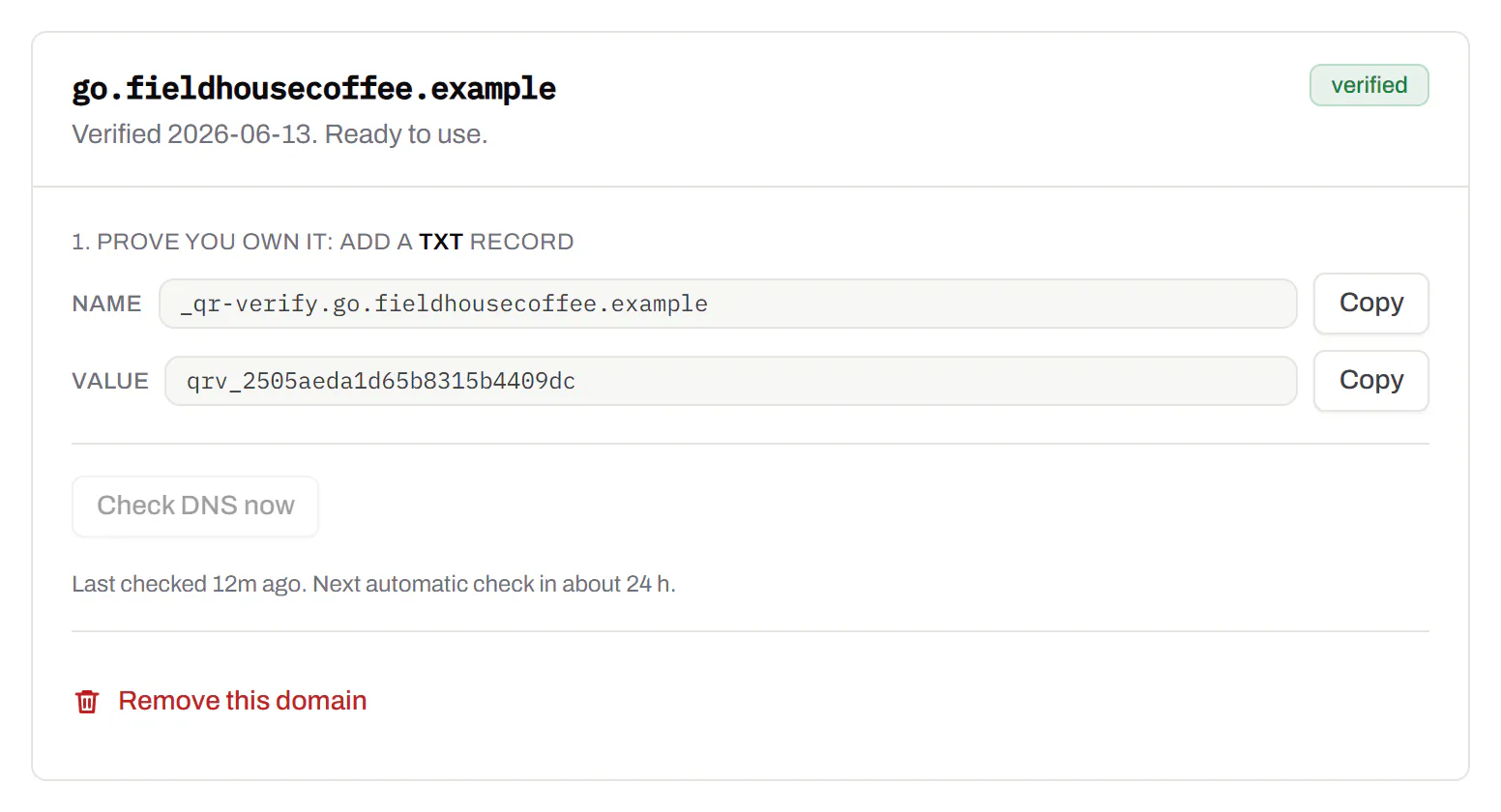
Codes open go.yourbrand.com/menu rather than a link with our name in it, so the address under the code is yours. You add two DNS records and we check them. Then pick the domain for each code as you make it, or move a whole list of codes onto it at once.
Starter and up
QR codes on your own domain
Bulk QR code generator
A spreadsheet in, one dynamic code per row out.Starter and up
Paste or upload a list of names and links, match the columns, and get a dynamic code for every row - one per table, stall, badge or product - each with its own scans and destination.
Starter and up
The bulk generator
Change many codes at once
Tick the codes, then pause, tag, file or move them together.Pause and resume on every plan · folders and tags on Starter and up
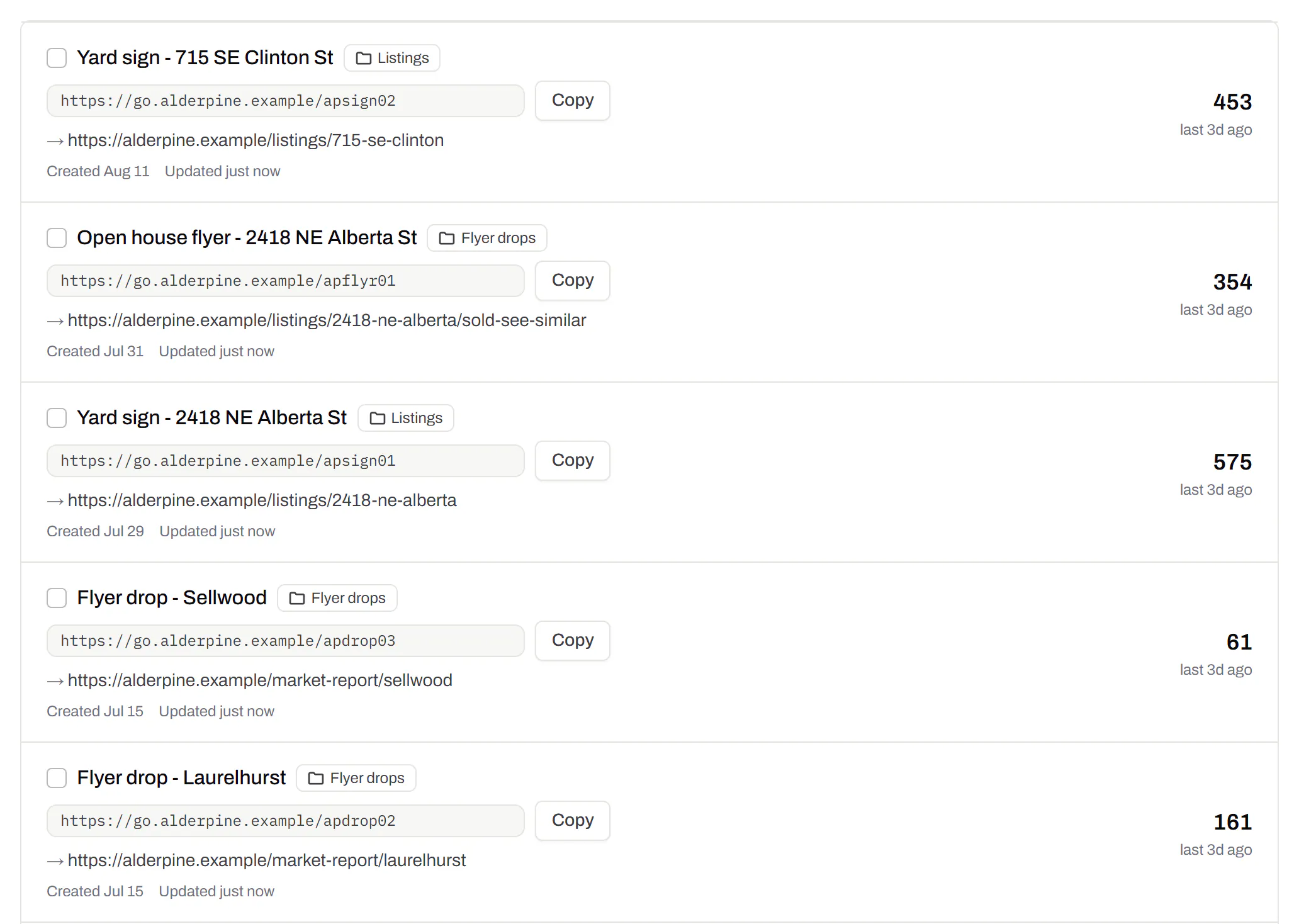
Tick codes in the list, or pick every code with a tag, and pause or resume them, add or remove tags, move them to a folder or onto your own domain, or add campaign tags, in one go. The API does the same in one request.
Pause and resume on every plan · folders and tags on Starter and up

Short links, with your own ending
The link on its own, for a bio, an email or an ad.Every plan · custom endings on Business
Paste a link and get a short one you can change, route and count, with no QR code unless you want one. Every dynamic code already has its short link beside it, and a short link gets its QR code in one click - the same link, so clicks and scans count together. On Business you choose how the link ends, like /spring-menu, instead of random letters.
Every plan · custom endings on Business
The URL shortener
GS1 Digital Link for products
The retail code that carries your GTIN and still opens a web page.Every plan, Free included
Your domain and the GTIN from under the barcode, with batch, serial and dates if you want them, in the link format GS1 set for retail. A phone opens your page; the product data rides along in the address. The GTIN’s check digit is checked before anything is made.
Every plan, Free included
QR codes for packaging
Wi-Fi, contact cards, email, phone and SMS
Networks, contacts, calendar dates and places, not only links.Every plan, Free included
A website, plain text, a Wi-Fi network, an email, a phone number, a text message, a contact card, a GS1 Digital Link, a PDF, a location, a calendar event and more. Most download free, with no account; the few marked “Editable only” need one.
Every plan, Free included
Contact card codes
PDF codes you can update
Upload a PDF, print the code, swap the file later.Every plan, Free included
We host the file and the code opens it. Upload a new version and the same printed code opens that one, with the old file kept in its history in case you need it back.
Every plan, Free included
PDF to QR code
Your logo in the middle
Upload any image; we size it so the code still scans.Every plan, Free included
PNG, JPEG, WebP or GIF, up to 15 MB - we shrink it ourselves, so nobody has to compress a file first. Error correction goes up to make room, and the logo is never allowed to cover more of the pattern than the code can lose.
Every plan, Free included

Print-ready downloads
PNG and SVG on every plan, and a PDF for the printer.PNG and SVG on every plan · PDF on Starter and up
PNG for screens and quick jobs, SVG for anything that gets scaled, and a print-ready PDF on Starter and up.
PNG and SVG on every plan · PDF on Starter and up

Folders and tags
Keep one location’s or one campaign’s codes together.Starter and up
Put codes in a folder per shop, listing or campaign and filter the list by it. Deleting a folder never deletes a code - they move to No folder, and you can undo it.
Starter and up

Campaign presets
Saved UTM parameters, so printed scans are not “direct”.Starter and up
A printed code arrives in your web analytics as direct traffic. A preset fills in source, medium and campaign in one click, so the flyer and the table tent show up as themselves.
Starter and up

City-level scan locations
Which towns the scans came from, not only which countries.Pro and Business
Scans by city and region for each code, and towns on the live map. Coarse on purpose: the place the phone’s network reports, never a street or a precise position.
Pro and Business

CSV export
Daily scans per code, in a spreadsheet.Pro and Business
Download scans and unique visitors by day for one code or all of them - with each code’s name and short link - as CSV for your own reports, or for whoever asked how the campaign did.
Pro and Business

Webhooks
Your server hears about every scan and every change.Business
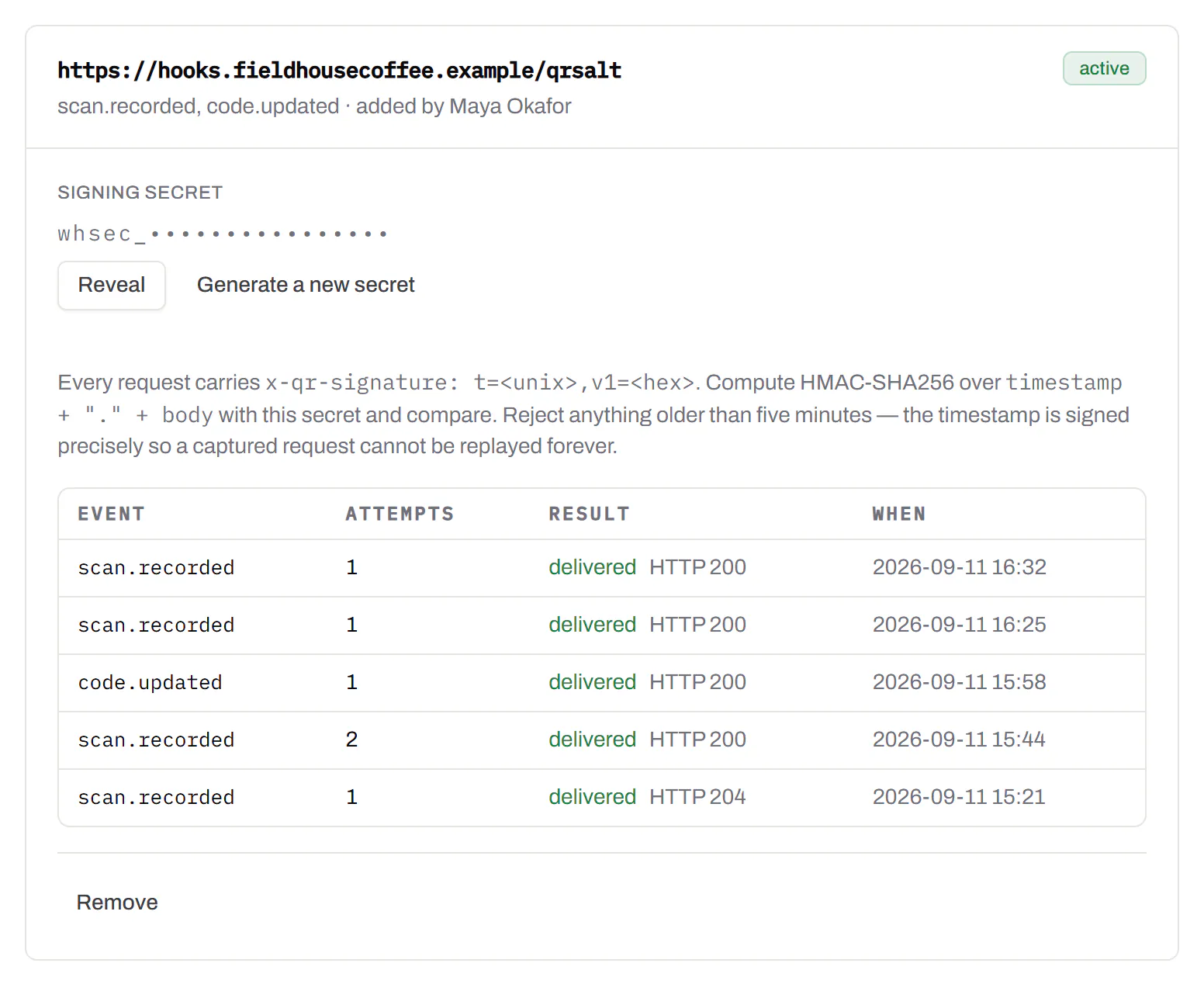
Pick the events - a scan, a code made or changed, a form answered, a QR Menu edited - and give us an address. Each one arrives as a signed POST, retried if your server is down, and every delivery is listed with the response it got.
Business
The API and webhooks
Separate workspaces
One subscription, a workspace per brand or client.Business
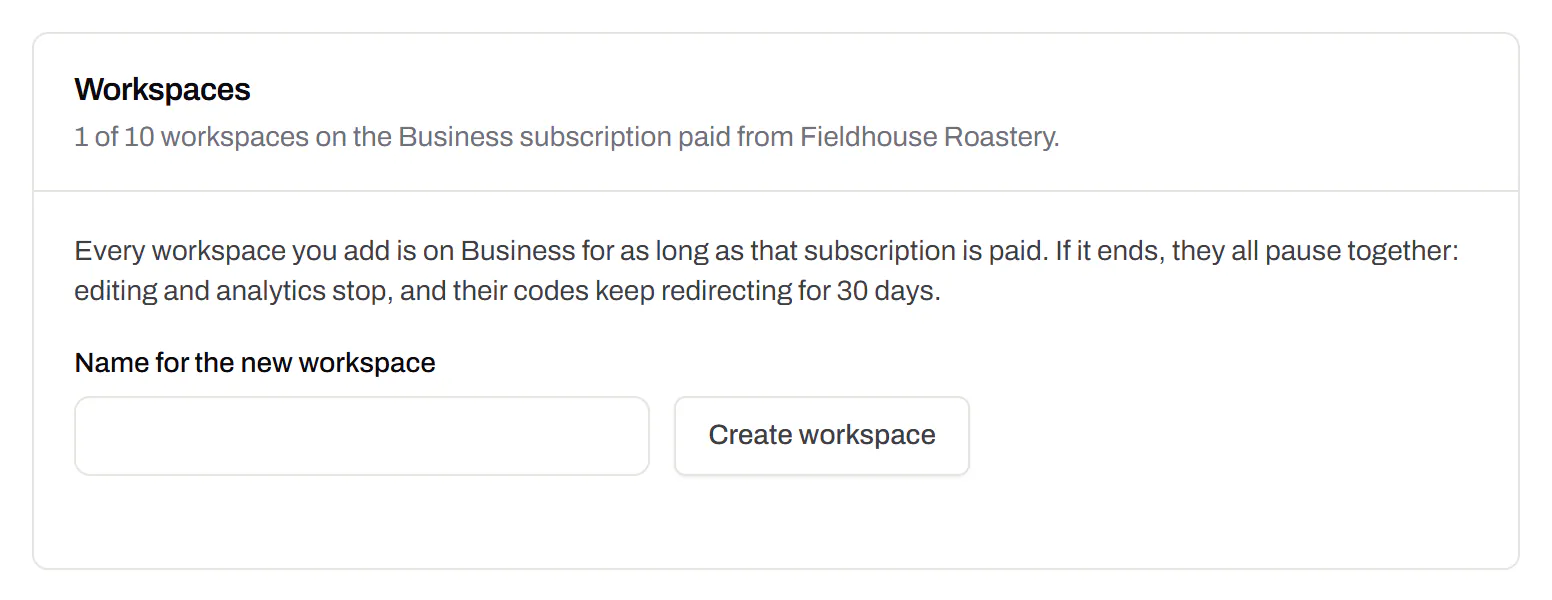
Each workspace has its own codes, team and analytics, so a client never sees another client’s. Up to 10 under one subscription.
Business

Priority email support
Paid plans’ emails are answered first.Starter and up
A person reads every message. On a paid plan yours is answered before free accounts’ - an order we keep, not a promised hour. Your plan and workspace go along with it, so nobody has to ask which account is yours.
Starter and up

Your data, to take or delete
A full export any time, and deletion you can take back.Every plan, Free included
Download everything - codes, history, scans, form answers and the files you uploaded - as one .zip with spreadsheets inside. Deleting the account gives you 30 days to change your mind, and your printed codes keep working until then.
Every plan, Free included

An API for the codes you print
A REST API for your own code: make dynamic codes and short links, change where they go, render SVG, PNG or PDF, add your domains and change hundreds of codes in one request. No-code tools like Zapier, Make and n8n can call it too, with a plain HTTP step. The API comes with Pro and up, and every request carries your key.
Render a code · Pro and up
curl -o code.svg \
-H "Authorization: Bearer $QRSALT_KEY" \
"https://app.qrsalt.com/api/qr?data=https://example.com"An SVG back, ready for a label, a template or an image tag.
Re-point a printed code · Pro and up
curl -X PATCH https://app.qrsalt.com/api/v1/codes/{id} \
-H "Authorization: Bearer $QRSALT_KEY" \
-H "content-type: application/json" \
-d '{"destination":"https://example.com/winter"}'The printed code opens the new page, and the old one is kept in its history. Keys can only ever touch their own workspace.
Change many codes at once · JavaScript
// Move a campaign's codes onto your own domain
await fetch('https://app.qrsalt.com/api/v1/codes/bulk', {
method: 'POST',
headers: {
authorization: `Bearer ${process.env.QRSALT_KEY}`,
'content-type': 'application/json',
},
body: JSON.stringify({ ids, action: 'domain', domain: 'go.example.com' }),
})Pause, tag, file or move codes in one call. The answer lists what changed and what was skipped.