One social media QR code for every profile
One code opens a button for each of your profiles. Pick your networks, type your usernames and watch the phone.
Your username, or the link to your profile.
Your username, or the link to your profile.
The number people should message, with its country code.
Free to start, no card. Your name and usernames come with you and fill in the menu after you sign up; nothing is saved until you press Create.
On this page
Why one code beats one per network
People decide to follow in a moment. A row of five codes makes them stop and choose which network is which.
With one code, they open your page and tap the app they already have.
How to make one
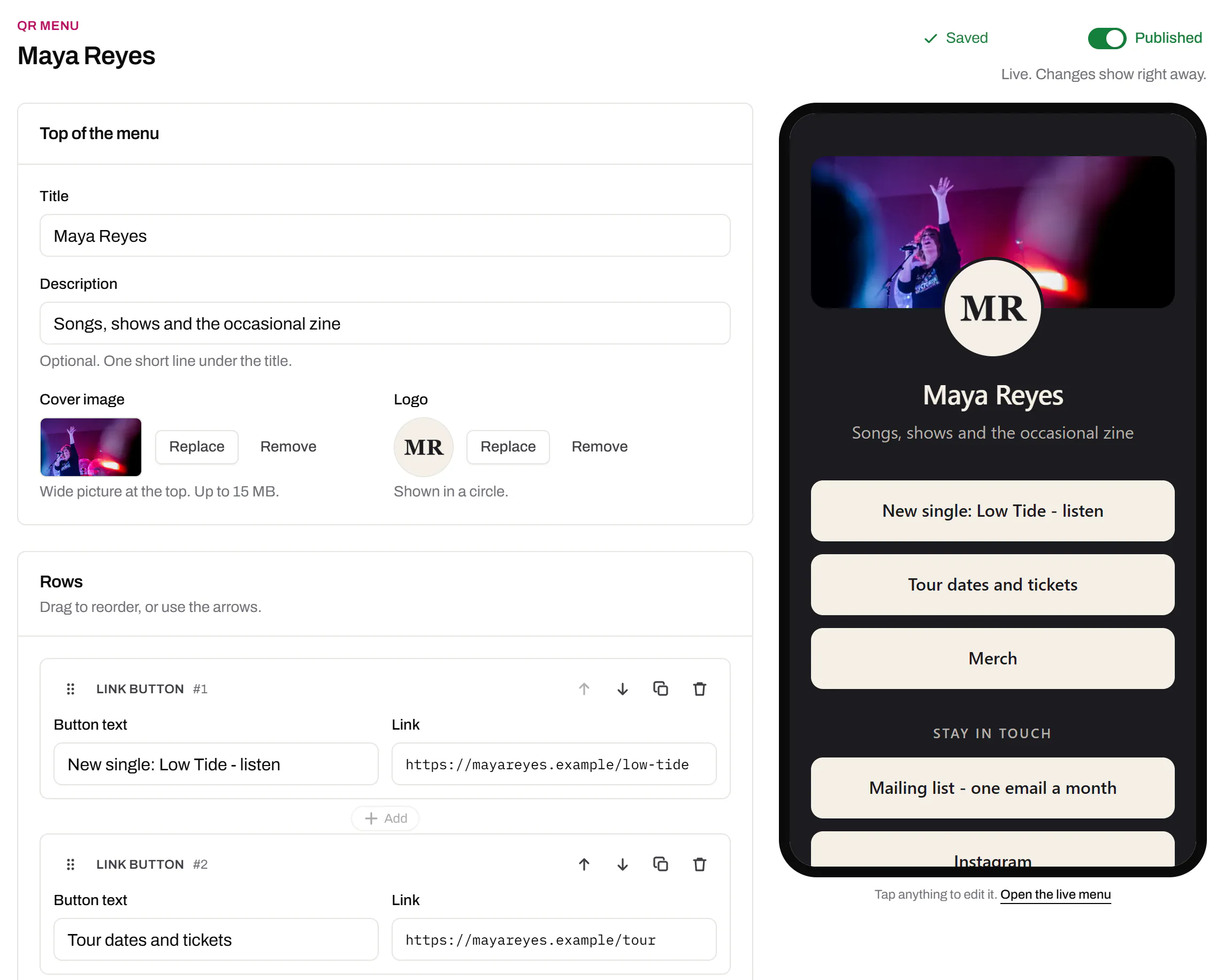
- Choose the Social media template. In QR Menus, press New menu and pick the Social media tile.
- Tick your networks. Only the ones you post on.
- Type each username. Or paste the profile link you copied from the app.
- Style it and publish. Cover photo, logo and colours in the builder.
- Make the code and print it. Press Make a QR code for this page. PNG or SVG, PDF on Starter and up.
17 networks, and what to type for each
Each button gets its network’s logo, in the button’s text colour.
- TikTok
- YouTube
- X
- Snapchat
- Telegram
- Discord
- Spotify
- Twitch
- Threads
- SoundCloud
- GitHub
- Your full number with the country code, digits only.
- linkedin.com/in/… for you, /company/… for a page. Tidy the ending under Public profile & URL.
- Your username. No username? Copy the whole link from the browser’s address bar.
- Spotify
- Share, then Copy link, and paste that.
- Discord
- Invites last 7 days by default. Change that in the invite settings before you print.
- Your shop
- The Website field at the end takes any address.
Sources, read 20 October 2026: WhatsApp click to chat, Facebook profile links and Discord invites.
Where to put it so people scan
Where people have a free hand and a reason to follow you.
- The window. People walking past after closing can still follow you. Eye height, inside the glass.
- Receipts and bags. Someone who just bought from you is the easiest follower to win.
- Business cards. Nobody types a handle off a card. They’ll scan one code.
- The counter or stall. People waiting for a coffee have time to scan.
- Talks, badges, fairs. The last slide of a talk reaches people who just listened to you.
Give people a reason to scan
Put a line beside the code: “Follow us for new arrivals”, “Message us to order”, “Win a bouquet: follow and tag us”. Add small network logos so people see where it leads.
Not sure how big to print it? Work it out from the scanning distance.
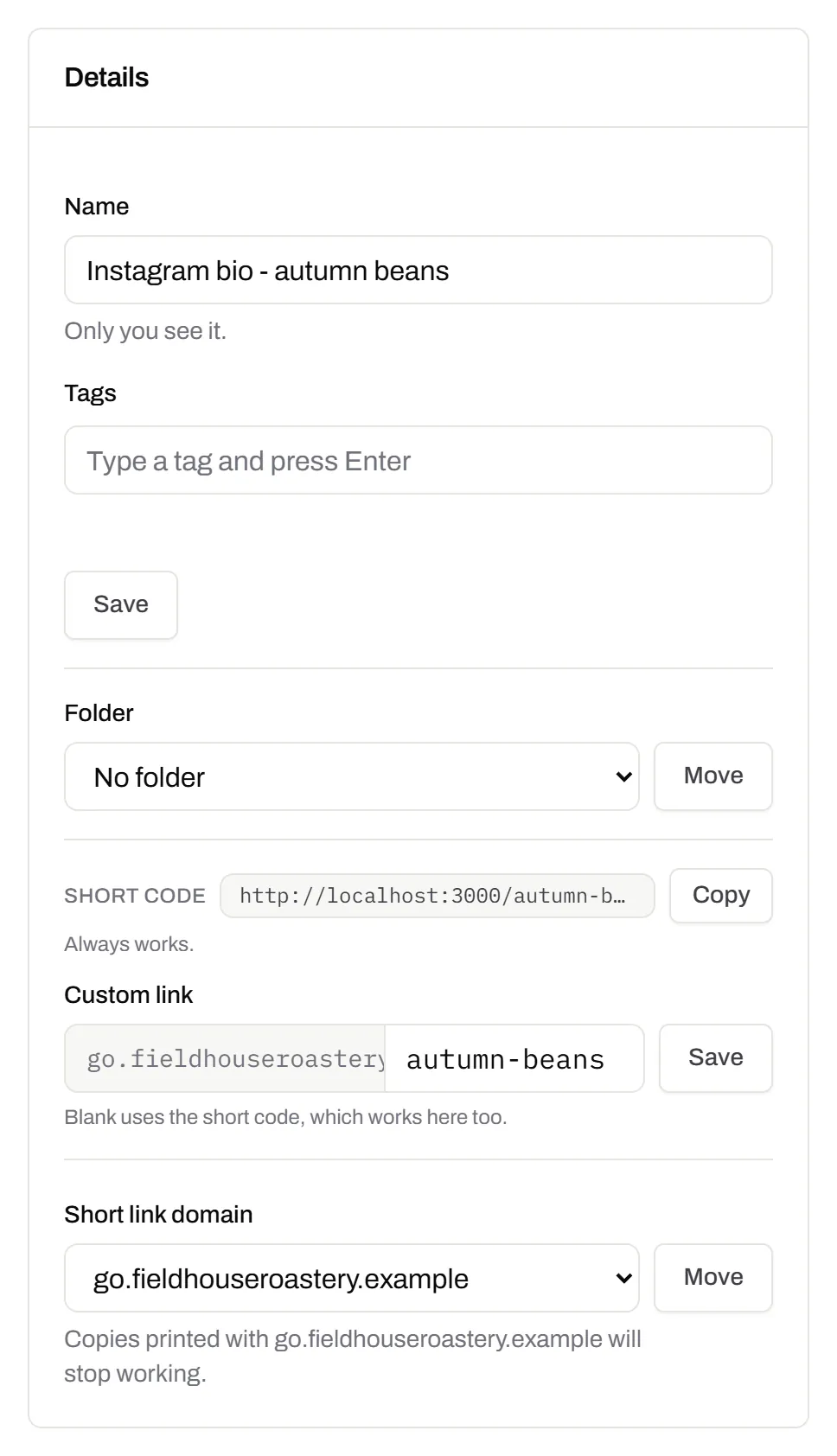
New handle? Edit one button
The code opens your page, not a profile. Changed your username or number, or left a network? Edit or remove that one button, and every printed sticker opens the new page from the next scan.
Buttons can be renamed too: “Behind the scenes” with the Instagram logo. Move the account you’re promoting to the top for a campaign.
Only Instagram?
A code straight to Instagram saves one tap over a page of buttons. Pick what it opens:
| What you want scanned | You paste | When it fits |
|---|---|---|
| Your profile | instagram.com/yourname | A window, a stall or a flyer, for follows. |
| One post or reel | instagram.com/p/… or /reel/… | A giveaway, a launch or the recipe people ask for. |
| This month’s promotion | Any address | When the same print should open a different page per campaign. |
Your old handle can become someone else’s
Once you change your username, someone else can take the old one. A static code still opens that name, so your stickers would send people to them, with no error to warn you.
A code that opens your page or a short link you own can be pointed at the new name.
Instagram and LinkedIn also make a code for your profile inside their apps, for that one network. Sources, read 20 October 2026: Instagram on changing your username, Instagram’s profile QR code and LinkedIn’s QR code.
Which network do people tap?
A published menu’s Stats tab shows Opens, Different people and Taps by button, with each button’s share and tap rate. So you see whether the window sends more people to Instagram or to WhatsApp.
Countries on every plan, devices and referrers on Starter and up. Free keeps 90 days of history, Starter 365 days.
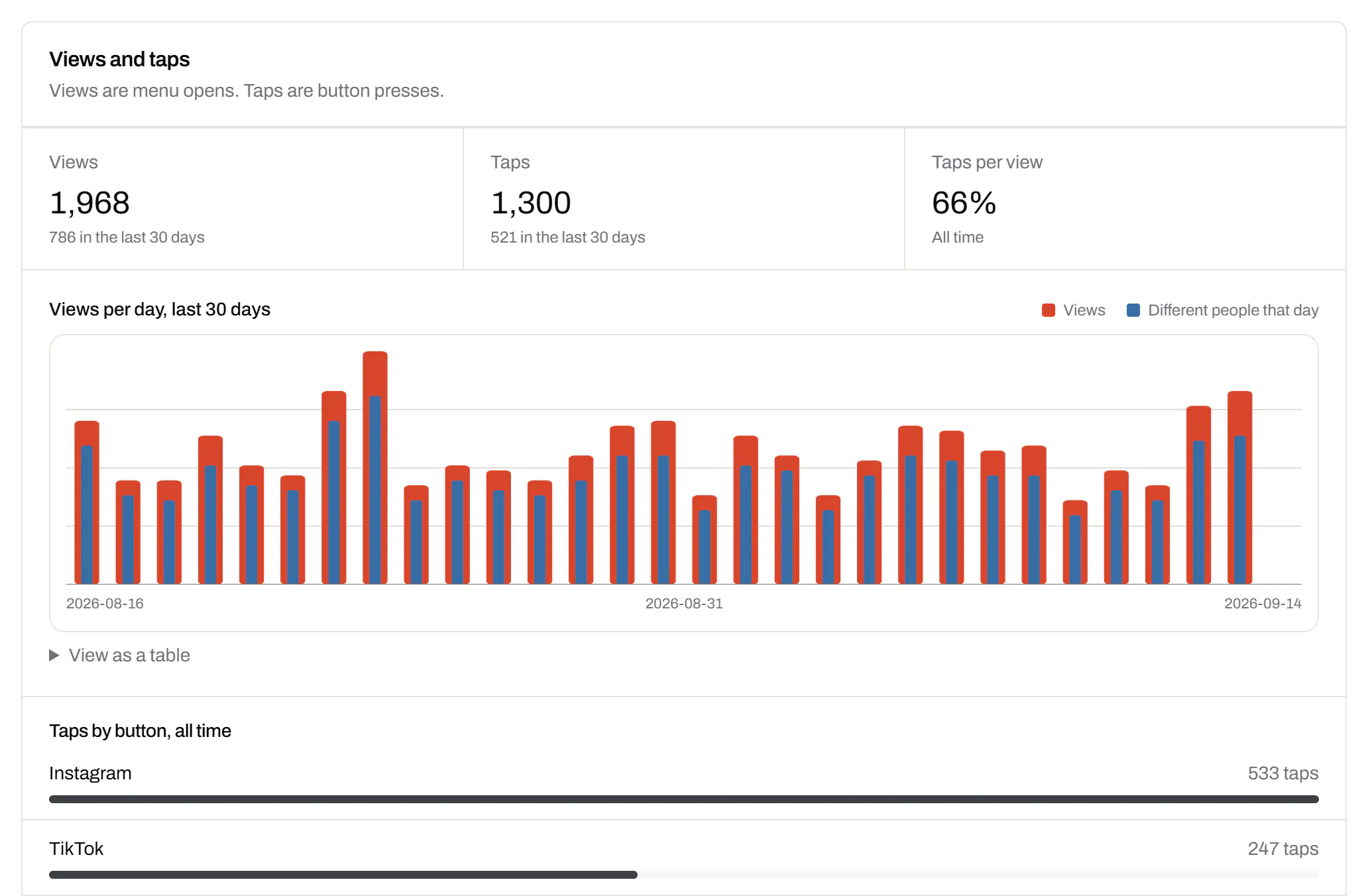
We count scans; each app counts its followers. Compare the days your scans went up with the follows in the app.
Buttons that aren’t all your profiles? Use a QR code with multiple links.
Last reviewed , against the product as it works today.
Questions about social media QR codes
Is a social media QR code free to make?
Yes. Free includes 1 QR Menu with no card; it and its first code count as one of your 3 editable items. Starter holds 5, for a second shop or brand.
Can the window sticker and the receipts be counted apart?
Yes. Make a second code for the same page and print one on each. Each code has its own scan count, and the Stats tab shows the total. On Free, the second code takes one more editable item.
Can I add Bluesky, Mastodon or my own shop?
Yes. Add a normal link button with any address and your own label. It’s counted like the others, with an icon you pick instead of a network logo.
How many profiles should be on it?
Four to six. People glance at the page with a bag in one hand, and a short list reads faster. You can add more later without a new code.
Can people see the page before I’m ready?
No. A new menu is a draft. Its link and code only work once you publish it.
Will an Instagram code open the app or a web page?
On an iPhone with Instagram installed, the app opens; without it, the browser does. The code is the same either way, and we count the scan either way.
Plans for a social menu and its codes
Static codes are free and need no account. The Free plan adds 3 dynamic codes, and paid plans start at $5 a month.
Free
$0/mo
Unlimited static codes. Three editable ones that never expire.
- Short links on their own, no QR code needed
- Up to 1 of the 3 can be a QR Menu
- Add your logo to QR codes
- Every shape, corner and frame
3dynamic codes
Starter
Recommended$5/mo
For one business with codes out in the world.
- 5 QR Menus
- QR Forms
- GS1 Digital Links we host, so a printed pack can be re-pointed
- Advanced tracking and analytics
100dynamic codes
Pro
$15/mo
For agencies and teams running codes at scale.
- 50 QR Menus
- Unlimited analytics history
- 10 custom domains
- 5,000 API requests a month
600dynamic codes
Business
$39/mo
For organisations running codes across many brands.
- 400 QR Menus
- 50 custom domains
- Up to 25 team members and team management
- Up to 10 workspaces
2,000dynamic codes
Unlimited scans on every plan. Cancel online in two clicks. Compare every plan and feature
The rest of the toolbox
Open a row to see the screen and which plan has it.
Your logo in the middle
Upload any image; we size it so the code still scans.Every plan, Free included
PNG, JPEG, WebP or GIF, up to 15 MB. We raise the error correction for it and never let it cover more than the code can lose.
Every plan, Free included

Print-ready downloads
Files for the screen, and one for the printer.PNG and SVG on every plan · PDF on Starter and up
PNG and SVG on every plan, and a print-ready PDF on Starter and up.
PNG and SVG on every plan · PDF on Starter and up

Short links, with your own ending
The link on its own, for a bio, an email or an ad.Every plan · custom endings on Business
A short link you can change, route and count, with a QR code only if you want one. Clicks and scans on the same link count together. On Business you choose the ending, like /spring-menu.
Every plan · custom endings on Business
The URL shortener