Free barcode generator
Pick a type, type the number and download SVG or PNG. Check digits checked, free with no account.
Letters, digits and keyboard symbols. The default for shipping labels and part numbers.
On this page
The twelve barcode types, and what each is for
- Code 128
- Letters, digits and keyboard symbols. The default for shipping labels and part numbers.
- EAN-13
- The 13-digit number on retail packaging outside North America.
- EAN-8
- The short 8-digit retail barcode, for packs too small to fit an EAN-13.
- UPC-A
- The 12-digit number on retail packaging in North America.
- Code 39
- Still used by some postal services. Capitals, digits and a few symbols only.
- ITF-14
- The carton and case code, printed on corrugated board where fine bars fail.
- GS1-128
- Code 128 carrying GS1 application identifiers: batch, expiry, serial.
- ISBN
- The barcode on the back of a book, drawn from its ISBN-10.
- Data Matrix
- A square that stays readable when small or marked directly onto a part.
- GS1 DataMatrix
- Data Matrix carrying GS1 fields: product number, batch, expiry, serial. The one on medicine packs, and one of the two 2D codes GS1 names for retail tills.
- PDF417
- The stacked block on a driving licence or a boarding pass. Holds a lot of text.
- Aztec
- Rail tickets and airline boarding passes. Needs no quiet zone, so it fits a crowded ticket.
Data Matrix or a QR code?
Data Matrix when space is tight or the code is etched into the part. For a short serial it comes out smaller than a QR code.
A QR code when a customer’s phone reads it. Phone cameras are built around QR; make those in the QR code generator.
Plain Data Matrix stores exactly what you type, brackets and all. For GS1 fields like (01)09501101020917, pick GS1 DataMatrix; the tool offers to switch when it sees brackets.
GS1 DataMatrix generator, every field checked
Data Matrix with FNC1 first, so scanners read numbered GS1 fields. It’s on prescription packs in the EU and US.
Open it with GS1 DataMatrix selected, start from a GTIN, SSCC or GLN, and add fields. Paste a bracketed string and it fills them in.
- Fields: 01, 10, 17, 15, 11, 13, 21, 310n, 30, 00, 02, 37, 400, 410, 411, 412, 413, 414, 8200.
- Each one checked: check digits, short GTINs padded to 14, dates as real YYMMDD days (00 means end of month), and text held to GS1’s 82 characters, with no space, # or @.
- Between fields: a batch, date or weight needs a product number, and a serial needs (01). Every rule names the field to fix.
- Order: fixed-length fields first, and the separators are written for you. An out-of-order paste gets a one-click fix.
- Human-readable lines print beside the square in Helvetica Bold. Untick them if your artwork sets its own.
- Read it back runs the picture through our scanner’s decoder and ticks each field.
Square sizes, from GS1
The printed size is the squares across, plus one each side, times the square width. The PDF exports at exactly that size. From the General Specifications, release 26.0:
| Printed on | Smallest | Target | Largest |
|---|---|---|---|
| Retail pack, beside its 1D barcode | 0.396 mm | 0.495 mm | 0.990 mm |
| Healthcare item not sold at a till | 0.254 mm | 0.380 mm | 0.990 mm |
| Pharmacy item also shipped in cartons | 0.750 mm | 0.750 mm | 1.520 mm |
| Carton or case in the warehouse | 0.743 mm | 0.743 mm | 1.500 mm |
At the till, a 2D code goes on beside the EAN-13 or UPC-A, not instead of it. One click hands your fields to the Digital Link generator below.
Code 128 and GS1-128
Code 128 takes letters, digits and keyboard symbols, and switches between its three character sets for you. Runs of digits pack two to a character, so numbers print shorter.
GS1-128 adds numbered fields a warehouse reads. Type them in brackets: (01)09501101020917(17)271231. Unbracketed values and a wrong (01) check digit are refused.
How the check digit is checked
The last digit of a GTIN is worked out from the others. Type 4006381333391 and you’re told it should end in 9: the 9 and 3 were swapped, and the right number is 4006381333931.
ISBN-10 is checked its own way (modulo 11, and it can end in X), then drawn as the 13-digit EAN. The Digital Link below uses the same GTIN check as the barcodes.
The same SVG every time
The SVG has no timestamp or ID, so the same value and settings give the same bytes: compare two downloads to prove artwork hasn’t changed. A PNG is encoded by your browser and can differ.
The file is the bars alone, with no digits, so it needs no font. Set the number under them in your own layout: people type it when the bars won’t scan.
What a barcode can’t do
- It can’t be changed after printing. The bars are the number.
- It can’t be counted. A till scan never reaches us.
- A 1D barcode holds little. A part number, yes; a web address, use Data Matrix or a QR code.
Need to change or count it? Make a dynamic QR code.
The same number as a web address: GS1 Digital Link
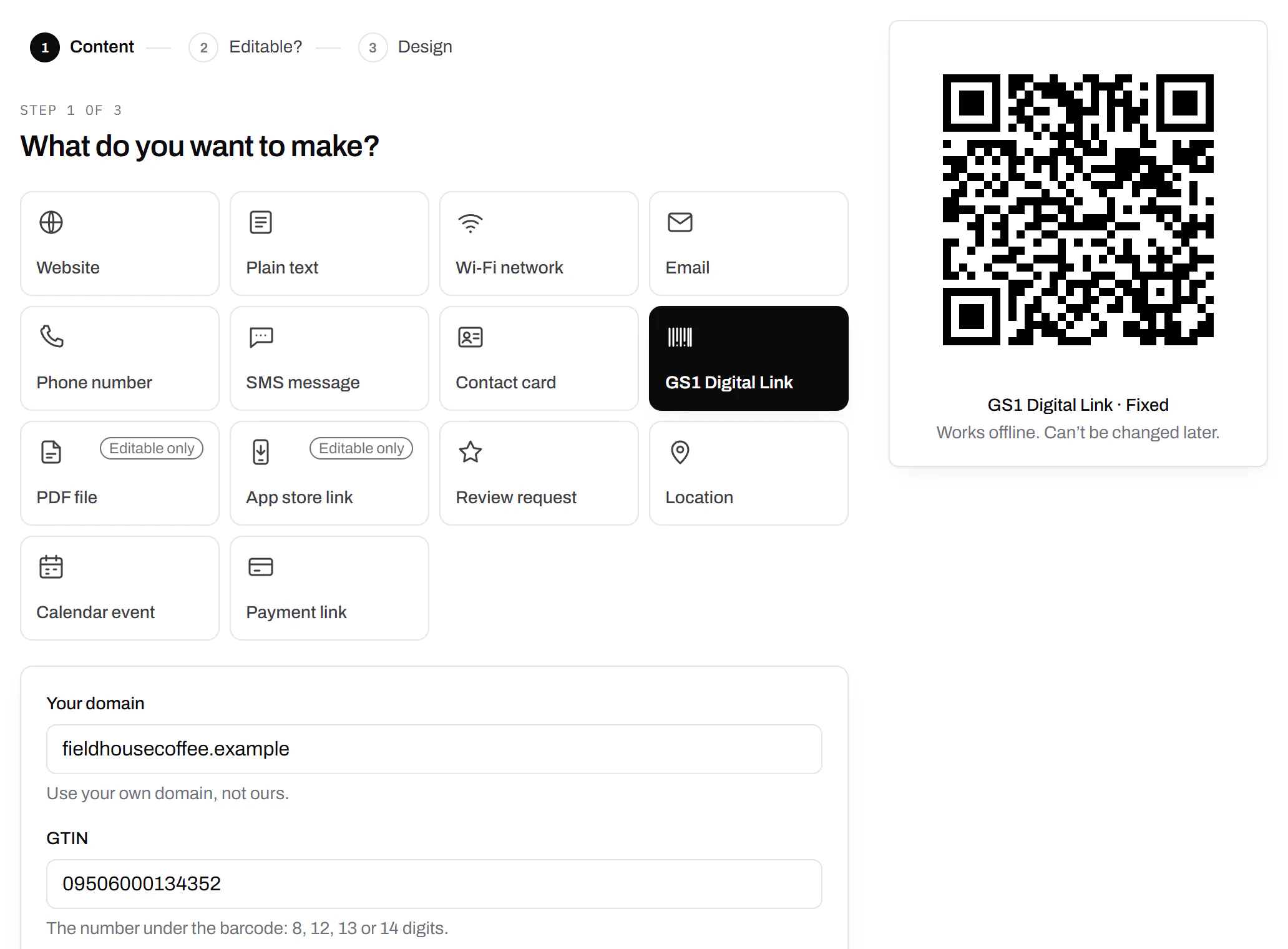
GS1 Digital Link writes your product number as a web address in a QR code. Tills read the number and phones open your page.
- https://yourbrand.comYour domain
- The link is yours, whoever makes your codes.
- /01/09506000134352The GTIN
- 01 means a product number follows: the one under your barcode.
- /10/LOT42Batch (optional)
- 10 means batch or lot.
- ?17=271231Expiry (optional)
- 17 is the expiry date, as YYMMDD.
It starts at the highest error correction, which still scans with about 30% damaged.
Check a Digital Link
Paste an address from a scanner or a proof to see its GTIN, redrawn as a barcode and a QR code. It runs in your browser.
A passing check digit proves the number is consistent, not that it’s yours. We follow the GS1 Digital Link URI Syntax, release 1.7.0, ratified August 2026.
For the till, or one you can change
Static GS1: a Digital Link on your domain
A till that reads 2D codes finds the product, and a phone opens your website. It never depends on us.
- GTIN check digit verified
- Read by phones and tills
- Free, no account
Dynamic: a product code you can change and count
It holds our short link, which sends each scan to the page you saved. A till can’t read a GTIN from it.
- Change the page after the packs ship
- Scans by country on every plan, by device from Starter
- Free plan includes it
Use both: the static code where the till scans, a dynamic one on the insert or lid for recalls and care guides. A whole range? Upload one sheet to the bulk generator.
How small it can go on the pack
Paste the link and pick the surface. Keep the code off folds, seals and tight curves.
GS1 Sunrise 2027
Sunrise 2027 is GS1 US’s goal for US tills to read 2D codes, such as a Digital Link QR code or a GS1 DataMatrix, in 2027.
It’s an industry goal, not a law. Until every till catches up, print both: the 1D barcode and the 2D code beside it. Both generators on this page make the 2D code from the same GTIN.
Questions about barcodes
Which barcode do I need?
EAN-13 for a retail pack, or UPC-A in North America. Code 128 for shipping and warehouse labels, ITF-14 on cartons, and Data Matrix for small parts. Use GS1 DataMatrix when it must carry a batch, expiry or serial.
How do I make a UPC barcode?
Pick UPC-A and type all 12 digits. Eleven are refused, because checking the twelfth against your paperwork is what catches a typo.
Do I have to stop using UPC barcodes after Sunrise 2027?
No. Sunrise 2027 is about tills learning to read 2D codes. A UPC-A or EAN-13 still rings up, and GS1 US says to add the 2D code to packs that already carry the barcode.
Do you issue barcode numbers?
No. A UPC or EAN number belongs to the company that licensed it from GS1. A number you don’t own scans as someone else’s product.
Where do I find my GTIN?
It’s the number under the barcode on your pack: 8, 12, 13 or 14 digits. Your local GS1 office issues them.
Is it really free?
Yes. No account, no watermark, no limit. A barcode holds its data in the bars, so a scan never touches our servers.
I don’t have a GTIN. Can I still put a QR code on my packaging?
Yes. A GTIN only matters if shops scan it at the till. For a code that opens instructions or your shop, make a Website code instead, dynamic so you can change it.
What if we stop paying while stock is on shelves?
Dynamic codes keep working for at least 90 days. After that, a code unscanned for 90 days pauses, and we email you first. Barcodes and static Digital Links never stop.
Check it at the source
- GS1 Digital Link. The standard, from GS1
- GS1 US: Sunrise 2027. Tills reading 2D codes
Last reviewed , against the product as it works today.
The rest of the toolbox
Open a row to see the screen and which plan has it.
Print-ready downloads
Files for the screen, and one for the printer.PNG and SVG on every plan · PDF on Starter and up
PNG and SVG on every plan, and a print-ready PDF on Starter and up.
PNG and SVG on every plan · PDF on Starter and up

Wi-Fi, contact cards, email, phone and SMS
Networks, contacts, calendar dates and places, not only links.Every plan, Free included
Website, text, Wi-Fi, email, phone, SMS, contact card, GS1 Digital Link, PDF, location, calendar event and more. Most download free with no account; the ones marked “Editable only” need one.
Every plan, Free included
Contact card codes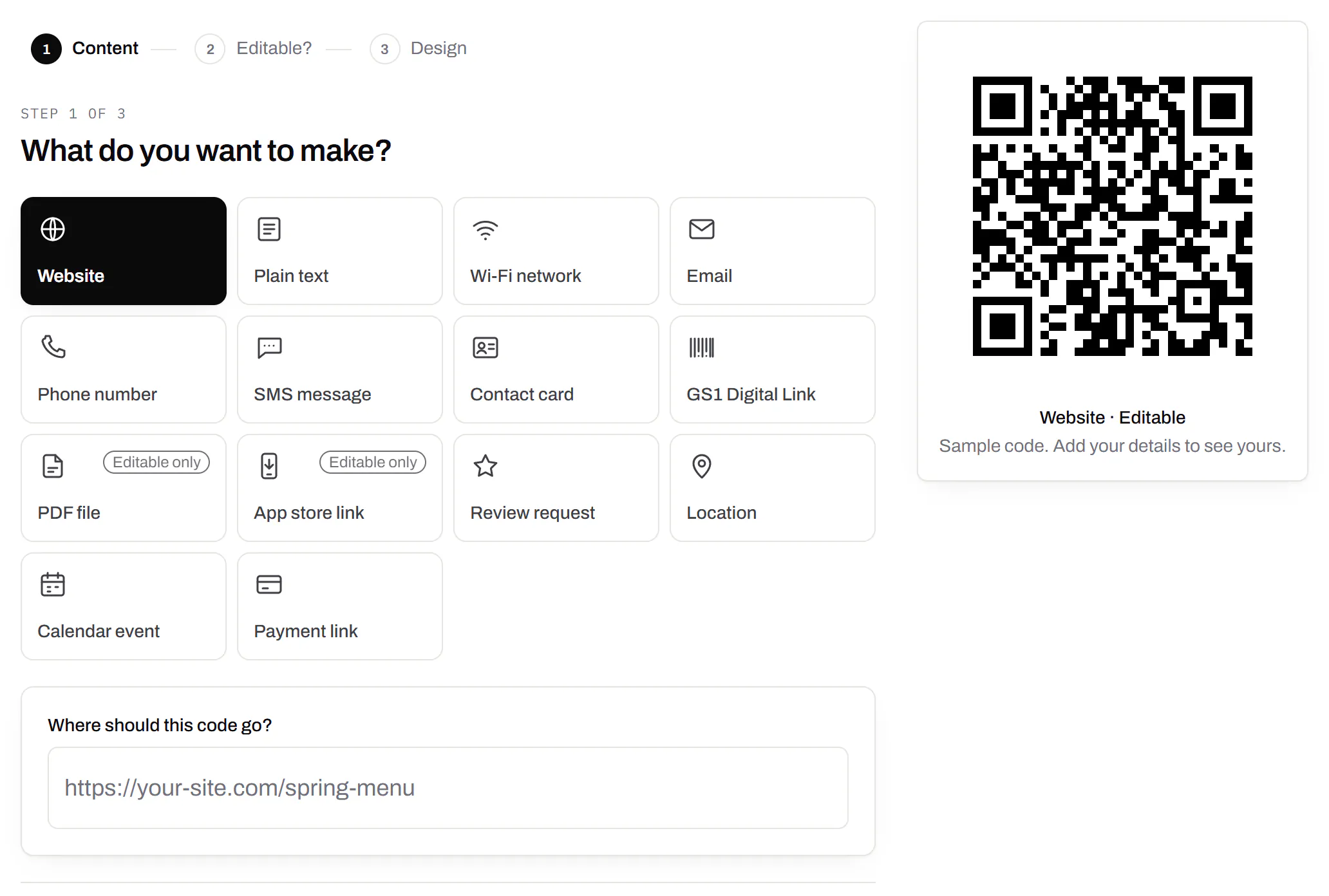
GS1 Digital Link for products
The retail code that carries your GTIN and still opens a web page.Every plan, Free included
A web address made from your domain and the GTIN, plus batch, serial and dates if you want them, in GS1’s Digital Link format. A phone opens your page, and we check the GTIN’s check digit first.
Every plan, Free included
GS1 Digital Link codes