Event QR code that puts the date in their calendar
Enter the title, start and time zone. A scan offers to save the event. Free, no account.
Dynamic & Editable
Change where it points after printing, and see who scans it.

This is an example. Type a destination to download yours.
Design
Style
Colour#2b2a33
Shaperounded
Body shape
Corner shape
Inside shape
Framelabel-below
Logonone
Print settingsECC M
On this page
The right hour, wherever guests live
- Venue time. Enter 19:00, Europe/Oslo. We save the exact moment, summer time included, so a guest in New York sees 13:00.
- All day. Saved as dates with no time, so no time zone can move it to the day before.
- Editable code. Opens a page with buttons for the phone’s calendar, Google Calendar and Outlook, a separate Outlook link for work or school, and Map if you add a place.
A code for each part of the event
Each link opens the generator on that type, or the page that explains it.
Save the date
A calendar event with the start, end, place and a link. The generator above is already on this type.
Fill it in aboveRSVPs
A QR Form with your own questions, made in your account. Answers are checked for bots and added up.
How QR Forms workThe schedule
The running order as a PDF. Upload a new version and printed copies open the latest times.
Make a PDF codeDirections
A pin on the entrance you want people to use. As an editable code, iPhones open Apple Maps.
Make a location codeThe photos
A link to the shared album or the speakers’ slides, printed on the table cards.
Make a website codeOr print one editable code and point it at each part in turn. Change it by hand, or set date rules once, on any plan, and it switches by itself. Weekly timetables come with Starter and up.
An RSVP QR code, then next year’s print run
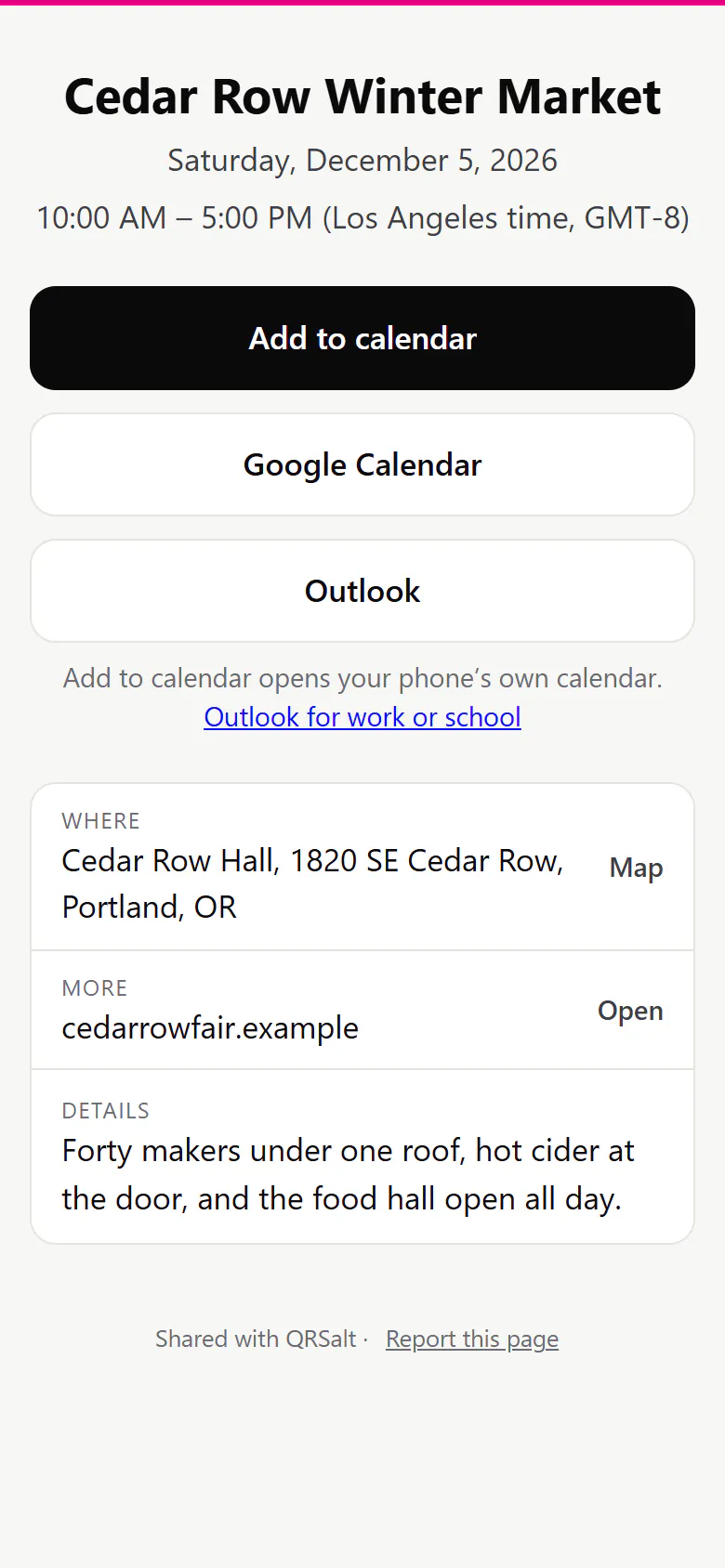
What a guest sees when they scan the poster
The event’s name, the date and hours, the venue with a Map link, and a button for each calendar. They add the version you saved last.
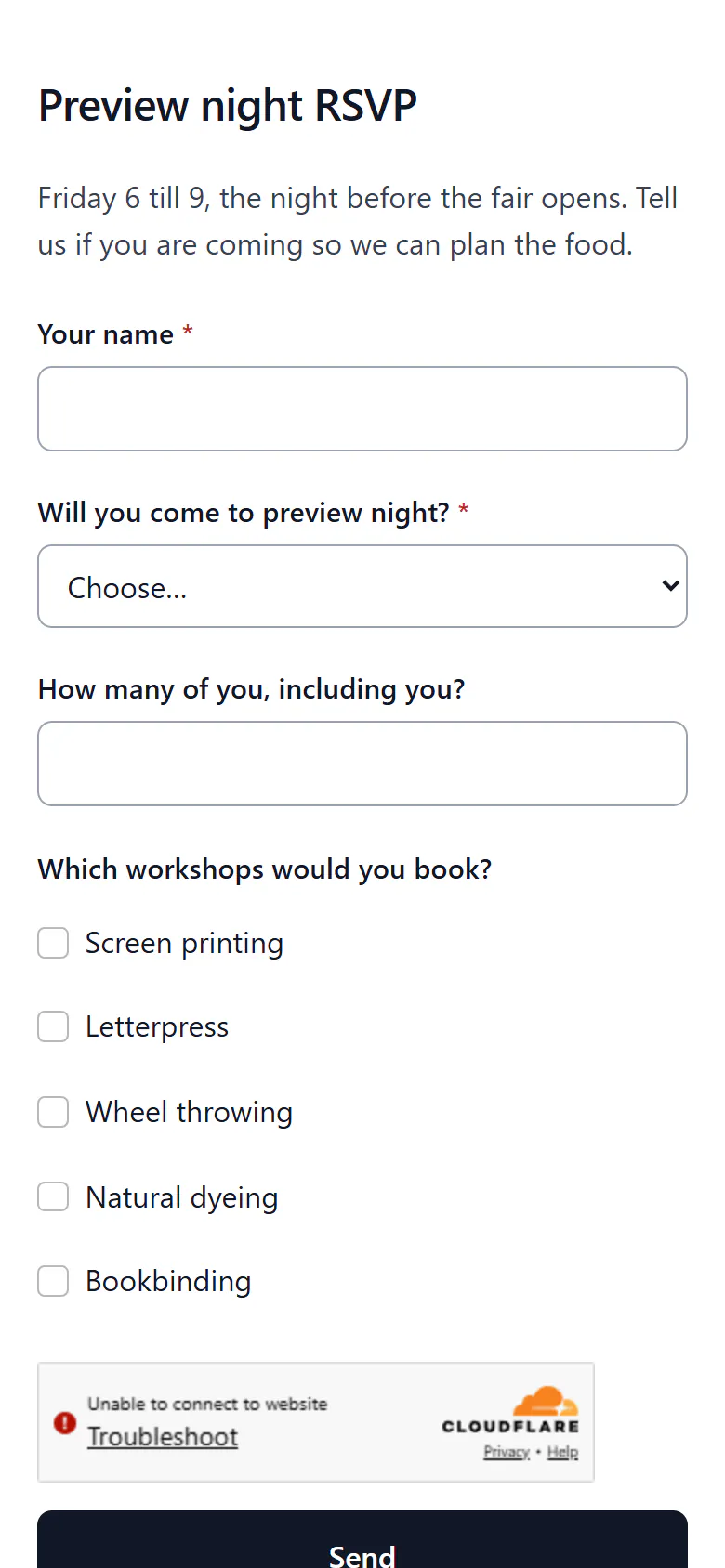
The RSVP, on the guest’s phone
The form opens in the browser: coming or not, how many, which sessions. Every answer is checked for bots before it counts.
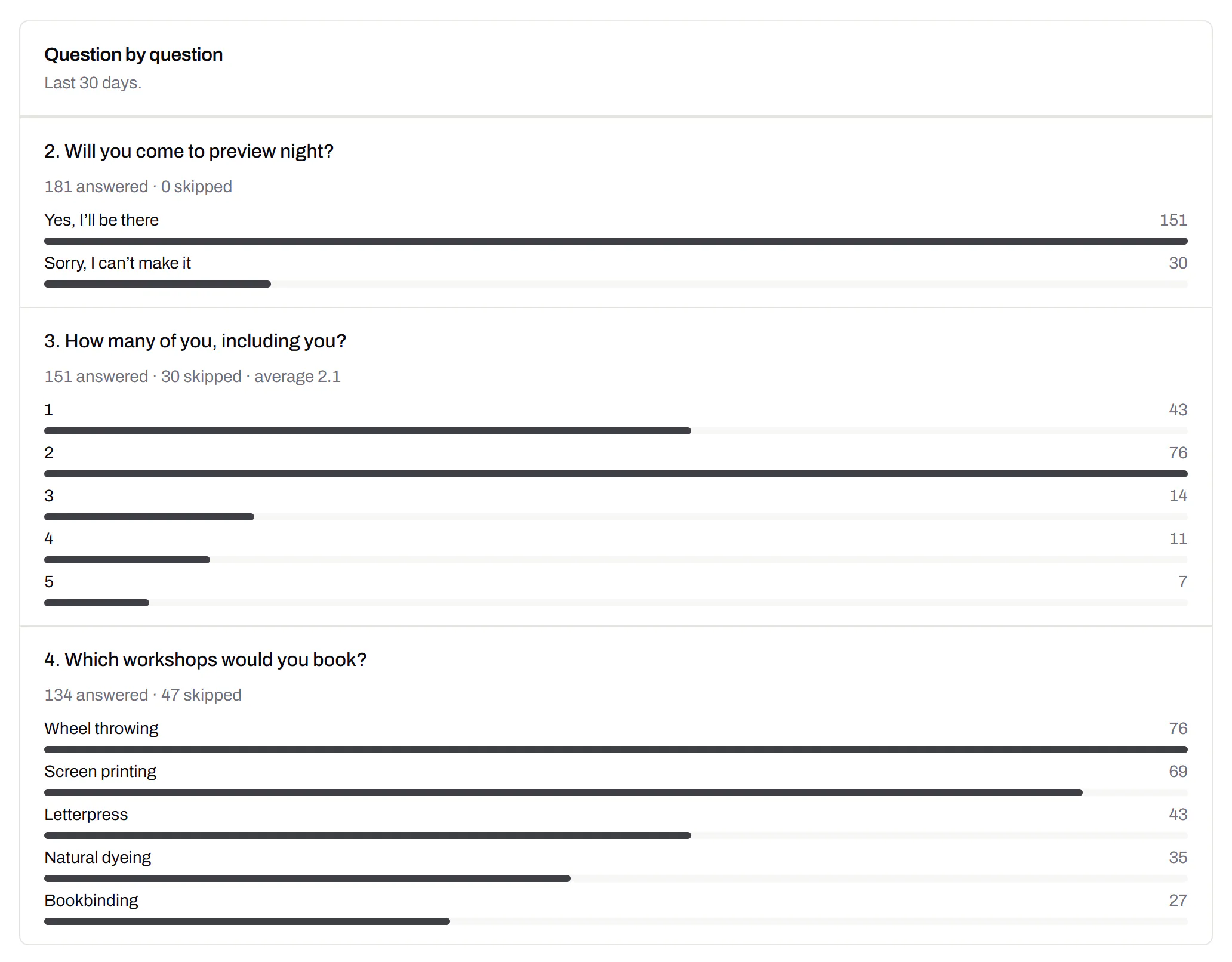
Replies counted as they arrive
Who’s coming, how many guests they bring and which workshops they want, added up per question. Free includes forms within its 3 editable items.
Where the invitation has pointed
Every change of address, by hand or by a date rule, is listed with its date. You can restore any earlier one.
Smart QR codes with date rules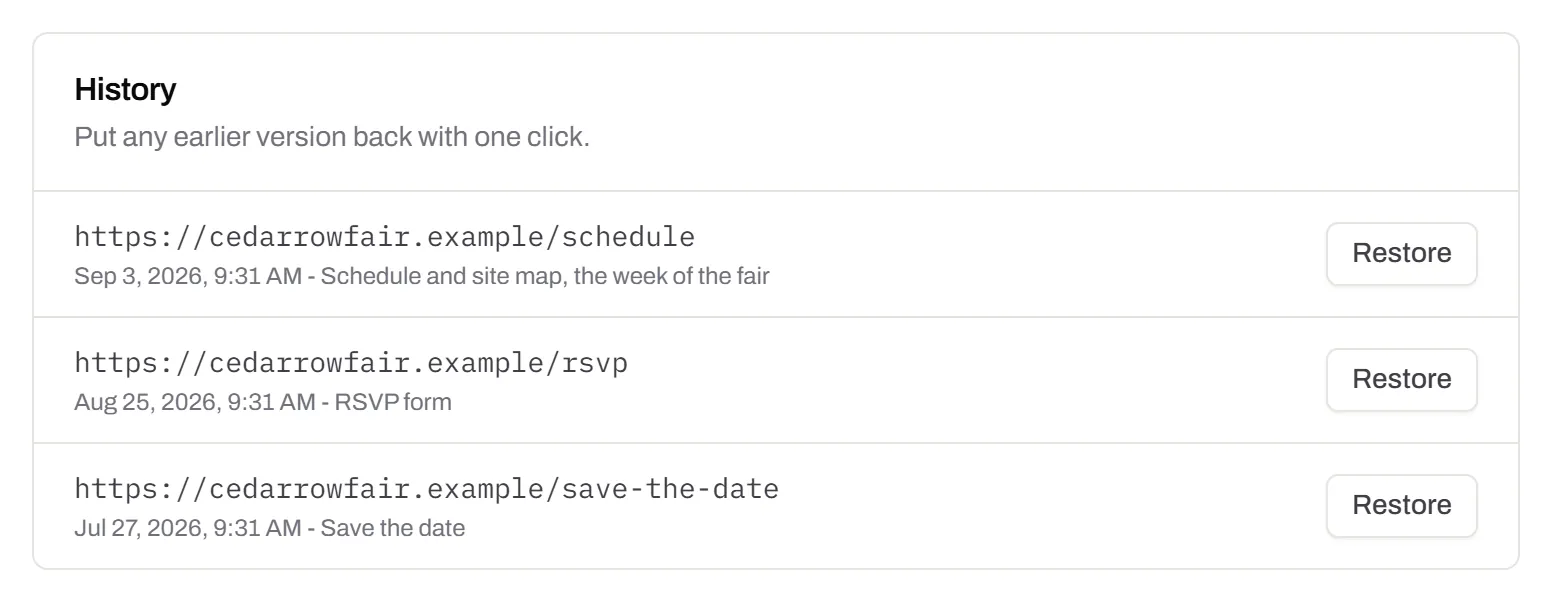
A code for every exhibitor from one paste
Paste your list of stalls, one per row. Each row becomes a named code with its own scan count. The importer comes with Starter and up.
Bulk QR code generator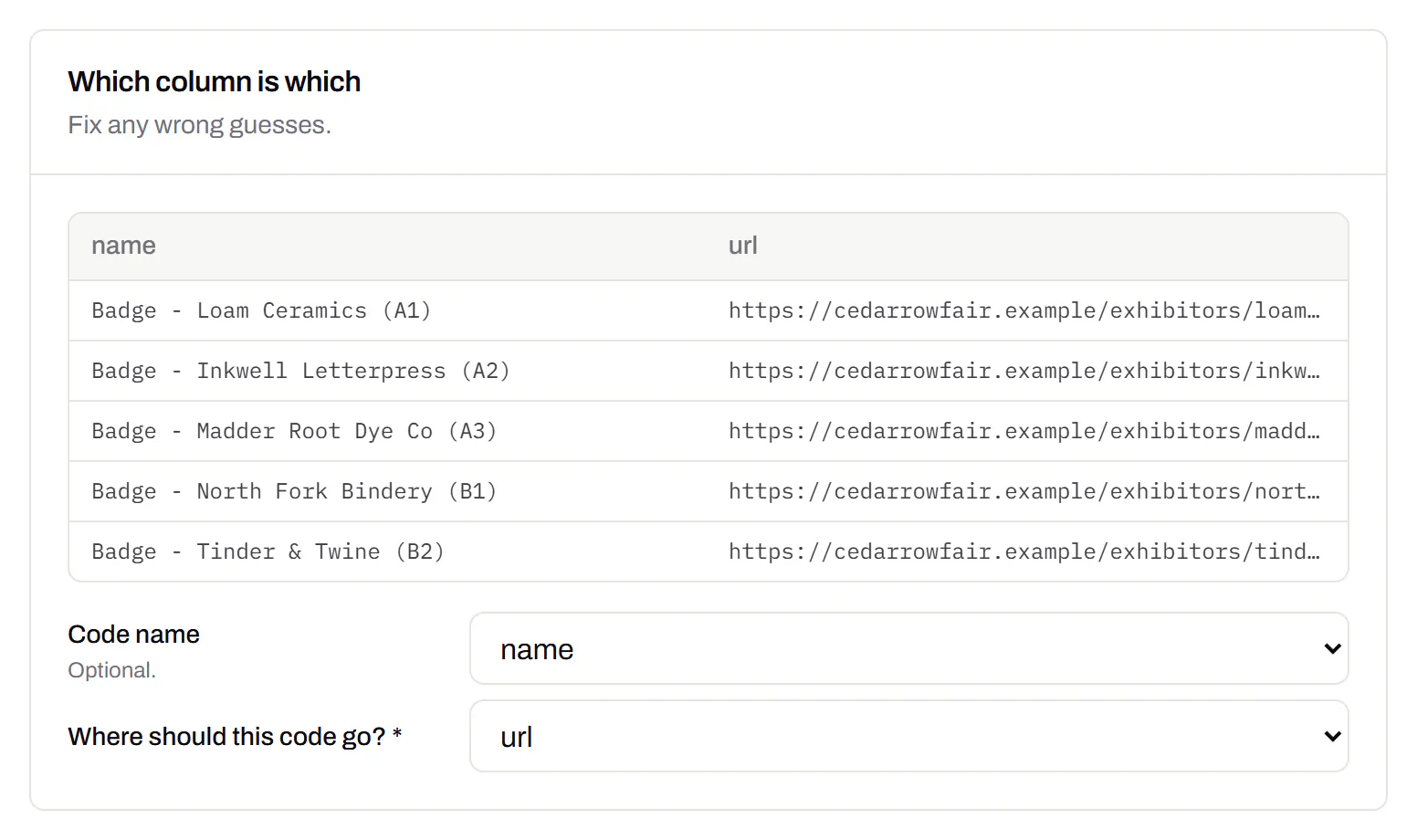
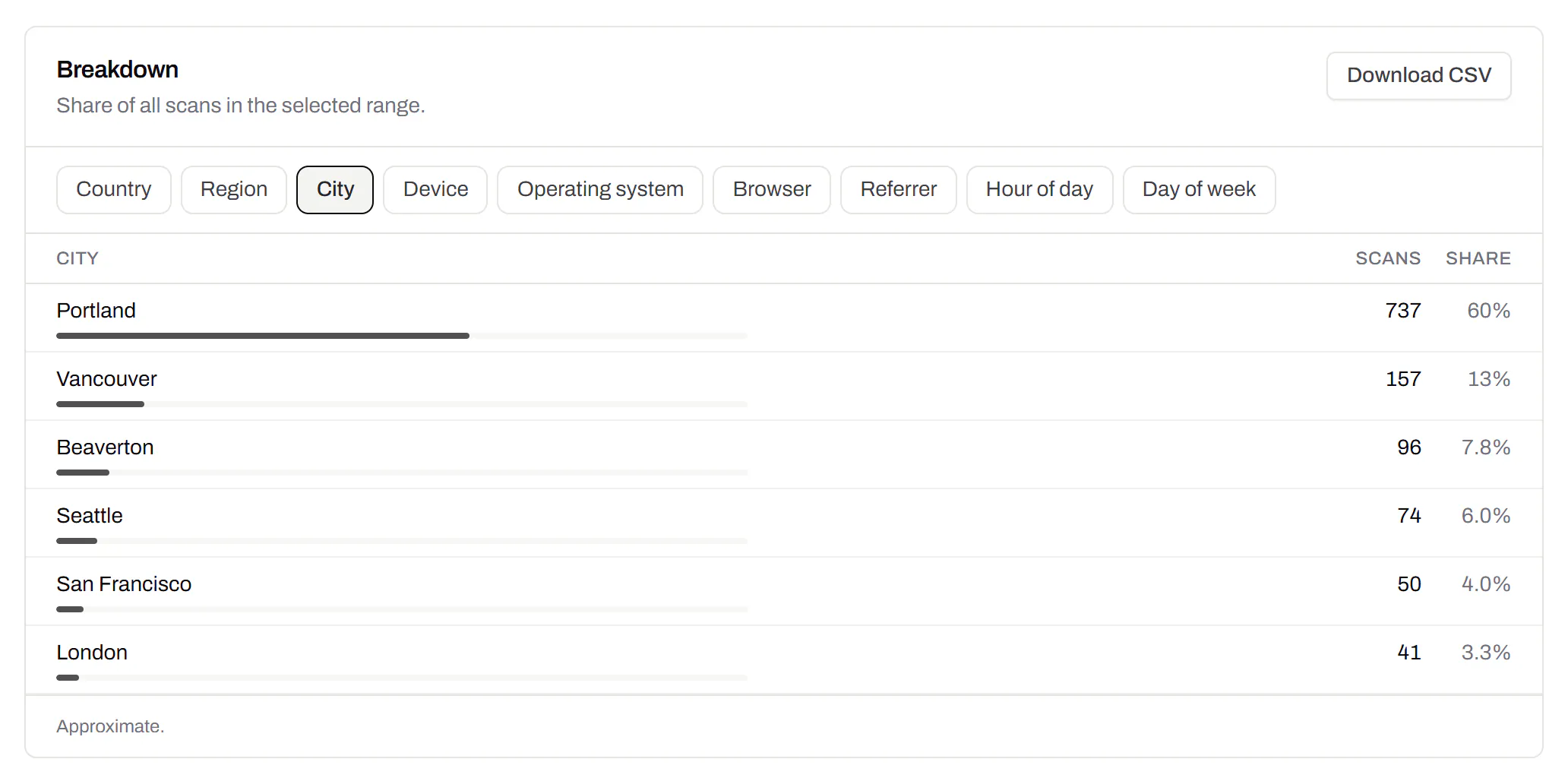
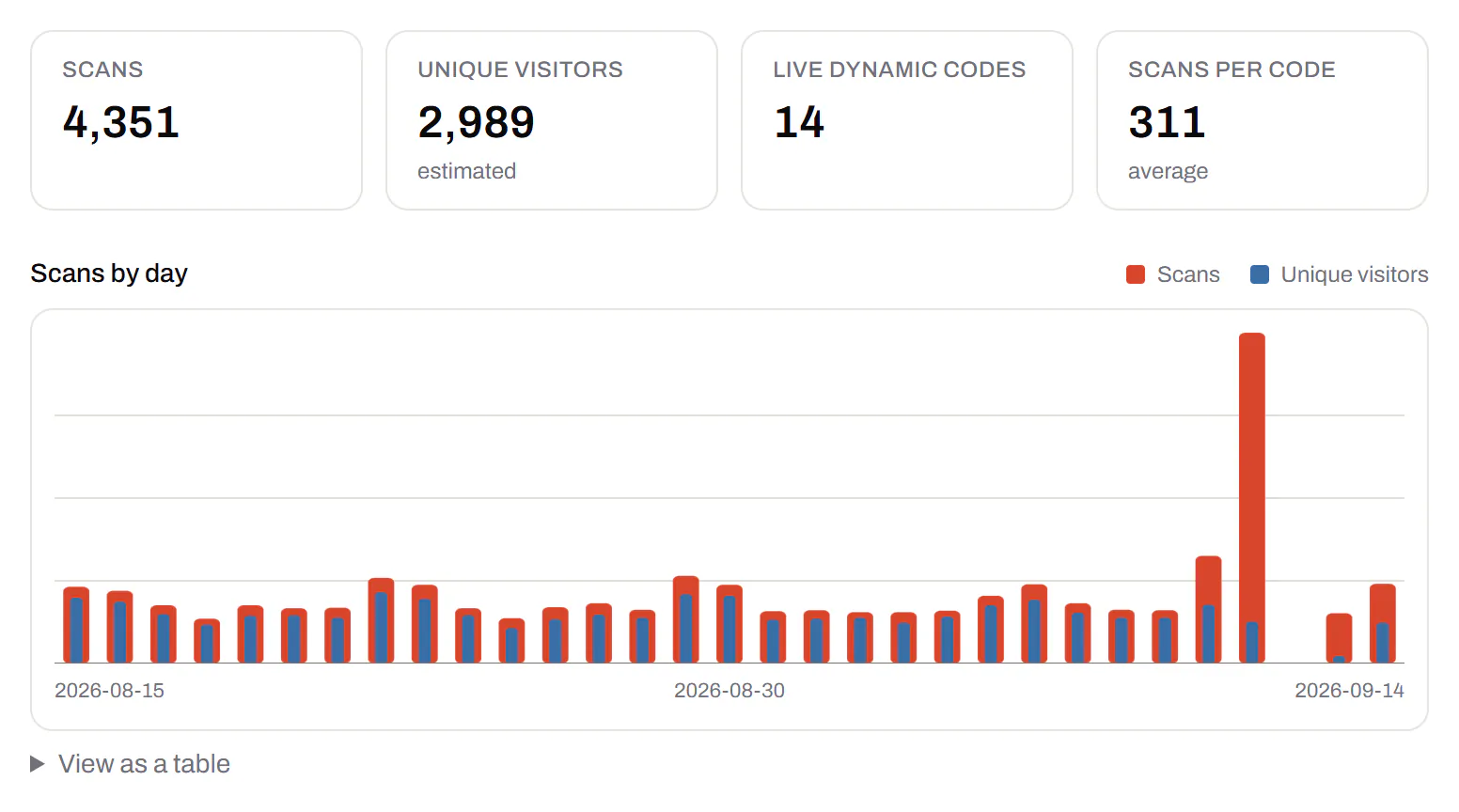
Scans across the whole event
Which printed pieces people scanned, and when. Next year, it tells you which ones to print more of and which to drop.
What lands in the guest’s calendar
The code writes an iCalendar (RFC 5545) event like this.
| You fill in | In the calendar file | What it means |
|---|---|---|
| 19:00, Europe/Oslo | DTSTART:20261003T170000Z | 17:00 UTC, because 3 October is Oslo summer time |
| All day, 3 to 4 October | DTSTART;VALUE=DATE:20261003 | A date with no time |
| The venue | LOCATION | Shown on the calendar entry |
Event QR codes, answered
What happens if the event moves to another day?
On an editable code, change the date and the next scan saves the new one. Guests who saved the old date keep it, so tell them as well. A static code keeps its date and has to be reprinted.
Is there a free QR code for RSVPs?
Yes. Free includes QR Forms with no card. Print the form’s code on the invitation and the replies are added up for you.
Can I put an event QR code on tickets?
Yes, well apart from the entry barcode and captioned, so door staff scan the right one. It saves the date or opens your page. Checking tickets at the door stays your ticketing system’s job.
Can I run one event without paying?
Yes. A static calendar code needs no account at all. Free adds 3 editable codes and QR Forms, with no card.
Do I need to keep paying once the event is over?
No. Codes from an ended plan run for 90 days at least, and longer while guests still scan them, which outlasts most events. What happens when a plan ends.
RSVP, venue and gift list on one card? Put them behind one scan with a QR code with multiple links. Ticketing systems can make a calendar code per order with the QR code API. Taking money at the door? Use a payment QR code.
Check it at the source
- RFC 5545, iCalendar. The calendar format, including all-day dates
- The IANA time zone database. Where names like Europe/Oslo and their summer-time rules come from
Last reviewed , against the product as it works today.
Free for one event, a plan for a season of them
Free includes 3 editable codes and QR Forms, with no card. Paid plans start at $5 a month for more codes, weekly schedules and a longer scan history.
Free
$0/mo
Unlimited static codes. Three editable ones that never expire.
- Short links on their own, no QR code needed
- Up to 1 of the 3 can be a QR Menu
- Add your logo to QR codes
- Every shape, corner and frame
3dynamic codes
Starter
Recommended$5/mo
For one business with codes out in the world.
- 5 QR Menus
- QR Forms
- GS1 Digital Links we host, so a printed pack can be re-pointed
- Advanced tracking and analytics
100dynamic codes
Pro
$15/mo
For agencies and teams running codes at scale.
- 50 QR Menus
- Unlimited analytics history
- 10 custom domains
- 5,000 API requests a month
600dynamic codes
Business
$39/mo
For organisations running codes across many brands.
- 400 QR Menus
- 50 custom domains
- Up to 25 team members and team management
- Up to 10 workspaces
2,000dynamic codes
Unlimited scans on every plan. Cancel online in two clicks. Compare every plan and feature
The rest of the toolbox
Open a row to see the screen and which plan has it.
Wi-Fi, contact cards, email, phone and SMS
Networks, contacts, calendar dates and places, not only links.Every plan, Free included
Website, text, Wi-Fi, email, phone, SMS, contact card, GS1 Digital Link, PDF, location, calendar event and more. Most download free with no account; the ones marked “Editable only” need one.
Every plan, Free included
Contact card codes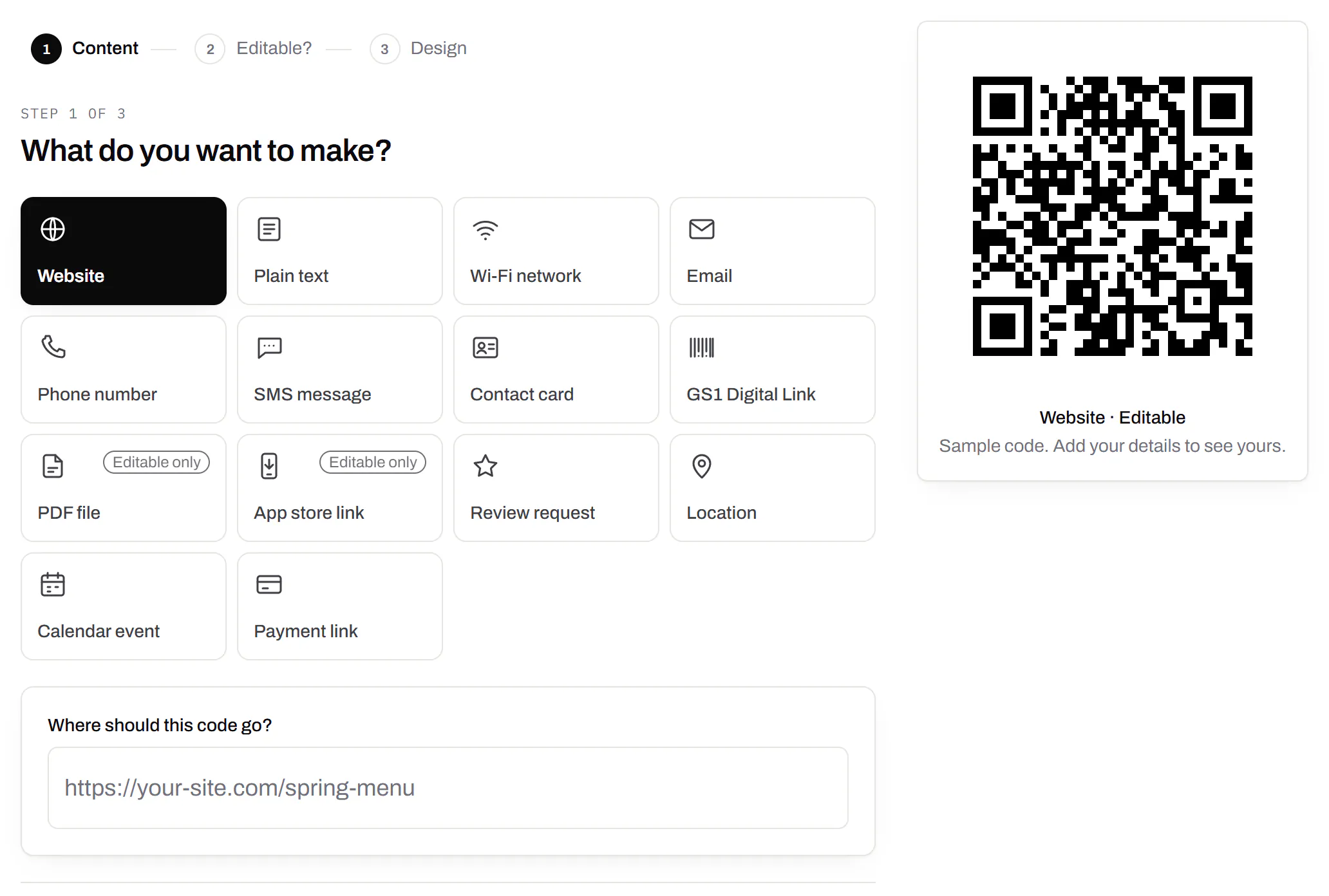
PDF codes you can update
Upload a PDF, print the code, swap the file later.Every plan, Free included
We host the file and the code opens it. Upload a new version and the same print opens it, with the old file kept in the history.
Every plan, Free included
PDF to QR code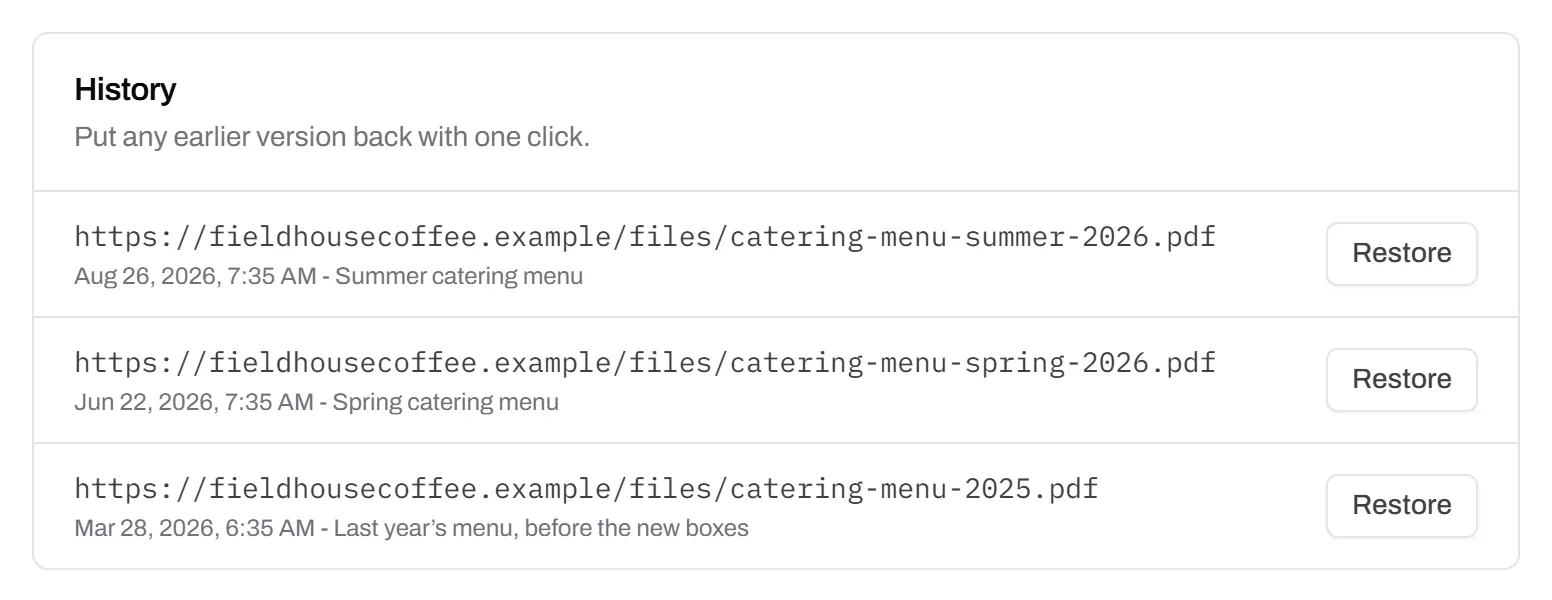
Your logo in the middle
Upload any image; we size it so the code still scans.Every plan, Free included
PNG, JPEG, WebP or GIF, up to 15 MB. We raise the error correction for it and never let it cover more than the code can lose.
Every plan, Free included

Print-ready downloads
Files for the screen, and one for the printer.PNG and SVG on every plan · PDF on Starter and up
PNG and SVG on every plan, and a print-ready PDF on Starter and up.
PNG and SVG on every plan · PDF on Starter and up

City-level scan locations
Which towns the scans came from, not only which countries.Pro and Business
Scans by city and region for each code, and towns on the Live Map. It’s the place the phone’s network reports, never a street.
Pro and Business