Cash App QR code
Your $Cashtag comes with an address anyone can pay you at, and Cash App lets you change it exactly twice. Here is where both live, which Cash App code is which, and how to keep a sign working past the second change.
Dynamic & Editable
Change where it points after printing, and see who scans it.
Type a destination to download.
This is an example code. Style it now — yours takes its place as you type.
Design
Style
Colour#000000
Shapesquare
Body shape
Corner shape
Inside shape
Framenone
Logonone
Print settingsECC M
On this page
Two changes, and Cash App can still ask for a third
Cash App is precise about this in a way the other payment apps are not. Choosing a $Cashtag creates a shareable address at cash.app, and that $Cashtag can only be changed twice; earlier versions go inactive so nobody else can claim them, and you can switch back to one whenever you like. Separately, Cash App’s terms reserve the right to require you to change a $Cashtag it believes misleads people about your business or personal identity, and to reclaim it. Two of those three facts are limits on you, and the third is a limit on nothing you control.
The printed code stops counting against your two
A code that carries a short link of ours has the $Cashtag behind it as a field. Spending a change no longer means spending a print run as well.
The person paying gets a name first
A scan opens a page showing who you are and which account is being paid, then hands them to Cash App. On a table of stickers, that pause is the only thing a copied code cannot fake convincingly.
A code per place, counted separately
The counter, the pitch, the flyer: one code each, and the list shows which gets scanned. Free keeps 90 days of it and takes no card.
How to get your Cash App QR code and $Cashtag link
Both live on your profile in the app, and the link can also be managed from a browser. These are Cash App’s own steps, plus the two that keep a printed sign useful afterwards.
Open your profile in the Cash App app
Tap the profile icon on the home screen. Your $Cashtag is there, and so is the payment link Cash App describes as a unique link in your profile that you can share by text or email.
Read your $Cashtag, and take the link rather than typing it
Cash App says choosing a $Cashtag automatically creates a shareable address at cash.app with your $Cashtag on the end, where friends, family and customers can pay you. Copying it beats retyping a dollar sign and twenty characters.
Check the $Cashtag is the one you want printed
Cash App’s rules on it are narrow: at least one letter, no longer than twenty characters, letters and numbers only. A name with a year or an old trading name in it is the kind you regret on a sign.
If you need to change it, know that you get two
In the app: profile icon, Edit Profile, the $Cashtag field, choose a new one, tap Set. On the web, sign in at cash.app, open Account, find $Cashtag under Basic Info, Edit, Save. Cash App says a $Cashtag can only be changed twice.
Put the link behind something editable before you print it
Paste the address into the builder above, add the name your customers should see, and print the code it makes. The $Cashtag stays a field you can edit rather than a pattern in the ink.
Scan it on a phone that is not signed in as you
Your own phone opens Cash App as you and tells you nothing. Borrow a phone, scan the printed code, and check the name on the page is the one on the sign before the print run rather than after it.
The Cash App code you show, and the one you scan
Two completely different codes are called a Cash App QR code, and they point in opposite directions. People searching for one regularly end up reading about the other.
Your own code: money coming in
It stands for your $Cashtag, which is what Cash App calls a unique identifier for individuals and businesses using Cash App. Show it, print it, put it behind a link — it is how somebody pays you.
Cash App Pay: money going out
Cash App’s terms describe scanning a code generated at checkout by an approved merchant, on a website or a point-of-sale device, to pay with your own account. Nothing about it is yours and nothing you make replaces it.
The scanner is not the code
The camera for scanning somebody else’s code sits in the corner of the payments screen. If you are looking for your own code and find a camera, you are on the paying half of the app.
A shop’s code will not pay you
Printing a screenshot of a checkout code from a shop is the mistake this distinction exists to prevent. That code belongs to that merchant’s checkout and has nothing to do with your account.
What we make is neither of them. It is a QR code of ours holding a short link, with the Cash App address you already own behind it; we are not Cash App, we are not connected to Cash App, we issue nothing on your account, and none of the money is ever in our hands. Cash App’s own fees, limits and terms apply to the payment exactly as they would if the person had typed your $Cashtag in by hand.
The $Cashtag rules that only matter once something is printed
All four of these are Cash App’s, all four are easy to read past while setting up an account, and all four bite hardest on whoever ordered five hundred stickers.
| The rule | What Cash App says | What it means for ink |
|---|---|---|
| How many changes | A $Cashtag can only be changed twice | Two reprints at most before the name on the sign is the name forever |
| What happens to the old one | Prior versions go inactive and cannot be claimed by another customer, and you can switch back any time | An old sign will not start paying a stranger, but it will not pay you either |
| What it may contain | At least one letter, no longer than twenty characters, letters and numbers only | No hyphens or underscores to make a long trading name readable on a board |
| Whether it is yours | Cash App’s terms reserve the right to require a change, or to reclaim it, where it believes a $Cashtag misleads about identity | The one change you cannot plan for, and the reason to keep it out of the pattern |
What Cash App does not say, and this page therefore will not
A page about somebody else’s product is only worth reading if it stops where their documentation stops. Three things people ask about Cash App codes were not answerable from Cash App’s own pages, so they are not answered here.
Whether an amount can be put in the address
Cash App documents the address that a $Cashtag creates and says customers can pay you there. It does not publish anything about attaching a figure to it, so treat any recipe that claims to as somebody’s guess. The builder above shows the amount on the page it opens and leaves the typing to the payer.
Where Cash App works, and for whom
Its help centre is the only reliable answer and it is worth checking against your own customers rather than against a blog. If yours include visitors from elsewhere, a Cash-App-only sign will turn some of them away.
Fees, limits and what a business account changes
These move, they differ by account, and getting them wrong on somebody else’s behalf is worse than not covering them. Cash App’s support pages and its terms are linked below.
Everything on this page that is attributed to Cash App was read from the pages listed under it, on the date at the end. That is also the date the payment code builder and its $Cashtag check were last read against them.
Cash App codes, answered
How do I get my Cash App QR code?
Both sit on your profile: open Cash App and tap the icon for it. The $Cashtag is printed there, and so is the link Cash App keeps alongside it for sending by message or email.
What is my Cash App link?
An address at cash.app, ending in the $Cashtag you chose, which Cash App says is created for you automatically and is where anyone can pay you. Its guide also names a link kept on your profile, and copying that beats retyping twenty characters after a dollar sign.
Is there a Cash App QR code generator?
Cash App makes the Cash App code; nothing else can. What the builder above produces is our own code, pointed at one of our short links, with the Cash App address kept in an editable field — which is what lets it survive the second change.
How many times can I change my $Cashtag?
Twice, according to Cash App. Earlier ones are deactivated rather than released, so no other customer inherits yours, and returning to an old one is always allowed. What is not allowed is a third change of mind — and anything printed with the retired $Cashtag inside it dies at the switch.
Can Cash App take my $Cashtag away?
Its terms reserve that right. A $Cashtag Cash App considers deceptive about who you or your business are can be changed on its say-so, and it may reclaim one outright. Worth reading before settling on a name that sits close to somebody else’s brand.
Can I print my Cash App QR code on a sign?
You can print anything, and the question is what happens on the day the $Cashtag behind it changes. A printed Cash App code has the answer baked in; a code holding one of our links has it in a field, which is the only difference worth paying for.
Why does scanning a shop’s Cash App code not pay me?
Because that is Cash App Pay: a code the merchant’s checkout generates so a customer can pay with their own Cash App account. It belongs to that checkout. Your own code, the one that brings money in, is the one on your profile.
Can I set the amount in a Cash App code?
Not inside the Cash App address, as far as Cash App documents. Our page carries the figure as the amount to enter, and the person types it into Cash App themselves — which is at least honest about who is really filling that field in.
Venmo’s username can be changed as often as you like, which is a different problem with the same ending, on the Venmo QR code page. PayPal is the one that publishes its link format and lets a price ride inside it, on the PayPal QR code page. For Zelle, the answer is shorter and stranger: see the Zelle QR code page.
Check it at the source
- Cash App: what is a $Cashtag?. The definition, and the shareable address a $Cashtag creates
- Cash App: change your $Cashtag. The steps in the app and on the web, and the two-change limit
- Cash App: how to claim a $Cashtag. At least one letter, and no longer than twenty characters
- Cash App terms of service. Section 7 on $Cashtags, and how Cash App Pay codes are generated at checkout
- Cash App: how to send and receive money. The three ways to be paid, including the payment link in your profile
Last reviewed , against the product as it works today.
No share of anything paid into your Cash App account
The payment goes from the person paying to your account under Cash App’s own fees and terms. An account here pays for the codes: Free includes 3 and needs no card, Starter is $12 a month.
Free
Free
Unlimited static codes. Three editable ones that never expire.
- Unlimited static QR codes, forever
- 3 editable items in total — dynamic QR codes, QR Menus and QR Forms share them
- Dynamic codes never expire, and each comes with a short link
- Short links on their own, no QR code needed
3dynamic codes
Starter
$12/mo
For one business with codes out in the world.
- 5 QR Menus
- QR Forms
- GS1 Digital Links we host, so a printed pack can be re-pointed
- Advanced tracking and analytics
100dynamic codes
Pro
Most chosen$39/mo
For agencies and teams running codes at scale.
- 50 QR Menus
- Unlimited analytics history
- 10 custom domains
- API access
600dynamic codes
Business
$99/mo
For organisations running codes across many brands.
- 400 QR Menus
- 50 custom domains
- Up to 25 team members and team management
- Up to 10 workspaces
2,000dynamic codes
Unlimited scans on every plan. Cancel online in two clicks. Compare every plan and feature
The rest of the toolbox
Open a row to see the screen and which plan has it.
Custom domains
Short links on your own domain, chosen code by code.Starter and up
Codes open go.yourbrand.com/menu rather than a link with our name in it, so the address under the code is yours. You add two DNS records and we check them. Then pick the domain for each code as you make it, or move a whole list of codes onto it at once.
Starter and up
QR codes on your own domain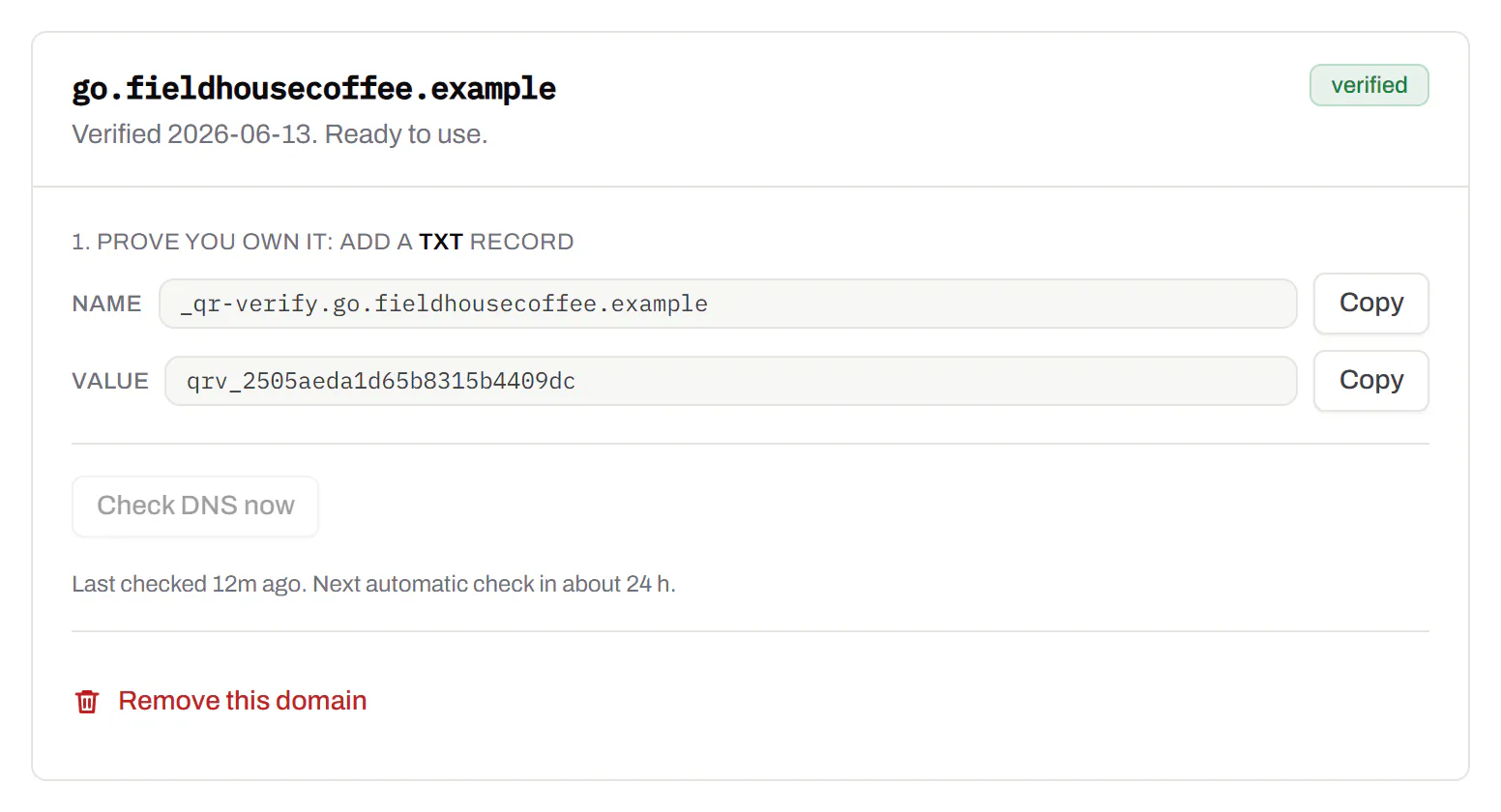
Bulk QR code generator
A spreadsheet in, one dynamic code per row out.Starter and up
Paste or upload a list of names and links, match the columns, and get a dynamic code for every row - one per table, stall, badge or product - each with its own scans and destination.
Starter and up
The bulk generator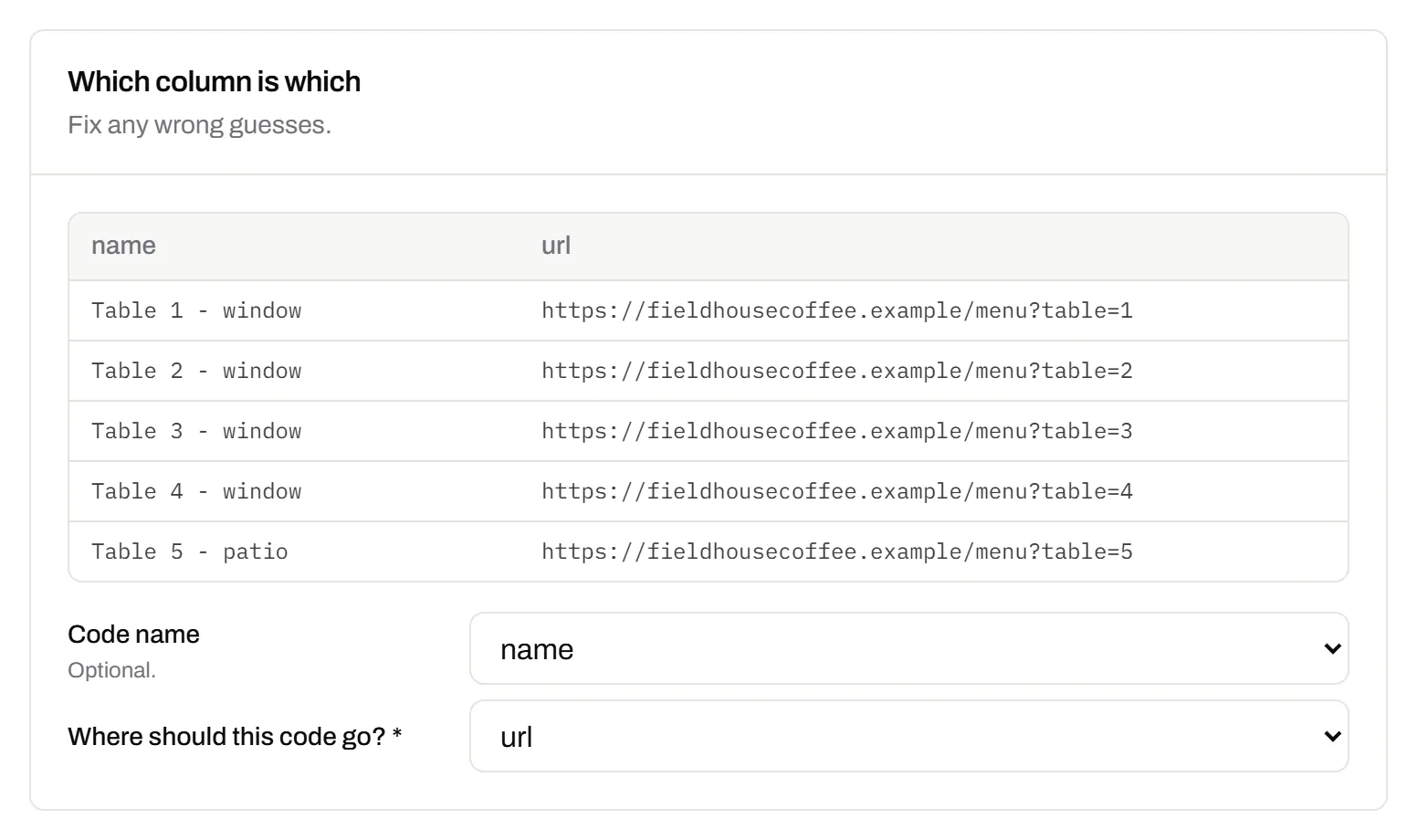
Change many codes at once
Tick the codes, then pause, tag, file or move them together.Pause and resume on every plan · folders and tags on Starter and up
Tick codes in the list, or pick every code with a tag, and pause or resume them, add or remove tags, move them to a folder or onto your own domain, or add campaign tags, in one go. The API does the same in one request.
Pause and resume on every plan · folders and tags on Starter and up
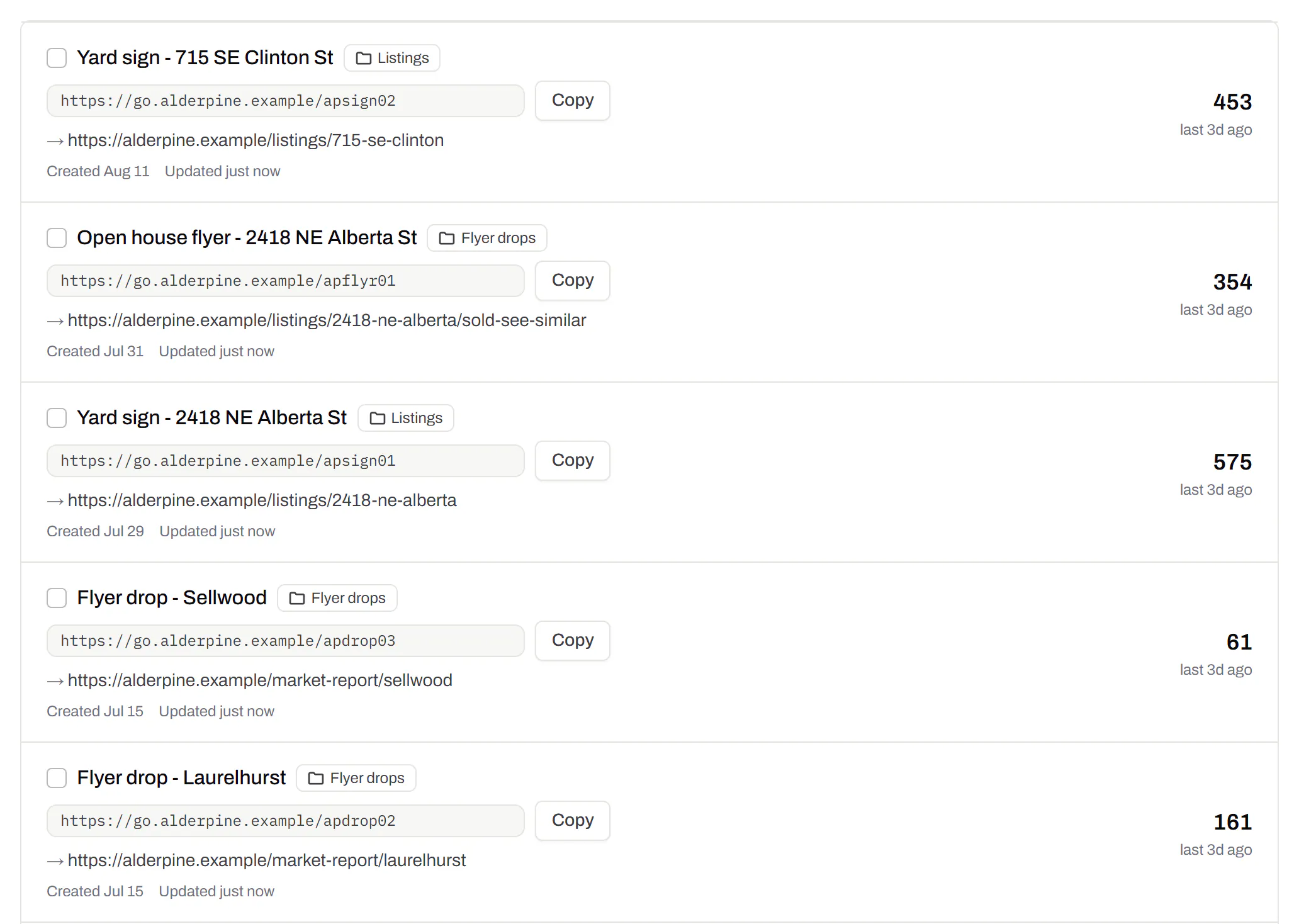
Short links, with your own ending
The link on its own, for a bio, an email or an ad.Every plan · custom endings on Business
Paste a link and get a short one you can change, route and count, with no QR code unless you want one. Every dynamic code already has its short link beside it, and a short link gets its QR code in one click - the same link, so clicks and scans count together. On Business you choose how the link ends, like /spring-menu, instead of random letters.
Every plan · custom endings on Business
The URL shortener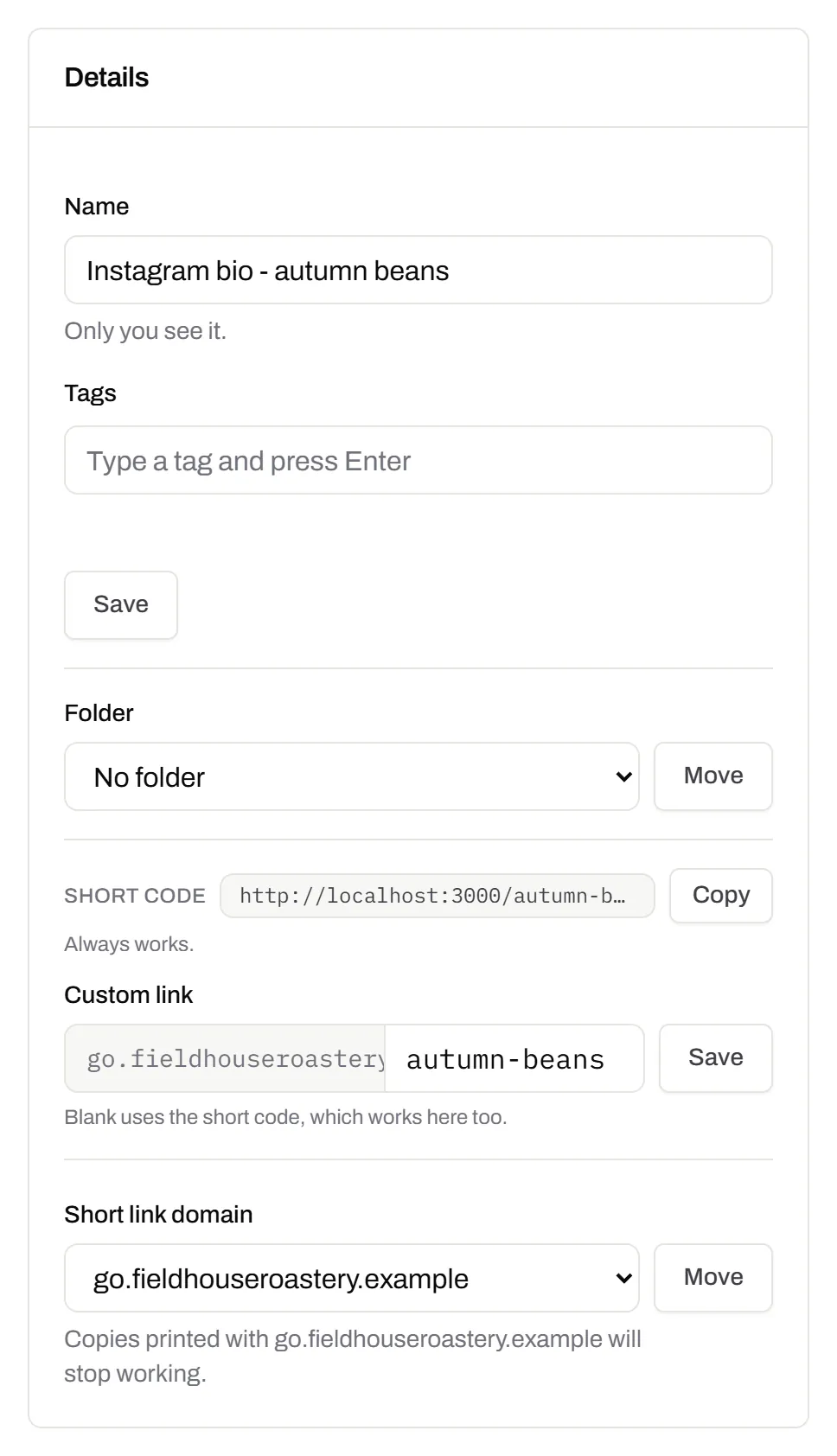
GS1 Digital Link for products
The retail code that carries your GTIN and still opens a web page.Every plan, Free included
Your domain and the GTIN from under the barcode, with batch, serial and dates if you want them, in the link format GS1 set for retail. A phone opens your page; the product data rides along in the address. The GTIN’s check digit is checked before anything is made.
Every plan, Free included
QR codes for packaging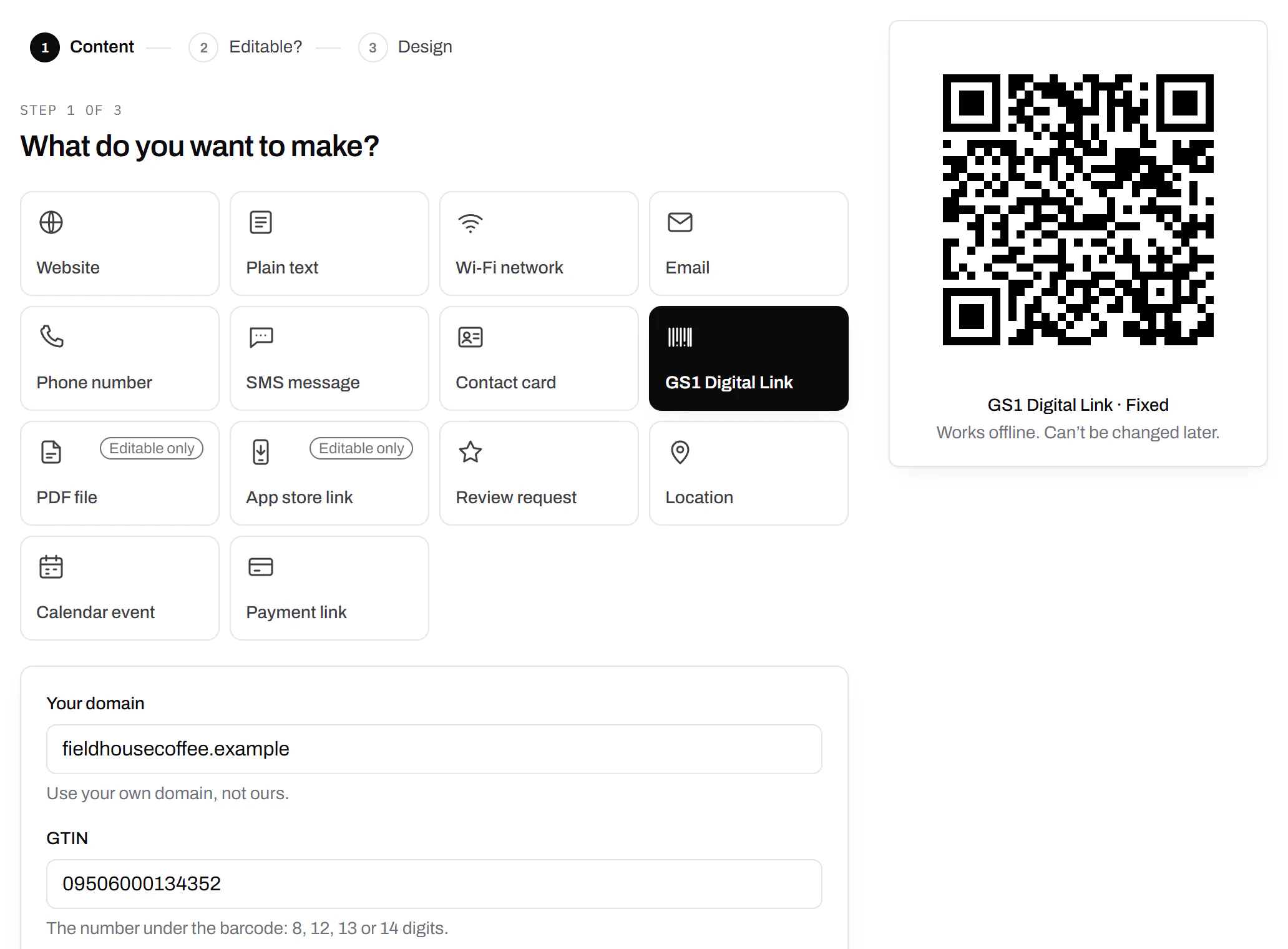
Wi-Fi, contact cards, email, phone and SMS
Networks, contacts, calendar dates and places, not only links.Every plan, Free included
A website, plain text, a Wi-Fi network, an email, a phone number, a text message, a contact card, a GS1 Digital Link, a PDF, a location, a calendar event and more. Most download free, with no account; the few marked “Editable only” need one.
Every plan, Free included
Contact card codes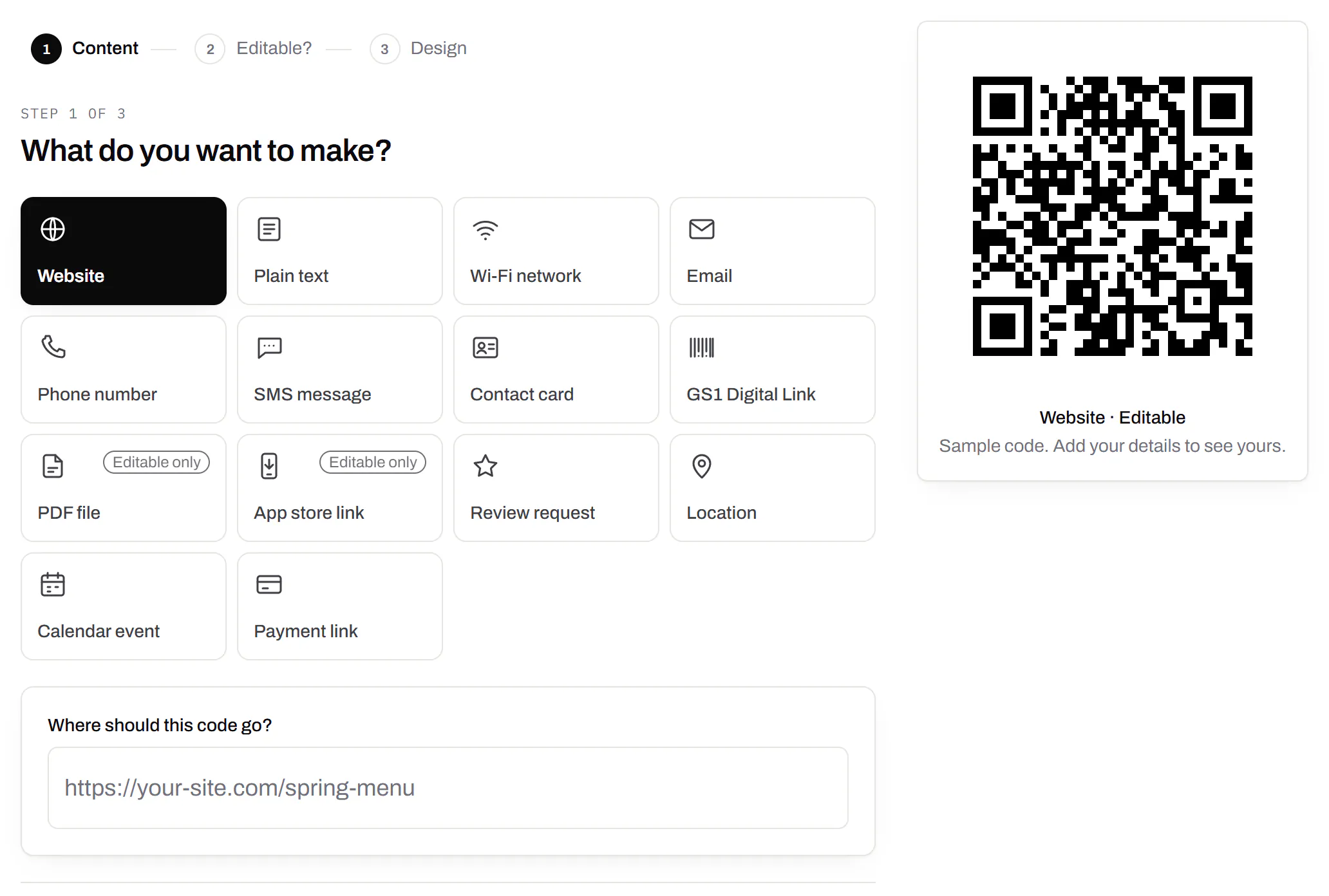
PDF codes you can update
Upload a PDF, print the code, swap the file later.Every plan, Free included
We host the file and the code opens it. Upload a new version and the same printed code opens that one, with the old file kept in its history in case you need it back.
Every plan, Free included
PDF to QR code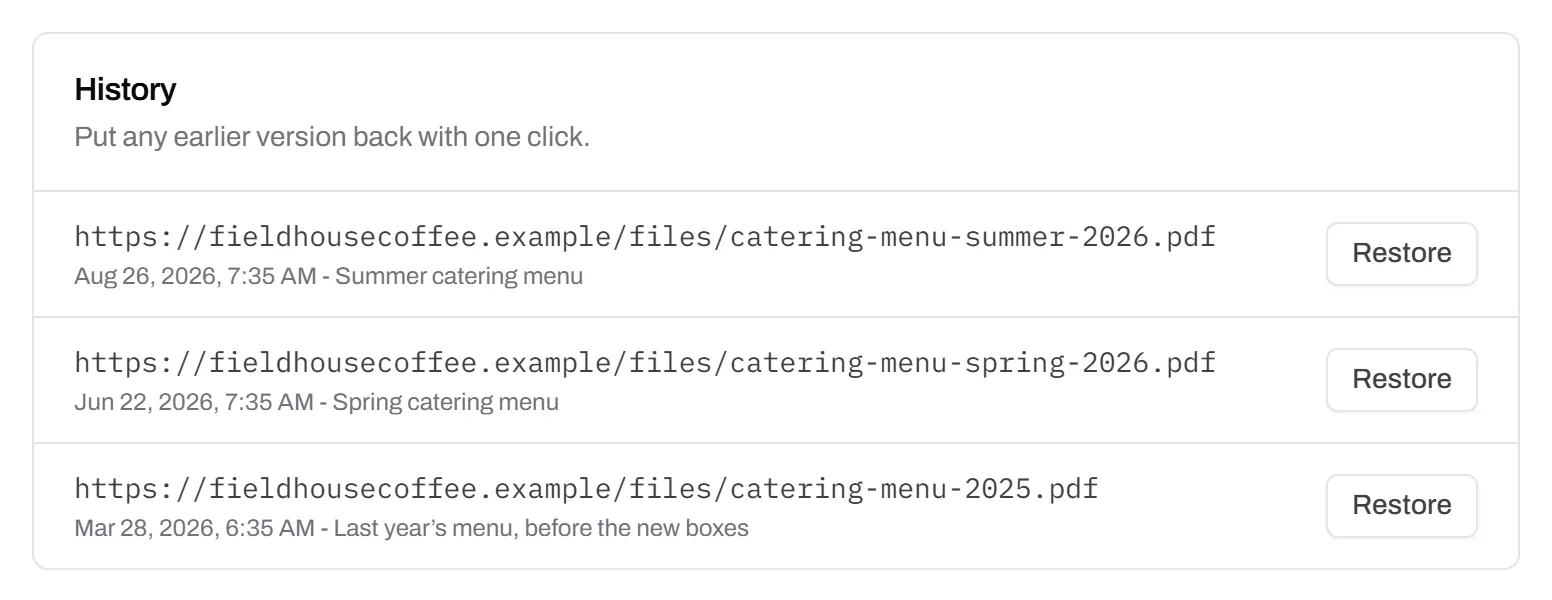
Your logo in the middle
Upload any image; we size it so the code still scans.Every plan, Free included
PNG, JPEG, WebP or GIF, up to 15 MB - we shrink it ourselves, so nobody has to compress a file first. Error correction goes up to make room, and the logo is never allowed to cover more of the pattern than the code can lose.
Every plan, Free included

Print-ready downloads
PNG and SVG on every plan, and a PDF for the printer.PNG and SVG on every plan · PDF on Starter and up
PNG for screens and quick jobs, SVG for anything that gets scaled, and a print-ready PDF on Starter and up.
PNG and SVG on every plan · PDF on Starter and up

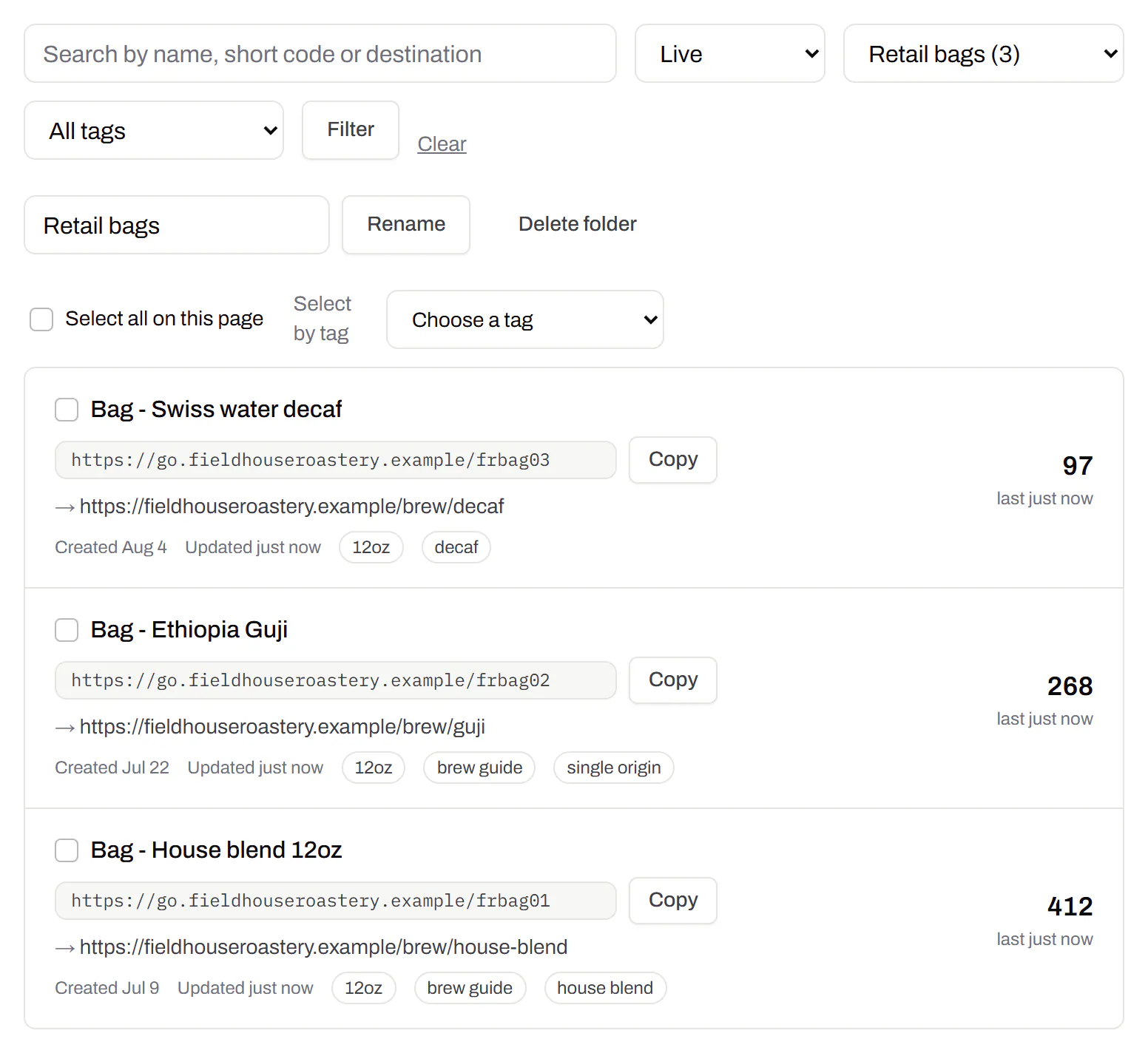
Folders and tags
Keep one location’s or one campaign’s codes together.Starter and up
Put codes in a folder per shop, listing or campaign and filter the list by it. Deleting a folder never deletes a code - they move to No folder, and you can undo it.
Starter and up
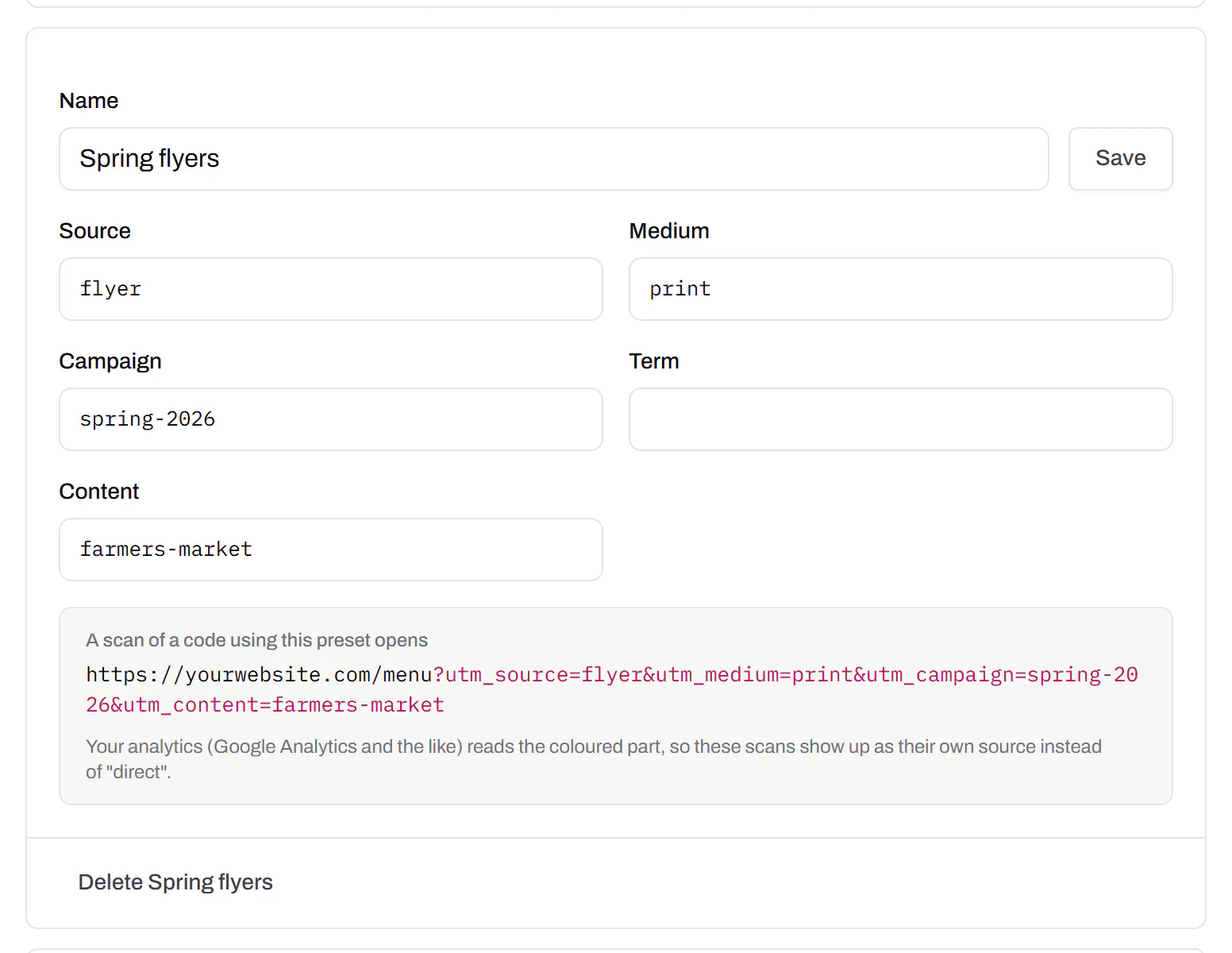
Campaign presets
Saved UTM parameters, so printed scans are not “direct”.Starter and up
A printed code arrives in your web analytics as direct traffic. A preset fills in source, medium and campaign in one click, so the flyer and the table tent show up as themselves.
Starter and up
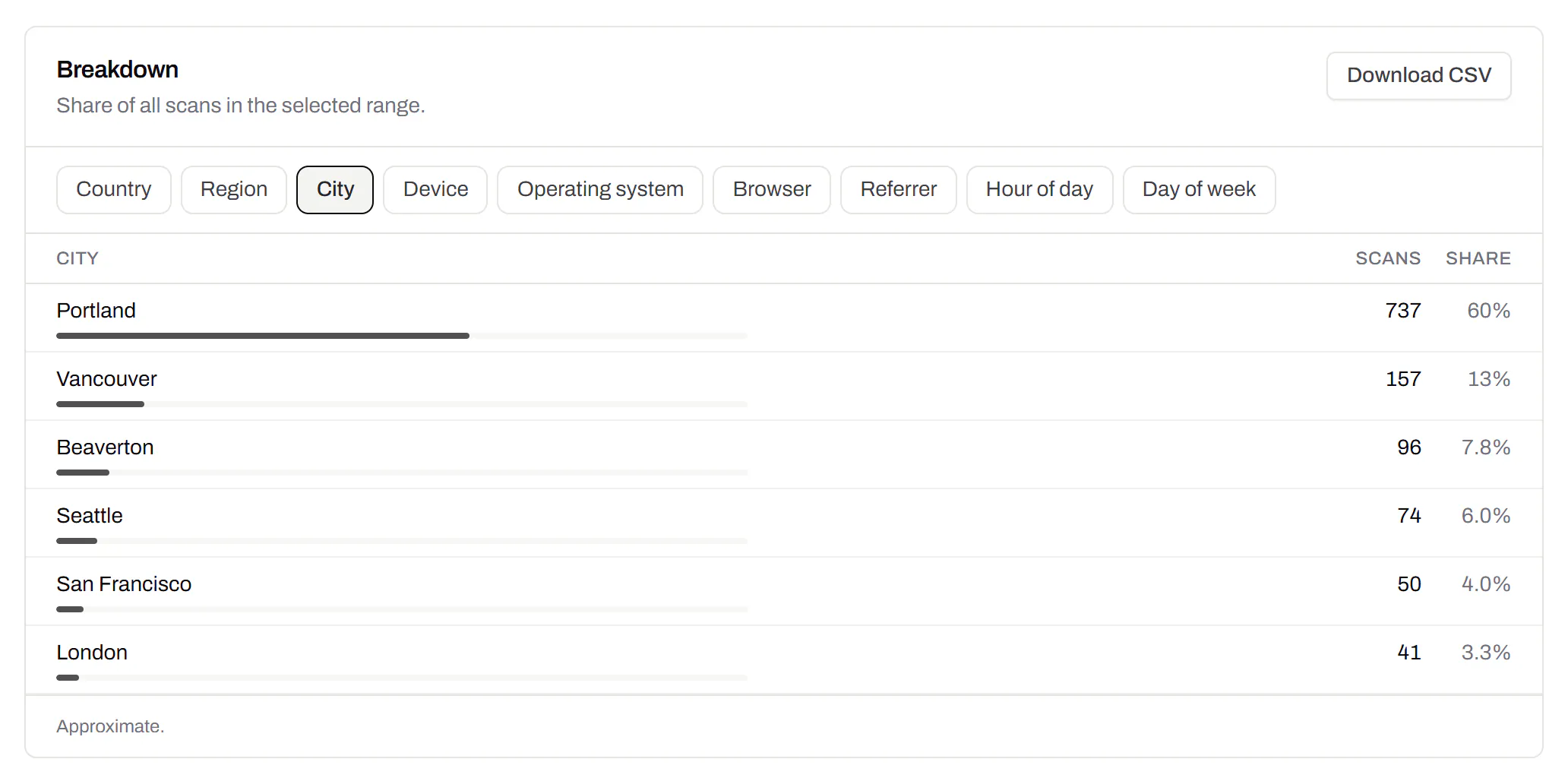
City-level scan locations
Which towns the scans came from, not only which countries.Pro and Business
Scans by city and region for each code, and towns on the live map. Coarse on purpose: the place the phone’s network reports, never a street or a precise position.
Pro and Business
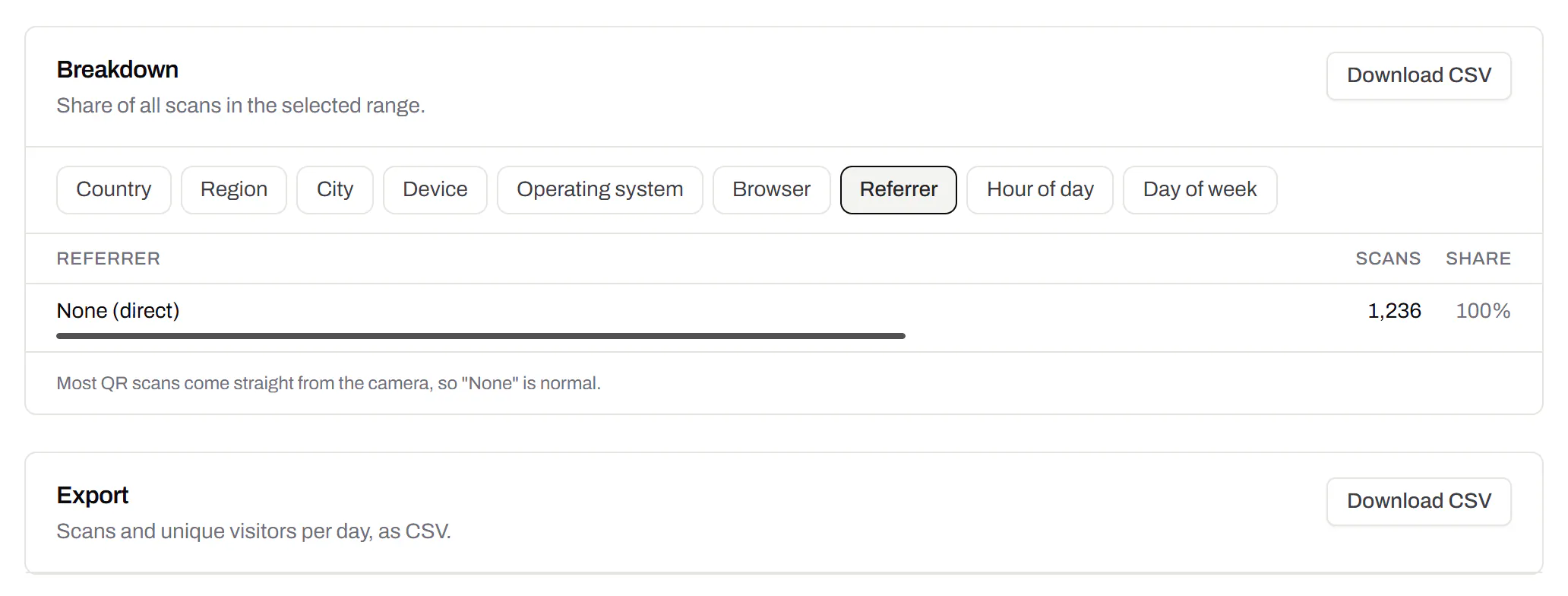
CSV export
Daily scans per code, in a spreadsheet.Pro and Business
Download scans and unique visitors by day for one code or all of them - with each code’s name and short link - as CSV for your own reports, or for whoever asked how the campaign did.
Pro and Business
Webhooks
Your server hears about every scan and every change.Business
Pick the events - a scan, a code made or changed, a form answered, a QR Menu edited - and give us an address. Each one arrives as a signed POST, retried if your server is down, and every delivery is listed with the response it got.
Business
The API and webhooks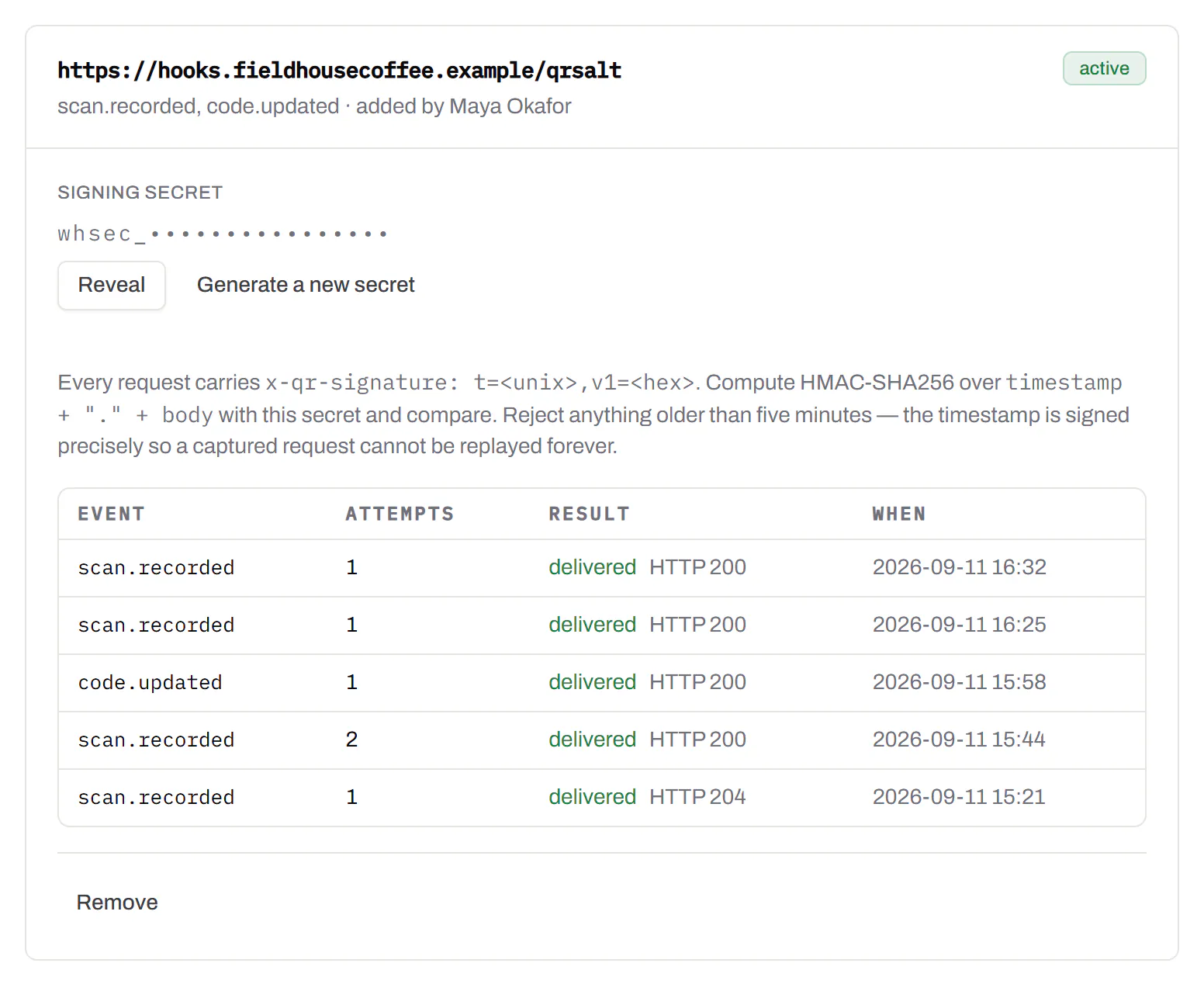
An API for your own software
Make codes, re-point them and render files from your own code.Pro and Business
A REST API for dynamic codes and short links: make them, change where they go, render SVG, PNG or PDF, add your own domains, and change hundreds of codes in one request. No-code tools like Zapier, Make and n8n call it with a plain HTTP step. Every request carries your key, and a key only ever touches its own workspace.
Pro and Business
Every endpoint, with a playground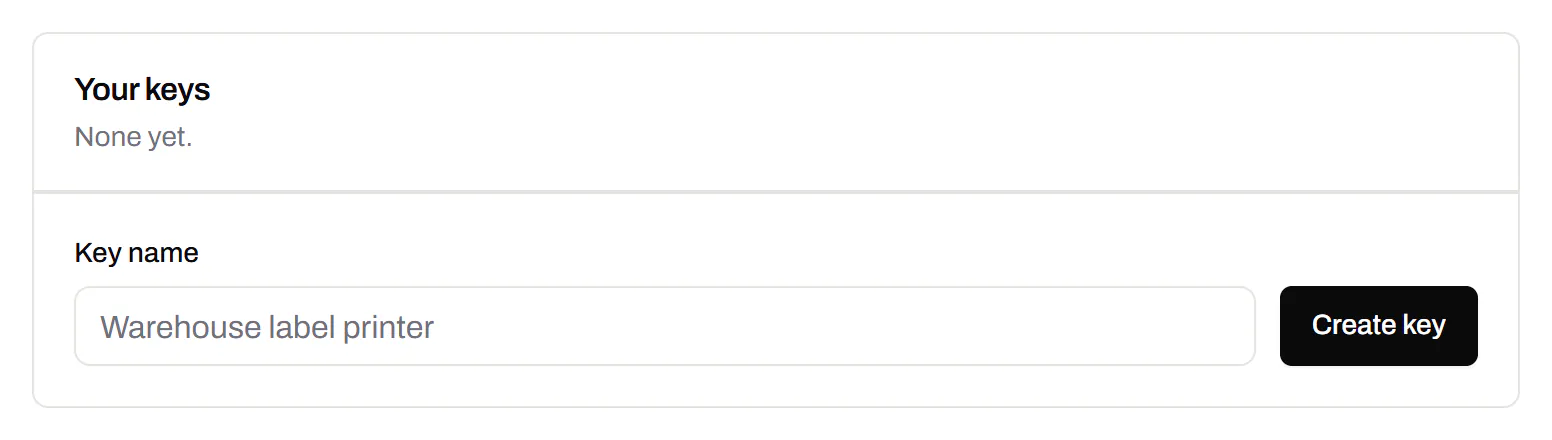
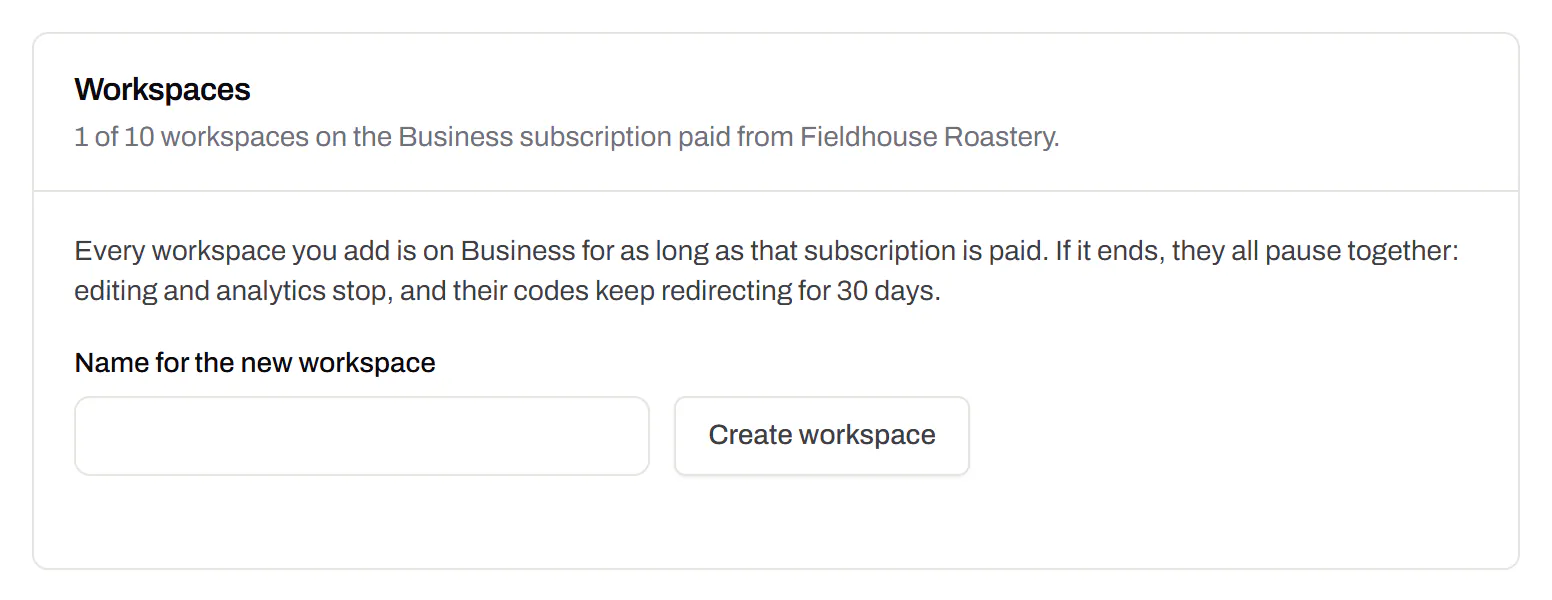
Separate workspaces
One subscription, a workspace per brand or client.Business
Each workspace has its own codes, team and analytics, so a client never sees another client’s. Up to 10 under one subscription.
Business
Priority email support
Paid plans’ emails are answered first.Starter and up
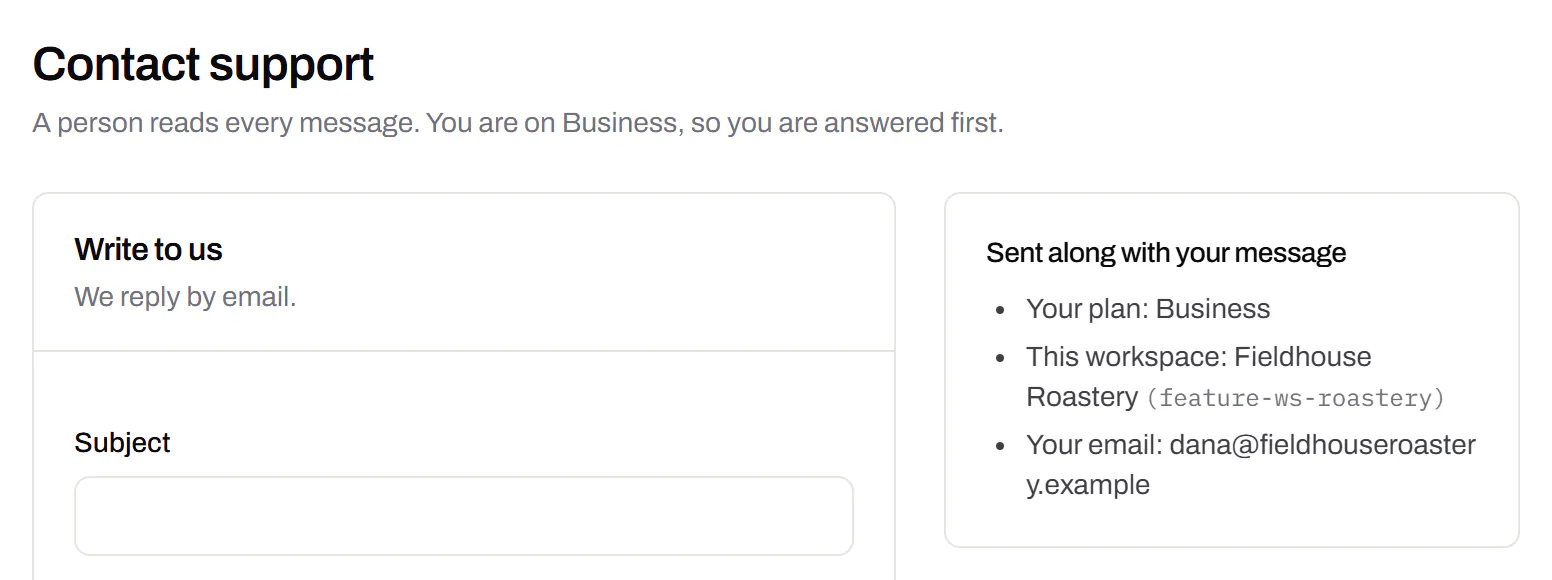
A person reads every message. On a paid plan yours is answered before free accounts’ - an order we keep, not a promised hour. Your plan and workspace go along with it, so nobody has to ask which account is yours.
Starter and up
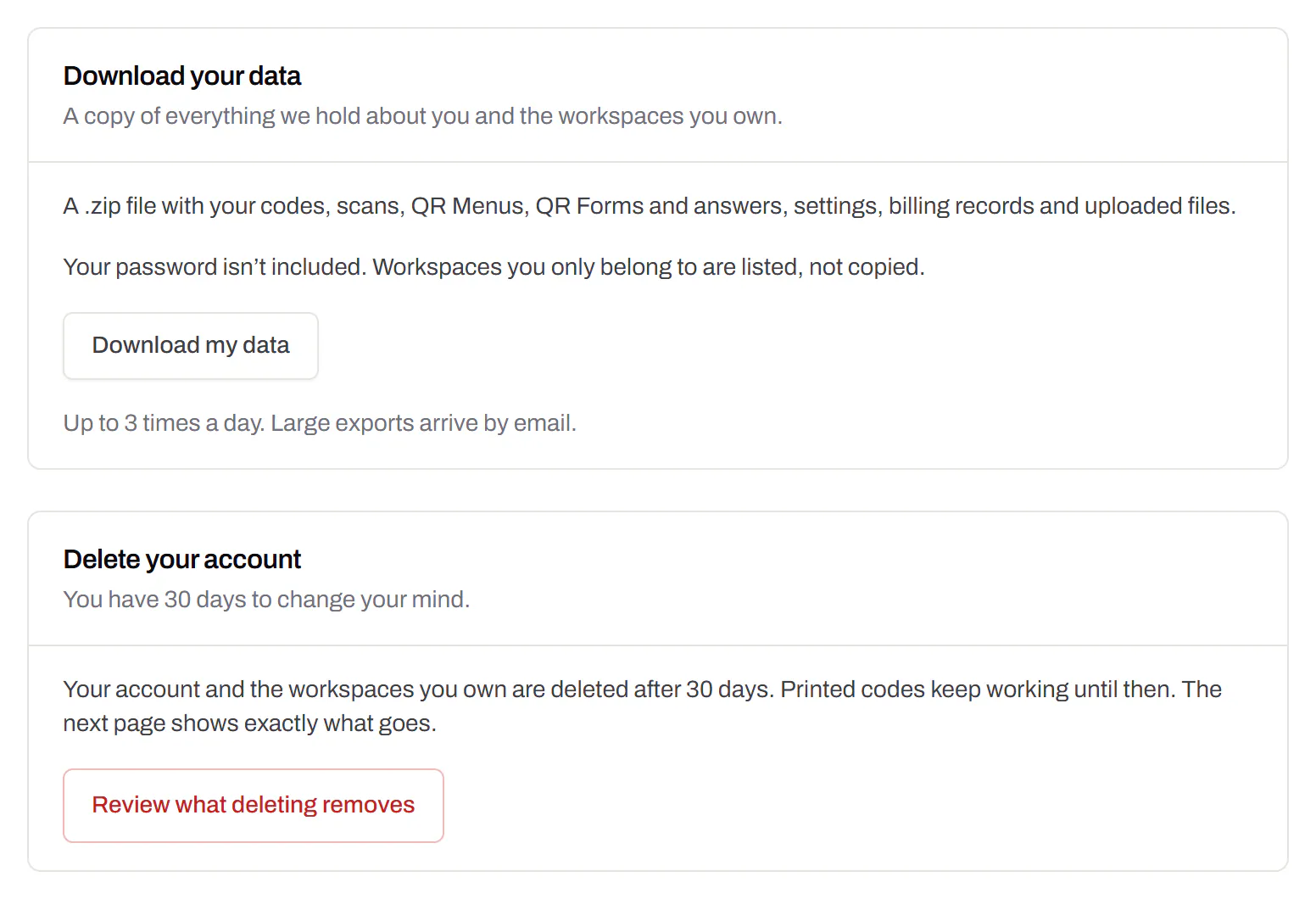
Your data, to take or delete
A full export any time, and deletion you can take back.Every plan, Free included
Download everything - codes, history, scans, form answers and the files you uploaded - as one .zip with spreadsheets inside. Deleting the account gives you 30 days to change your mind, and your printed codes keep working until then.
Every plan, Free included