PayPal QR code
Two different things go by this name, and the useful one is a link rather than a code. Here is how to get each, what PayPal lets you put inside the link, and why the name in it is worth an hour of thought.
Dynamic & Editable
Change where it points after printing, and see who scans it.
Type a destination to download.
This is an example code. Style it now — yours takes its place as you type.
Design
Style
Colour#000000
Shapesquare
Body shape
Corner shape
Inside shape
Framenone
Logonone
Print settingsECC M
On this page
One PayPal.Me name per account, and no way back
PayPal is unusually open about its link: the format is published, an amount goes on the end of it, and a currency code after that. It is also unusually final. PayPal allows one PayPal.Me link per account and states that it cannot be changed or deleted once created — only switched off. That is a fine arrangement for somebody sending a link in a message and a difficult one for anybody committing a name to a printed sign, a van or a thousand stickers.
The amount travels inside the link
Put the figure on the end of your PayPal.Me link and the payer confirms rather than types. Our builder does the same assembly for you and takes any of 16 currencies.
A name you regret stops being permanent
The PayPal.Me name is fixed forever, but the code on the sign need not carry it. Behind one of our short links it becomes a field: switch the old link off, point the code at the new account.
Prices change more often than signs do
A code holding a fixed amount is a price list in ink. Edit the figure on the code in the morning and nobody pays last season’s price by accident.
How to get a PayPal QR code and a PayPal.Me link
PayPal keeps the code in the app and the link on its own site, and the two are set up in different places. These are PayPal’s steps for both, and the test at the end that shows you what a customer actually lands on.
Decide whether you want the code or the link
PayPal keeps two separate things. The QR code in the app is for somebody standing in front of you with a phone camera. The PayPal.Me link is an address you can send, print, shorten or put in a message. Most people printing a sign want the link.
For the app’s code, tap the QR code icon at the top right
PayPal’s help puts it there, says it is free to create and share, and says you may download your code directly and start using it straight away. The customer opens their phone camera or the PayPal app and scans it.
For the link, go to PayPal.Me and generate one
Log in to the PayPal account you already have, or sign up, and generate the link there. PayPal says you can also pick it up from the profile section of your account settings. It costs nothing to set up.
Choose the name carefully, because it is the only one
The name after paypal.me/ is alphanumeric, up to 20 characters, and case-insensitive — capitals only help a reader. PayPal allows one link per account and says it cannot be changed or deleted once it is created, though it can be switched off.
Add the amount, and the currency if it is not your own
PayPal documents this: put the figure on the end of the link, and a currency code after it for another currency. That is the whole mechanism — no form, no setup, and the person paying only confirms rather than typing.
Open it where you are not signed in
Your own browser shows you a version of your link that a customer never sees. Open it in a private window, or on a phone with no PayPal account, and check the name on the page is the one on your sign.
The two PayPal codes, and what each one is really for
People arrive at this search meaning one of two quite different things, and choosing the wrong one wastes a print run. The difference is not cosmetic.
| Question | The app’s QR code | Your PayPal.Me link |
|---|---|---|
| Where it comes from | The QR code icon in the app’s upper right corner | Generated at PayPal.Me, or found in your account settings |
| Is the format published | No. It is an image PayPal hands you | Yes: paypal.me and your name, with an amount allowed on the end |
| Can it carry a price | Not documented as part of the code | Yes, and a currency code after the figure |
| Can it be read out loud | No | Yes, which is why it belongs in a message or on a receipt |
| What it costs to make | PayPal calls making and sharing it free | PayPal says there is no fee to set one up |
| Who it suits | A customer in front of you with a phone camera | A sign, an invoice, a message or anything printed |
What PayPal lets you put in the link, and what it does not
This is the only platform in this cluster that documents its own address, so it is the only one where typing a link from a rule rather than copying it is a reasonable thing to do.
The name
Letters and numbers only, up to twenty characters. Case is ignored by PayPal, so capitals are purely for the reader’s benefit — and worth using, because a name in one lowercase run is harder to read off a sign.
The amount
A figure on the end of the link, which arrives already filled in. This is the difference between a customer confirming a payment and a customer working out what to type while a queue forms.
The currency
A currency code after the figure, for being paid in something other than your own. Useful on a stall that sees visitors, and the reason a PayPal link travels better than a US-only app.
A business account’s limit
PayPal states that business accounts can only accept Goods and Services payments through PayPal.Me. Worth knowing before you assume a tip jar and a shop can share one account.
What PayPal does not document, and this page therefore does not claim, is anything about protection, disputes or which fee applies to which kind of payment through a link or a code. Its own fees page is linked from the article on QR code payments, and it is the only place worth reading on that.
Living with a PayPal.Me name you cannot take back
A trading name changes, a partnership splits, an account is replaced. PayPal’s answer is that the link can be switched off but not edited, which means the address on your sign is only as permanent as your intentions were on the day you picked it.
A code made here does not carry the PayPal address in its pattern. It carries a short link of ours, and the PayPal.Me name sits behind it as a field. Switch the old link off at PayPal, put the new account in the field, and the sign that was already screwed to the wall opens the new checkout from the next scan. The same field is how a switch from PayPal to something else stops being a print job.
Be clear about what that is and is not. We do not create a PayPal code, we are not connected to PayPal, we do not issue or hold anything on your PayPal account, and no money passes through us at any point — it goes from the person paying to your account, under PayPal’s terms and PayPal’s fees. What a scan meets first is a page of ours that names you and the account being paid, so the person can check the two agree, with one button that hands them to PayPal and a link to report the code if the names do not match.
Pair that with a hostname of your own under the code and the sign reads as yours rather than as ours. Custom domains are on Starter and above, and the page on custom domain QR codes covers the DNS side of it.
PayPal codes, answered
How do I get a PayPal QR code?
Open the PayPal app and use the QR code icon in its top right corner. PayPal calls making and sharing the code free, says it can be downloaded there and then, and describes the payment happening when a customer scans it — with a camera, or with PayPal itself.
Is there a PayPal QR code generator?
PayPal’s own app is the only thing that makes a PayPal code. The builder above makes a code holding one of our short links, with your PayPal.Me link behind it as an editable field — useful precisely because PayPal’s own name is fixed for good.
Can I put an amount in a PayPal QR code?
In a PayPal.Me link, yes. PayPal documents putting the figure after your name, followed by a currency code when the money should arrive in something other than your own. The builder above assembles that, so the payer confirms a total instead of typing one.
Can I change my PayPal.Me link?
PayPal says no. One link per account, and once created it cannot be changed or deleted — it can only be turned off. That is why it is worth keeping the name out of the printed pattern and behind something you can edit.
Does a PayPal QR code cost anything to make?
PayPal says creating and sharing the code is free, and that setting up a PayPal.Me link has no fee either. Transaction fees are a separate matter and PayPal’s own fees page, linked from its article on QR code payments, is the only reliable account of them.
Can a business use PayPal.Me?
Yes, with one limit PayPal states plainly: by this route a business account may take Goods and Services payments and nothing else. If you were expecting one account to serve as both a shop and a tip jar, read PayPal’s own article before ordering any printing.
Does the person paying need the PayPal app?
A PayPal.Me link opens in a phone browser, which is one reason it suits a sign in front of strangers. PayPal’s own QR code is described as something the customer scans with their camera or the PayPal app, so the two are not interchangeable.
What does your code actually do for a PayPal payment?
It opens a page that names you and the PayPal account being paid, shows the amount and your note, and hands the person to PayPal with one button. The payment itself happens at PayPal, under PayPal’s terms, and none of the money is ever ours to touch.
Venmo is PayPal’s own US app and works nothing like this — the username is editable and the rules about being paid for goods are stricter, on the Venmo QR code page. For every provider at once, including Revolut, Wise and a Stripe Payment Link, see the payment QR code page.
Check it at the source
- PayPal: What’s PayPal QR code payments?. That it is free to create and share, that you may download it, and the link to its fees
- PayPal: how to use a PayPal QR code. Where the code lives: the QR icon PayPal puts in the corner of the app
- PayPal.Me FAQs. The link format, the 20-character name, one per account, the amount and currency, and the business-account limit
- PayPal.Me. Where the link itself is created
Last reviewed , against the product as it works today.
Nothing here takes a percentage of a PayPal payment
PayPal’s fees are between you and PayPal, and none of the money comes past us. An account here pays for codes and for editing them: Free includes 3 with no card, and Starter is $12 a month.
Free
Free
Unlimited static codes. Three editable ones that never expire.
- Unlimited static QR codes, forever
- 3 editable items in total — dynamic QR codes, QR Menus and QR Forms share them
- Dynamic codes never expire, and each comes with a short link
- Short links on their own, no QR code needed
3dynamic codes
Starter
$12/mo
For one business with codes out in the world.
- 5 QR Menus
- QR Forms
- GS1 Digital Links we host, so a printed pack can be re-pointed
- Advanced tracking and analytics
100dynamic codes
Pro
Most chosen$39/mo
For agencies and teams running codes at scale.
- 50 QR Menus
- Unlimited analytics history
- 10 custom domains
- API access
600dynamic codes
Business
$99/mo
For organisations running codes across many brands.
- 400 QR Menus
- 50 custom domains
- Up to 25 team members and team management
- Up to 10 workspaces
2,000dynamic codes
Unlimited scans on every plan. Cancel online in two clicks. Compare every plan and feature
The rest of the toolbox
Open a row to see the screen and which plan has it.
Custom domains
Short links on your own domain, chosen code by code.Starter and up
Codes open go.yourbrand.com/menu rather than a link with our name in it, so the address under the code is yours. You add two DNS records and we check them. Then pick the domain for each code as you make it, or move a whole list of codes onto it at once.
Starter and up
QR codes on your own domain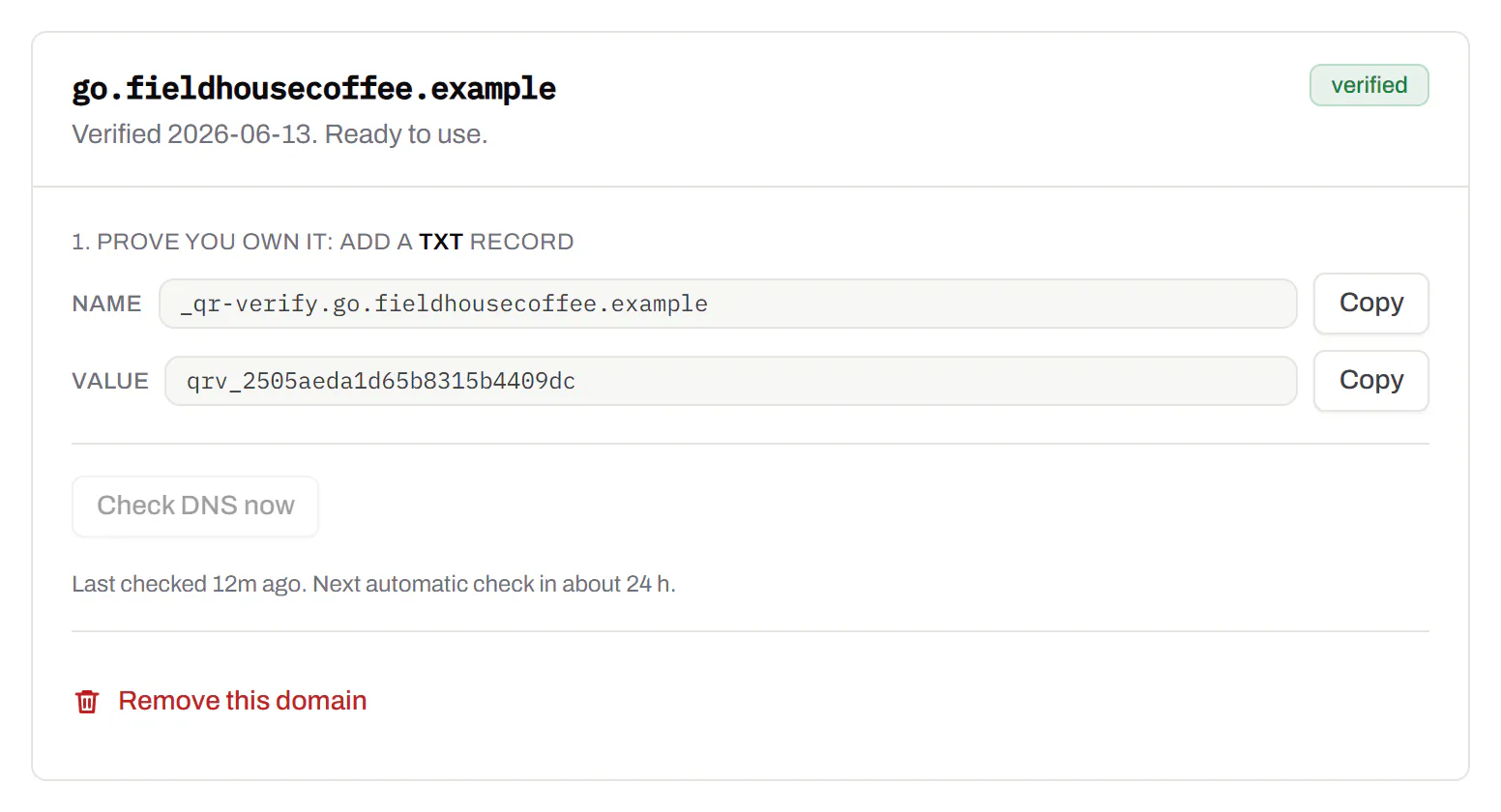
Bulk QR code generator
A spreadsheet in, one dynamic code per row out.Starter and up
Paste or upload a list of names and links, match the columns, and get a dynamic code for every row - one per table, stall, badge or product - each with its own scans and destination.
Starter and up
The bulk generator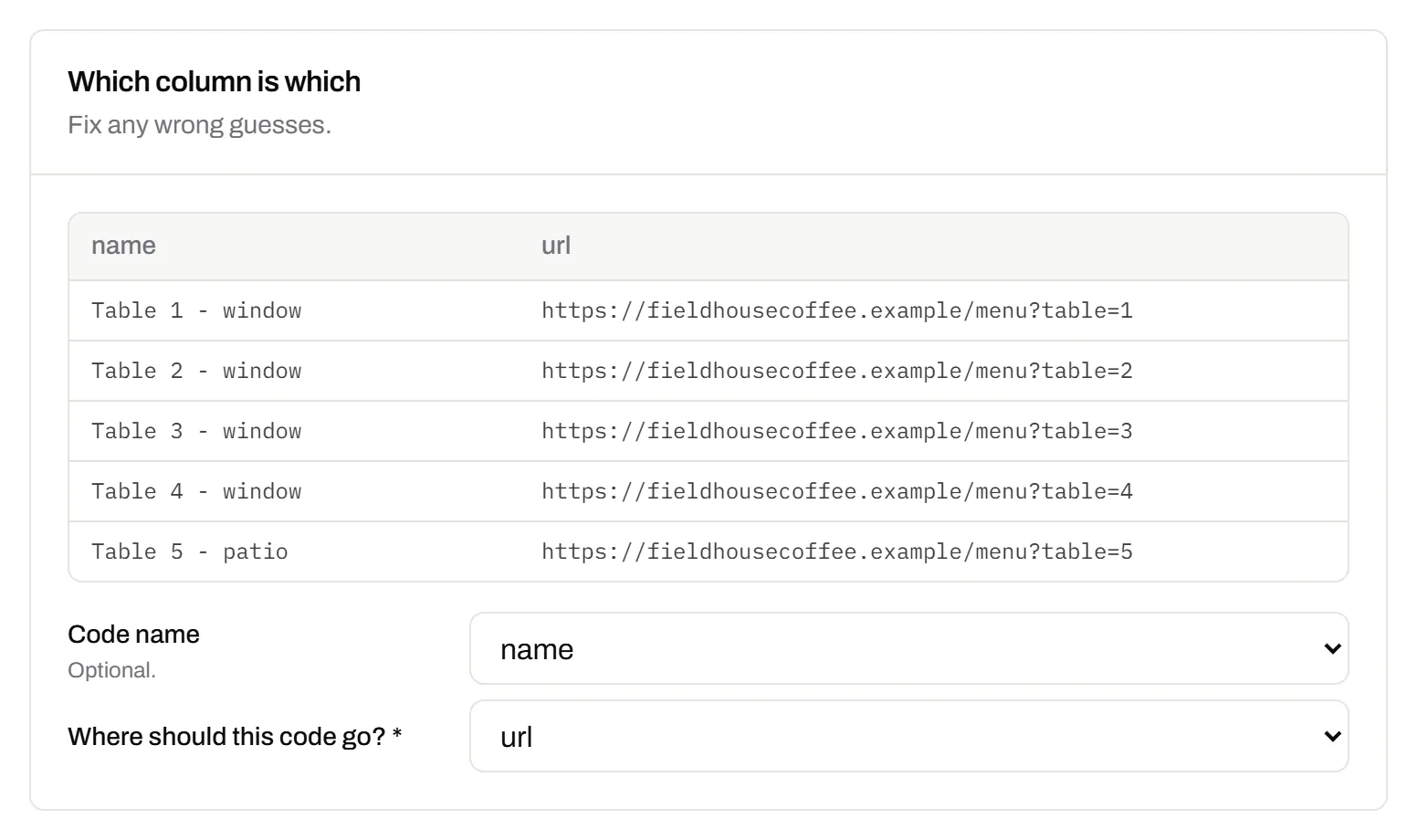
Change many codes at once
Tick the codes, then pause, tag, file or move them together.Pause and resume on every plan · folders and tags on Starter and up
Tick codes in the list, or pick every code with a tag, and pause or resume them, add or remove tags, move them to a folder or onto your own domain, or add campaign tags, in one go. The API does the same in one request.
Pause and resume on every plan · folders and tags on Starter and up
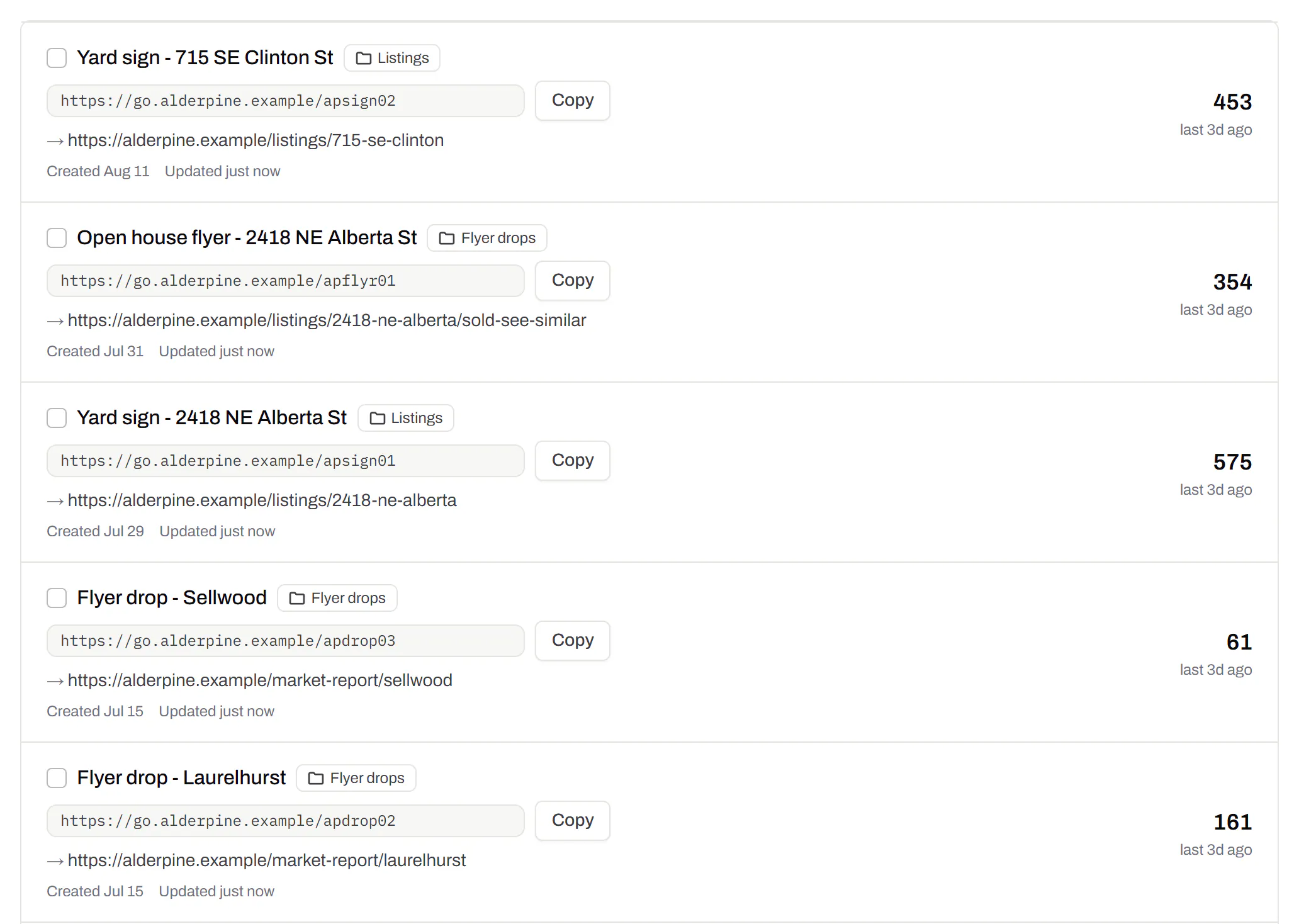
Short links, with your own ending
The link on its own, for a bio, an email or an ad.Every plan · custom endings on Business
Paste a link and get a short one you can change, route and count, with no QR code unless you want one. Every dynamic code already has its short link beside it, and a short link gets its QR code in one click - the same link, so clicks and scans count together. On Business you choose how the link ends, like /spring-menu, instead of random letters.
Every plan · custom endings on Business
The URL shortener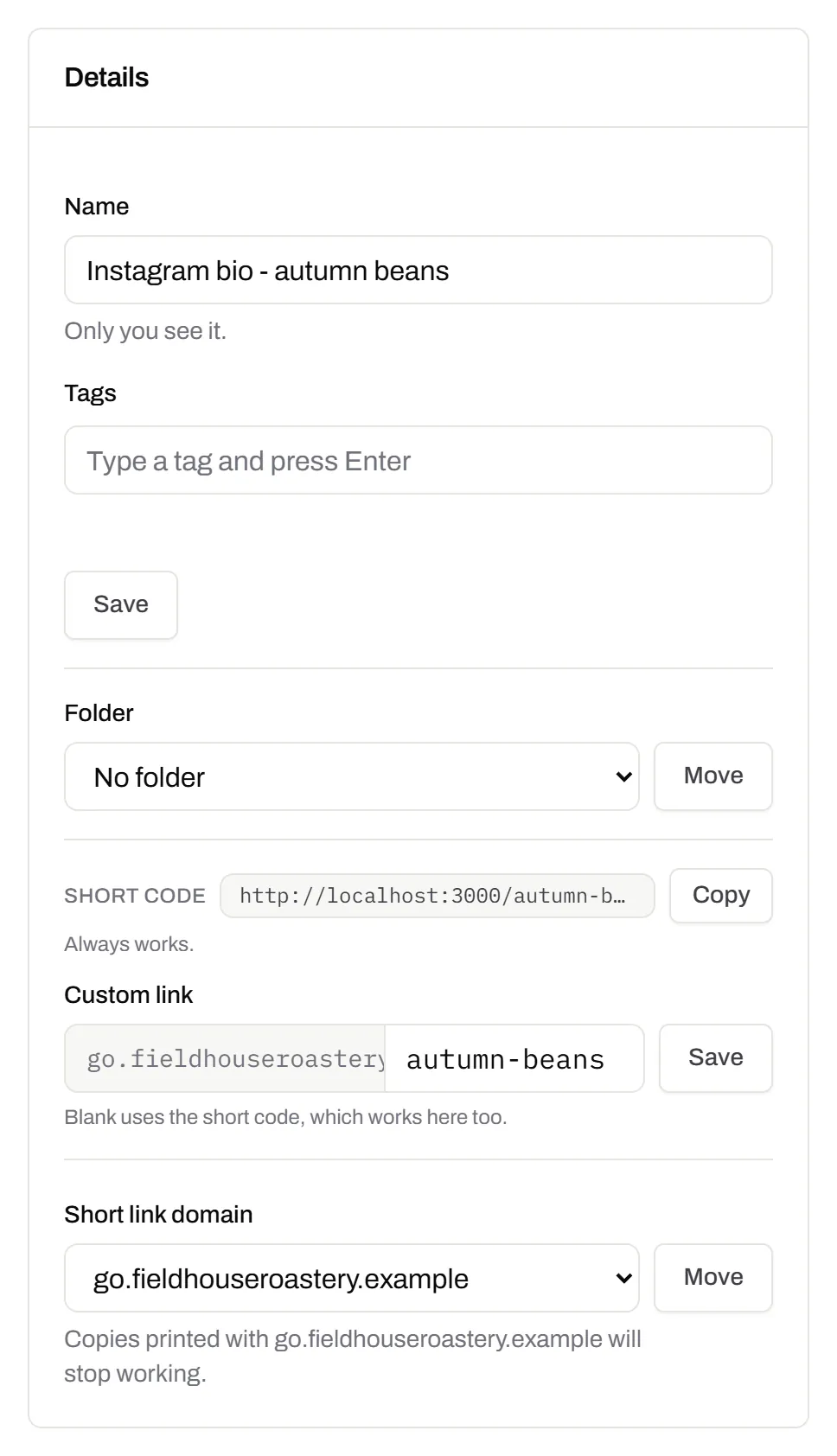
GS1 Digital Link for products
The retail code that carries your GTIN and still opens a web page.Every plan, Free included
Your domain and the GTIN from under the barcode, with batch, serial and dates if you want them, in the link format GS1 set for retail. A phone opens your page; the product data rides along in the address. The GTIN’s check digit is checked before anything is made.
Every plan, Free included
QR codes for packaging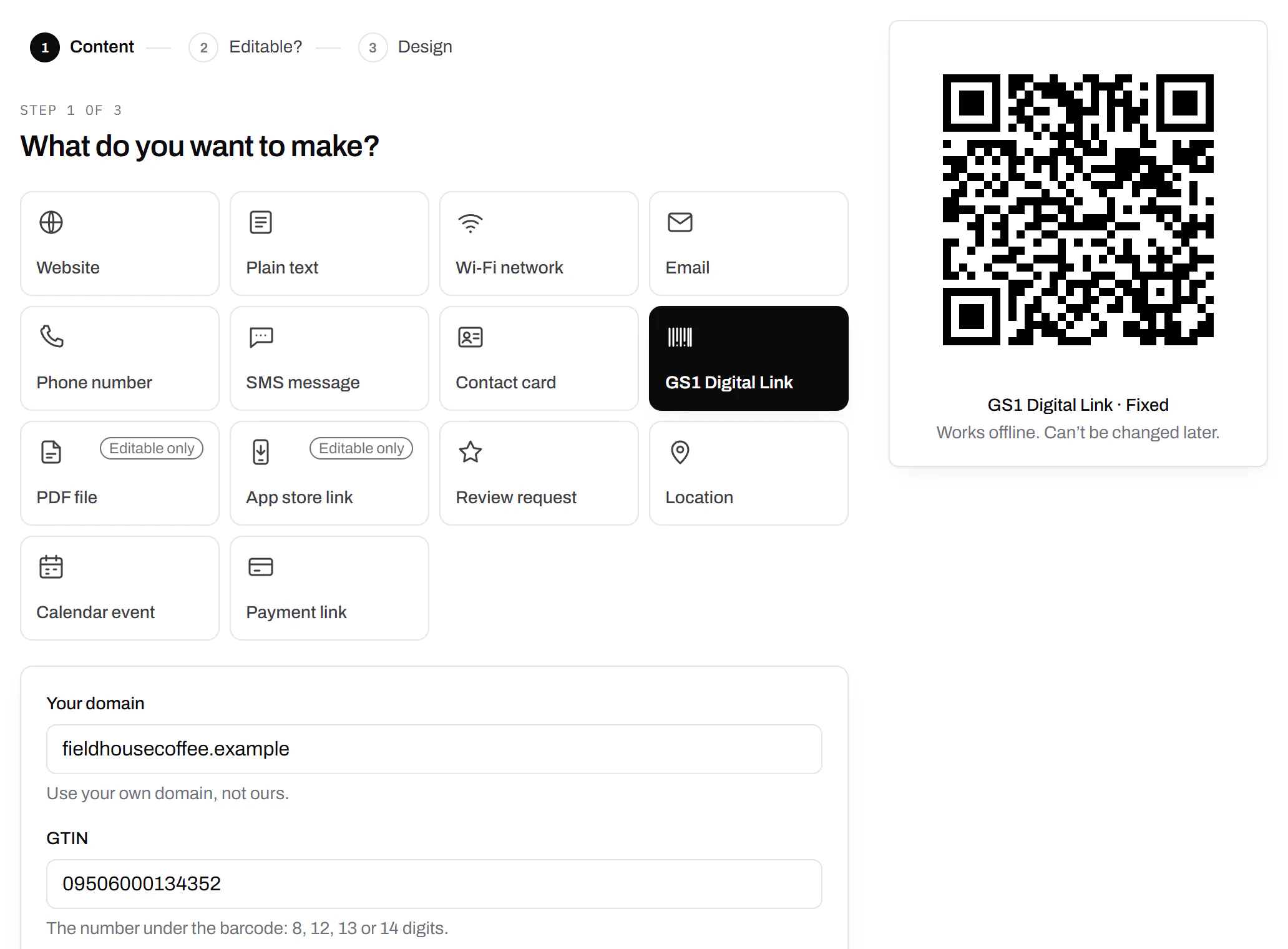
Wi-Fi, contact cards, email, phone and SMS
Networks, contacts, calendar dates and places, not only links.Every plan, Free included
A website, plain text, a Wi-Fi network, an email, a phone number, a text message, a contact card, a GS1 Digital Link, a PDF, a location, a calendar event and more. Most download free, with no account; the few marked “Editable only” need one.
Every plan, Free included
Contact card codes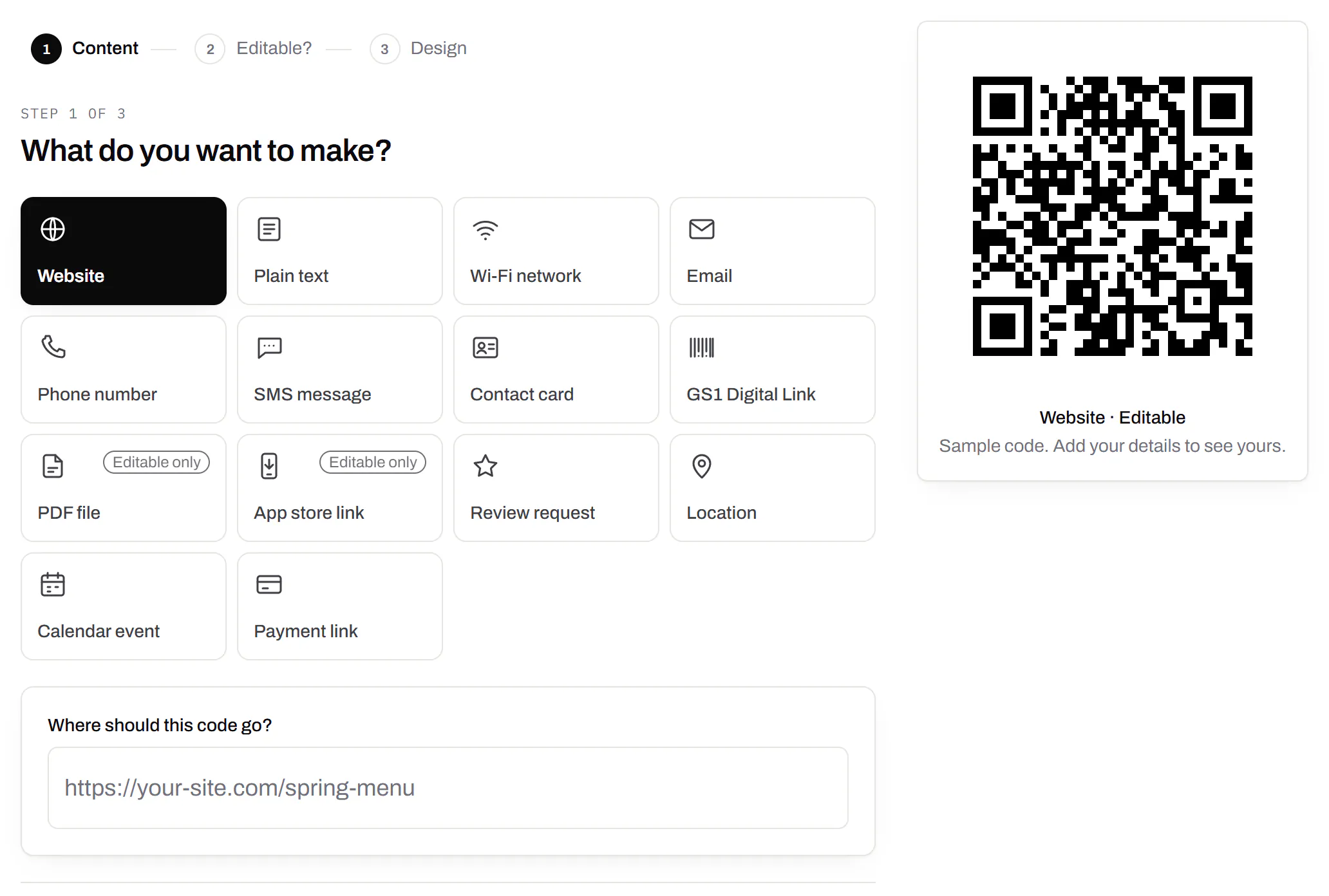
PDF codes you can update
Upload a PDF, print the code, swap the file later.Every plan, Free included
We host the file and the code opens it. Upload a new version and the same printed code opens that one, with the old file kept in its history in case you need it back.
Every plan, Free included
PDF to QR code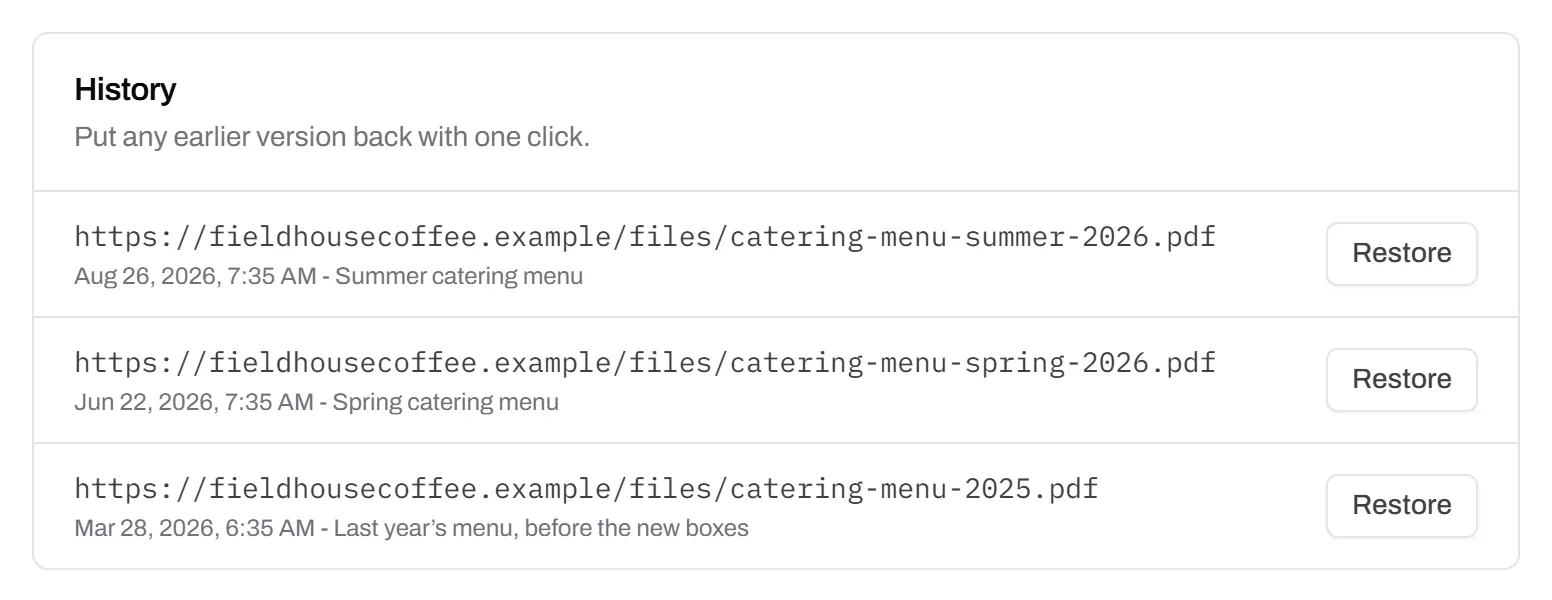
Your logo in the middle
Upload any image; we size it so the code still scans.Every plan, Free included
PNG, JPEG, WebP or GIF, up to 15 MB - we shrink it ourselves, so nobody has to compress a file first. Error correction goes up to make room, and the logo is never allowed to cover more of the pattern than the code can lose.
Every plan, Free included

Print-ready downloads
PNG and SVG on every plan, and a PDF for the printer.PNG and SVG on every plan · PDF on Starter and up
PNG for screens and quick jobs, SVG for anything that gets scaled, and a print-ready PDF on Starter and up.
PNG and SVG on every plan · PDF on Starter and up

Folders and tags
Keep one location’s or one campaign’s codes together.Starter and up
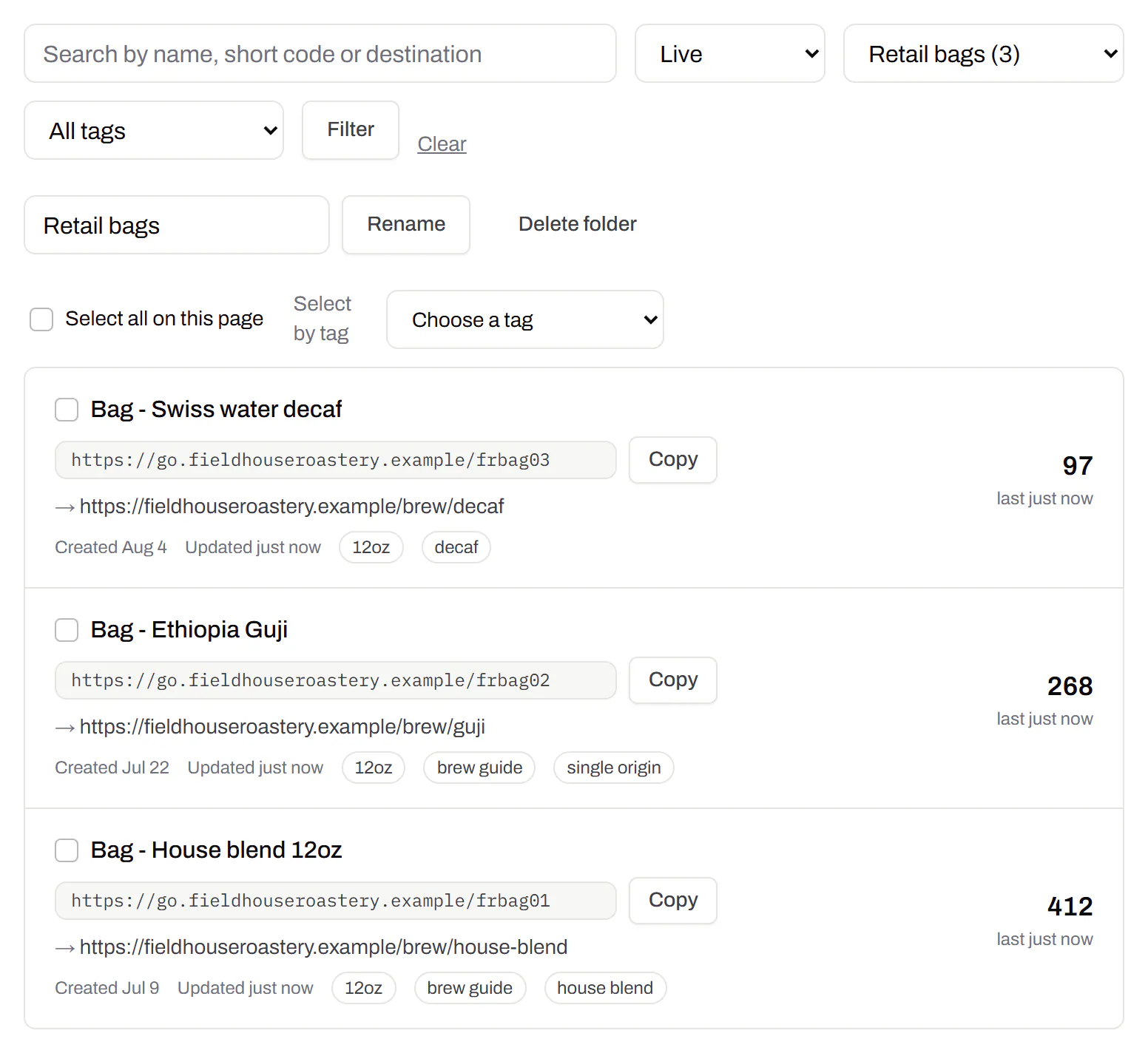
Put codes in a folder per shop, listing or campaign and filter the list by it. Deleting a folder never deletes a code - they move to No folder, and you can undo it.
Starter and up
Campaign presets
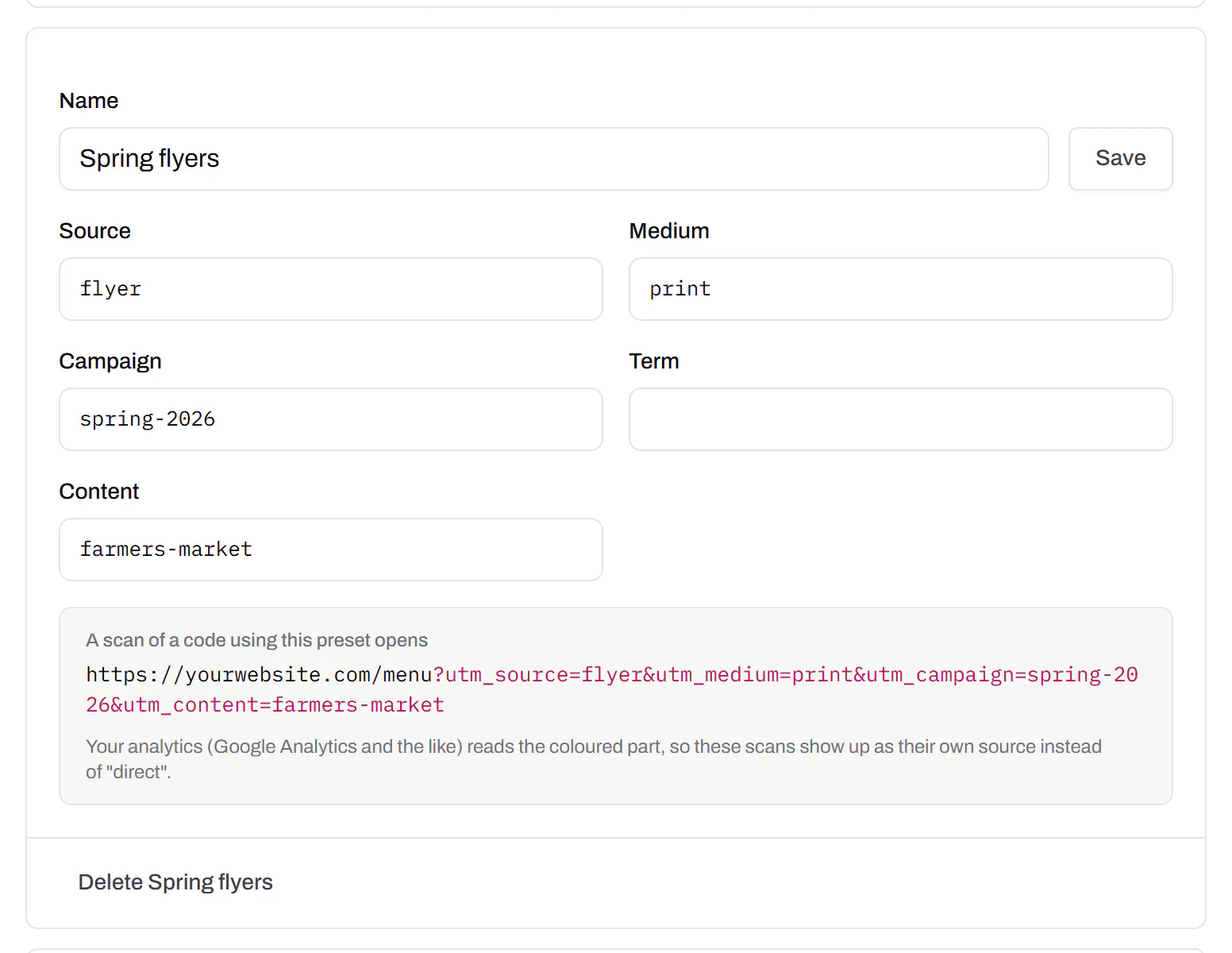
Saved UTM parameters, so printed scans are not “direct”.Starter and up
A printed code arrives in your web analytics as direct traffic. A preset fills in source, medium and campaign in one click, so the flyer and the table tent show up as themselves.
Starter and up
City-level scan locations
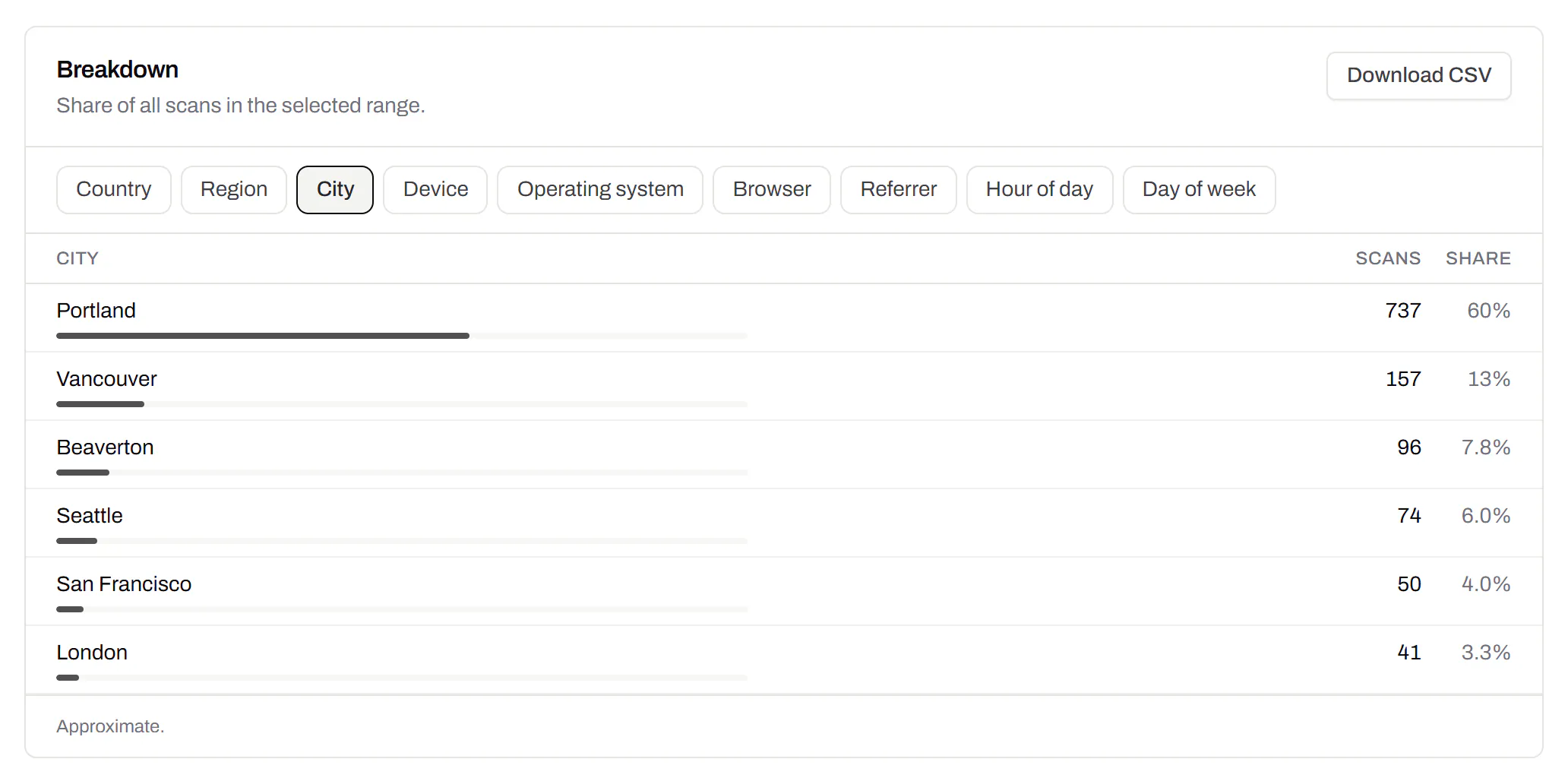
Which towns the scans came from, not only which countries.Pro and Business
Scans by city and region for each code, and towns on the live map. Coarse on purpose: the place the phone’s network reports, never a street or a precise position.
Pro and Business
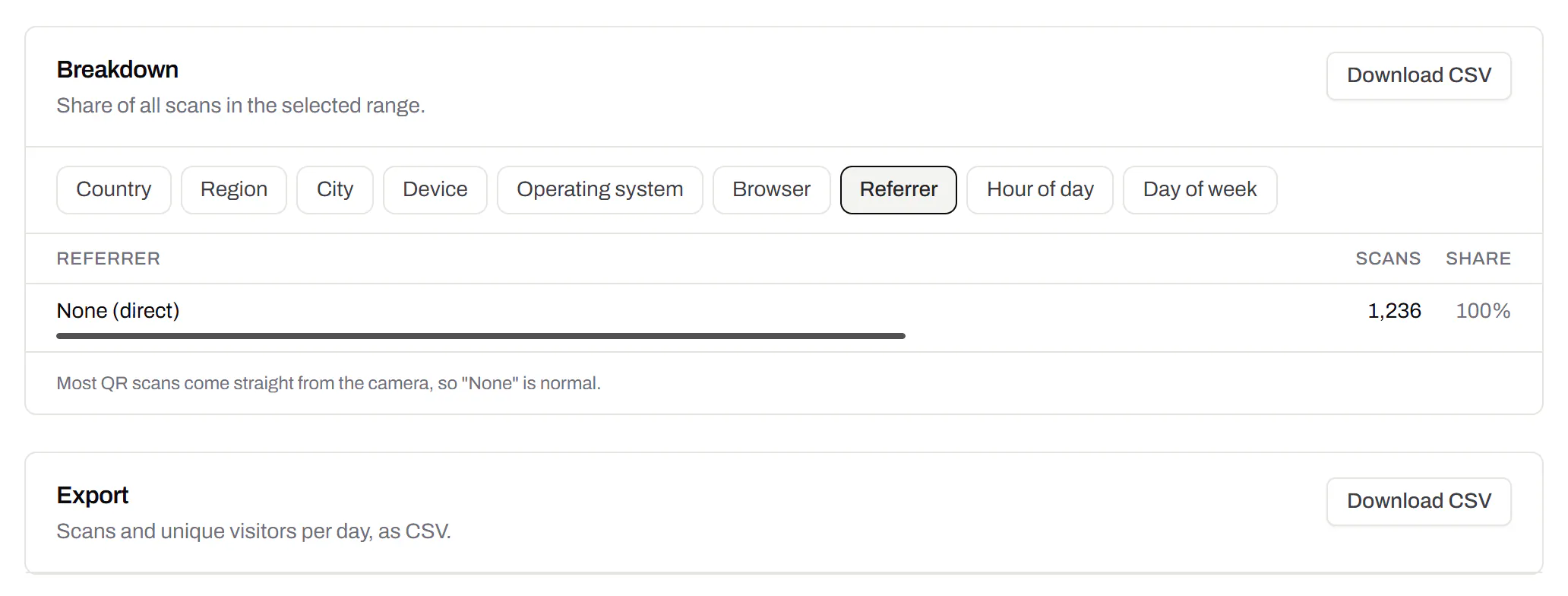
CSV export
Daily scans per code, in a spreadsheet.Pro and Business
Download scans and unique visitors by day for one code or all of them - with each code’s name and short link - as CSV for your own reports, or for whoever asked how the campaign did.
Pro and Business
Webhooks
Your server hears about every scan and every change.Business
Pick the events - a scan, a code made or changed, a form answered, a QR Menu edited - and give us an address. Each one arrives as a signed POST, retried if your server is down, and every delivery is listed with the response it got.
Business
The API and webhooks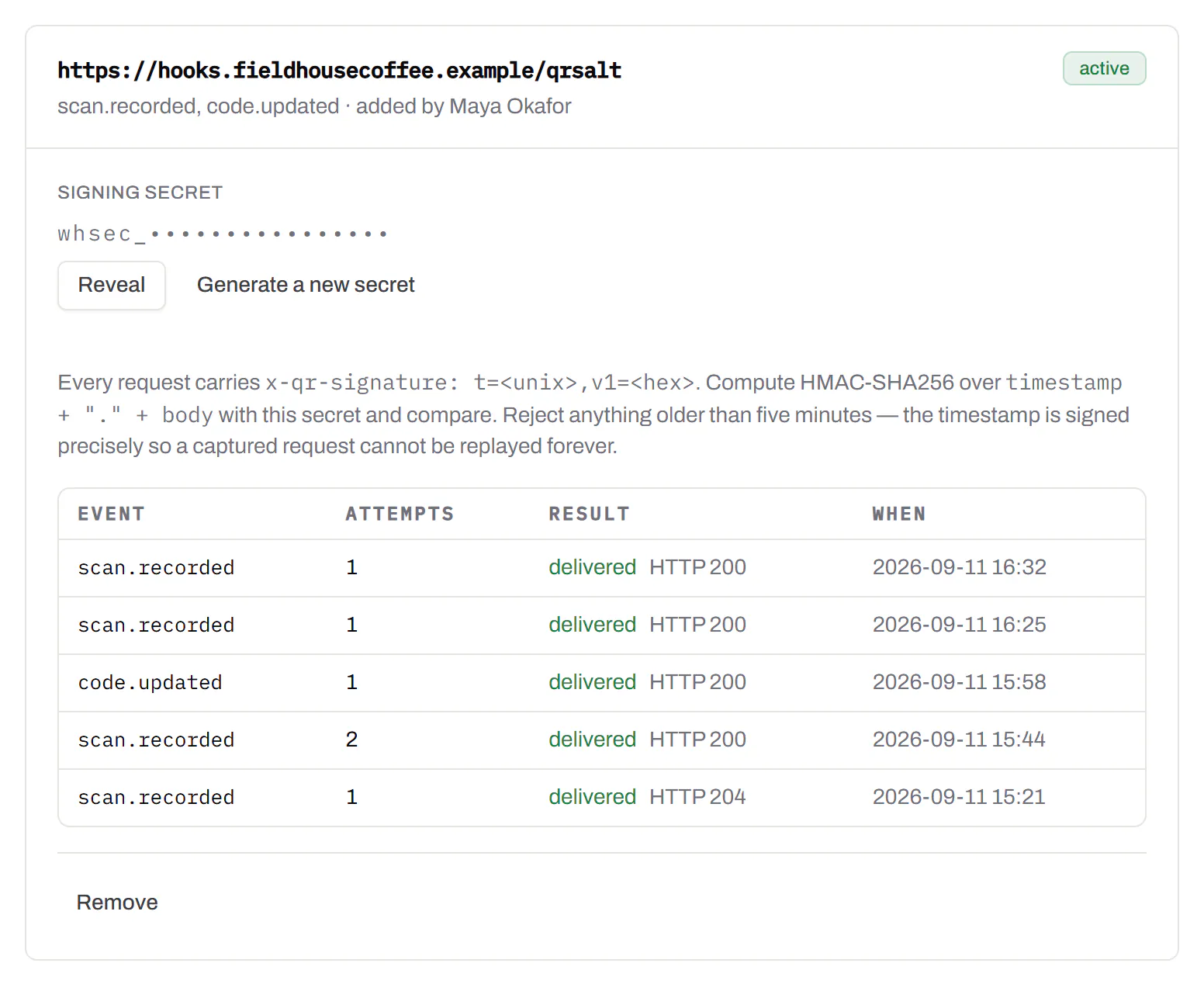
An API for your own software
Make codes, re-point them and render files from your own code.Pro and Business
A REST API for dynamic codes and short links: make them, change where they go, render SVG, PNG or PDF, add your own domains, and change hundreds of codes in one request. No-code tools like Zapier, Make and n8n call it with a plain HTTP step. Every request carries your key, and a key only ever touches its own workspace.
Pro and Business
Every endpoint, with a playground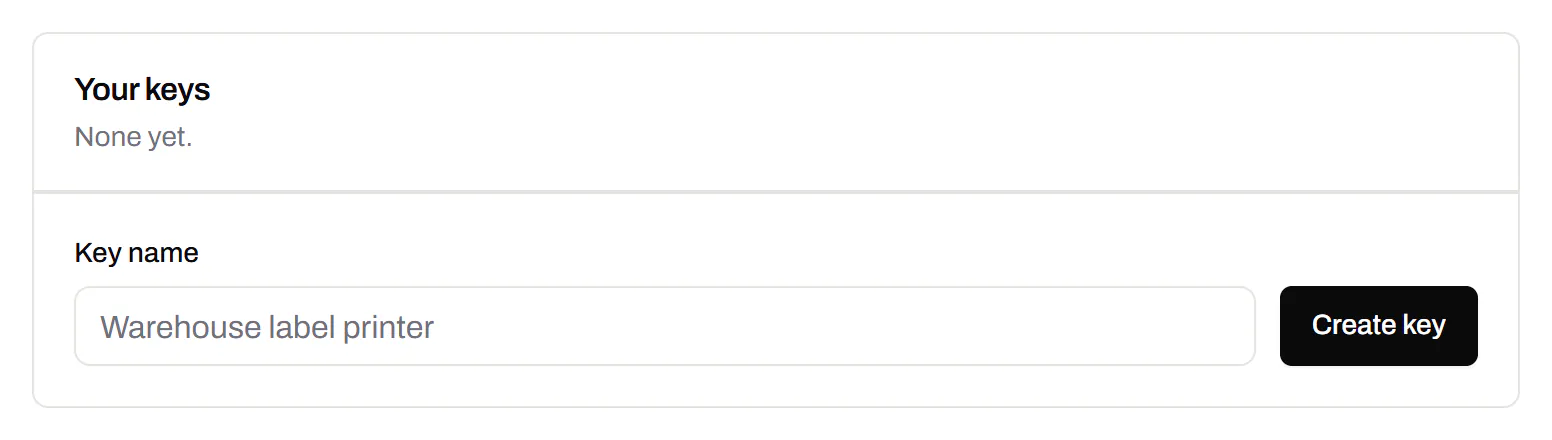
Separate workspaces
One subscription, a workspace per brand or client.Business
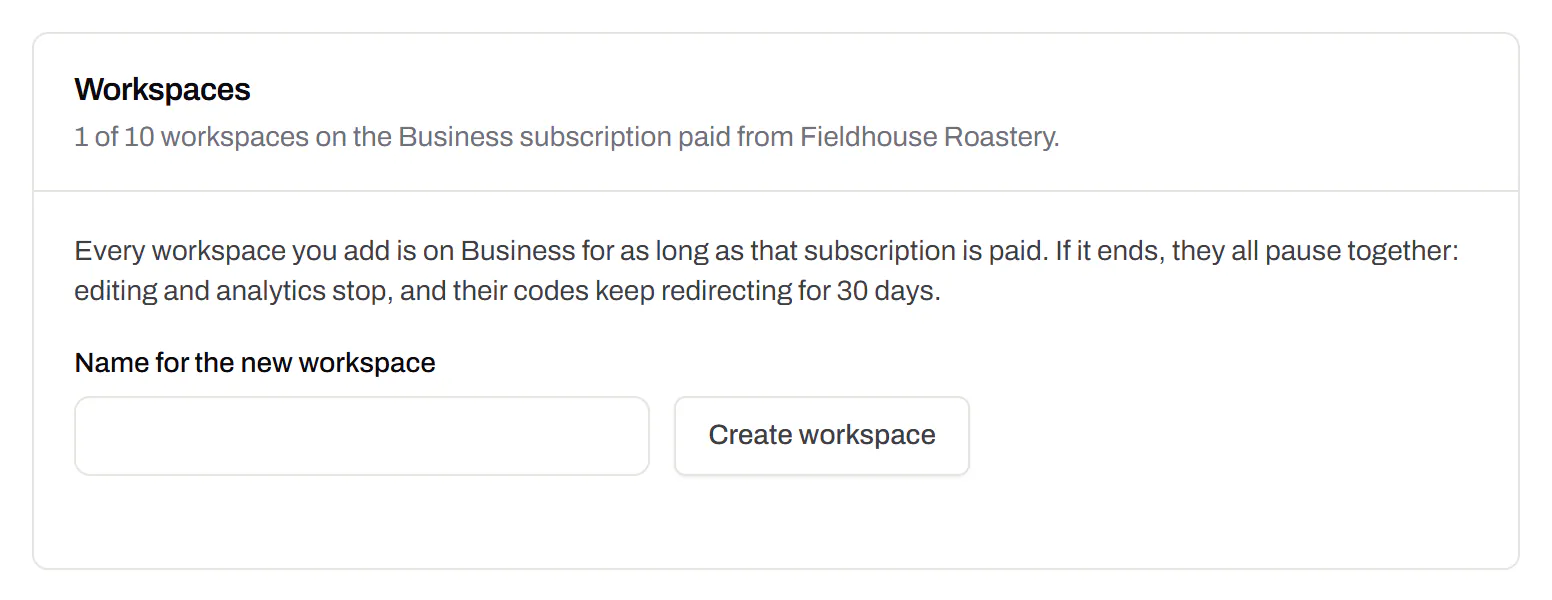
Each workspace has its own codes, team and analytics, so a client never sees another client’s. Up to 10 under one subscription.
Business
Priority email support
Paid plans’ emails are answered first.Starter and up
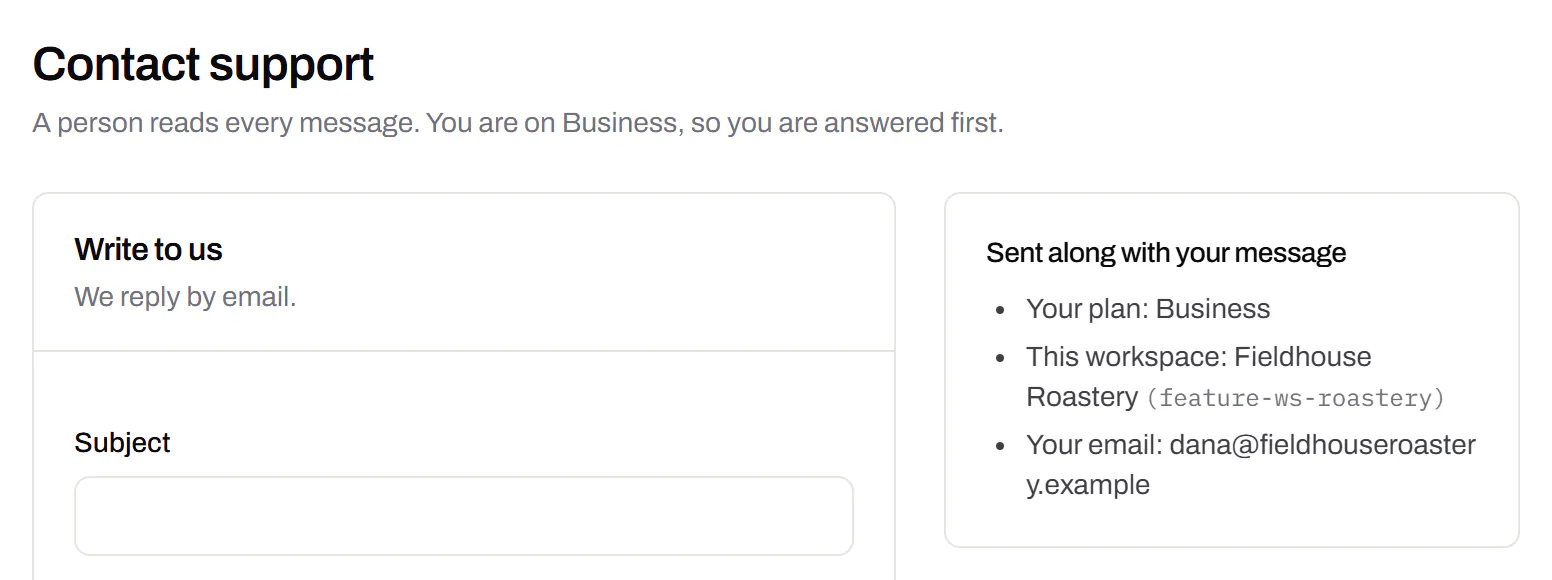
A person reads every message. On a paid plan yours is answered before free accounts’ - an order we keep, not a promised hour. Your plan and workspace go along with it, so nobody has to ask which account is yours.
Starter and up
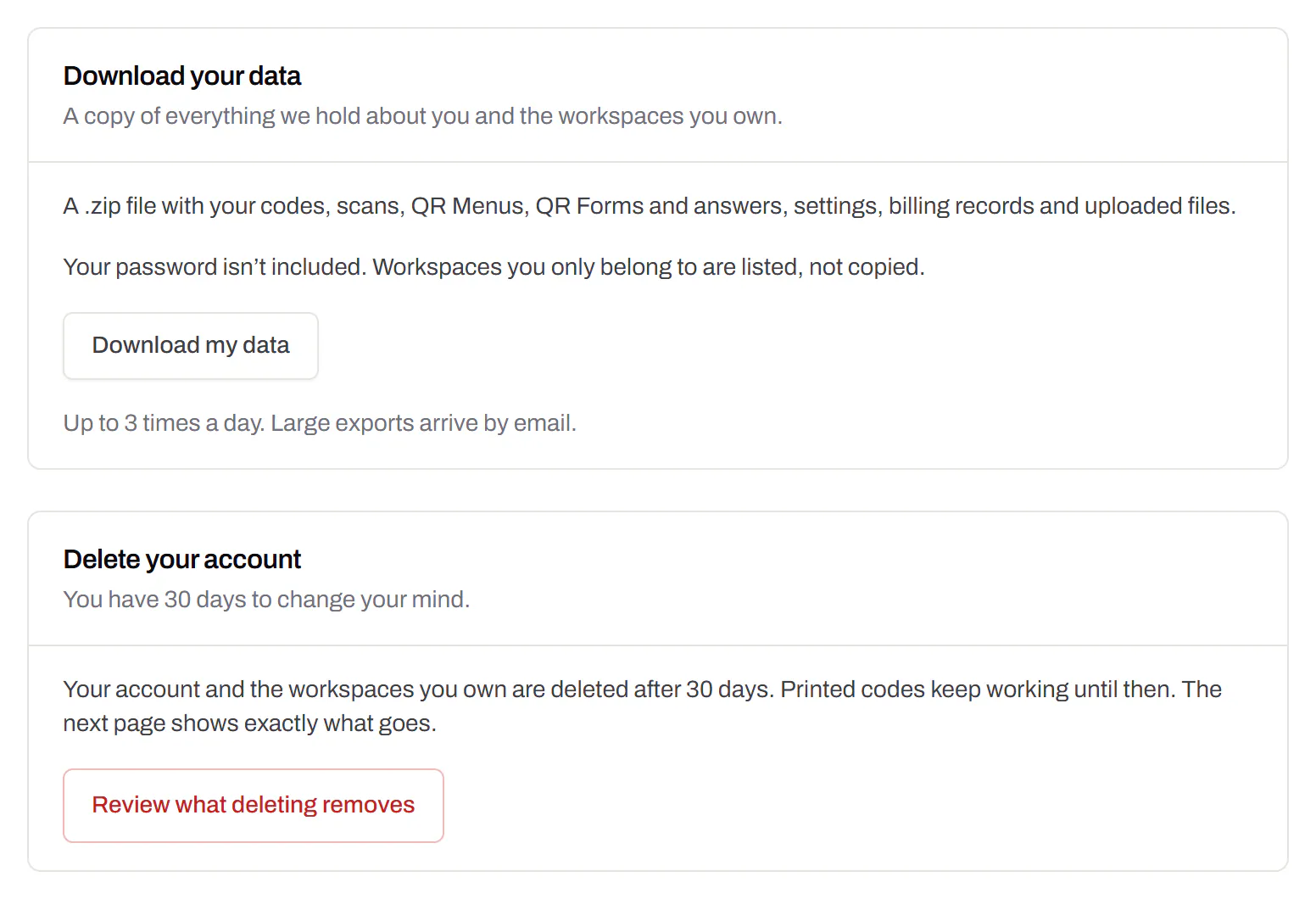
Your data, to take or delete
A full export any time, and deletion you can take back.Every plan, Free included
Download everything - codes, history, scans, form answers and the files you uploaded - as one .zip with spreadsheets inside. Deleting the account gives you 30 days to change your mind, and your printed codes keep working until then.
Every plan, Free included