QRCode Monkey alternative, starting with what theirs does well
Their free generator is good, and this page says so before it says anything else. What it covers is the two things their own pages tell you about the free tool that most people find out later: the codes are static, and the PRO button leaves their website. Their pages were read on 21 September 2026.
Or make a static code signed out, on the home page.
- Their pages read 21 September 2026
- No account for a static code
- 500 in one free batch
On this page
What their free tool already gives you
Four promises from their own pages, quoted rather than characterised, because every one of them is worth having and none of it is in dispute.
The codes do not stop working
Their FAQ answers the expiry question with “They do not expire and will work forever”, and the scan question with “There is no limit”. Both are true of any static code, theirs and ours alike: the image holds the address, nothing sits in the middle, and there is no server that can be switched off.
You may sell things with them
Asked about commercial purposes, their FAQ says the codes “can be used for whatever you want”. No licence to read, no attribution, no watermark on the download. Worth knowing, because plenty of free generators are quieter about this than they are.
Four file formats, none held back
PNG, SVG, PDF and EPS, with a note on their own page that the two print formats carry no colour gradients. Nothing on those pages puts a format behind a payment, which is one more format than we offer.
No account, and nothing kept
The generator runs without signing up, and their FAQ says the image files are cached for 24 hours “to optimize the performance” and the data is not saved or reused. A code made and downloaded leaves nothing behind.
What “static” costs you once it is printed
Not a criticism of their tool. It is a property of the kind of code both free tools make, and the only question is whether your job can live with it.
Their FAQ is precise about this: the codes it makes are static. The address is part of the pattern, the same way a phone number printed on a card is part of the card. Nothing in the middle means nothing to pay for and nothing to break — which is exactly why their “forever” promise is safe to make — and it also means the pattern is the address for good.
The bill arrives when the address changes and the print run has already happened. A thousand flyers pointing at a page that no longer exists, a menu code pointing at last season’s PDF, a shelf label pointing at a discontinued line. The code still scans perfectly; it simply arrives somewhere useless, and the only repair is another print run.
So the honest rule is narrow. If the thing behind the code will outlive the paper — a Wi-Fi password, a phone number, a contact card, a link to a homepage that is not going anywhere — static is the right answer and the free tool that makes it does not matter much. If you would be nervous printing five hundred of something, that is the case a code you can re-point exists for, and Free here holds 3 of them with no card.
Where their PRO button actually goes
A small thing that is easy to check and worth thirty seconds before you plan around their paid tier.
Their homepage advertises dynamic codes, scan statistics and bulk creation under the name QR Code Generator PRO. Press any of those links and the browser leaves qrcode-monkey.com: the signup lives on qr-code-generator.com, a different site with a different brand on it. Their German service page redirects to that domain permanently as well.
No price for PRO appears anywhere on qrcode-monkey.com. That is why this page quotes none — not as a point against them, but because a figure from a review site dressed up as theirs is the one thing a comparison page must never do. Their imprint names a German company for the free tool; the paid product is reached on someone else’s address. If you were expecting to grow into a paid tier from the free generator, that is the sentence worth knowing first.
Here there is one product, one price list and one login. The free plan and the $12 plan are the same application with different ceilings, so nothing has to be migrated when a job outgrows the free tier — the plans are the whole of it.
Three things their generator does and ours does not
Places their free tool is simply better equipped. If one of them is your job, use theirs and this page has done its work.
EPS, for a printer who insists on it
Their download list includes EPS. Ours stops at PNG, SVG and PDF, and a vector SVG is what almost every printer now asks for — but if yours has asked for EPS by name, they have it and we do not.
Bitcoin, MeCard and the social shortcuts
Their type list carries a Bitcoin payment code, MeCard as well as vCard, and one-field shortcuts for Facebook, Twitter and YouTube. Ours has none of those four: a link to a profile is a website code here, and a payment code opens a checkout on your own account instead.
An MP3 or a video, uploaded to them
Their file types include MP3, PDF and video, hosted on their side from the free tool. Here only a PDF can be uploaded, it is a dynamic item counted against the plan, and Free holds 3 of those in total.
Free against free, and what the first paid step buys
Two free tiers, row by row. Their column comes from their own pages; ours is read from the file the product enforces. “Not in the free tool” means their free generator does not offer it, not that they do not sell it.
| Free tier | QRCode Monkey | QRSalt |
|---|---|---|
| Static codes | Unlimited, one at a time | Unlimited, and up to 500 in one batch |
| Account needed | No | No, for static codes |
| Logo, colours, shapes, frames | Yes | Yes |
| Download formats | PNG, SVG, PDF, EPS | PNG and SVG |
| Codes you can re-point later | Not in the free tool | 3, and they never expire |
| Scan counts | Not in the free tool | Yes, on the 3, with 3 months of history |
| Send different phones to different pages | Not in the free tool | Yes, by device, country, language and date |
The first paid step here is Starter, $12 a month or $120 for the year, and the two rows that usually decide it are 100 re-pointable codes instead of 3, and a spreadsheet import — paste a list and every row becomes its own named code. A domain of your own, go.yourbrand.com, starts there too.
Choosing a free generator, answered
Is QRCode Monkey actually free?
For static codes, yes, and their own FAQ says so in those terms: no expiry, no scan limit, and commercial use allowed. This page does not dispute any of it. What their free tool does not do is let you change where a printed code points, or tell you how many people scanned it.
So why would I use this instead?
If a static code is the right answer, use whichever tool you prefer — ours is free too, needs no account, and the batch tool makes 500 at once. The reason to be here is the other case: a code going on something you cannot reprint, where the destination may need to move later.
What does QRCode Monkey PRO cost?
Their own website does not say. Every PRO link on their homepage opens a signup on qr-code-generator.com, a different website, and no price for it appears on qrcode-monkey.com at all. A number from a review site is not a source, so this page prints none.
Is there any way to repoint one of their free codes later?
No, and no tool can. The address is drawn into the pattern, so the only way to change it is to reprint. A dynamic code encodes a short link instead and the destination behind it is a setting — that is the whole of the difference, and it is why Free here includes 3 of them.
Do I need an account here to make a free code?
Not for a static one: the generator on the home page works signed out, with logos, colours, corner shapes and frames, and the download is yours. An account is only needed for a code whose destination you want to change later, or whose scans you want counted.
Can I add my logo without paying?
Yes, on both sides. Logo, colours, module and eye shapes and a frame are all in the free generator here, and their free tool is built around the same thing — it is the feature their API page is named after. Nobody should be paying for a logo in the middle of a QR code.
Check it at the source
- QRCode Monkey. The generator, the type list, the format list and the FAQ quoted above
- QRCode Monkey API. Their own documentation, and the note about gradients in PDF and EPS
- QRCode Monkey imprint. Who publishes the free generator, in their own words
- QRSalt pricing. Our column above, feature by feature, from the file the product enforces
Last reviewed , against the product as it works today.
Nothing above needs paying for to try
A static code costs nothing and needs no account, here or there. Free adds 3 codes you can re-point, with scan counts and 90 days of history, and asks for no card.
Free
Free
Unlimited static codes. Three editable ones that never expire.
- Unlimited static QR codes, forever
- 3 editable items in total — dynamic QR codes, QR Menus and QR Forms share them
- Dynamic codes never expire, and each comes with a short link
- Short links on their own, no QR code needed
3dynamic codes
Starter
$12/mo
For one business with codes out in the world.
- 5 QR Menus
- QR Forms
- GS1 Digital Links we host, so a printed pack can be re-pointed
- Advanced tracking and analytics
100dynamic codes
Pro
Most chosen$39/mo
For agencies and teams running codes at scale.
- 50 QR Menus
- Unlimited analytics history
- 10 custom domains
- API access
600dynamic codes
Business
$99/mo
For organisations running codes across many brands.
- 400 QR Menus
- 50 custom domains
- Up to 25 team members and team management
- Up to 10 workspaces
2,000dynamic codes
Unlimited scans on every plan. Cancel online in two clicks. Compare every plan and feature
The rest of the toolbox
Open a row to see the screen and which plan has it.
Custom domains
Short links on your own domain, chosen code by code.Starter and up
Codes open go.yourbrand.com/menu rather than a link with our name in it, so the address under the code is yours. You add two DNS records and we check them. Then pick the domain for each code as you make it, or move a whole list of codes onto it at once.
Starter and up
QR codes on your own domain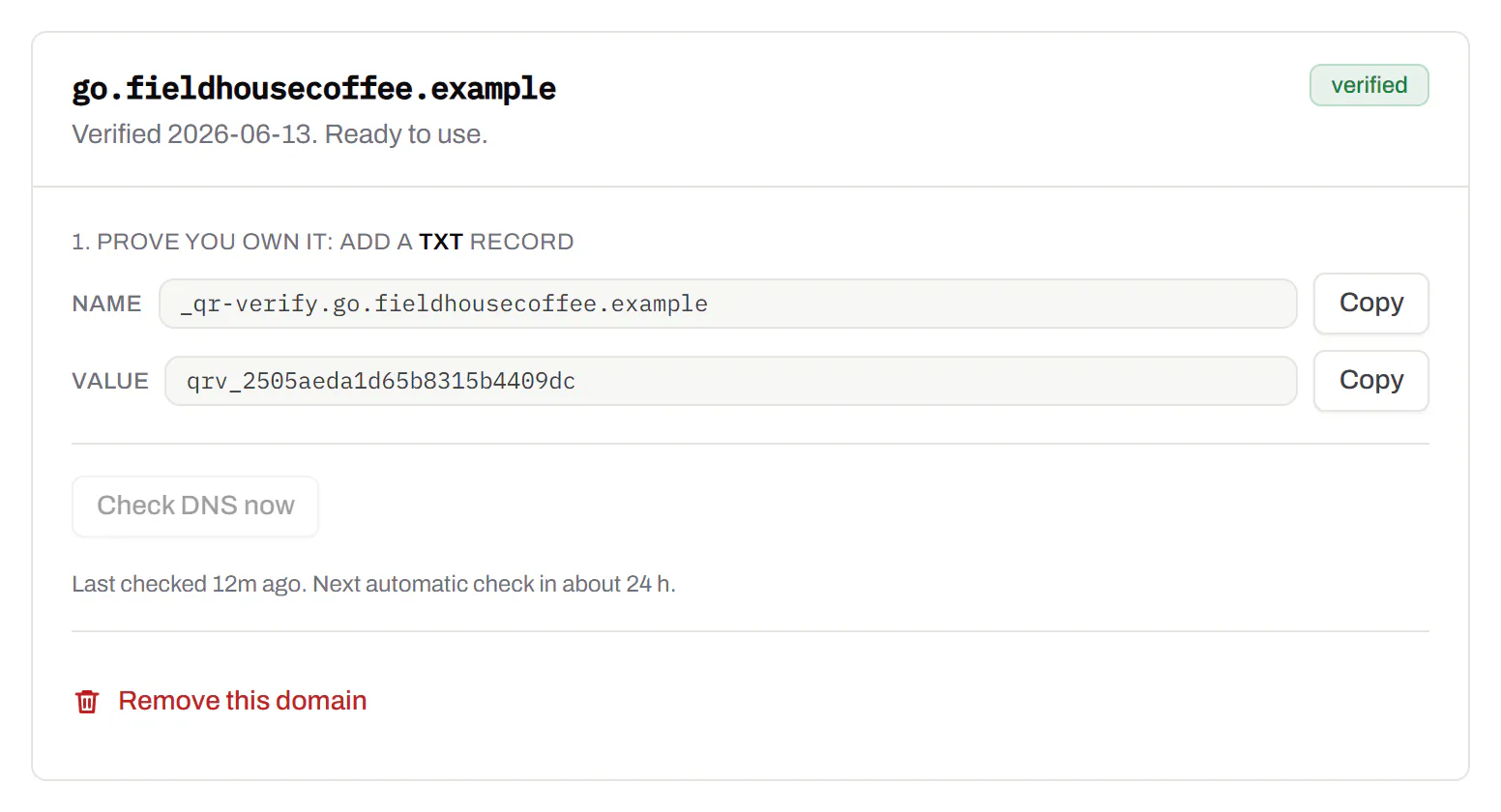
Bulk QR code generator
A spreadsheet in, one dynamic code per row out.Starter and up
Paste or upload a list of names and links, match the columns, and get a dynamic code for every row - one per table, stall, badge or product - each with its own scans and destination.
Starter and up
The bulk generator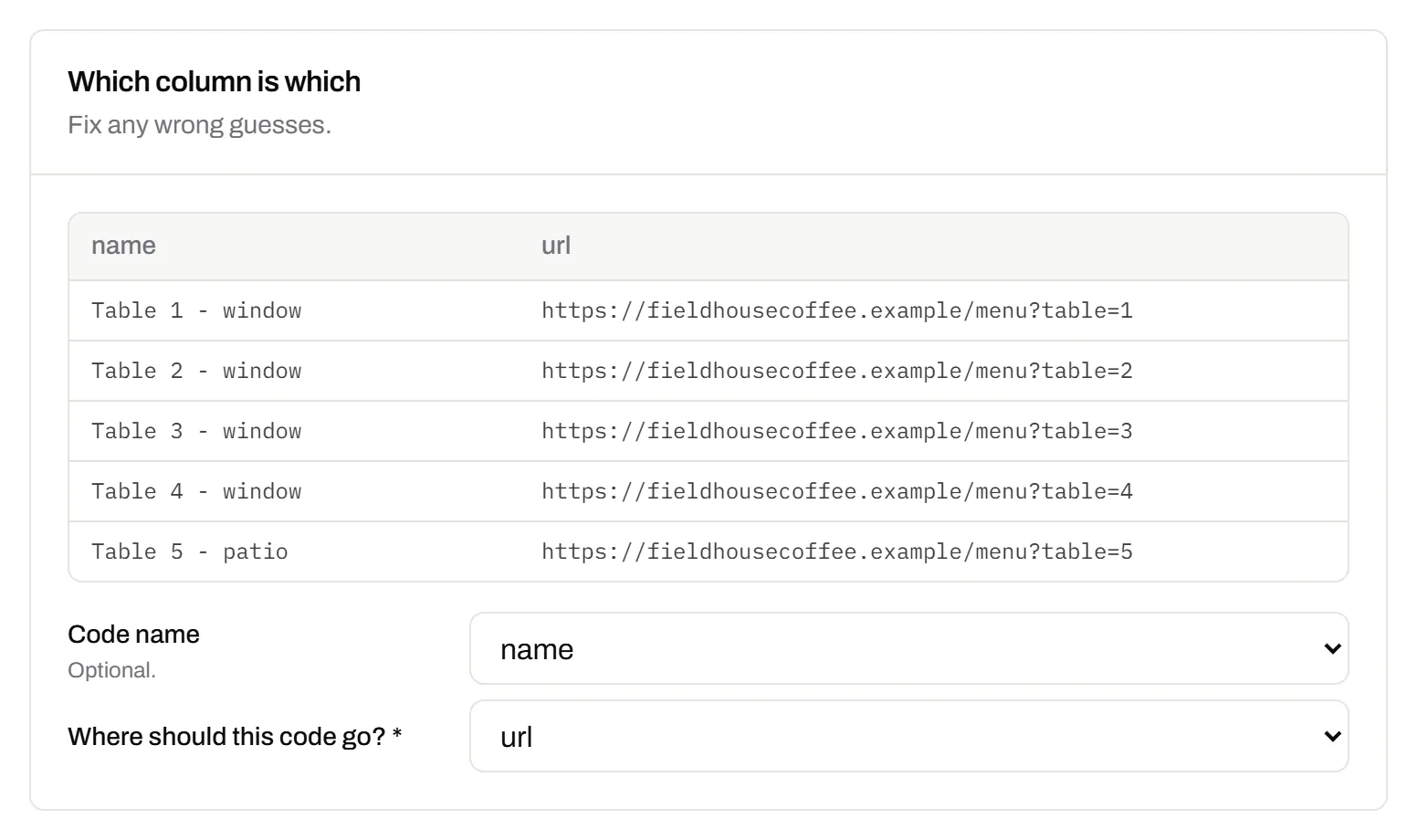
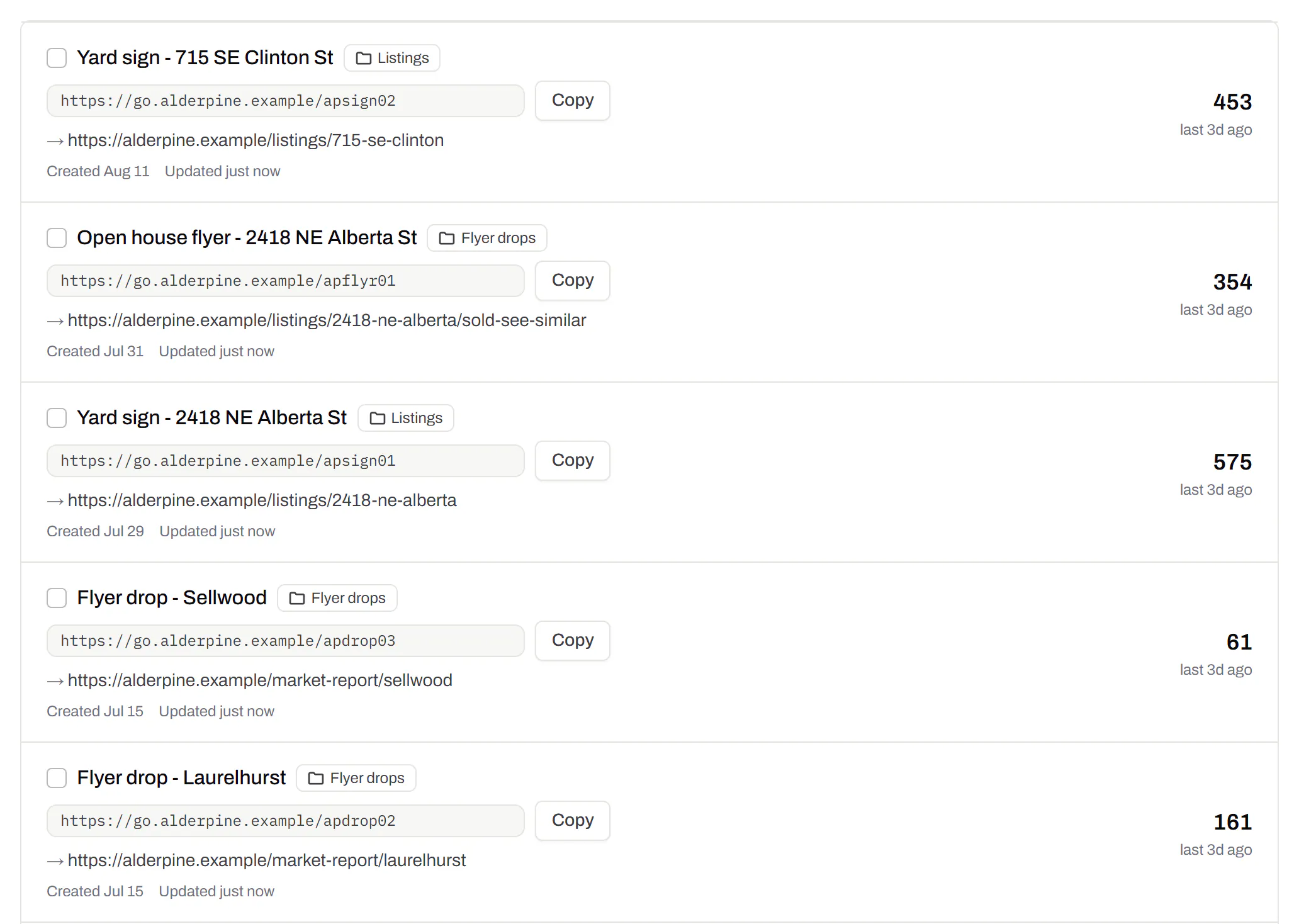
Change many codes at once
Tick the codes, then pause, tag, file or move them together.Pause and resume on every plan · folders and tags on Starter and up
Tick codes in the list, or pick every code with a tag, and pause or resume them, add or remove tags, move them to a folder or onto your own domain, or add campaign tags, in one go. The API does the same in one request.
Pause and resume on every plan · folders and tags on Starter and up
Short links, with your own ending
The link on its own, for a bio, an email or an ad.Every plan · custom endings on Business
Paste a link and get a short one you can change, route and count, with no QR code unless you want one. Every dynamic code already has its short link beside it, and a short link gets its QR code in one click - the same link, so clicks and scans count together. On Business you choose how the link ends, like /spring-menu, instead of random letters.
Every plan · custom endings on Business
The URL shortener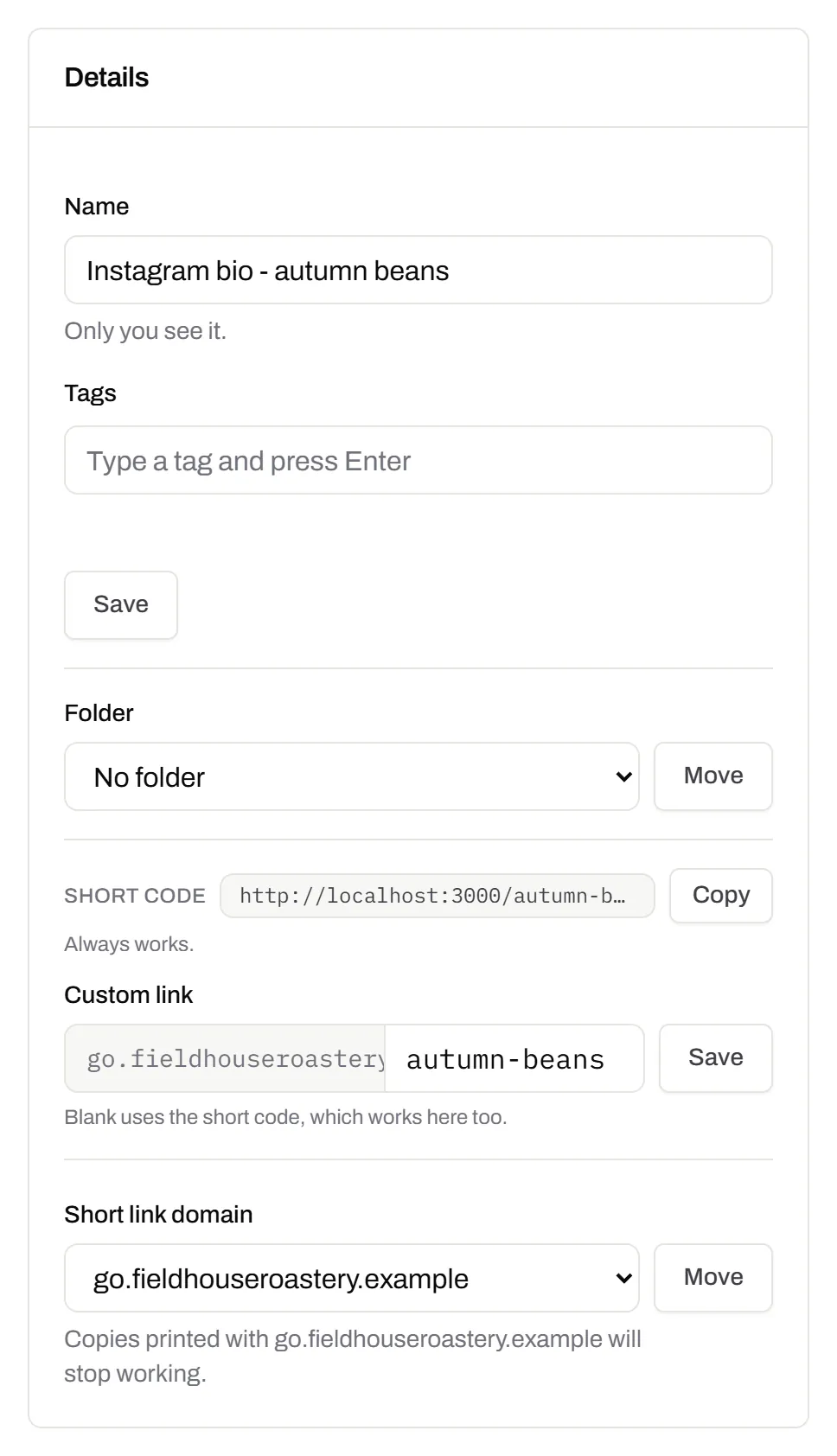
GS1 Digital Link for products
The retail code that carries your GTIN and still opens a web page.Every plan, Free included
Your domain and the GTIN from under the barcode, with batch, serial and dates if you want them, in the link format GS1 set for retail. A phone opens your page; the product data rides along in the address. The GTIN’s check digit is checked before anything is made.
Every plan, Free included
QR codes for packaging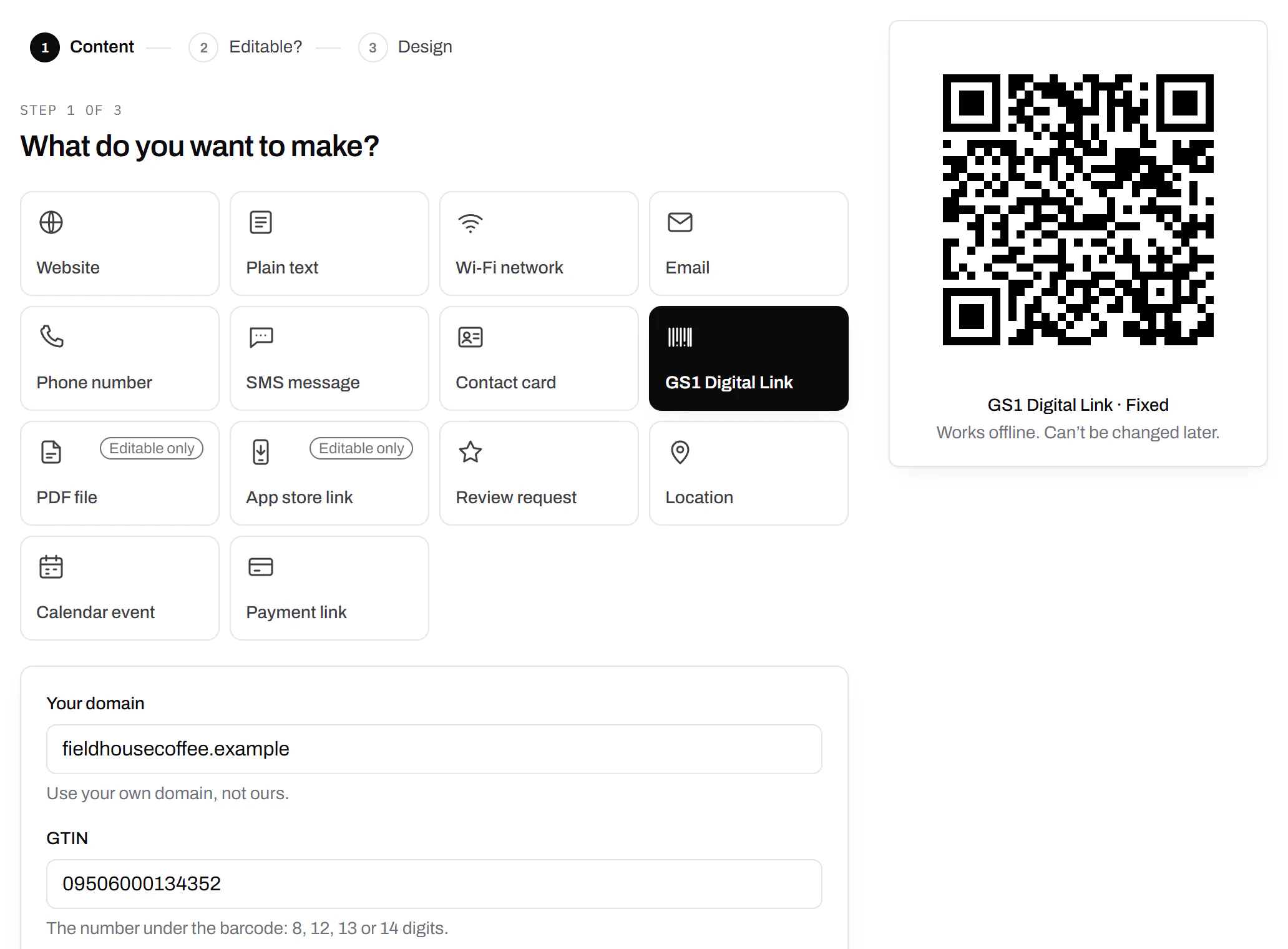
Wi-Fi, contact cards, email, phone and SMS
Networks, contacts, calendar dates and places, not only links.Every plan, Free included
A website, plain text, a Wi-Fi network, an email, a phone number, a text message, a contact card, a GS1 Digital Link, a PDF, a location, a calendar event and more. Most download free, with no account; the few marked “Editable only” need one.
Every plan, Free included
Contact card codes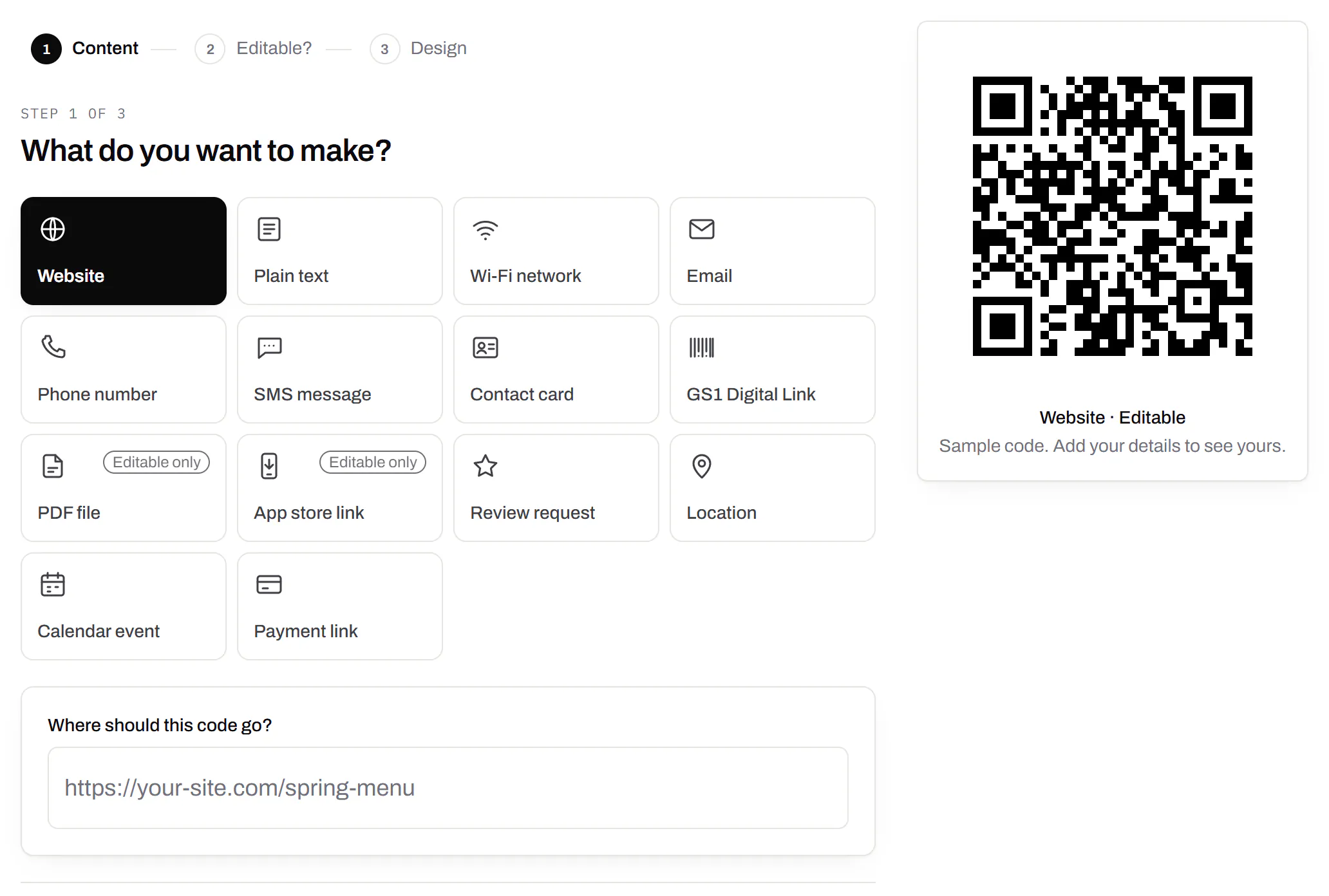
PDF codes you can update
Upload a PDF, print the code, swap the file later.Every plan, Free included
We host the file and the code opens it. Upload a new version and the same printed code opens that one, with the old file kept in its history in case you need it back.
Every plan, Free included
PDF to QR code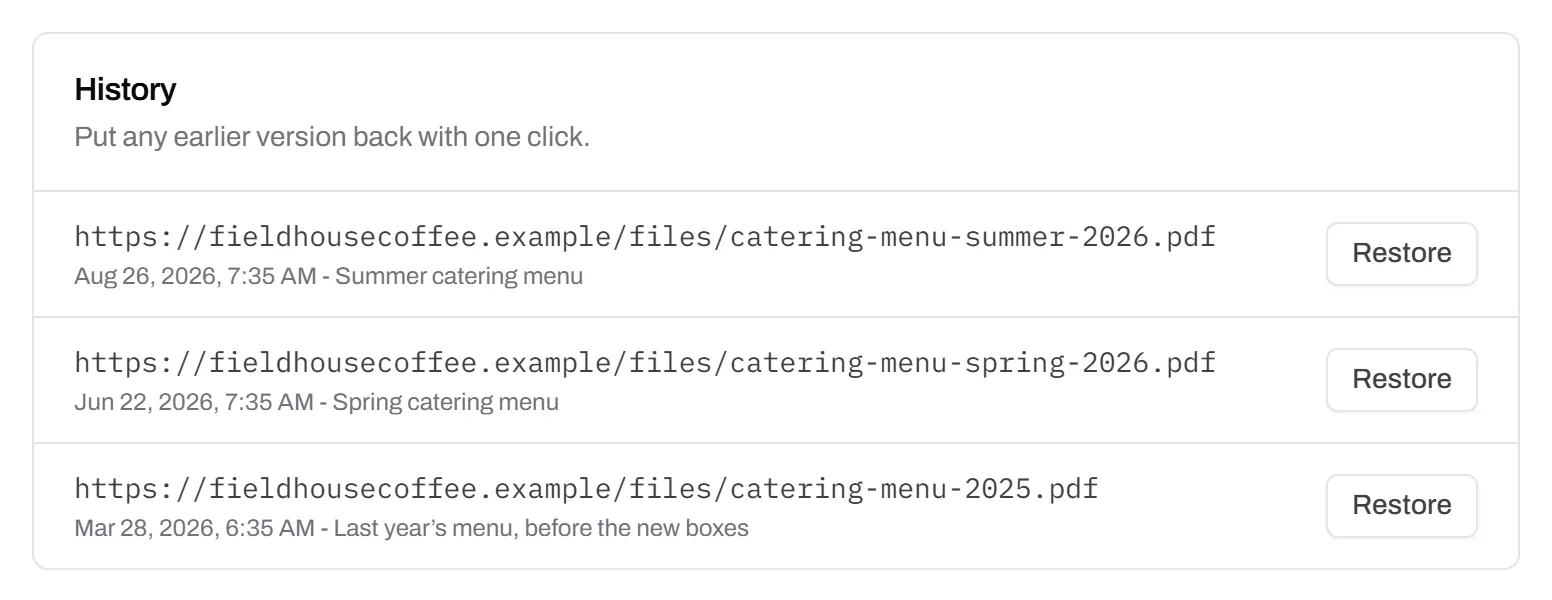
Your logo in the middle
Upload any image; we size it so the code still scans.Every plan, Free included
PNG, JPEG, WebP or GIF, up to 15 MB - we shrink it ourselves, so nobody has to compress a file first. Error correction goes up to make room, and the logo is never allowed to cover more of the pattern than the code can lose.
Every plan, Free included

Print-ready downloads
PNG and SVG on every plan, and a PDF for the printer.PNG and SVG on every plan · PDF on Starter and up
PNG for screens and quick jobs, SVG for anything that gets scaled, and a print-ready PDF on Starter and up.
PNG and SVG on every plan · PDF on Starter and up

Folders and tags
Keep one location’s or one campaign’s codes together.Starter and up
Put codes in a folder per shop, listing or campaign and filter the list by it. Deleting a folder never deletes a code - they move to No folder, and you can undo it.
Starter and up
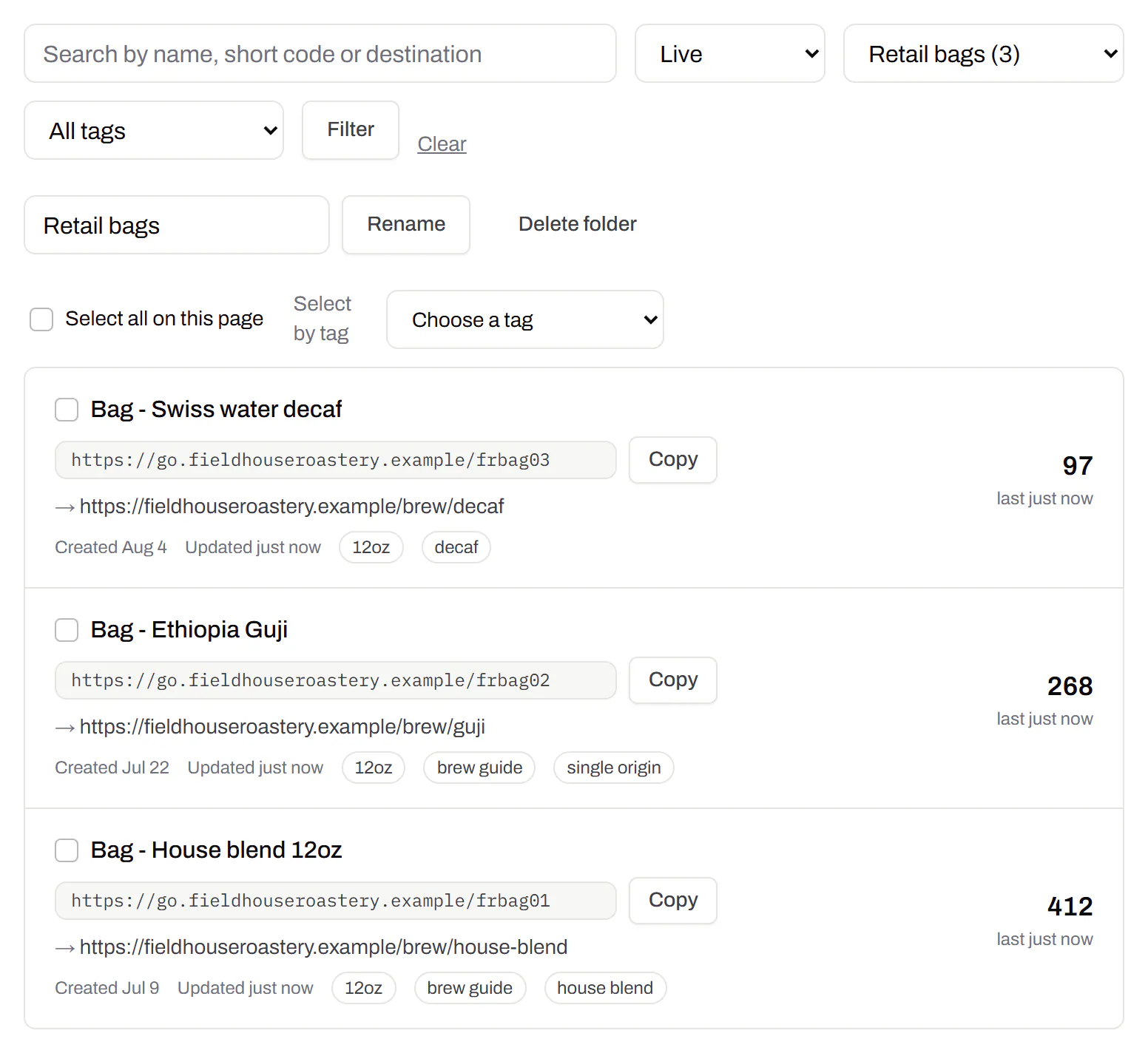
Campaign presets
Saved UTM parameters, so printed scans are not “direct”.Starter and up
A printed code arrives in your web analytics as direct traffic. A preset fills in source, medium and campaign in one click, so the flyer and the table tent show up as themselves.
Starter and up
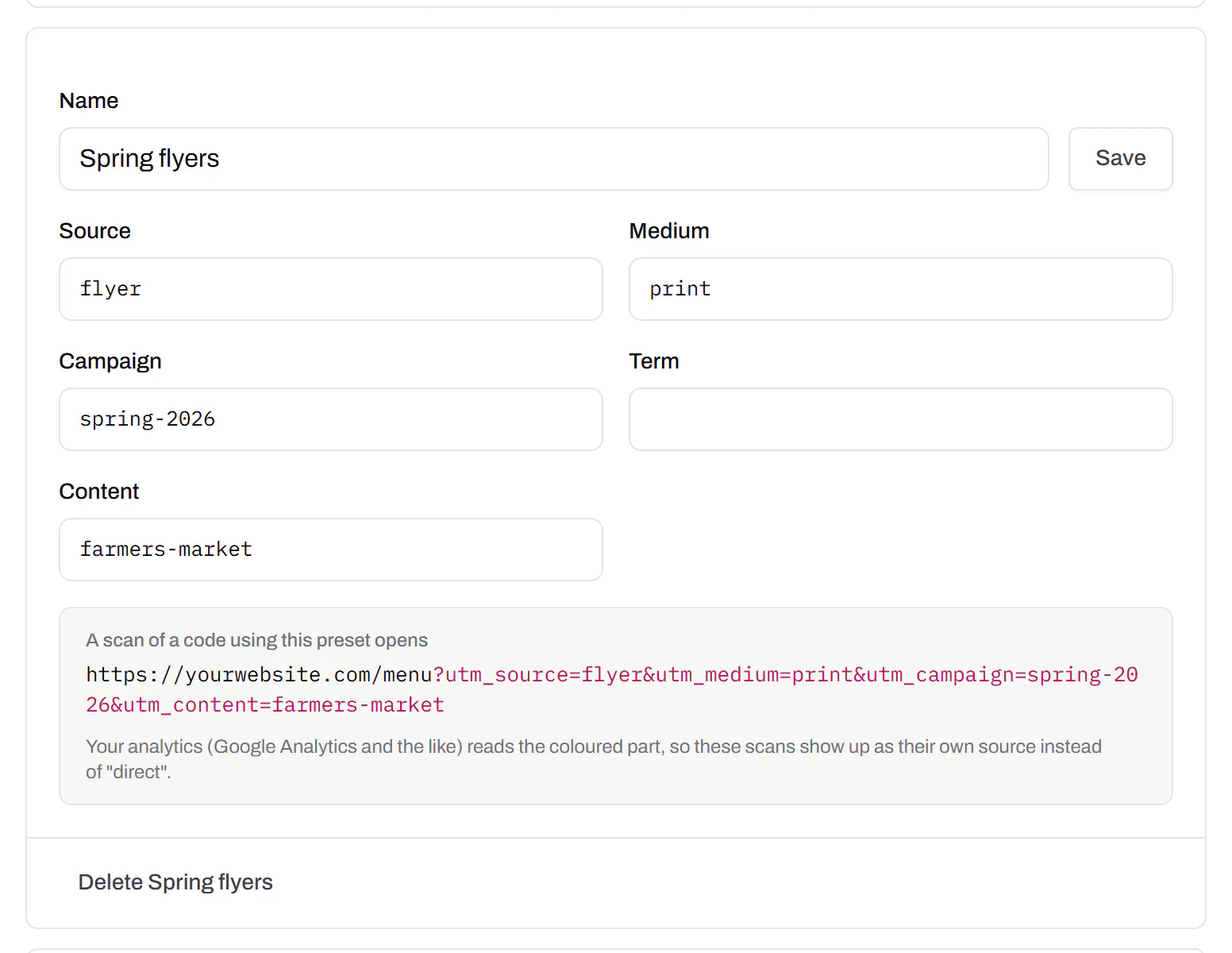
City-level scan locations
Which towns the scans came from, not only which countries.Pro and Business
Scans by city and region for each code, and towns on the live map. Coarse on purpose: the place the phone’s network reports, never a street or a precise position.
Pro and Business
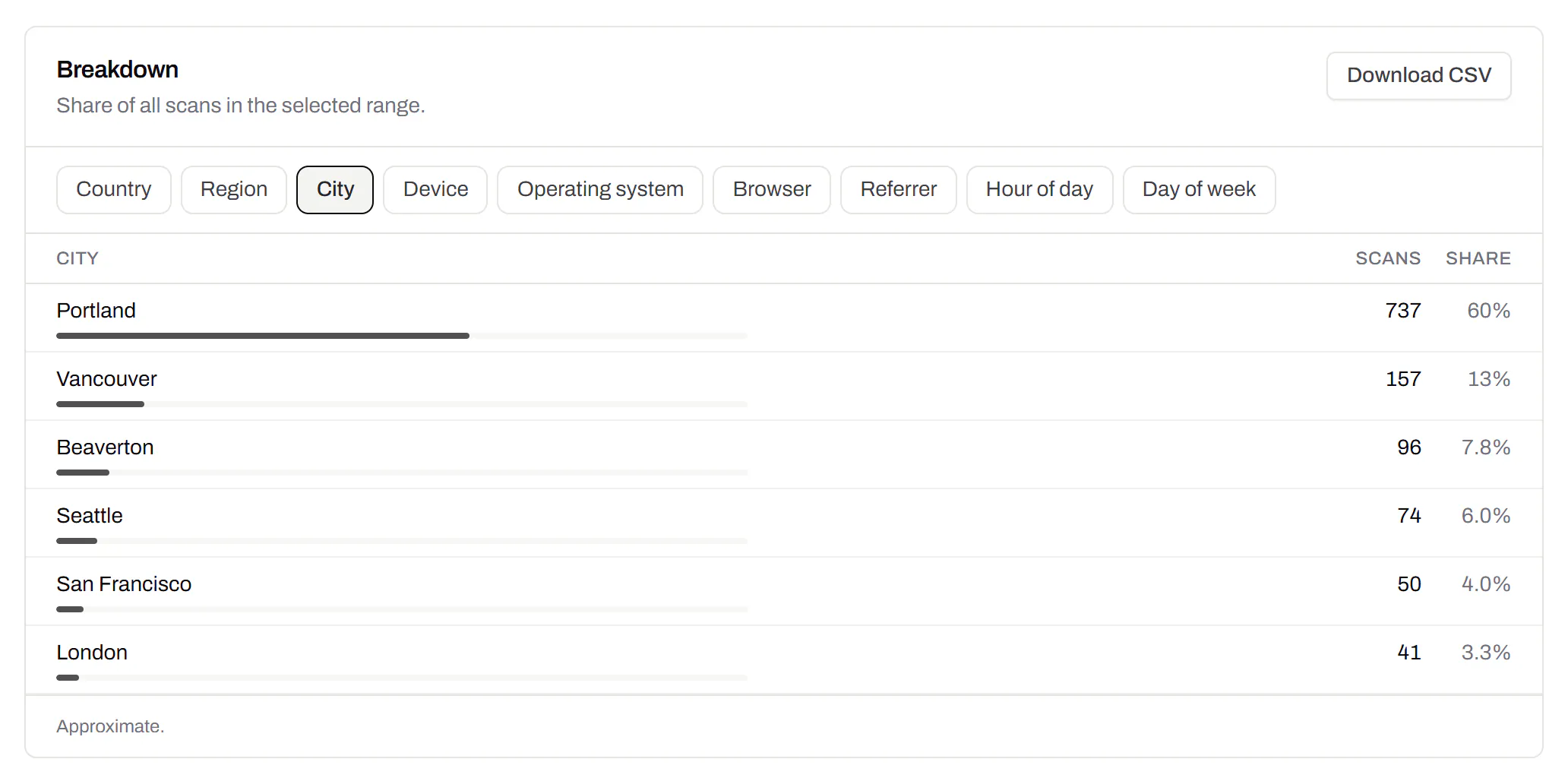
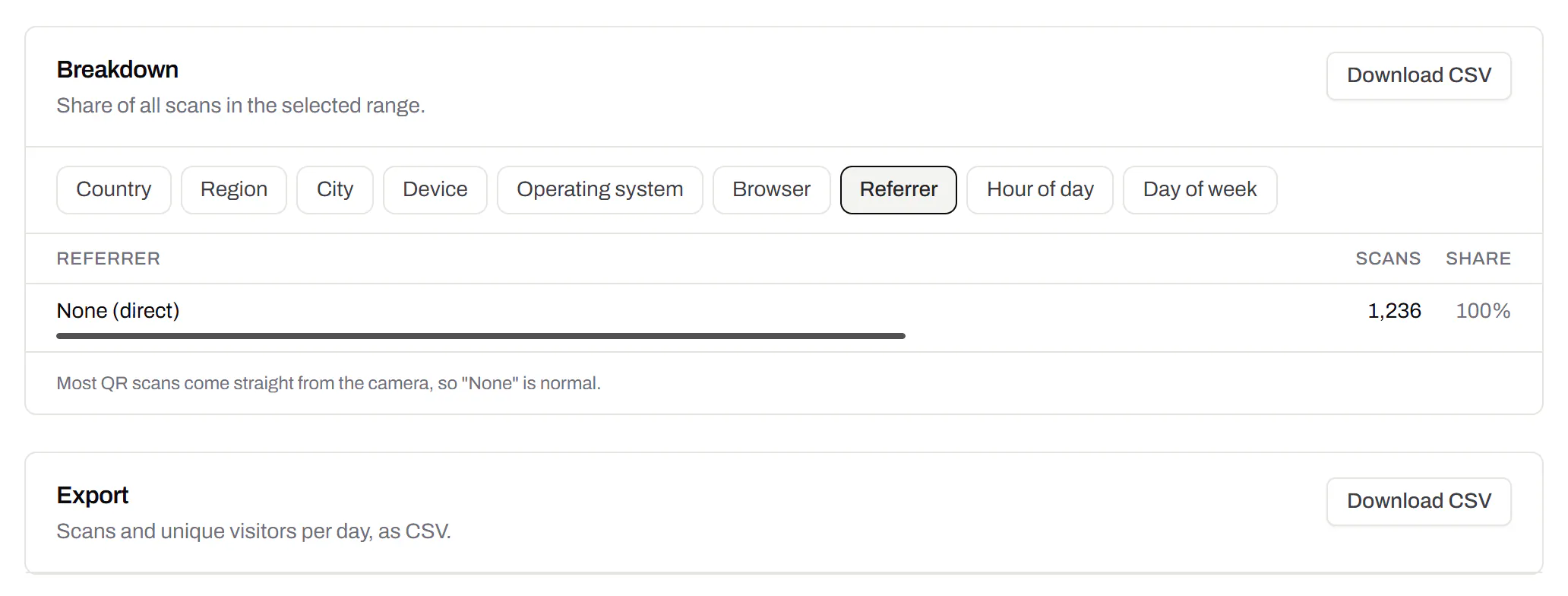
CSV export
Daily scans per code, in a spreadsheet.Pro and Business
Download scans and unique visitors by day for one code or all of them - with each code’s name and short link - as CSV for your own reports, or for whoever asked how the campaign did.
Pro and Business
Webhooks
Your server hears about every scan and every change.Business
Pick the events - a scan, a code made or changed, a form answered, a QR Menu edited - and give us an address. Each one arrives as a signed POST, retried if your server is down, and every delivery is listed with the response it got.
Business
The API and webhooks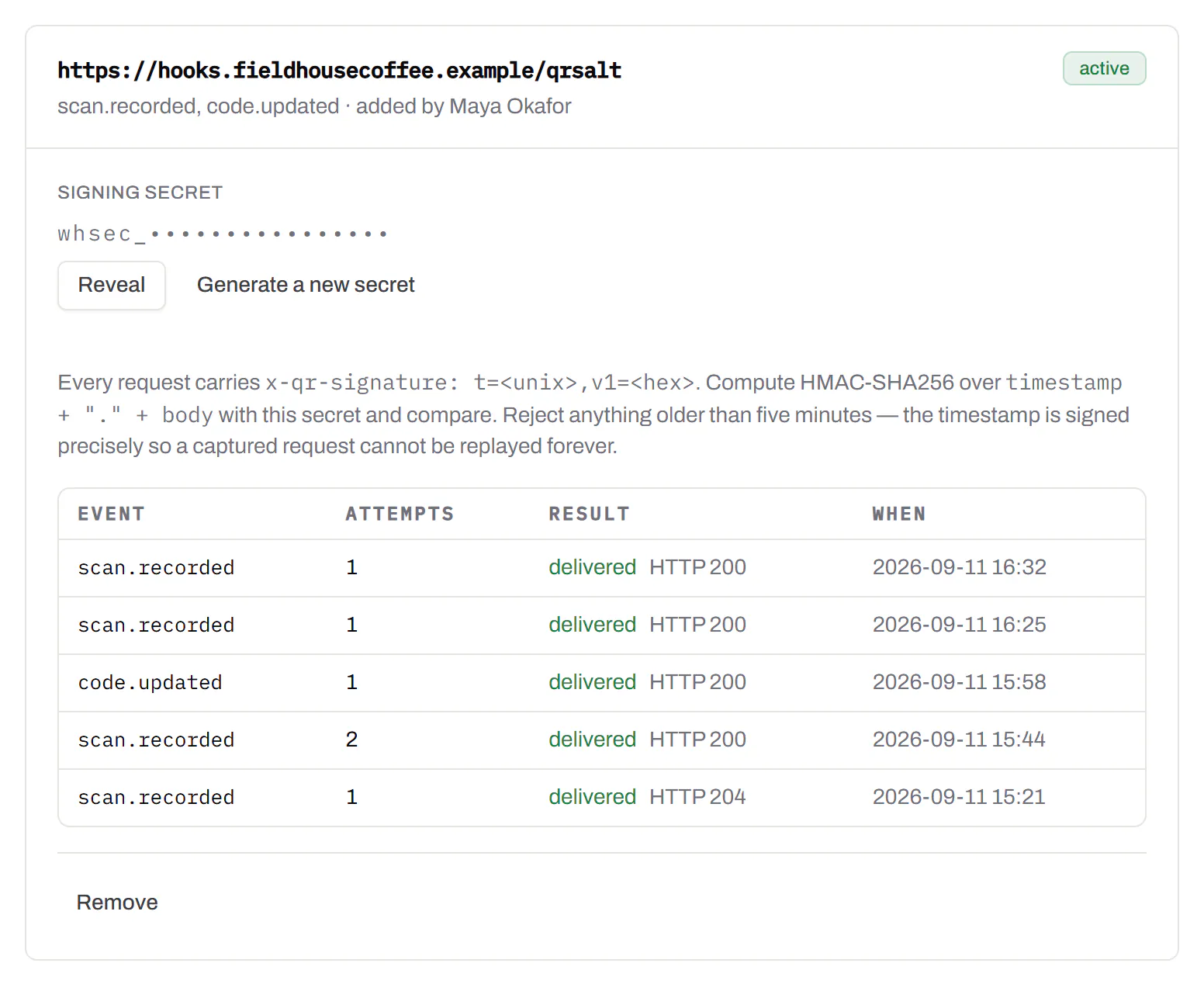
An API for your own software
Make codes, re-point them and render files from your own code.Pro and Business
A REST API for dynamic codes and short links: make them, change where they go, render SVG, PNG or PDF, add your own domains, and change hundreds of codes in one request. No-code tools like Zapier, Make and n8n call it with a plain HTTP step. Every request carries your key, and a key only ever touches its own workspace.
Pro and Business
Every endpoint, with a playground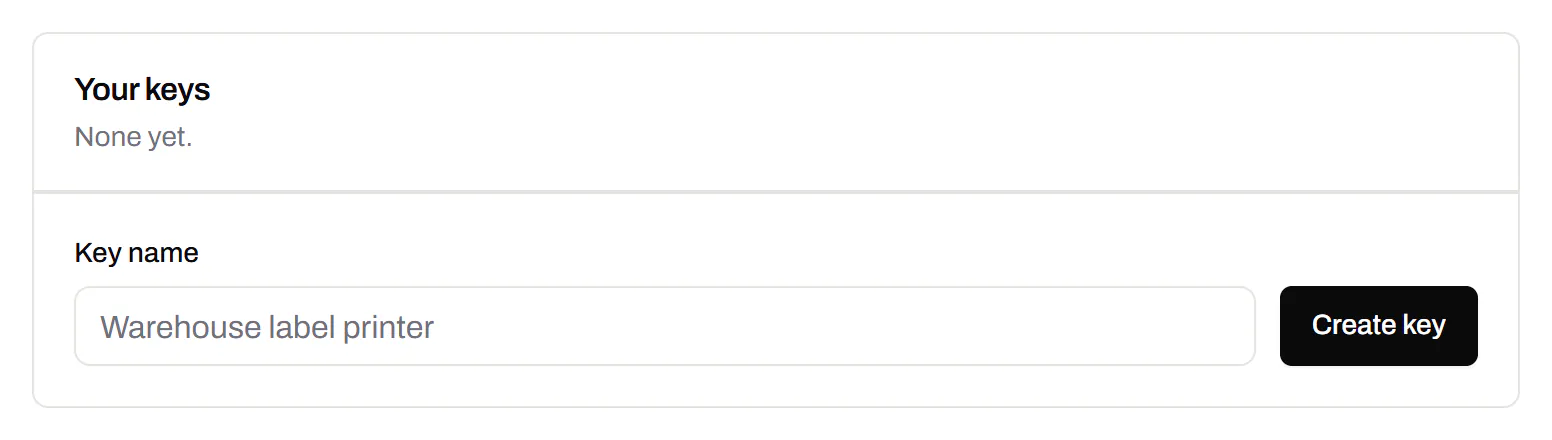
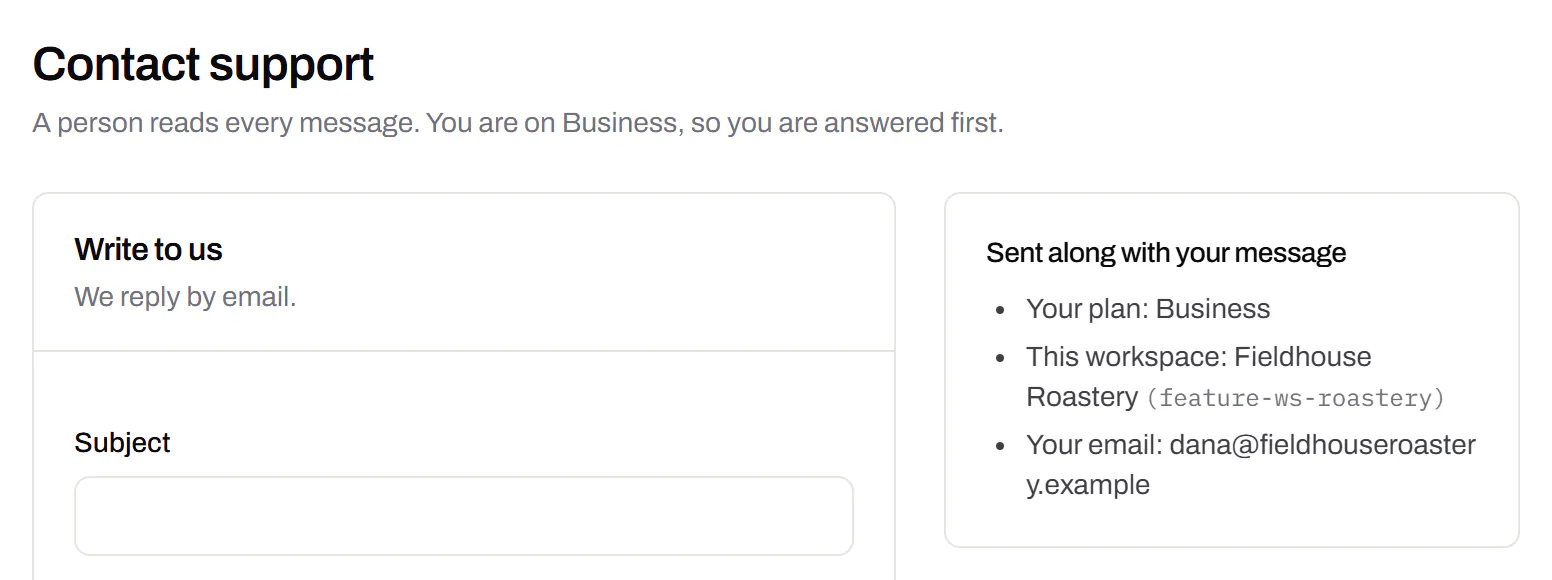
Separate workspaces
One subscription, a workspace per brand or client.Business
Each workspace has its own codes, team and analytics, so a client never sees another client’s. Up to 10 under one subscription.
Business
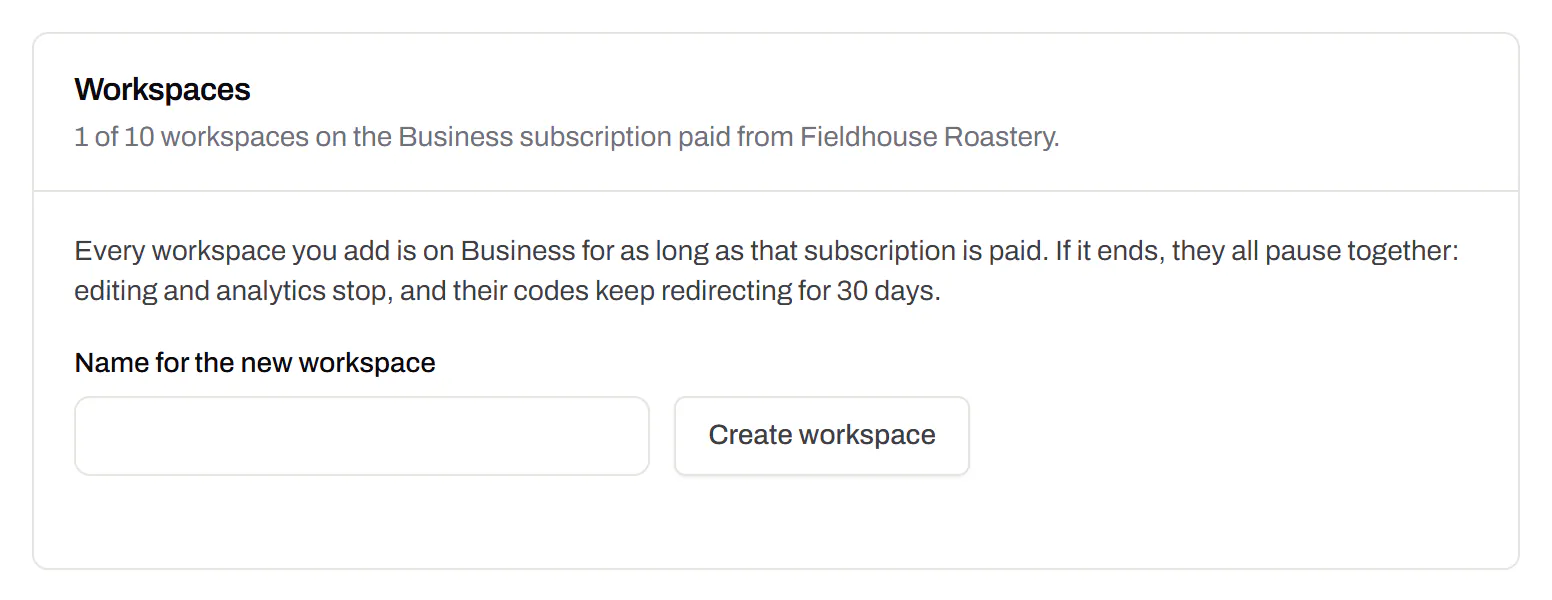
Priority email support
Paid plans’ emails are answered first.Starter and up
A person reads every message. On a paid plan yours is answered before free accounts’ - an order we keep, not a promised hour. Your plan and workspace go along with it, so nobody has to ask which account is yours.
Starter and up
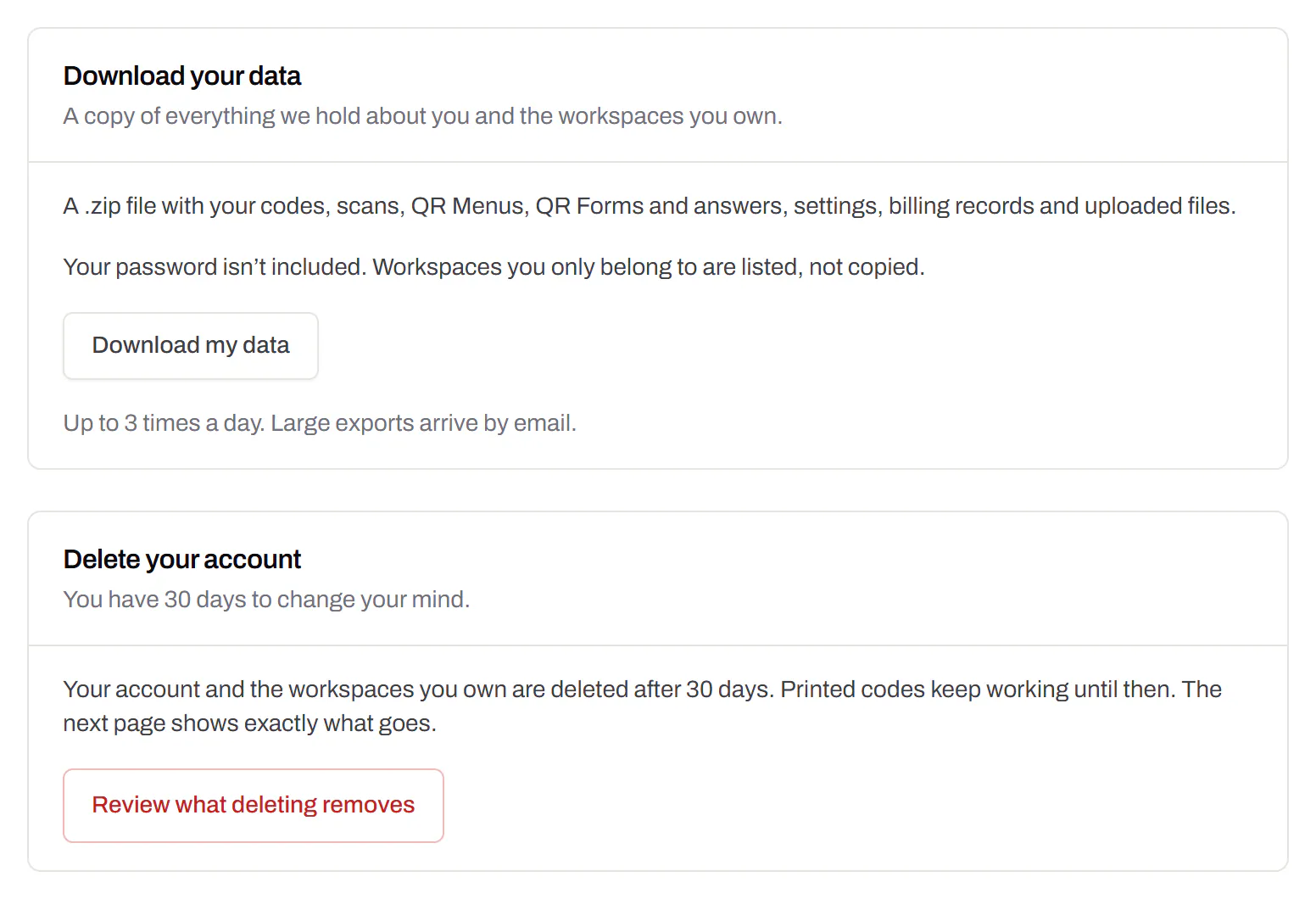
Your data, to take or delete
A full export any time, and deletion you can take back.Every plan, Free included
Download everything - codes, history, scans, form answers and the files you uploaded - as one .zip with spreadsheets inside. Deleting the account gives you 30 days to change your mind, and your printed codes keep working until then.
Every plan, Free included