Zelle QR code
Zelle’s code is issued inside your own bank’s app, only if that bank offers it, and Zelle publishes no link behind it. So there is no honest way to make you one — here is where yours comes from, and what is actually in it.
Drop an image here, paste a screenshot, or choose a file.
PNG, JPEG or WebP, up to 12 MB. The image is sent to our server, read, and then discarded: it is never written to disk, logged or shown to anyone, and what was in the code is not kept either. Nothing here needs an account.
The text inside the code appears here, along with what kind of code it turned out to be.
On this page
There is nothing for us to build here, and that is the answer
Every other payment app in this corner of the internet gives you something you can hold: a PayPal.Me address, a $Cashtag with a page at cash.app, a profile a scan can land on. Zelle gives you none of that. Zelle is reached through your bank’s own app, the code lives under a “My Code” tab inside it, Zelle states that not every financial institution offers it, and nothing in Zelle’s own FAQ describes a URL, an address or a format that the code stands for. A site that offers to generate one for you is generating something else and calling it Zelle.
Check the code rather than trust it
Put your bank’s Zelle code, or one somebody sent you, into the reader above. It shows the text inside and never opens it for you, which is the right way round for a code you did not make.
Know which codes are safe to print
A code with a bank’s own data in it belongs on paper your bank gave you. One with a strange address in it belongs in the bin, and the reader is how you tell the two apart in ten seconds.
And if you also take another app
Most stalls take something alongside Zelle. That something usually does have a link, and a link is the part a re-pointable code can help with.
How to find your Zelle QR code
The route is your bank’s, not Zelle’s and not ours. These are the steps as Zelle describes them, what Zelle says to do when your bank has no code, and the check worth doing before anything is printed.
Open your bank or credit union’s own app
Zelle is reached through your bank rather than through a Zelle account, and the code follows the same rule. There is no Zelle website that will hand you one and no app of ours that can.
Find Zelle inside it, then the “My Code” tab
Zelle’s own guidance names that tab: from there you can view your code and use the print and share icons to text it, email it or print it. Those icons are the whole of what Zelle offers for putting it anywhere.
If there is no code, your bank does not offer one yet
Zelle states plainly that the QR code is not available at all financial institutions. It is not a setting you have missed and not something a third party can supply in the meantime.
Fall back on the details Zelle does support
Zelle’s answer for that case is to send using the recipient’s US mobile number or email address. That is the identifier your bank enrolled, and it is the only thing a person paying you actually needs.
Read what is inside your own code before you print it
Save or screenshot the code from your bank’s app and drop it into the reader above. The text that comes out is what any scanner sees, and it will tell you whether there is an address in it or only data meant for a banking app.
Why no generator can make you a Zelle code
This is worth spelling out, because the search results for it are full of tools that will happily produce a square image and let you assume it works.
There is no published address to encode
A QR code is a way of writing text down. To make one that pays a person, you need to know the text — the address, the identifier, the format. Zelle’s FAQ describes viewing, printing and sharing your code from your bank’s app and never describes what is inside it, so there is nothing to write down.
Enrolment lives at your bank, not at Zelle
Your Zelle details are your bank’s record of your mobile number or email address. Nothing outside your bank can create, confirm or point at that record, which is exactly what makes the network hard to spoof and impossible to build a generator for.
A Zelle tag is not something you can claim
Zelle says the ability to create a Zelle tag is only available to eligible small business account holders, through their financial institution. A personal account cannot mint one, and no third party can hand you one.
Anything else on the sign is not Zelle
A generator that asks for your email or phone number and returns a code has encoded your email or phone number. Somebody scanning it gets your contact details on a stranger’s screen, not a payment screen — and now your number is on a wall.
The reader at the top of this page is the practical version of all four points. Drop your bank’s code in and read the result: if what comes out is not an address you recognise as a payment page, no tool anywhere could have produced it from the details you typed.
What Zelle is for, and who it is not for
Zelle’s own guidance draws a line that most people printing payment signs are standing on the wrong side of, and it is the reason the missing code matters less than it seems.
Zelle describes itself as a way to send and receive money with friends, family and others you trust, and its own advice is to only send money to people you know and trust. A code on a table in front of strangers is the opposite arrangement. It is not that the code would be disallowed; it is that the network is built on the assumption that both people already know each other, which is also why there is so little around a Zelle payment once it has gone.
So if what you are really trying to do is take money from people you have never met — a stall, a pitch, a tip jar, a fundraiser — the honest recommendation is not a Zelle sign at all. It is whichever of the apps below you already hold, printed in a way you can change later, with your name on the screen before the payment.
- PayPal. The one platform here that publishes its link format, with the amount and currency allowed inside it.
- Venmo. A username you can change at will, and rules of its own about being paid for things you sell.
- Cash App. A $Cashtag with an address at cash.app, changeable exactly twice.
- All of them at once. Including Revolut, Wise, Buy Me a Coffee and a Stripe Payment Link, with the link each one becomes.
The scam this particular gap creates
A search with a large audience and no legitimate product behind it is a good market for somebody. It is worth knowing what that looks like from both sides of the counter.
If you are printing
A code you did not get from your bank’s app is a code whose contents you have not read. Read it, in the box above, before it goes anywhere near a wall — and print your bank’s own code from your bank’s own print icon rather than a copy of a screenshot of it.
If you are paying
A Zelle payment starts in your banking app, with a recipient you chose. A code that opens something else first, asks you to sign in somewhere, or arrives on a sticker that peels, deserves the ten seconds it takes to put it into a reader.
If the name does not match
Zelle’s own warning is about sending to people you know; the sign’s name and the name your banking app shows should be the same person. Stop at the point where they are not, because a completed Zelle payment is not something anybody can reverse for you.
If a site offers you one
Ask what text it is encoding. If it cannot say, it does not know — and a square image that opens nothing is the best case. We are not connected to Zelle in any way, we issue nothing on any bank account, and no money moves through us for any of this.
The reader above posts the image to us, reads it, and keeps nothing — no row, no file, no log — and it never turns the result into a link you can tap by accident. If you would rather understand that side of it first, the QR code reader page says exactly what happens to a file and what the symbol itself gives away.
Zelle codes, answered
How do I get a Zelle QR code?
Open your bank or credit union’s app, find Zelle inside it, and open the “My Code” tab. Your code is shown there, with icons for printing it or passing it on by message or email. No other route to it exists.
Can I make a Zelle QR code online?
No, and nor can any other site. Zelle publishes no link, address or format behind the code, so there is nothing for a generator to encode. A tool that produces one anyway has encoded whatever you typed into it, which is not a Zelle payment.
Does every bank have Zelle QR codes?
No. Zelle is explicit that plenty of financial institutions do not offer the code at all. Its advice while you wait is the mobile number or email address your bank enrolled, which works whether or not a code exists.
Is there a Zelle payment link I can share?
Zelle’s FAQ describes no shareable link for an individual. What it describes is a recipient’s US mobile number or email address, entered by the person paying inside their own banking app.
Can I create a Zelle tag?
Only if you qualify. Zelle limits tag creation to small business account holders it considers eligible, and the route runs through their own bank. Being paid at a tag, it says, works much like being paid at an email address.
Can I print my Zelle QR code on a sign?
Your bank’s app offers a print icon, so the file exists. Read it first in the box above, print from your bank’s own icon rather than a photo of a screen, and be aware that nothing about it can be re-pointed later.
Can I use Zelle to take payments from customers?
Zelle describes itself as being for friends, family and others you trust, and advises only sending money to people you know and trust. For payments from strangers, the platforms linked above are the ones built for it.
What can you actually do for a Zelle user?
Read your code, so you know what is in it. Beyond that, nothing honest: we are not Zelle, we are not connected to any bank, we issue nothing on your account and no money passes through us. If you take another app as well, that is where a code of ours earns its place.
If the reason you came here was the sign rather than Zelle itself, start at the payment QR code page, which builds the link for every provider that publishes one and shows the person paying your name first.
Check it at the source
- Zelle: how do I use a Zelle QR code?. The “My Code” tab, the print and share icons, and that not all financial institutions offer it
- Zelle: I was asked to send money to a Zelle tag. That creating a tag is limited to eligible small business account holders
- Zelle FAQ. Enrolment by US mobile number or email, and only sending to people you know and trust
- Zelle: using Zelle. Sending, requesting and receiving, all through a bank’s own app
Last reviewed , against the product as it works today.
Reading a code costs nothing, and needs no account
The reader at the top of this page is free, takes no sign-in and keeps no copy of the file. An account is only worth anything here if you also take a payment app that publishes a link, in which case the plans below are for the codes rather than for anything Zelle does.
Free
Free
Unlimited static codes. Three editable ones that never expire.
- Unlimited static QR codes, forever
- 3 editable items in total — dynamic QR codes, QR Menus and QR Forms share them
- Dynamic codes never expire, and each comes with a short link
- Short links on their own, no QR code needed
3dynamic codes
Starter
$12/mo
For one business with codes out in the world.
- 5 QR Menus
- QR Forms
- GS1 Digital Links we host, so a printed pack can be re-pointed
- Advanced tracking and analytics
100dynamic codes
Pro
Most chosen$39/mo
For agencies and teams running codes at scale.
- 50 QR Menus
- Unlimited analytics history
- 10 custom domains
- API access
600dynamic codes
Business
$99/mo
For organisations running codes across many brands.
- 400 QR Menus
- 50 custom domains
- Up to 25 team members and team management
- Up to 10 workspaces
2,000dynamic codes
Unlimited scans on every plan. Cancel online in two clicks. Compare every plan and feature
The rest of the toolbox
Open a row to see the screen and which plan has it.
Custom domains
Short links on your own domain, chosen code by code.Starter and up
Codes open go.yourbrand.com/menu rather than a link with our name in it, so the address under the code is yours. You add two DNS records and we check them. Then pick the domain for each code as you make it, or move a whole list of codes onto it at once.
Starter and up
QR codes on your own domain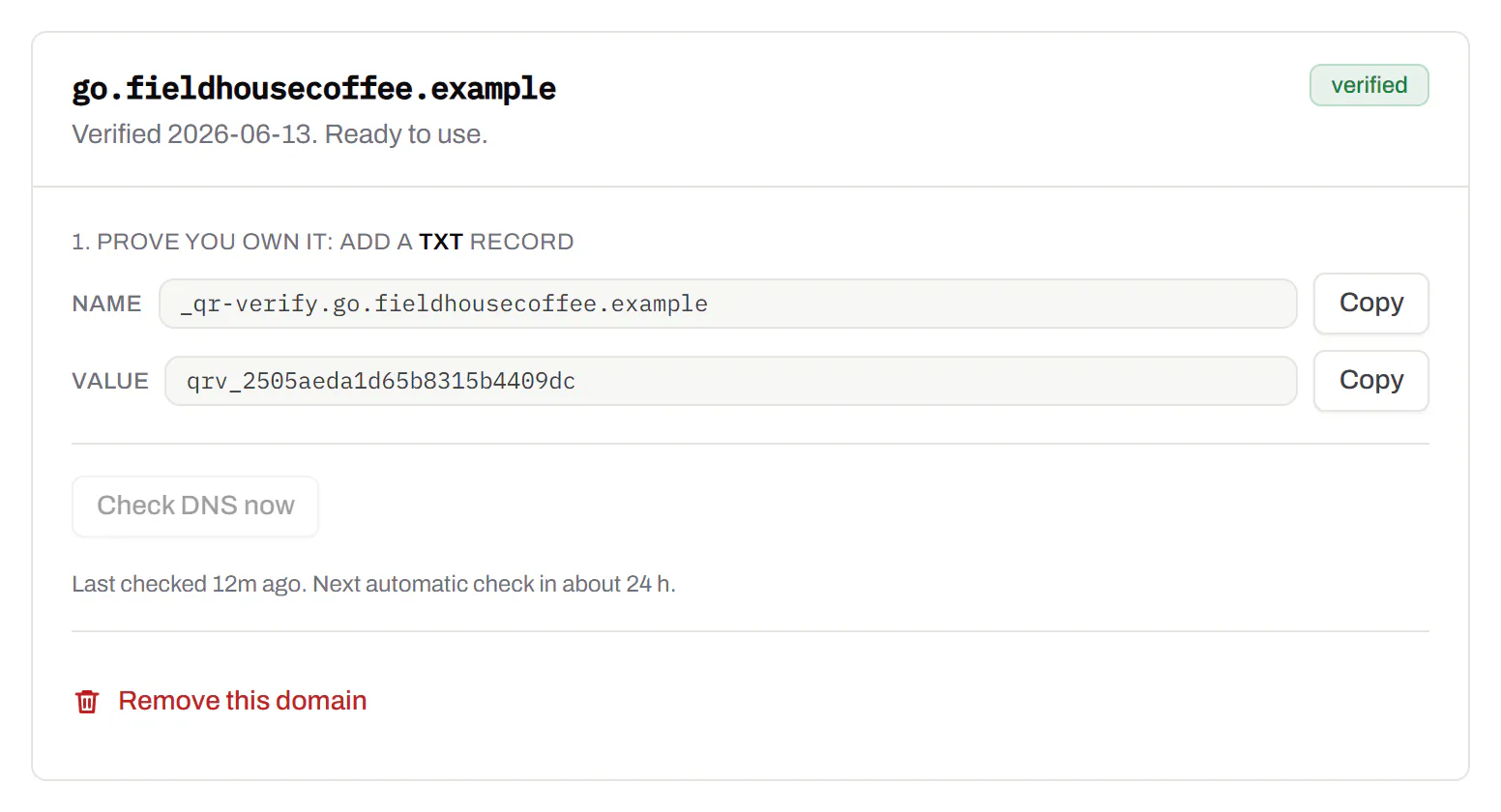
Bulk QR code generator
A spreadsheet in, one dynamic code per row out.Starter and up
Paste or upload a list of names and links, match the columns, and get a dynamic code for every row - one per table, stall, badge or product - each with its own scans and destination.
Starter and up
The bulk generator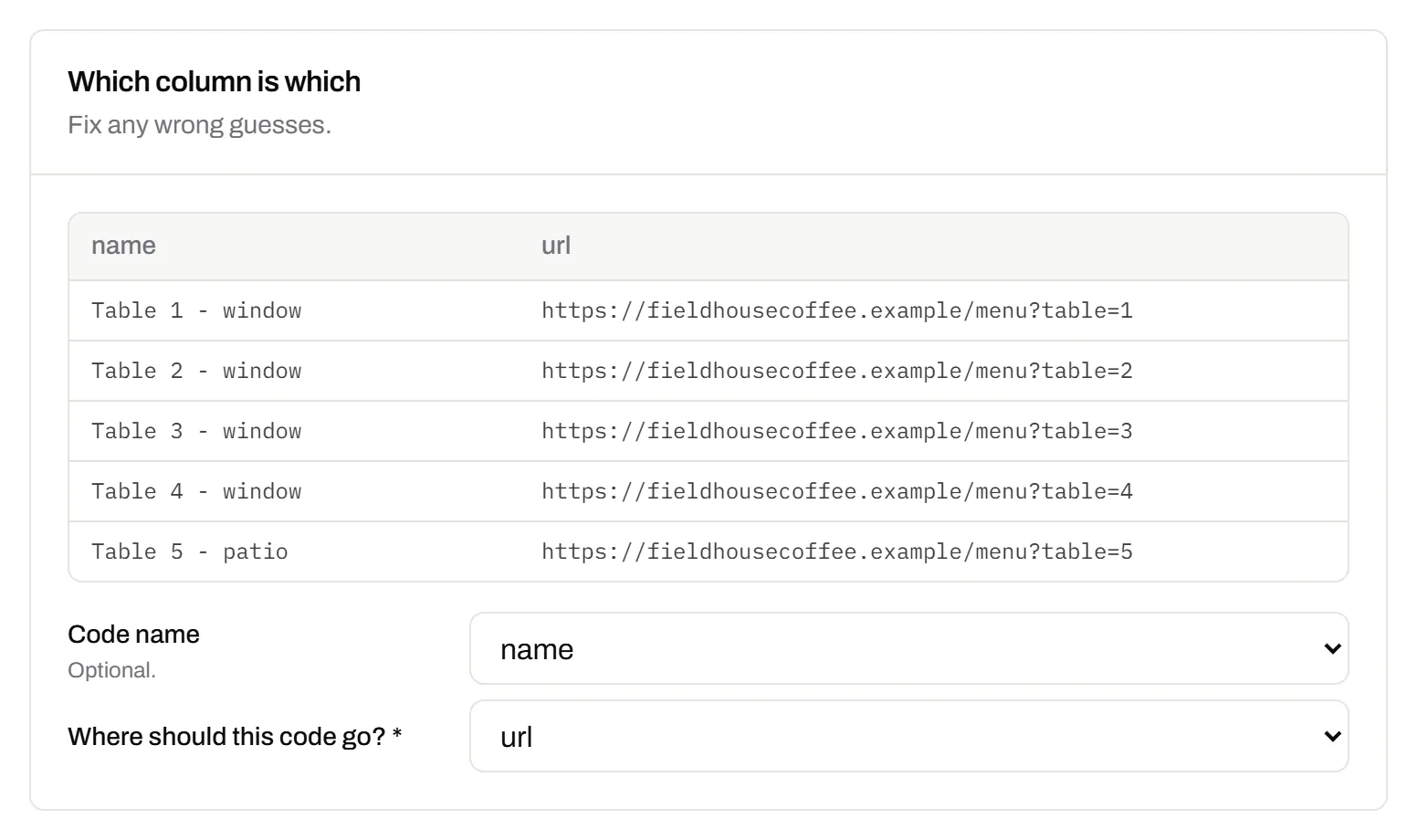
Change many codes at once
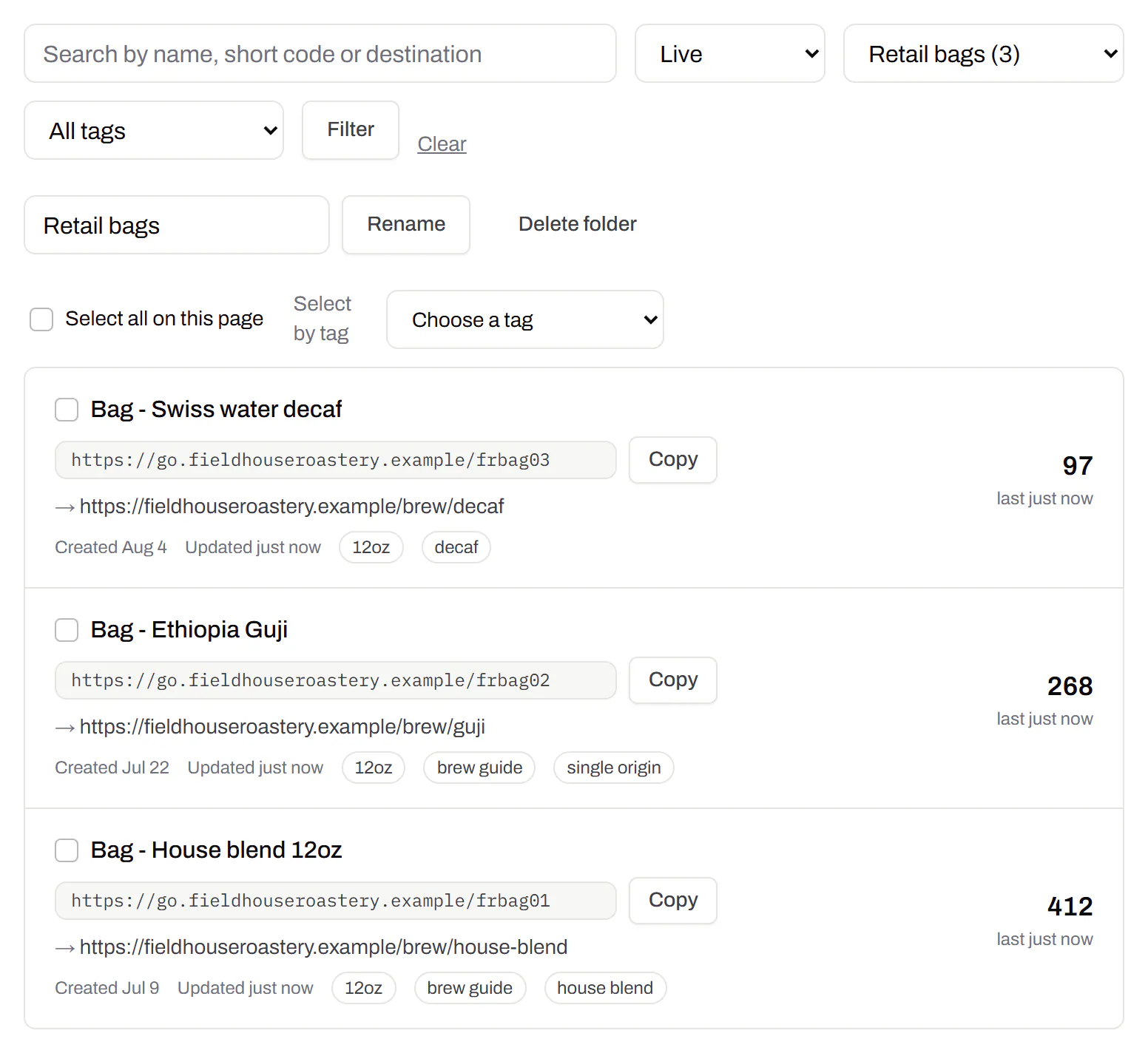
Tick the codes, then pause, tag, file or move them together.Pause and resume on every plan · folders and tags on Starter and up
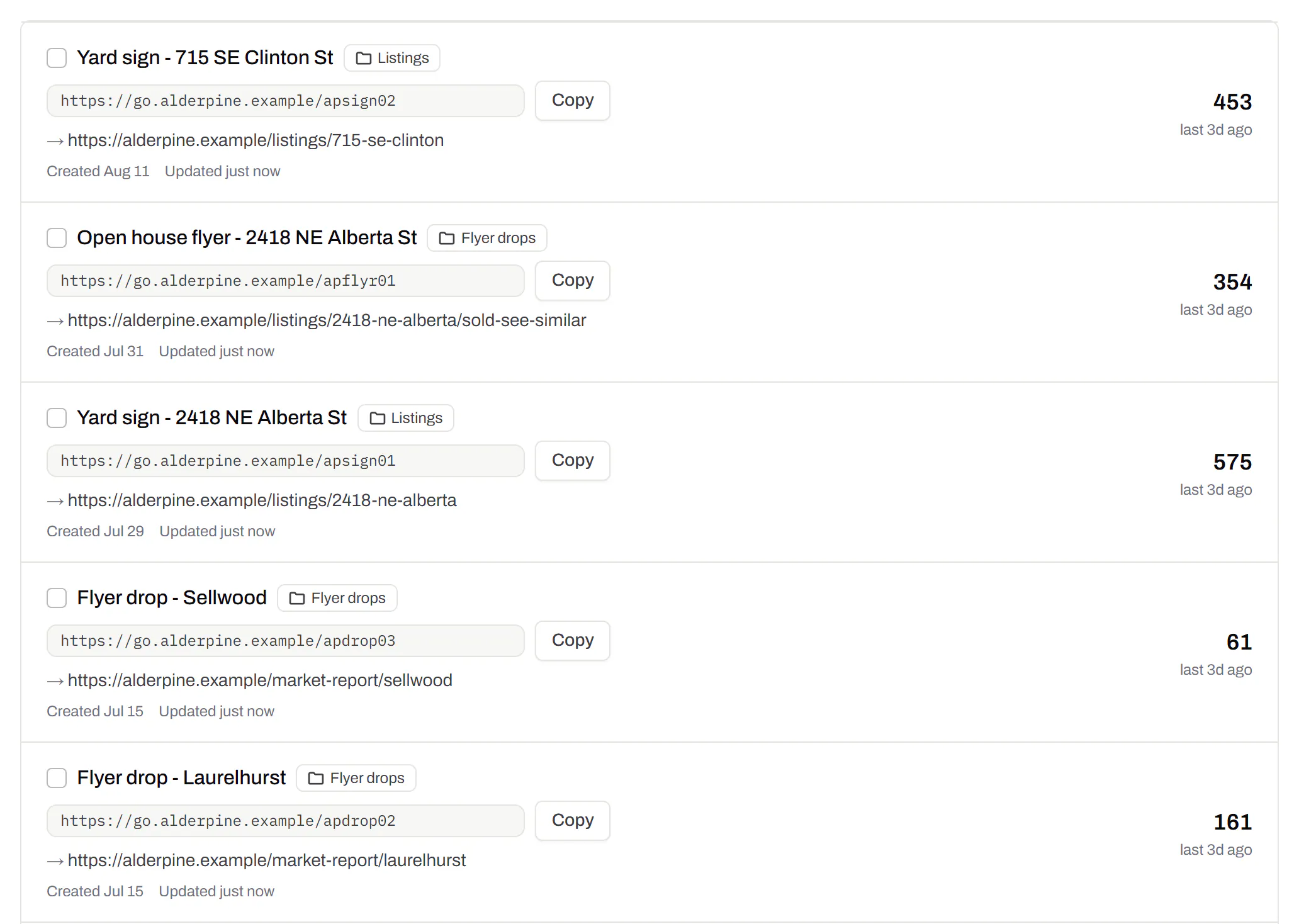
Tick codes in the list, or pick every code with a tag, and pause or resume them, add or remove tags, move them to a folder or onto your own domain, or add campaign tags, in one go. The API does the same in one request.
Pause and resume on every plan · folders and tags on Starter and up
Short links, with your own ending
The link on its own, for a bio, an email or an ad.Every plan · custom endings on Business
Paste a link and get a short one you can change, route and count, with no QR code unless you want one. Every dynamic code already has its short link beside it, and a short link gets its QR code in one click - the same link, so clicks and scans count together. On Business you choose how the link ends, like /spring-menu, instead of random letters.
Every plan · custom endings on Business
The URL shortener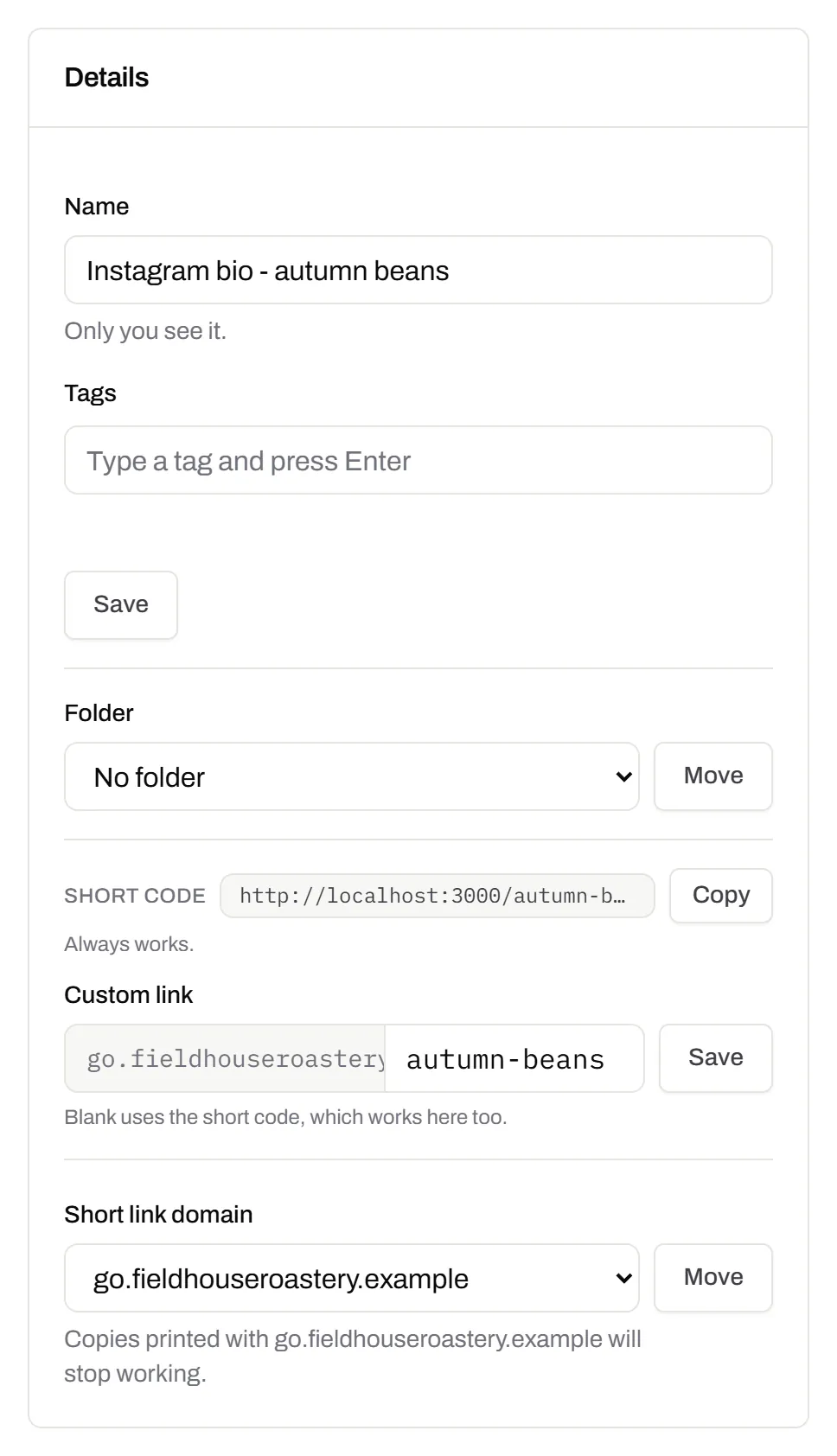
GS1 Digital Link for products
The retail code that carries your GTIN and still opens a web page.Every plan, Free included
Your domain and the GTIN from under the barcode, with batch, serial and dates if you want them, in the link format GS1 set for retail. A phone opens your page; the product data rides along in the address. The GTIN’s check digit is checked before anything is made.
Every plan, Free included
QR codes for packaging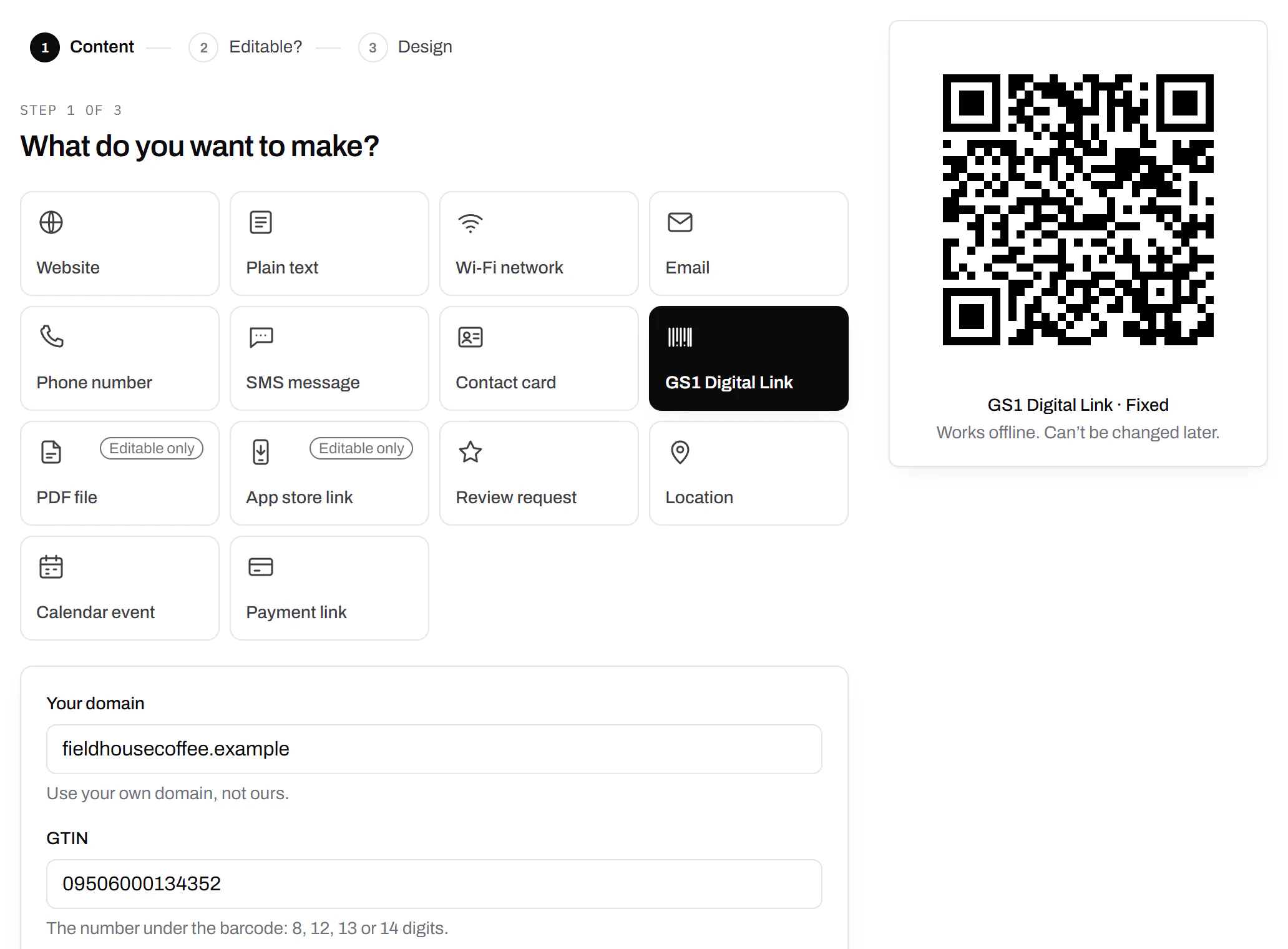
Wi-Fi, contact cards, email, phone and SMS
Networks, contacts, calendar dates and places, not only links.Every plan, Free included
A website, plain text, a Wi-Fi network, an email, a phone number, a text message, a contact card, a GS1 Digital Link, a PDF, a location, a calendar event and more. Most download free, with no account; the few marked “Editable only” need one.
Every plan, Free included
Contact card codes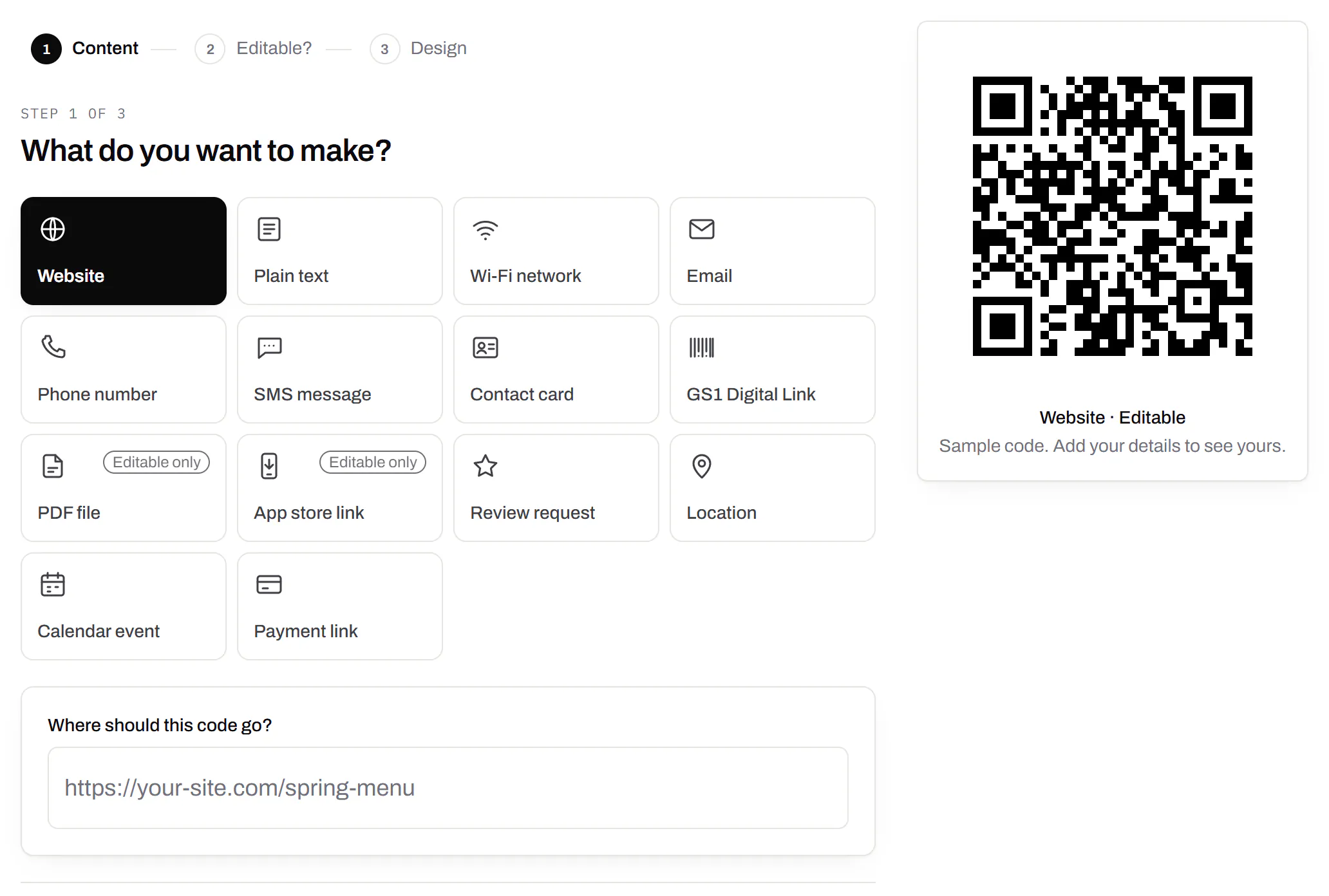
PDF codes you can update
Upload a PDF, print the code, swap the file later.Every plan, Free included
We host the file and the code opens it. Upload a new version and the same printed code opens that one, with the old file kept in its history in case you need it back.
Every plan, Free included
PDF to QR code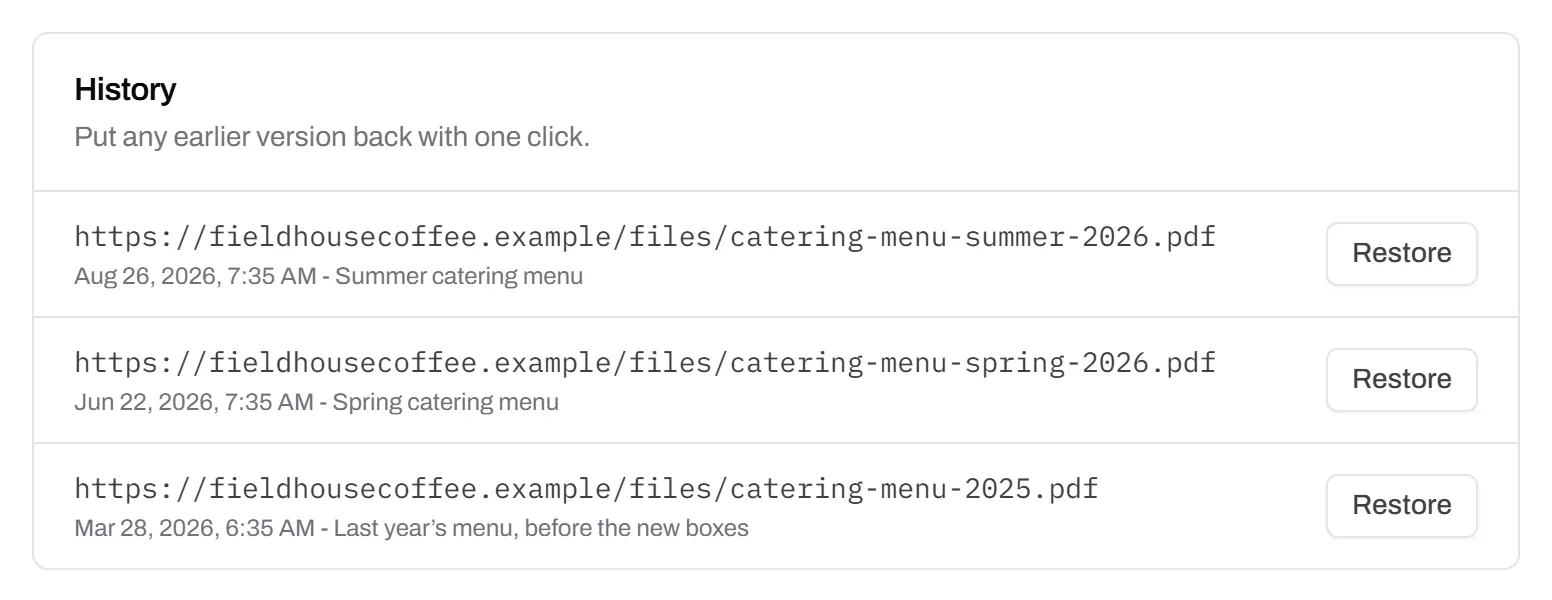
Your logo in the middle
Upload any image; we size it so the code still scans.Every plan, Free included
PNG, JPEG, WebP or GIF, up to 15 MB - we shrink it ourselves, so nobody has to compress a file first. Error correction goes up to make room, and the logo is never allowed to cover more of the pattern than the code can lose.
Every plan, Free included

Print-ready downloads
PNG and SVG on every plan, and a PDF for the printer.PNG and SVG on every plan · PDF on Starter and up
PNG for screens and quick jobs, SVG for anything that gets scaled, and a print-ready PDF on Starter and up.
PNG and SVG on every plan · PDF on Starter and up

Folders and tags
Keep one location’s or one campaign’s codes together.Starter and up
Put codes in a folder per shop, listing or campaign and filter the list by it. Deleting a folder never deletes a code - they move to No folder, and you can undo it.
Starter and up
Campaign presets
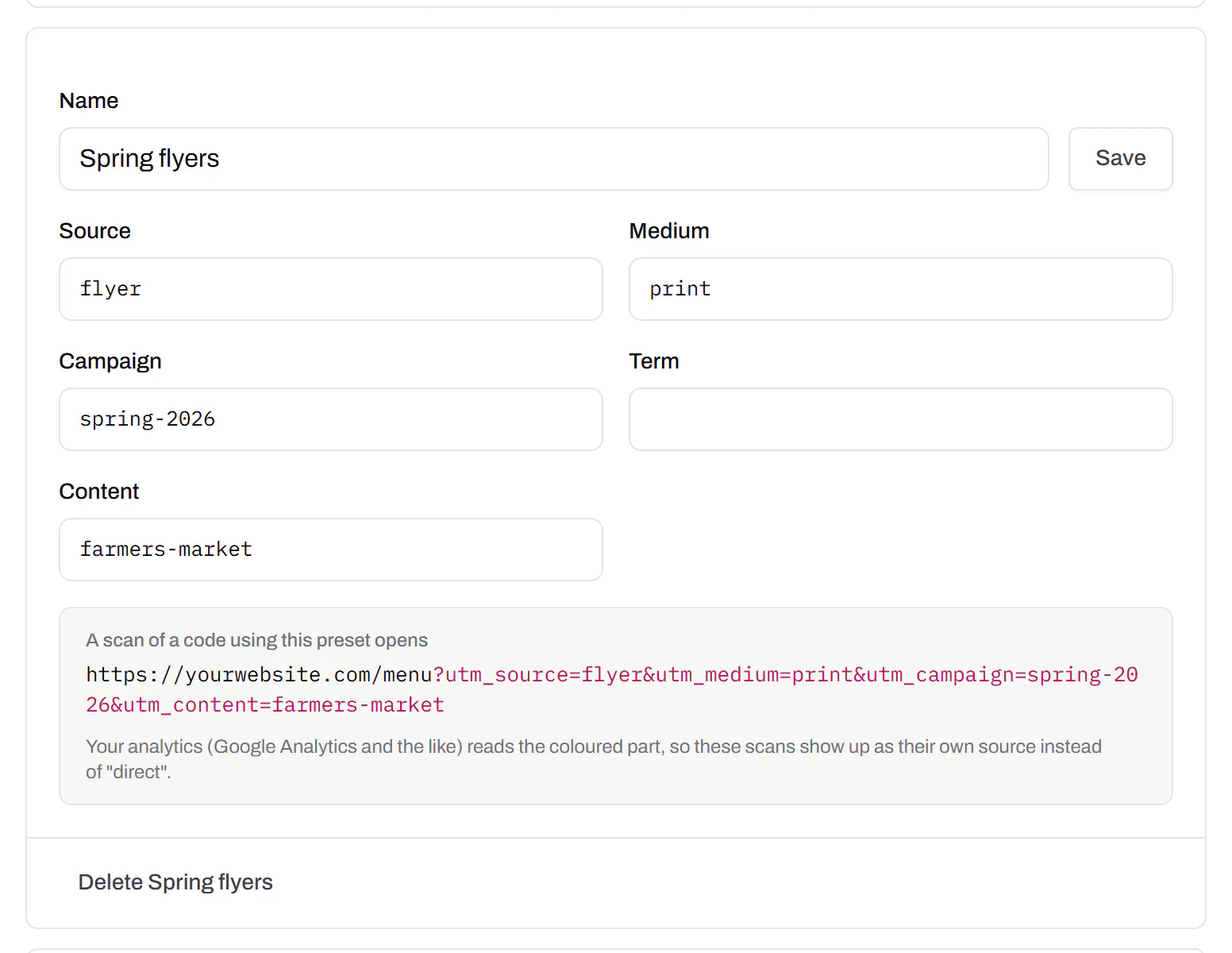
Saved UTM parameters, so printed scans are not “direct”.Starter and up
A printed code arrives in your web analytics as direct traffic. A preset fills in source, medium and campaign in one click, so the flyer and the table tent show up as themselves.
Starter and up
City-level scan locations
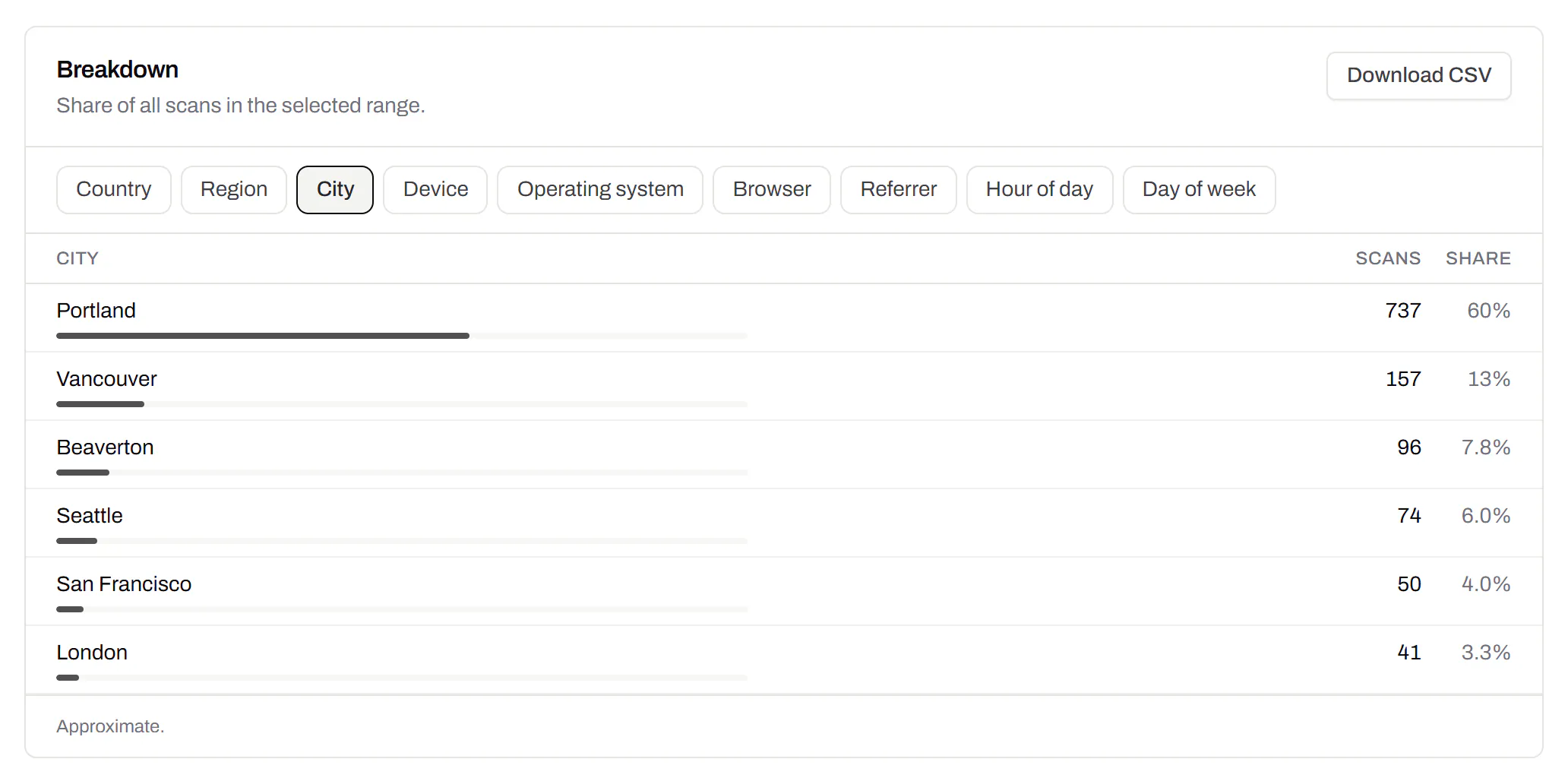
Which towns the scans came from, not only which countries.Pro and Business
Scans by city and region for each code, and towns on the live map. Coarse on purpose: the place the phone’s network reports, never a street or a precise position.
Pro and Business
CSV export
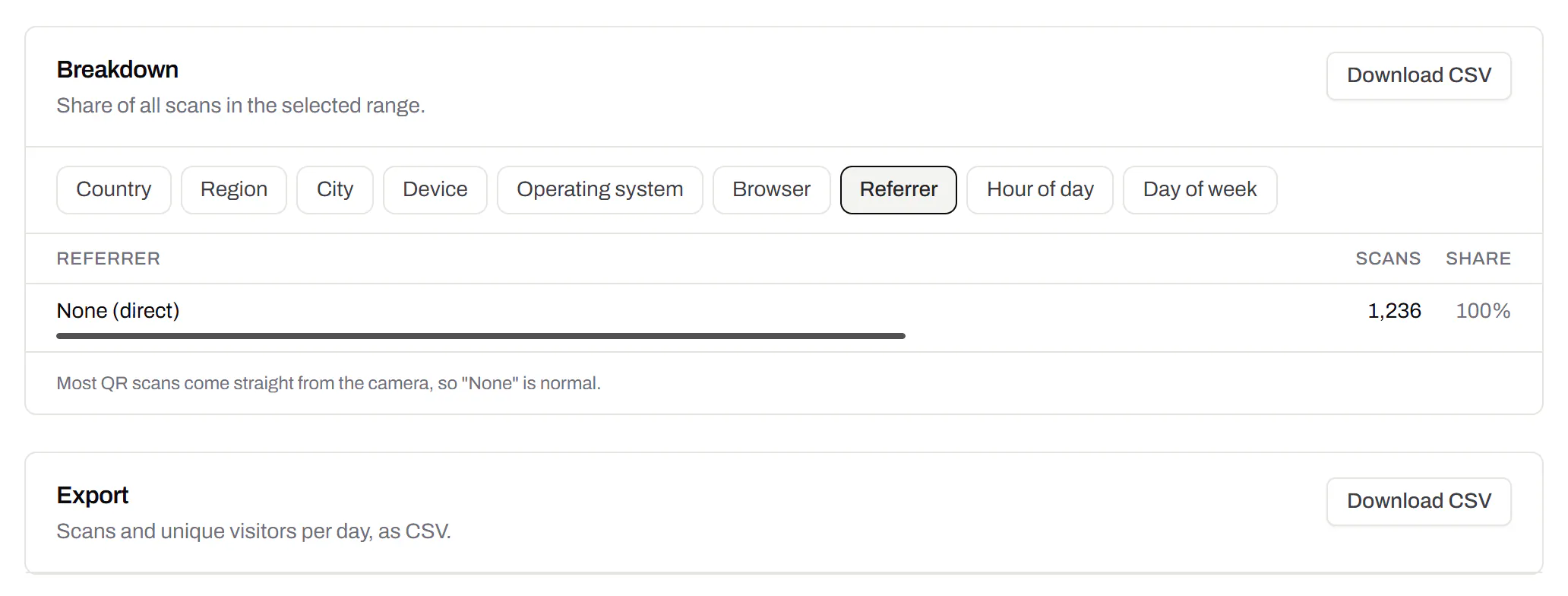
Daily scans per code, in a spreadsheet.Pro and Business
Download scans and unique visitors by day for one code or all of them - with each code’s name and short link - as CSV for your own reports, or for whoever asked how the campaign did.
Pro and Business
Webhooks
Your server hears about every scan and every change.Business
Pick the events - a scan, a code made or changed, a form answered, a QR Menu edited - and give us an address. Each one arrives as a signed POST, retried if your server is down, and every delivery is listed with the response it got.
Business
The API and webhooks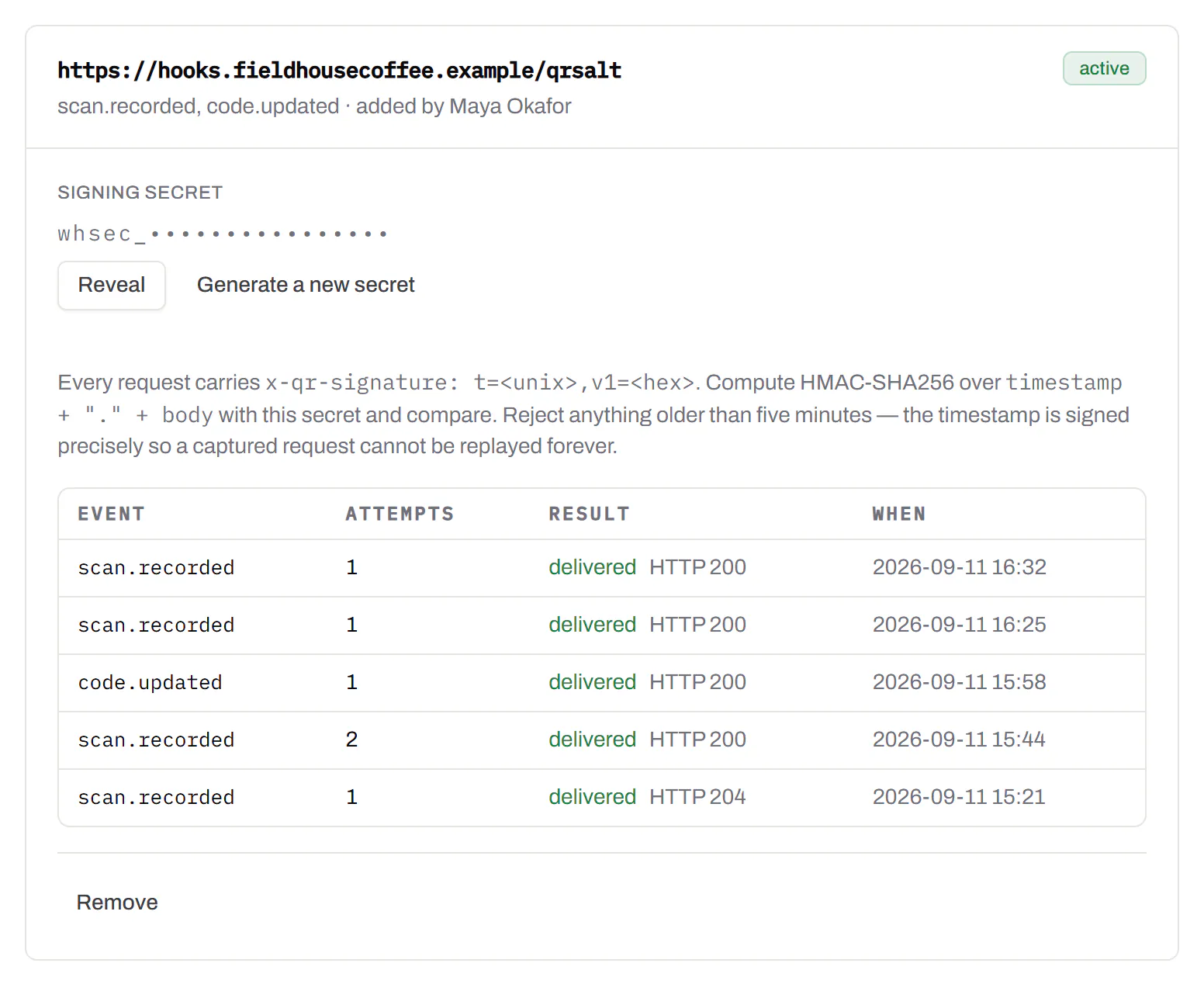
An API for your own software
Make codes, re-point them and render files from your own code.Pro and Business
A REST API for dynamic codes and short links: make them, change where they go, render SVG, PNG or PDF, add your own domains, and change hundreds of codes in one request. No-code tools like Zapier, Make and n8n call it with a plain HTTP step. Every request carries your key, and a key only ever touches its own workspace.
Pro and Business
Every endpoint, with a playground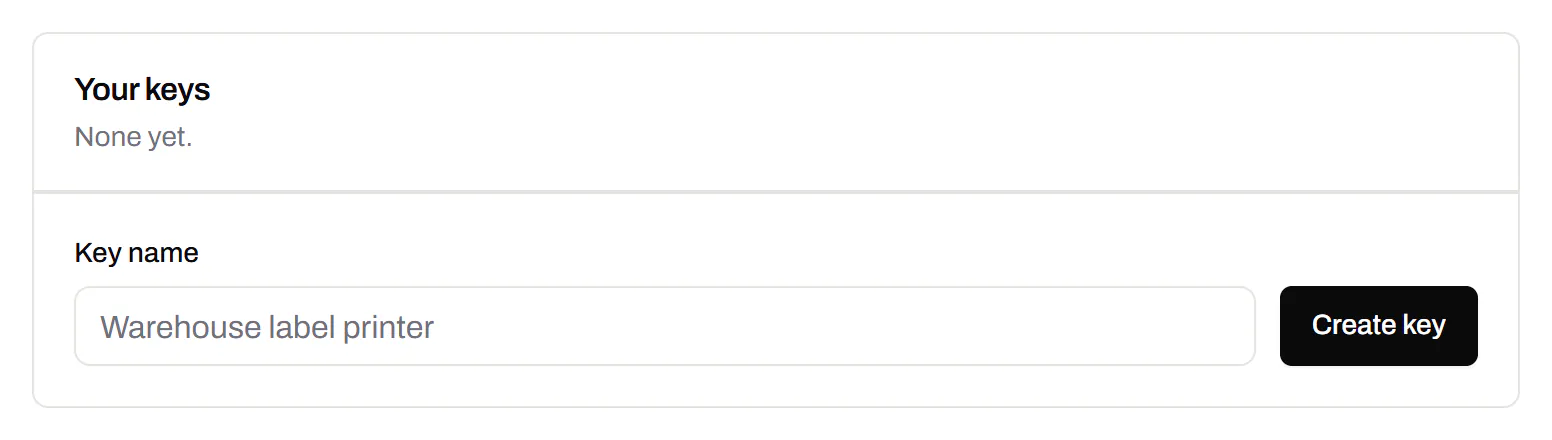
Separate workspaces
One subscription, a workspace per brand or client.Business
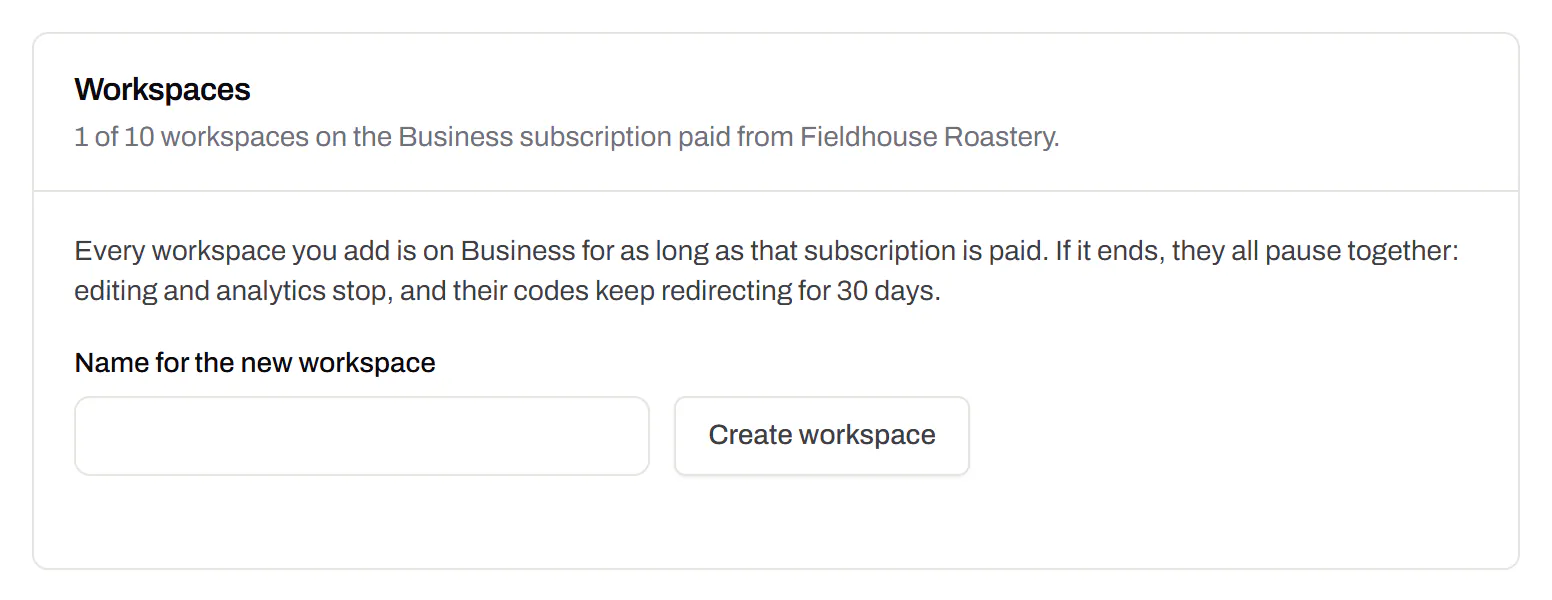
Each workspace has its own codes, team and analytics, so a client never sees another client’s. Up to 10 under one subscription.
Business
Priority email support
Paid plans’ emails are answered first.Starter and up
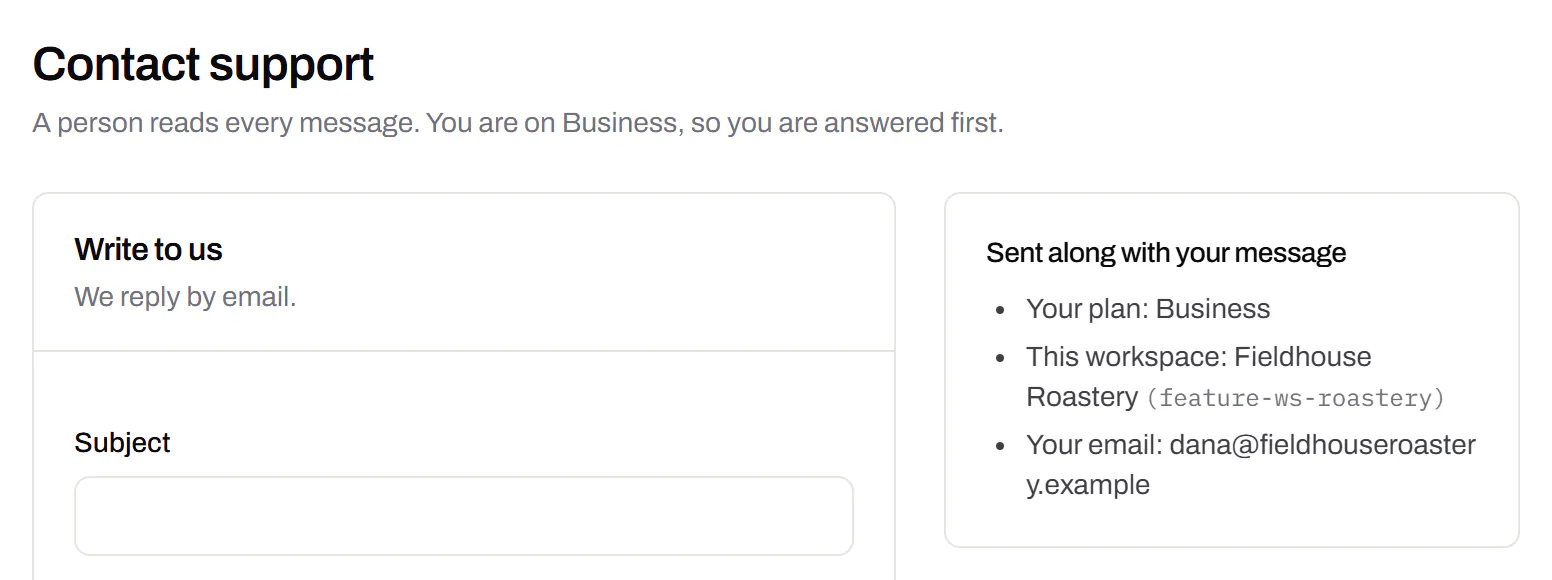
A person reads every message. On a paid plan yours is answered before free accounts’ - an order we keep, not a promised hour. Your plan and workspace go along with it, so nobody has to ask which account is yours.
Starter and up
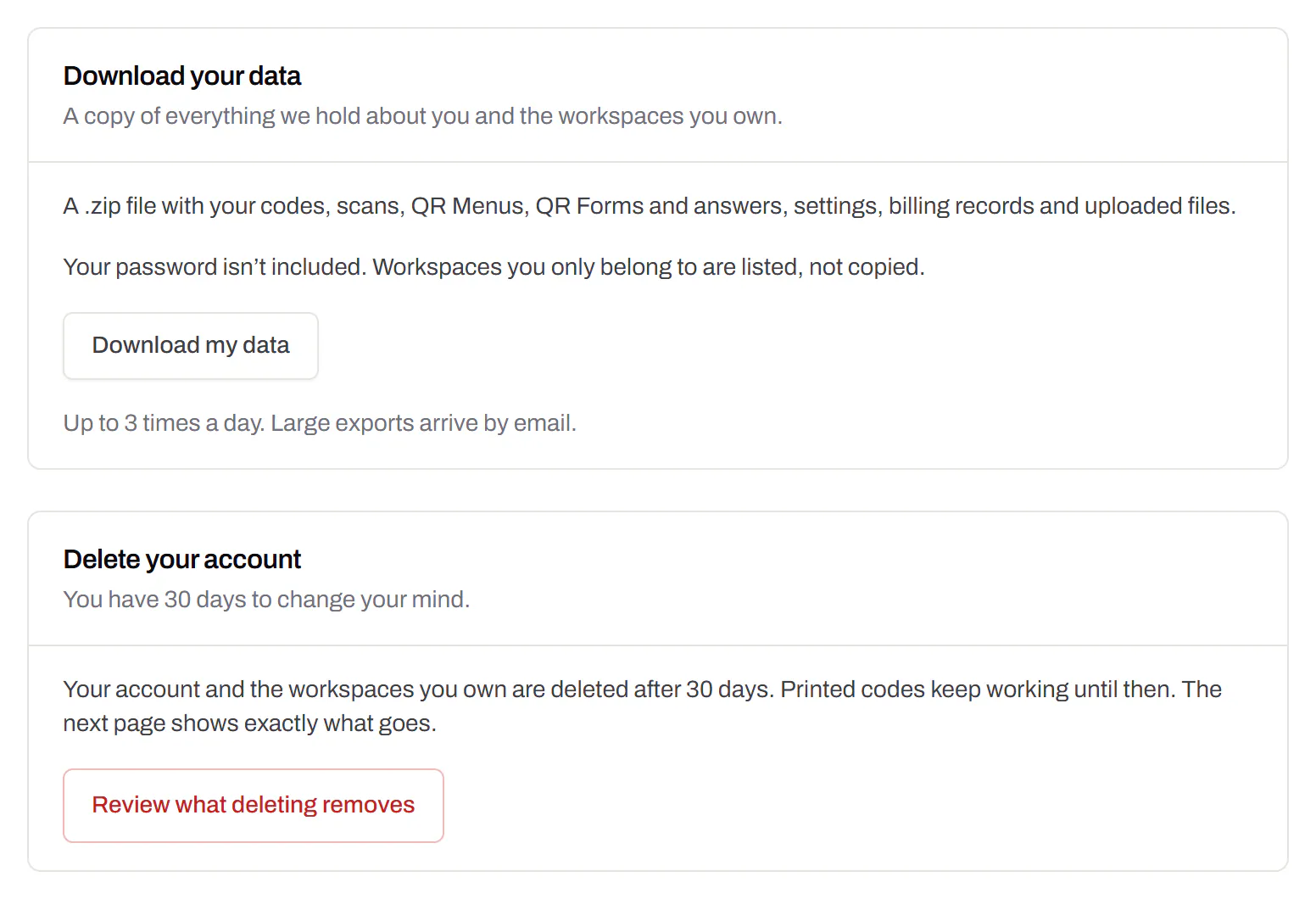
Your data, to take or delete
A full export any time, and deletion you can take back.Every plan, Free included
Download everything - codes, history, scans, form answers and the files you uploaded - as one .zip with spreadsheets inside. Deleting the account gives you 30 days to change your mind, and your printed codes keep working until then.
Every plan, Free included