Uniqode alternative, and where Beaconstac went
If you came looking for Beaconstac: it is Uniqode now, same company, same product, renamed a couple of years ago. That out of the way, the four things worth knowing before you buy either are annual-only billing, scans that are counted against a plan, dynamic codes that are in nothing free, and a four-figure yearly figure for a custom domain — all four from their own pricing FAQ, read on 21 September 2026.
No card, no year to commit to, and 3 editable codes that do not expire.
- Their FAQ read 21 September 2026
- Monthly or yearly, your choice
- A domain of your own from $12
On this page
Beaconstac is Uniqode
The question behind most searches for the old name, answered first so nobody has to read a comparison to find it.
Beaconstac renamed itself Uniqode. Their own blog carries the announcement, and the page they describe as the authoritative one about themselves says the former name was Beaconstac and that the two are the same company and the same product. Nothing was sold or shut down: an account, a login and a printed code all carried over.
Their two pages do not agree on when. The authoritative page puts the rename in 2023; the announcement post carries a last-updated date of 10 January 2024. That is their inconsistency and not ours to resolve, so both are linked at the foot of this page and neither date is stated here as the fact.
The practical consequence is small but real. Help articles, screenshots and invoices from before the change say Beaconstac, so if you are auditing what your organisation already pays for, search both words. And a printed Beaconstac code still resolves through their infrastructure, which is the part that matters if you are thinking about moving — the Beaconstac page is the one that works through what to check on an estate you already have.
Annual only, and scans that are counted
Two decisions in their pricing FAQ that shape the whole purchase, and neither shows up on a feature grid.
The first is the commitment. Asked directly whether monthly plans exist, their FAQ says only annual subscriptions are offered; asked about switching from annual to monthly, it says the same again. So a price written as a monthly figure is a year bought at once, and the smallest sum you can commit is twelve of them. Their 14-day free trial is the whole of the try-before-you-buy.
The second is metering. Their FAQ says scan limits reset annually rather than monthly, and that going over one means moving up a plan. It gives no number, for any tier, anywhere we could read — and an unstated ceiling is worse to plan against than a stated one, because you find out where it is by hitting it.
Both are the opposite here, and deliberately. Every plan can be paid by the month, the yearly price is printed rather than implied, and scans are not counted at all: a code that takes a million of them costs the same as a code nobody scans. Ask within 14 days of any payment and we refund it in full, for any reason, wherever you live. What that adds up to is a cheaper way to be wrong about which plan you need.
Both price lists, and the rows theirs does not state
Their tiers as their own pages list them, then ours. The columns are deliberately thin, because their pricing FAQ states no code count, no seat count and no scan figure for any tier — and inventing those rows would be the dishonest part of this page.
| Tier | Price | What the tier is for |
|---|---|---|
| Uniqode — billed annually, their own figures | ||
| Essential | $9 a month | Individuals and startups, in their words |
| Core | $49 a month | Growing businesses; the first tier with API access |
| Plus | $99 a month | Teams: multi-user access with roles, and SSO |
| Business+ | $399 a month | Multi-brand organisations; invoice billing |
| Enterprise | Custom | Regulated industries, white-labelling, SLAs |
| QRSalt — monthly or yearly | ||
| Free | $0 | 3 editable items, unlimited static codes, unlimited scans |
| Starter | $12 a month, or $120 a year | 100 dynamic codes, 1 custom domain, spreadsheet import |
| Pro | $39 a month, or $390 a year | 600 codes, 10 people, 10 domains, API |
| Business | $99 a month, or $990 a year | 2,000 codes, 25 people, 50 domains, webhooks |
Their own pages use two sets of tier names. The list above is from the page they call authoritative, while the FAQ on the pricing page itself still talks about Starter, Lite and Pro, and their API documentation writes it as “Pro/Core”. Read prices, not names — theirs against theirs as much as theirs against ours.
Two rows of theirs we could read: static QR code creation has no limit on any tier, and their FAQ says the Starter, Lite and Pro plans support single users, with more people requiring Plus or Business+. API access, per their own documentation, begins at the Pro/Core plan. Ours begins with Pro and Business; a key that only renders code images is on every plan, because reading nothing and changing nothing is not something to charge for.
A spreadsheet is the other asymmetry. Bulk creation appears on their pages as a platform feature with no tier named against it. Here it is on Starter and up: up to 1,000 rows in one import, each becoming a named code with its own short link, and the batch generator does 500 static codes in the browser for nothing at all.
The custom domain line
One number, given its own section because of the size of it and because their own pages do not tell the same story about it.
Their pricing FAQ says a custom domain is available under the Plus plan as an add-on costing $2,000 per domain per year, and that Business+ is where you go for more of them. Their authoritative page, meanwhile, lists custom branded domains among the things the $99 Plus tier includes, and repeats no such figure. We are not going to pick between two of somebody else’s pages: both are linked below, and the number is worth asking their sales team about directly before signing anything.
What a custom domain buys is worth being clear about, because it is not cosmetic. It means the printed code points at a hostname you own — go.yourbrand.com — so the address on the packaging survives a change of supplier. Without one, every printed code is an address on a vendor’s domain, and moving means reprinting.
That is exactly why it sits on the cheapest paid plan here rather than near the top: 1 verified domain on Starter at $12 a month, with the setup being one DNS record. Charging separately for the one feature that decides whether a customer can ever leave has always struck us as the wrong way round.
Where Uniqode is the better buy
Five of them, and the first is disqualifying rather than debatable. A page that only argued its own side would be worth nothing to anyone actually choosing.
Certifications we do not hold, in writing
Their site shows SOC 2 Type II, HIPAA, ISO and GDPR badges, and their own tier notes tie Enterprise to healthcare, finance and government buyers. Our data processing agreement says plainly that we hold no ISO 27001 or SOC 2 certification. If a procurement form asks for one, that is the end of the comparison and they win it.
SAML single sign-on and role-based permissions
Their Plus tier is described as multi-user access with role-based permissions and SSO, and their homepage names SAML SSO and two-factor authentication. There is no SSO here at all: seats are email and password accounts, up to 25 of them.
Many organisations under one roof
Business+ is described as multi-org management, and Enterprise adds white-labelling and a named customer success manager with SLAs. Ours stops at 10 workspaces inside one account, with no white-label option and no service-level agreement on offer.
Analytics that land in the tools you already read
Their Core tier is listed with native connections to GA4, Google Sheets, Slack, Zapier and Make. We reach Zapier, Make and n8n and an assistant connector, but nothing native for GA4, Sheets or Slack — a scan here does not appear in a Slack channel without you building that yourself.
A digital business card product beside the codes
Their pricing page sells digital business cards as a separate line with a free first card. We do a contact-card QR code, which is a different and smaller thing: a code that saves your details, not a hosted card with its own plan.
Moving from Beaconstac or Uniqode, answered
Is Beaconstac the same company as Uniqode?
Yes — one business under two names, and their own pages say as much: the former name was Beaconstac, and nothing changed hands. Anything you printed under the old name still belongs to the same account. The only muddle is the year, because two of their pages give different ones; the opening section sets out which says what, with both linked underneath.
Does Uniqode have a free plan for dynamic QR codes?
Their pricing FAQ says the generator is free only for static codes, and that dynamic codes and advanced features need a minimum of $9 a month, alongside a 14-day free trial. Free here includes 3 dynamic items with no expiry date and no card, which is the difference this page turns on for anyone who only needs a few.
Can I pay Uniqode monthly?
No, according to their own pricing FAQ, which puts it twice in two separately worded entries: yearly subscriptions are the only kind sold. Here the choice is yours, and the year’s price is printed as a total rather than left as a rate to work out.
Does Uniqode cap how many times a code may be scanned?
Their pricing FAQ describes an allowance that renews once a year, and says going past it means buying a bigger plan. No quantity is attached to any tier of theirs that we could find. We do not meter scans at all, on any plan, which is why our price list carries no row for them.
What does a custom domain cost on each side?
Two of their pages answer that differently: one treats it as a separately priced extra on the $99 tier, the other as something that tier already holds. The figure and the discrepancy are both set out further up, with the sources underneath. On this side it is simply included — 1 on Starter, 10 on Pro, 50 on Business.
Which one should a five-person marketing team buy?
Theirs, if anyone in the approval chain needs SOC 2 or HIPAA, or if SSO is a requirement — we have none of the three. Ours, if the shopping list is codes, a hostname of your own, a year or more of history and five logins, because Pro at $39 a month covers 10 people and their Plus tier is the $99 step.
Can I move a printed Beaconstac code across?
Only if it was printed on a hostname you control. A code on somebody else’s short domain is answered by their servers and no service can adopt it, in either direction. Codes on your own domain move with a DNS change, which is the strongest argument for putting them there from the start.
Check it at the source
- Uniqode pricing. The FAQ this page quotes: annual-only billing, annual scan resets, the $9 minimum and the $2,000 custom domain
- Uniqode: about. The tier list and prices above, the former name, and the other domain story
- Beaconstac rebrands to Uniqode. Their own announcement, and the date it carries
- Uniqode API documentation. Which plan their API needs, in their own help centre
- QRSalt pricing. Our half of the table, from the file the product enforces
- QRSalt data processing agreement. Where we state which certifications we do not hold
Last reviewed , against the product as it works today.
No year to commit to before you know
Free holds 3 editable codes for as long as you want them, with no card. Starter is $12 a month, or $120 if a year suits you better, and either way the first 14 days are refundable.
Free
Free
Unlimited static codes. Three editable ones that never expire.
- Unlimited static QR codes, forever
- 3 editable items in total — dynamic QR codes, QR Menus and QR Forms share them
- Dynamic codes never expire, and each comes with a short link
- Short links on their own, no QR code needed
3dynamic codes
Starter
$12/mo
For one business with codes out in the world.
- 5 QR Menus
- QR Forms
- GS1 Digital Links we host, so a printed pack can be re-pointed
- Advanced tracking and analytics
100dynamic codes
Pro
Most chosen$39/mo
For agencies and teams running codes at scale.
- 50 QR Menus
- Unlimited analytics history
- 10 custom domains
- API access
600dynamic codes
Business
$99/mo
For organisations running codes across many brands.
- 400 QR Menus
- 50 custom domains
- Up to 25 team members and team management
- Up to 10 workspaces
2,000dynamic codes
Unlimited scans on every plan. Cancel online in two clicks. Compare every plan and feature
The rest of the toolbox
Open a row to see the screen and which plan has it.
Custom domains
Short links on your own domain, chosen code by code.Starter and up
Codes open go.yourbrand.com/menu rather than a link with our name in it, so the address under the code is yours. You add two DNS records and we check them. Then pick the domain for each code as you make it, or move a whole list of codes onto it at once.
Starter and up
QR codes on your own domain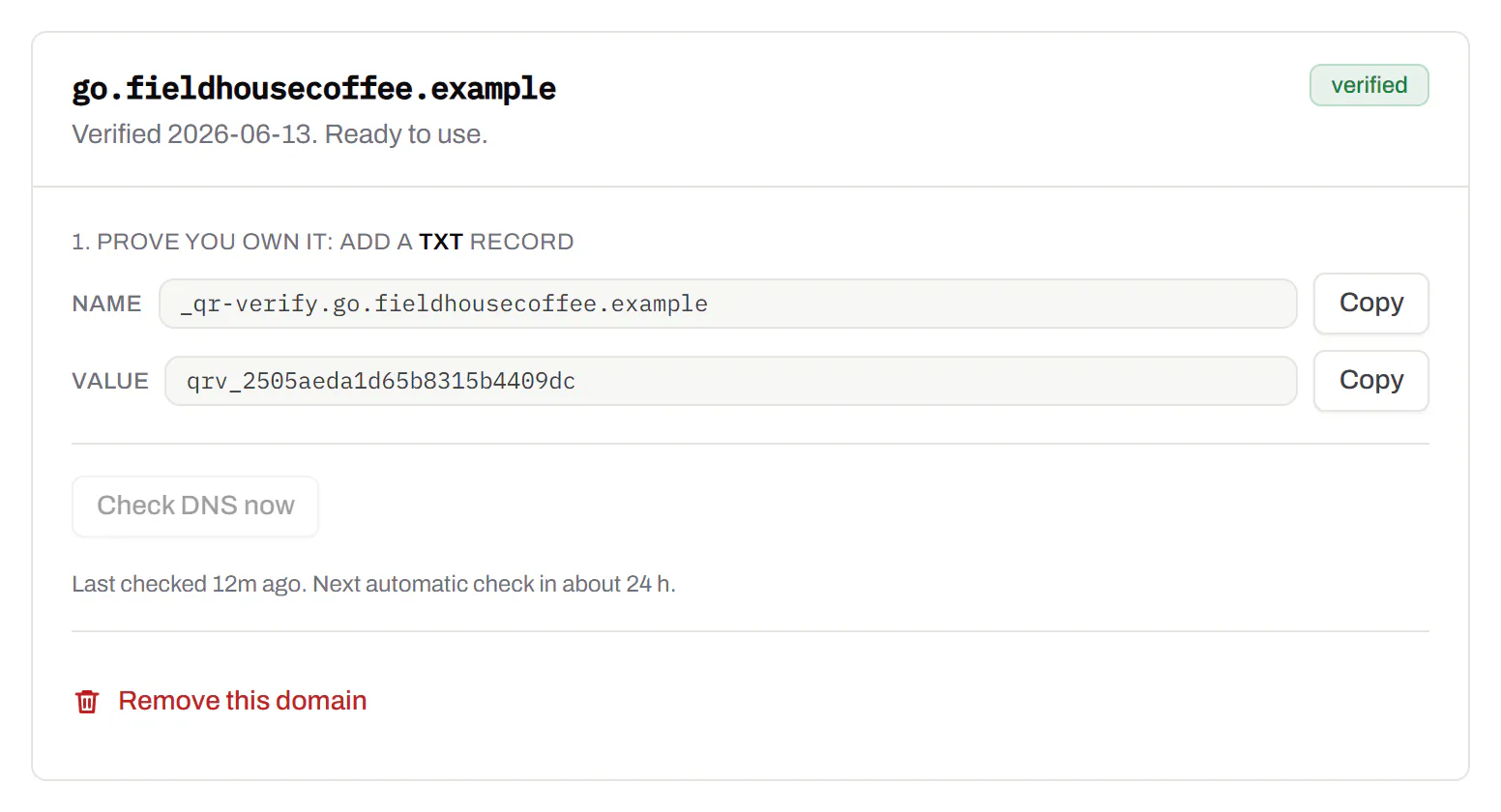
Bulk QR code generator
A spreadsheet in, one dynamic code per row out.Starter and up
Paste or upload a list of names and links, match the columns, and get a dynamic code for every row - one per table, stall, badge or product - each with its own scans and destination.
Starter and up
The bulk generator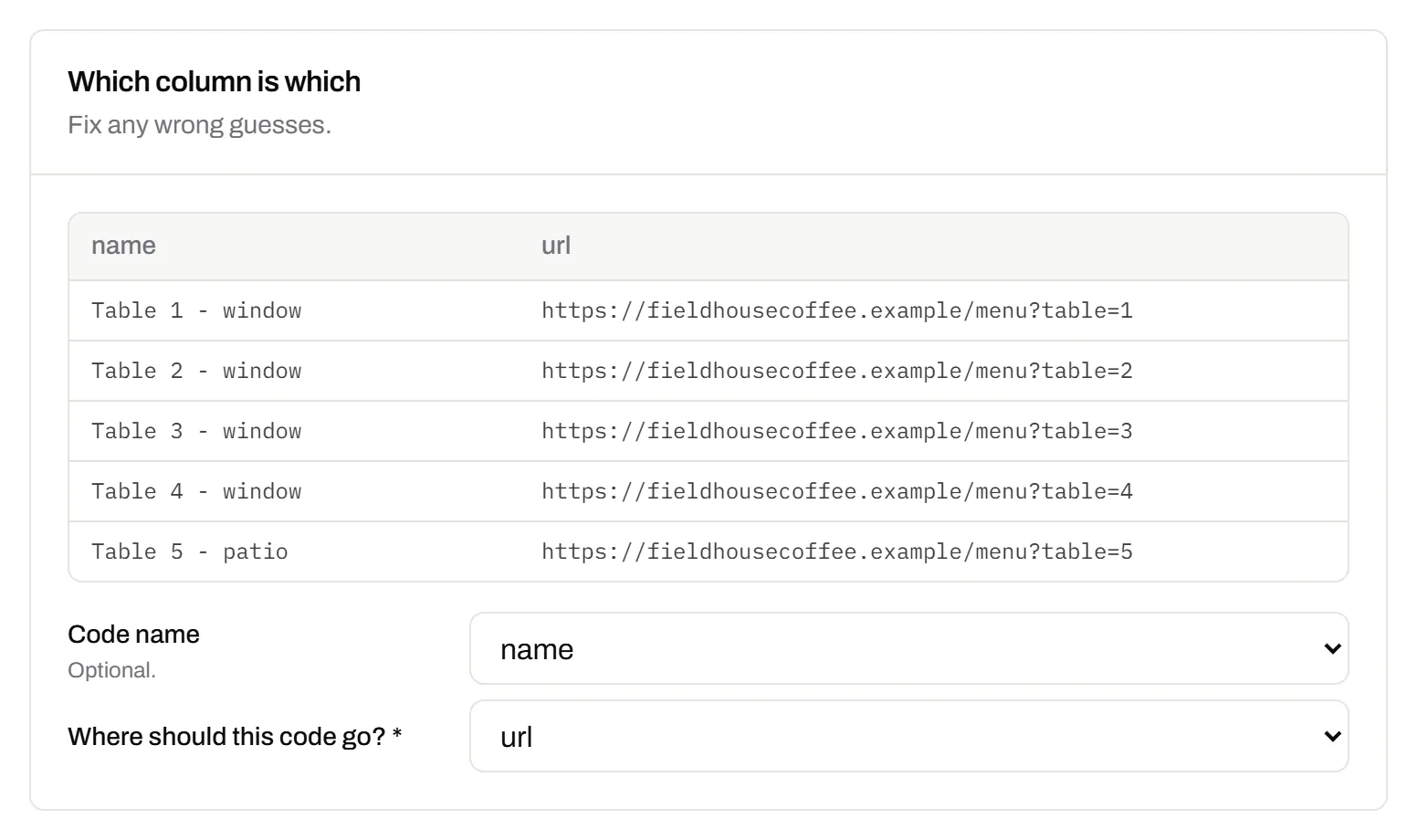
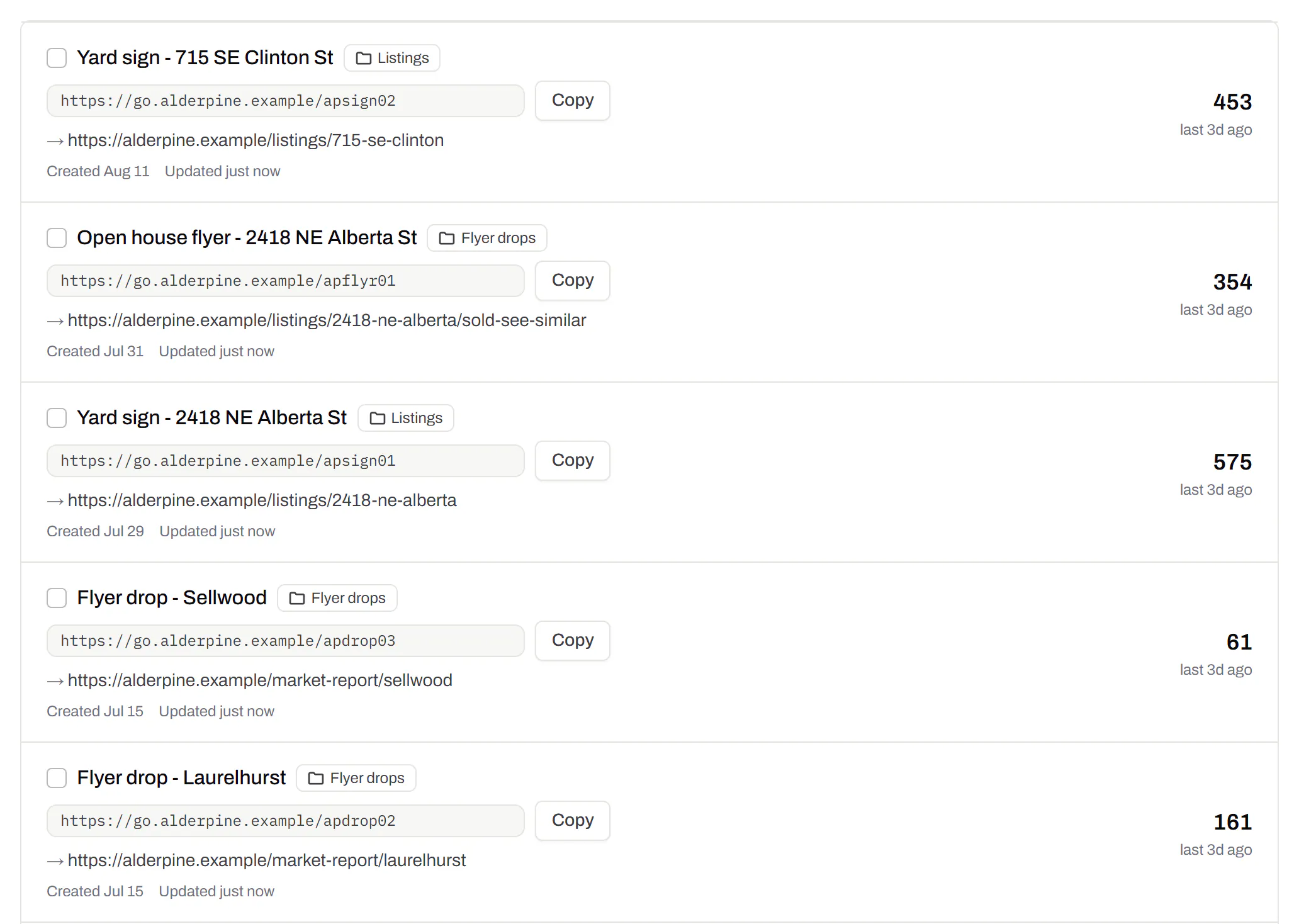
Change many codes at once
Tick the codes, then pause, tag, file or move them together.Pause and resume on every plan · folders and tags on Starter and up
Tick codes in the list, or pick every code with a tag, and pause or resume them, add or remove tags, move them to a folder or onto your own domain, or add campaign tags, in one go. The API does the same in one request.
Pause and resume on every plan · folders and tags on Starter and up
Short links, with your own ending
The link on its own, for a bio, an email or an ad.Every plan · custom endings on Business
Paste a link and get a short one you can change, route and count, with no QR code unless you want one. Every dynamic code already has its short link beside it, and a short link gets its QR code in one click - the same link, so clicks and scans count together. On Business you choose how the link ends, like /spring-menu, instead of random letters.
Every plan · custom endings on Business
The URL shortener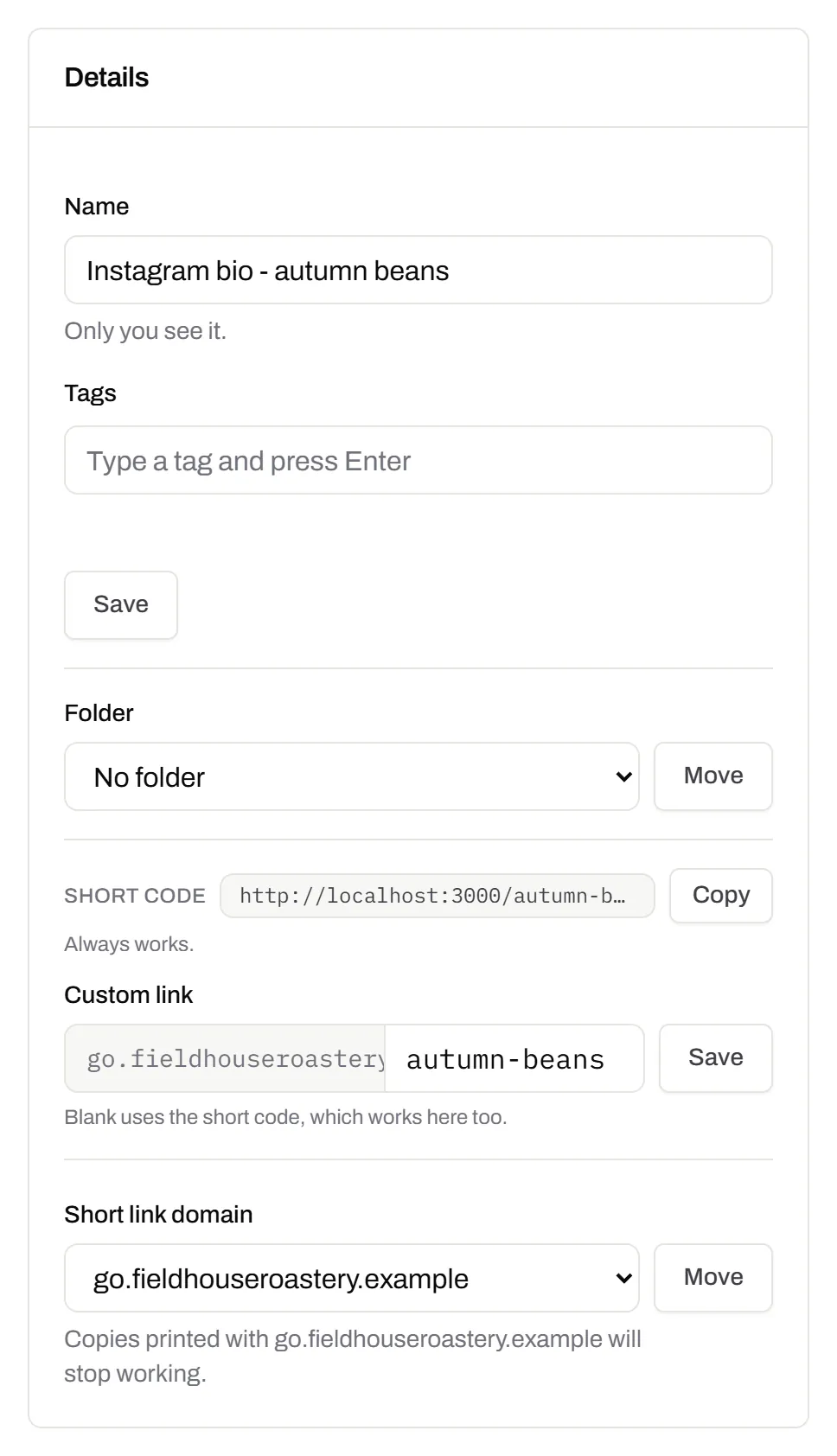
GS1 Digital Link for products
The retail code that carries your GTIN and still opens a web page.Every plan, Free included
Your domain and the GTIN from under the barcode, with batch, serial and dates if you want them, in the link format GS1 set for retail. A phone opens your page; the product data rides along in the address. The GTIN’s check digit is checked before anything is made.
Every plan, Free included
QR codes for packaging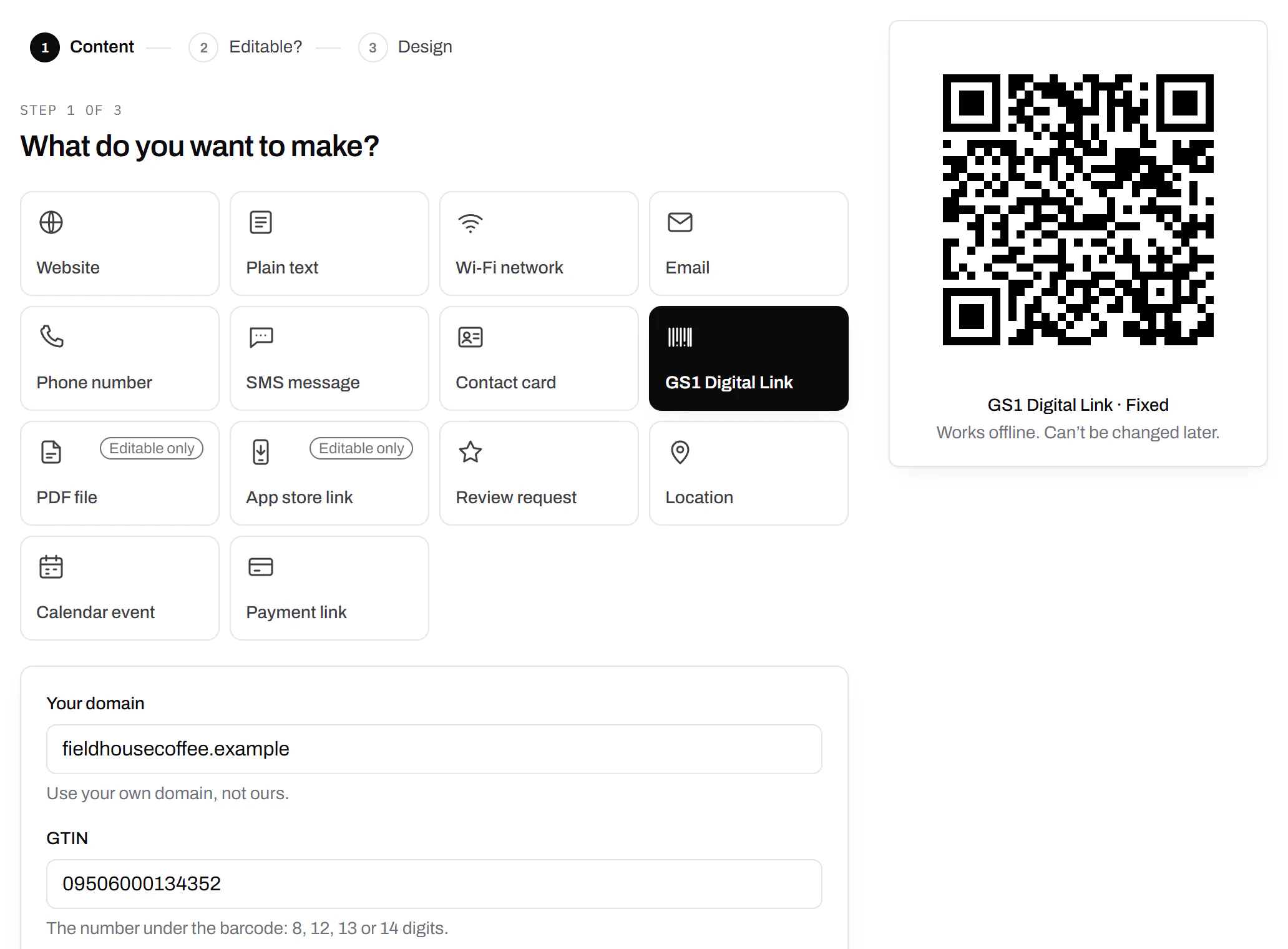
Wi-Fi, contact cards, email, phone and SMS
Networks, contacts, calendar dates and places, not only links.Every plan, Free included
A website, plain text, a Wi-Fi network, an email, a phone number, a text message, a contact card, a GS1 Digital Link, a PDF, a location, a calendar event and more. Most download free, with no account; the few marked “Editable only” need one.
Every plan, Free included
Contact card codes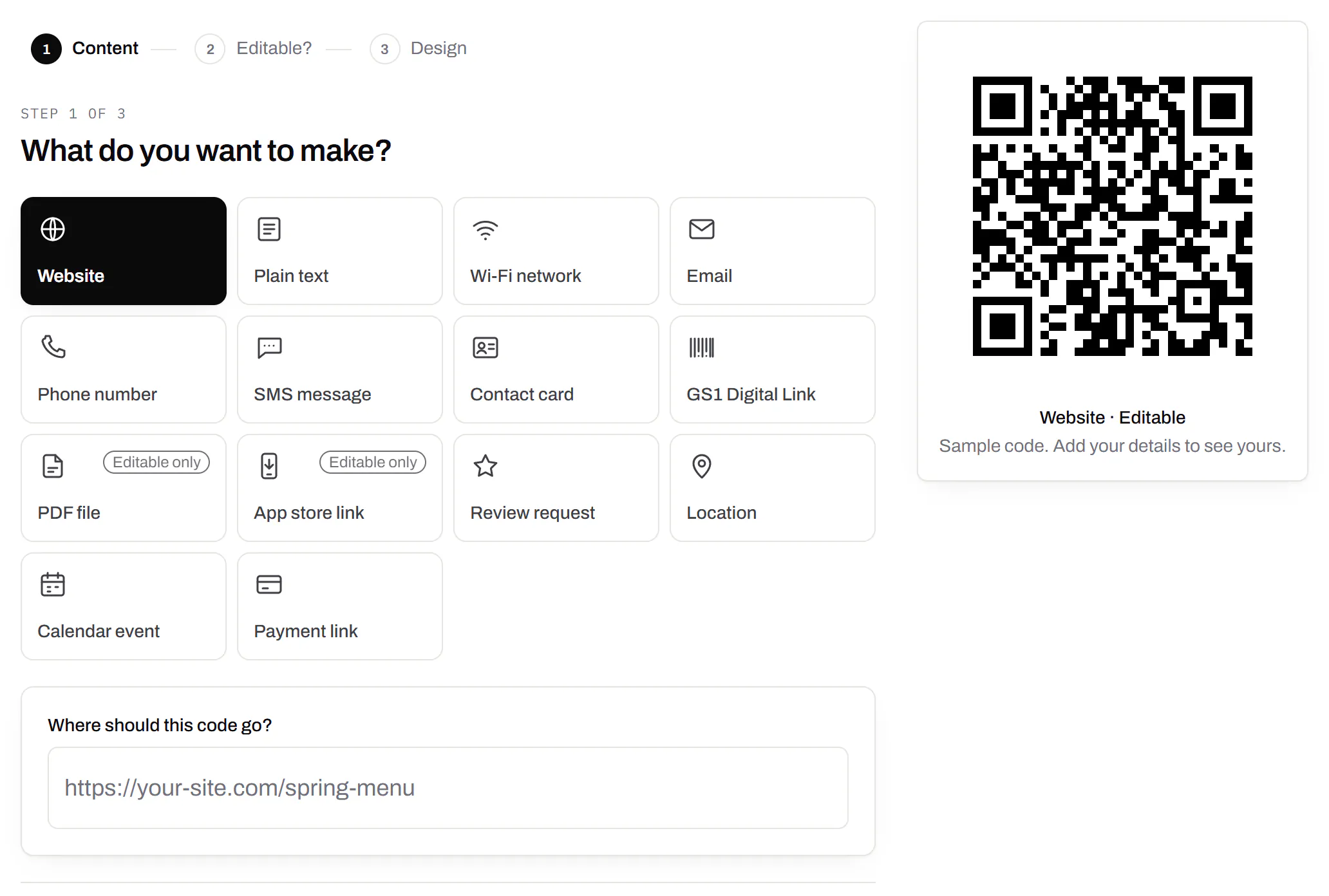
PDF codes you can update
Upload a PDF, print the code, swap the file later.Every plan, Free included
We host the file and the code opens it. Upload a new version and the same printed code opens that one, with the old file kept in its history in case you need it back.
Every plan, Free included
PDF to QR code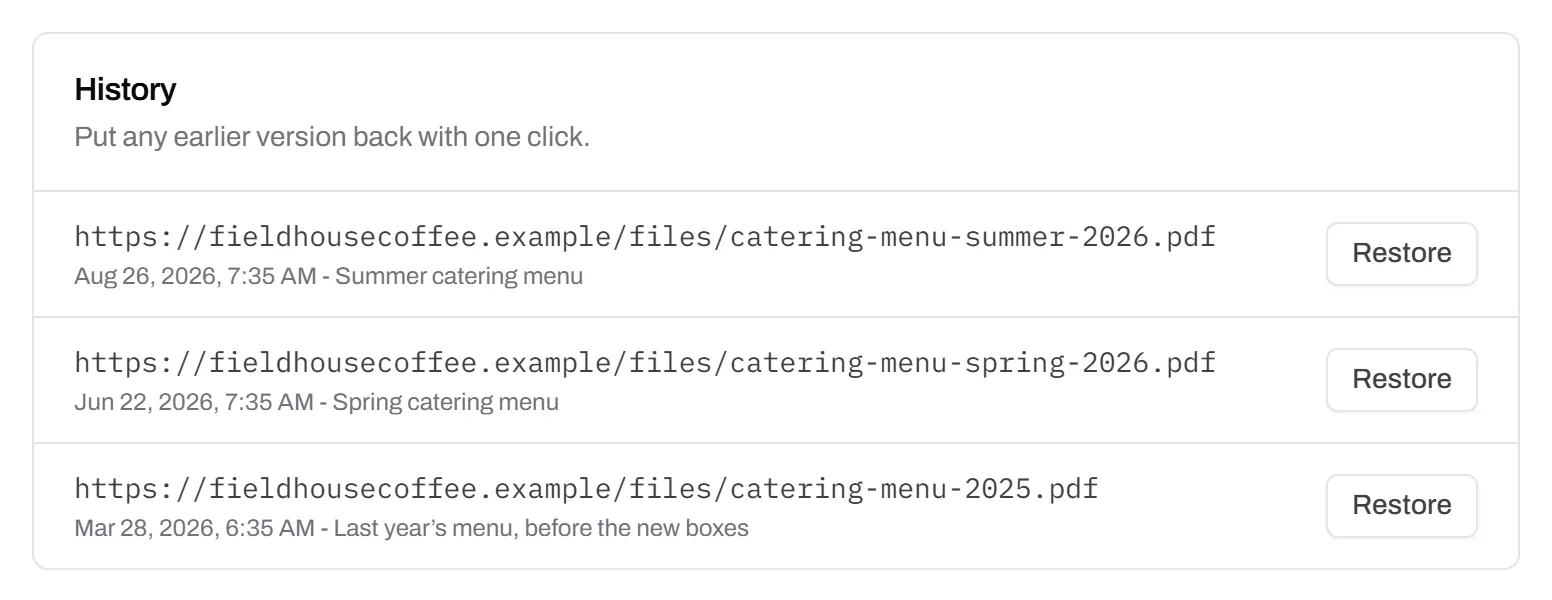
Your logo in the middle
Upload any image; we size it so the code still scans.Every plan, Free included
PNG, JPEG, WebP or GIF, up to 15 MB - we shrink it ourselves, so nobody has to compress a file first. Error correction goes up to make room, and the logo is never allowed to cover more of the pattern than the code can lose.
Every plan, Free included

Print-ready downloads
PNG and SVG on every plan, and a PDF for the printer.PNG and SVG on every plan · PDF on Starter and up
PNG for screens and quick jobs, SVG for anything that gets scaled, and a print-ready PDF on Starter and up.
PNG and SVG on every plan · PDF on Starter and up

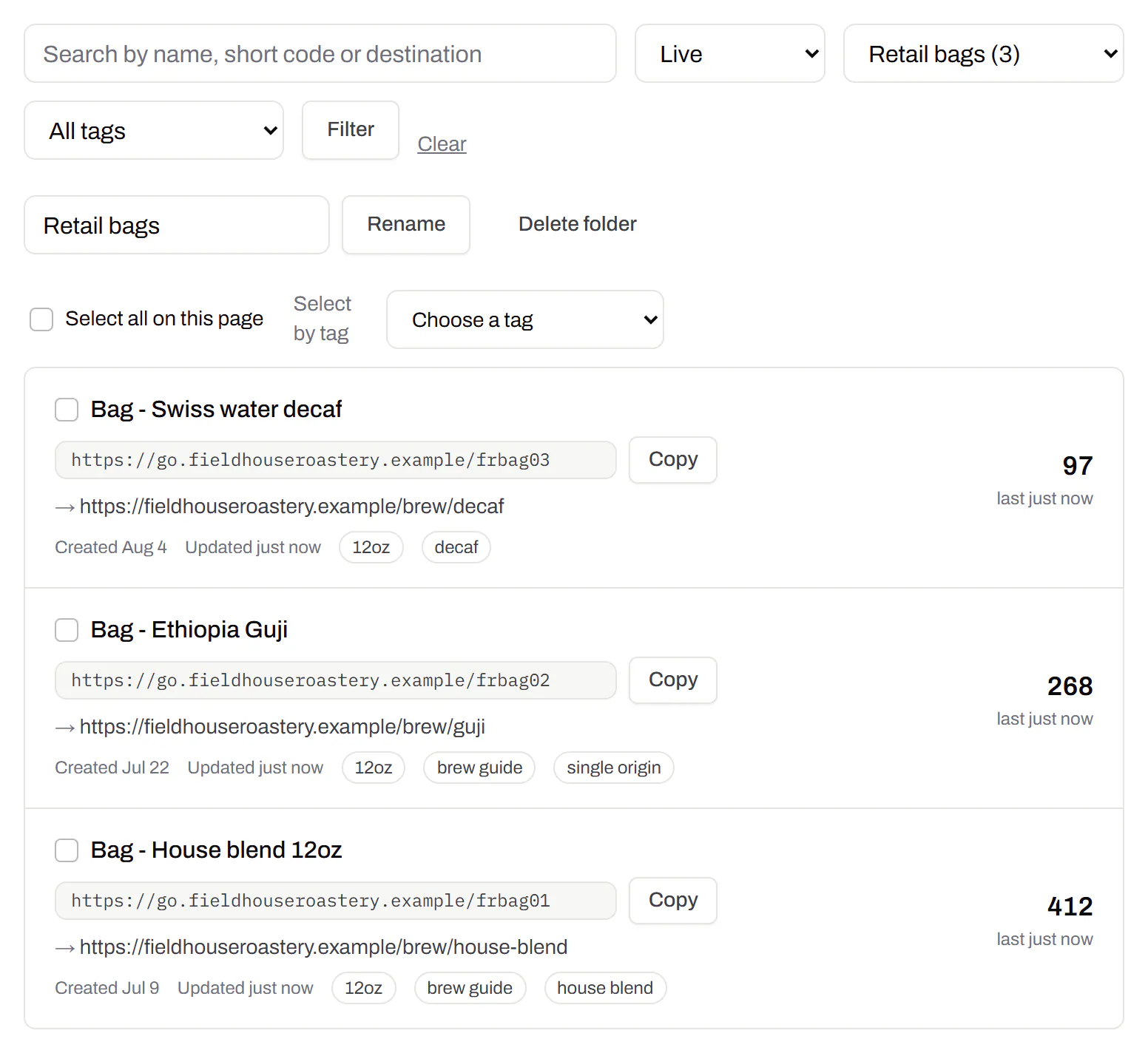
Folders and tags
Keep one location’s or one campaign’s codes together.Starter and up
Put codes in a folder per shop, listing or campaign and filter the list by it. Deleting a folder never deletes a code - they move to No folder, and you can undo it.
Starter and up
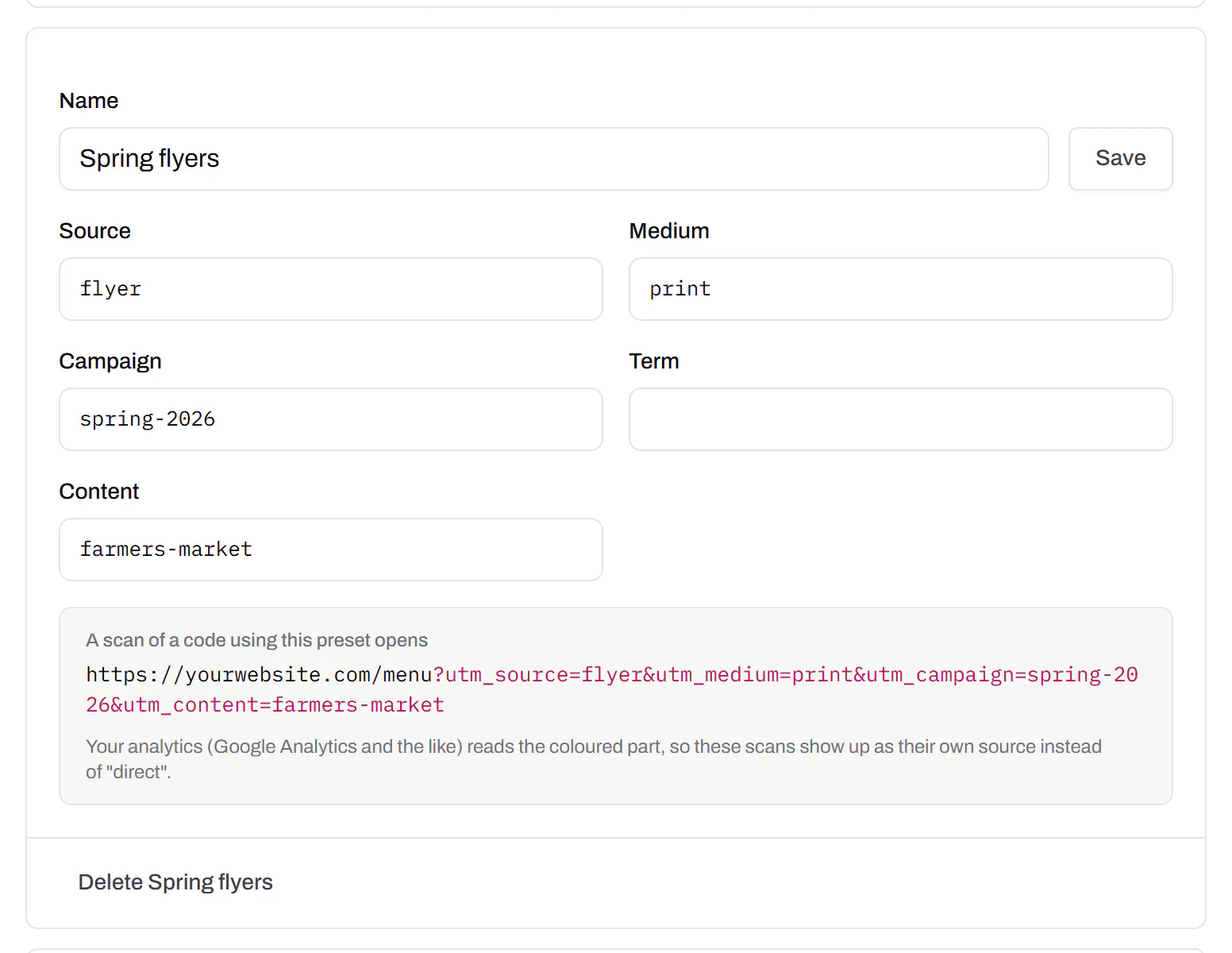
Campaign presets
Saved UTM parameters, so printed scans are not “direct”.Starter and up
A printed code arrives in your web analytics as direct traffic. A preset fills in source, medium and campaign in one click, so the flyer and the table tent show up as themselves.
Starter and up
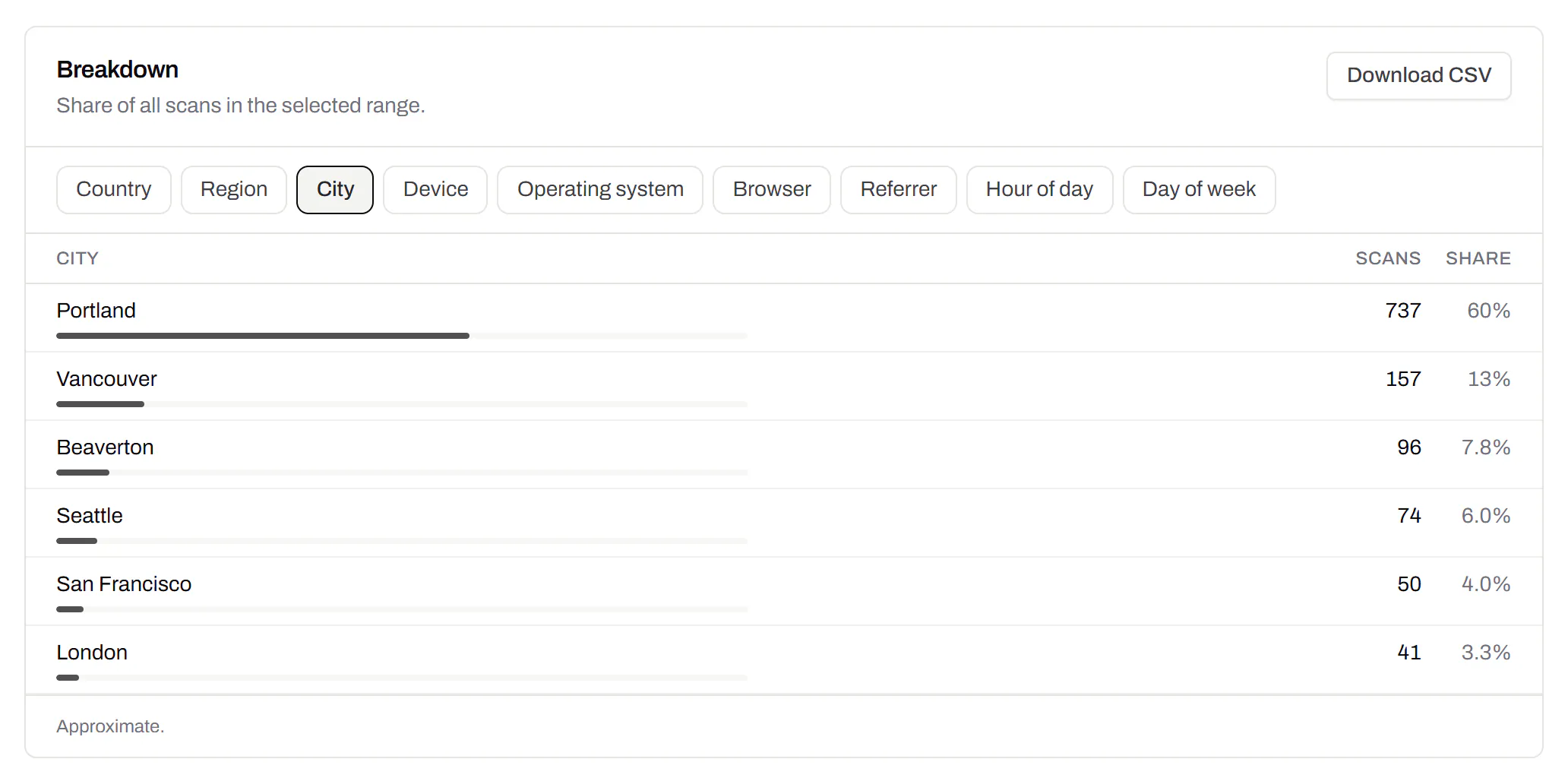
City-level scan locations
Which towns the scans came from, not only which countries.Pro and Business
Scans by city and region for each code, and towns on the live map. Coarse on purpose: the place the phone’s network reports, never a street or a precise position.
Pro and Business
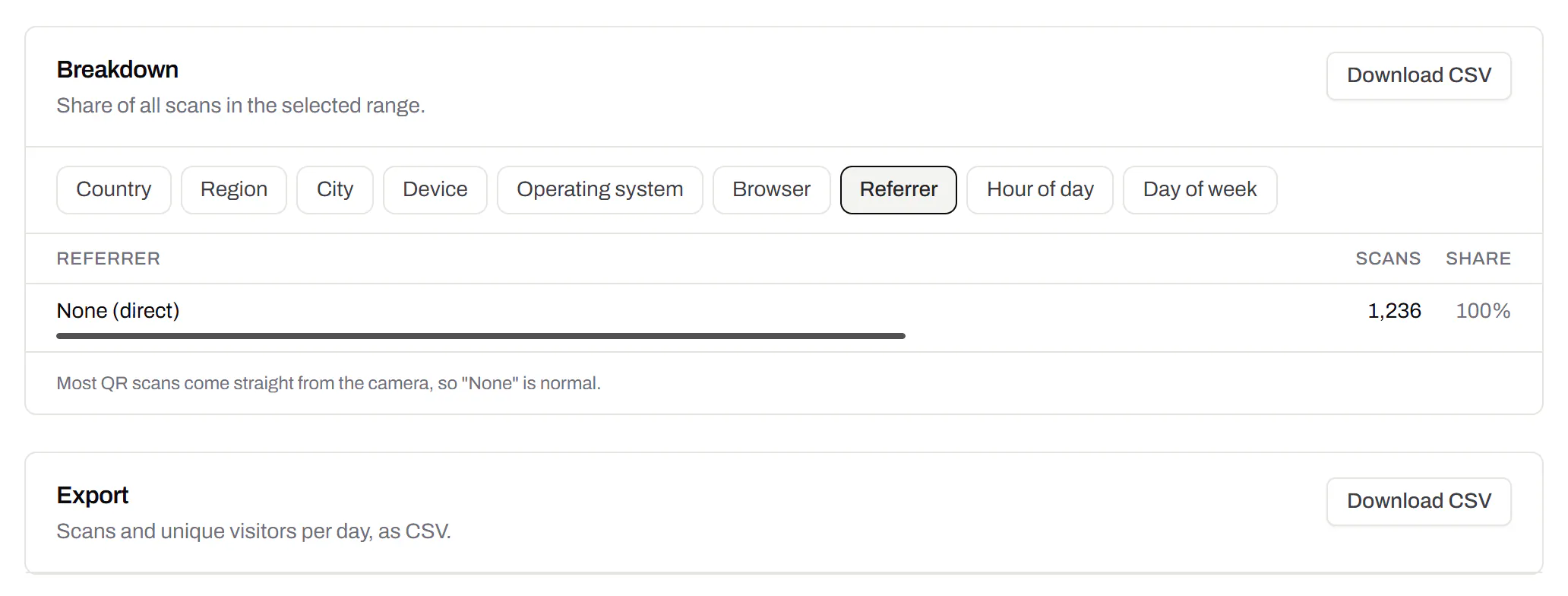
CSV export
Daily scans per code, in a spreadsheet.Pro and Business
Download scans and unique visitors by day for one code or all of them - with each code’s name and short link - as CSV for your own reports, or for whoever asked how the campaign did.
Pro and Business
Webhooks
Your server hears about every scan and every change.Business
Pick the events - a scan, a code made or changed, a form answered, a QR Menu edited - and give us an address. Each one arrives as a signed POST, retried if your server is down, and every delivery is listed with the response it got.
Business
The API and webhooks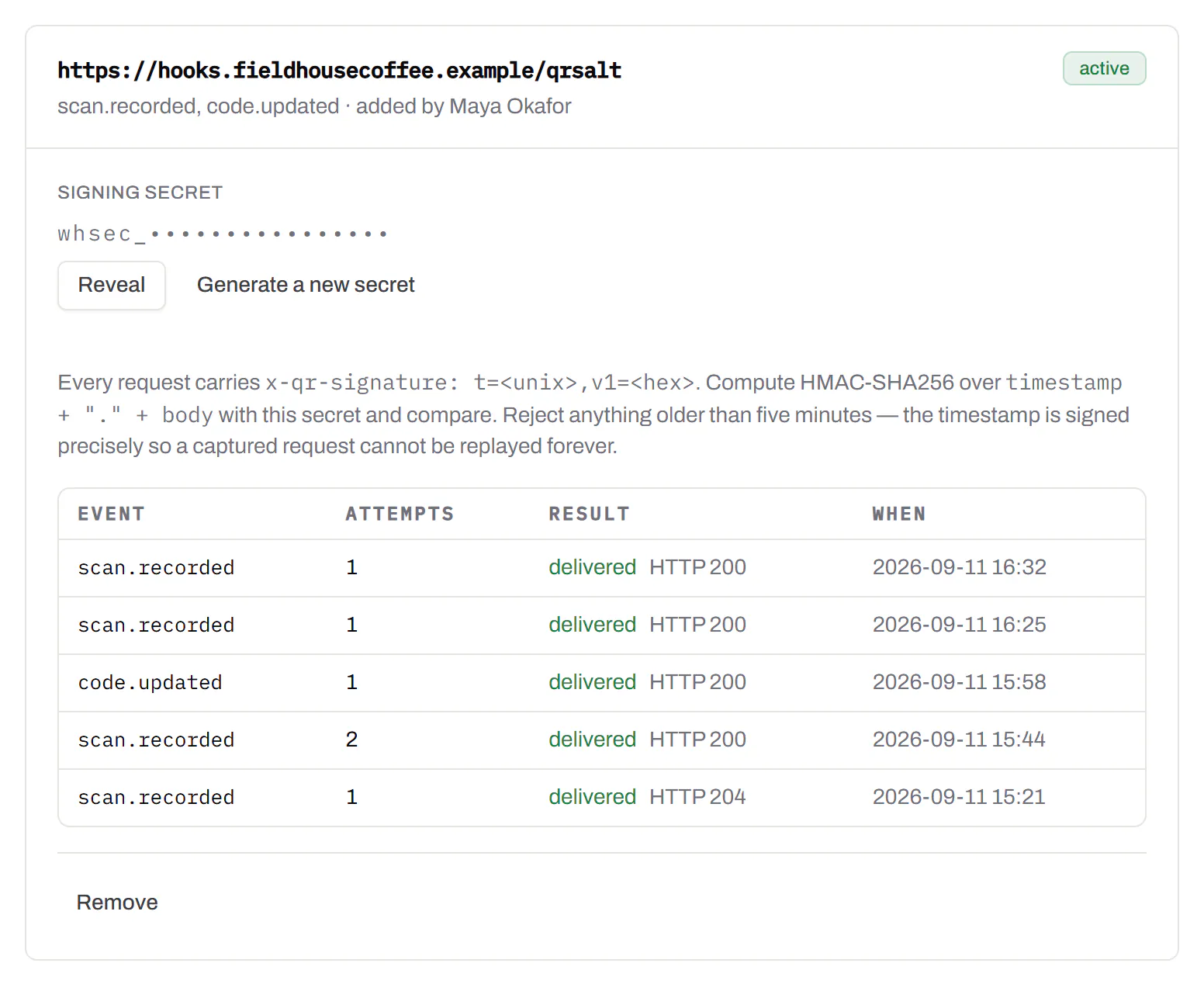
An API for your own software
Make codes, re-point them and render files from your own code.Pro and Business
A REST API for dynamic codes and short links: make them, change where they go, render SVG, PNG or PDF, add your own domains, and change hundreds of codes in one request. No-code tools like Zapier, Make and n8n call it with a plain HTTP step. Every request carries your key, and a key only ever touches its own workspace.
Pro and Business
Every endpoint, with a playground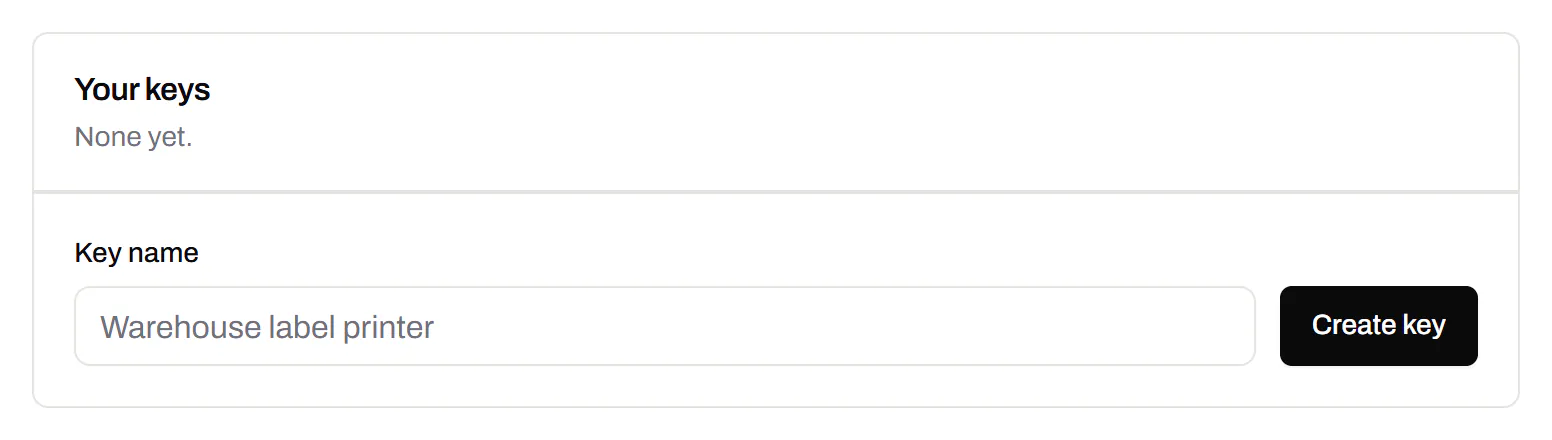
Separate workspaces
One subscription, a workspace per brand or client.Business
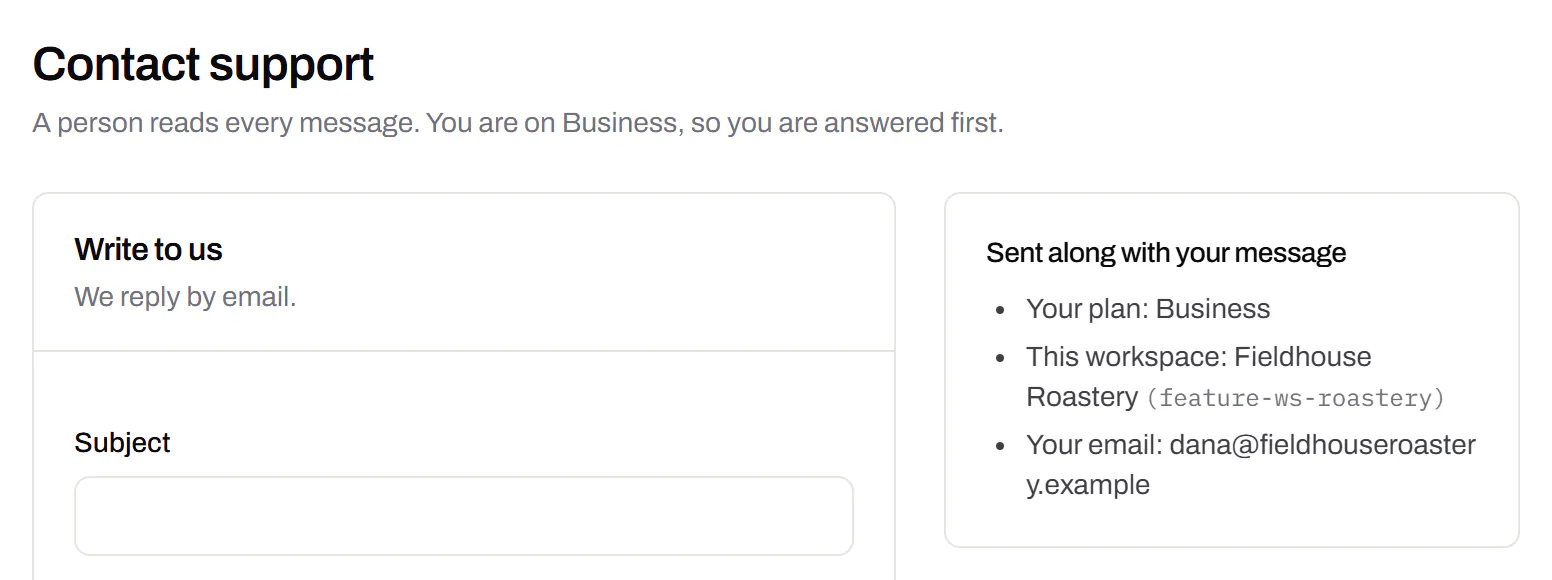
Each workspace has its own codes, team and analytics, so a client never sees another client’s. Up to 10 under one subscription.
Business
Priority email support
Paid plans’ emails are answered first.Starter and up
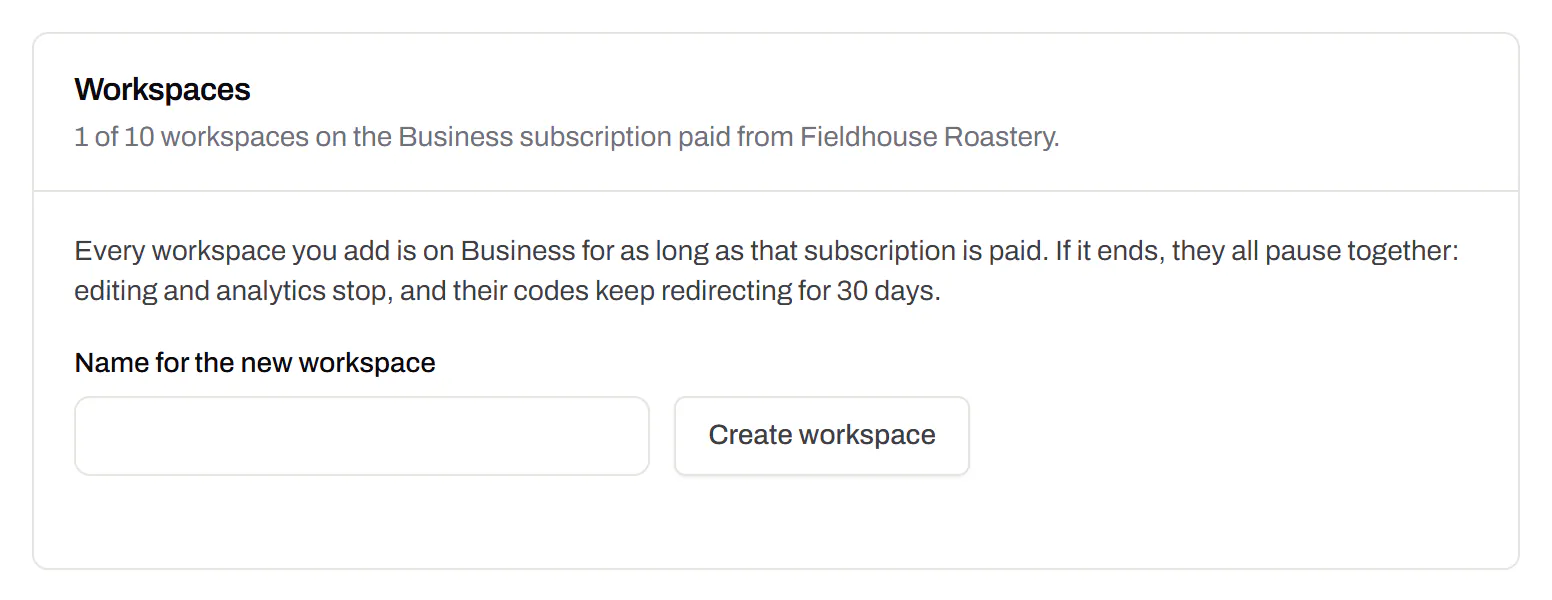
A person reads every message. On a paid plan yours is answered before free accounts’ - an order we keep, not a promised hour. Your plan and workspace go along with it, so nobody has to ask which account is yours.
Starter and up
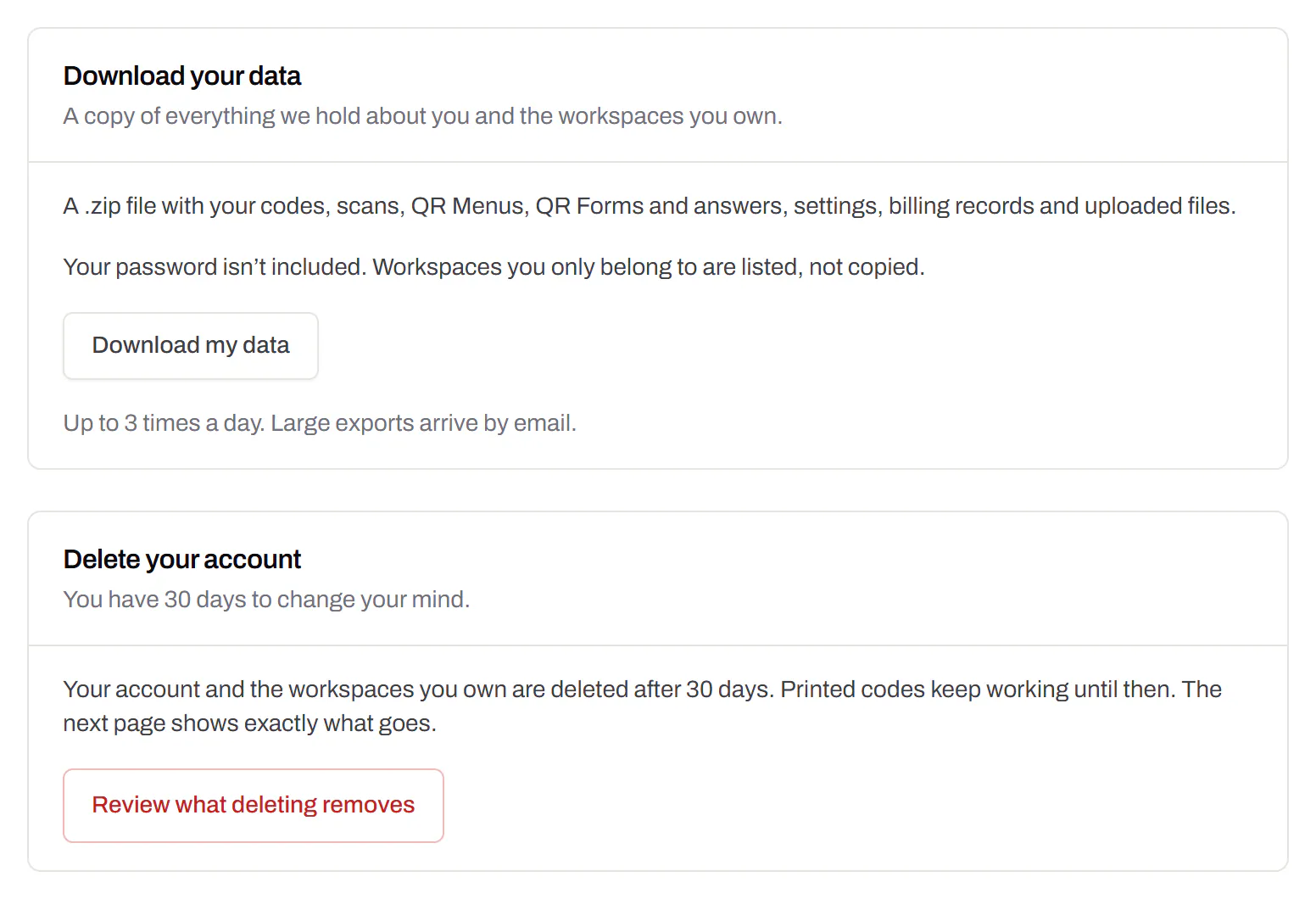
Your data, to take or delete
A full export any time, and deletion you can take back.Every plan, Free included
Download everything - codes, history, scans, form answers and the files you uploaded - as one .zip with spreadsheets inside. Deleting the account gives you 30 days to change your mind, and your printed codes keep working until then.
Every plan, Free included